
Powershell + windows Terminal最简单的美化
下载terminal
windows 10还没有自带terminal,可以到这里下载
Releases · microsoft/terminal (github.com)
win11已经自己带了
安装oh my posh
以下是新教程,只针对
oh-my-posh3
直接在微软商店搜索oh my posh下载
或者,
winget install JanDeDobbeleer.OhMyPosh -s winget
This installs a couple of things:
- oh-my-posh.exe - Windows executable
- themes - The latest Oh My Posh themes
如果以上方法都不能安装,请到github下载
Releases · JanDeDobbeleer/oh-my-posh (github.com)
然后terminal 重启
先下载一个字体,否则会出现乱码
https://www.nerdfonts.com/font-downloads
个人推荐
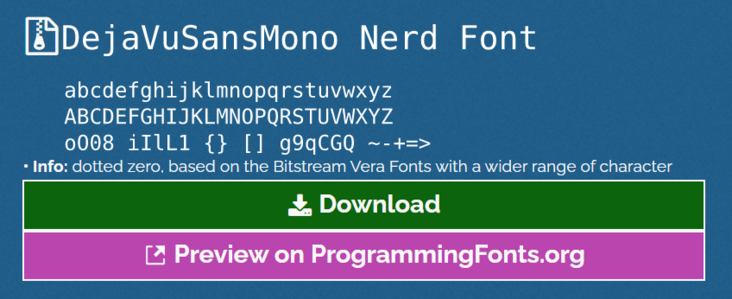
更改字体
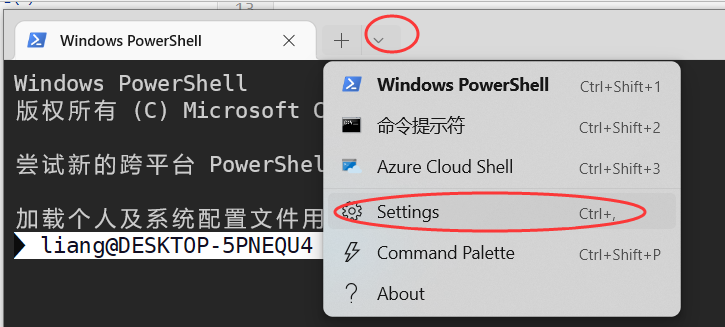
profiles--powershell--appearance--font face 选择字体
配置文件
在terminal打开配置文件
notepad $profile
输入
oh-my-posh init pwsh | Invoke-Expression
保存
但是,这个官方推荐的默认主题非常慢,加载还总出错,我推荐选其他的
自己到官方看看哪个符合心意?
https://ohmyposh.dev/docs/themes
oh-my-posh init pwsh --config "$env:POSH_THEMES_PATH/unicorn.omp.json" | Invoke-Expression
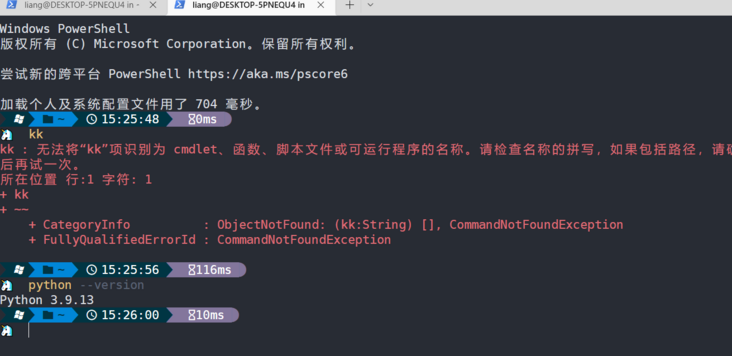
比之前简单多了
注意,若出现powershell无权限执行脚本的问题。可以如下处理
1.查看当前权限:
Get-ExecutionPolicy
2.设定权限(必须右键管理员权限打开powershell)
Set-ExecutionPolicy RemoteSigned
PowerShell有4种脚本权限:
Restricted: 默认的设置,不允许任何script运行。
AllSigned: 只能运行经过数字证书签名的script。
RemoteSigned: 运行本地的script不需要数字签名,但是运行从网络上下载的script必须要有数字签名。
Unrestricted: 允许所有的script运行。

 浙公网安备 33010602011771号