Windows系统运行selenium(附浏览器驱动下载地址)
1、系统已安装python;
2、安装pip
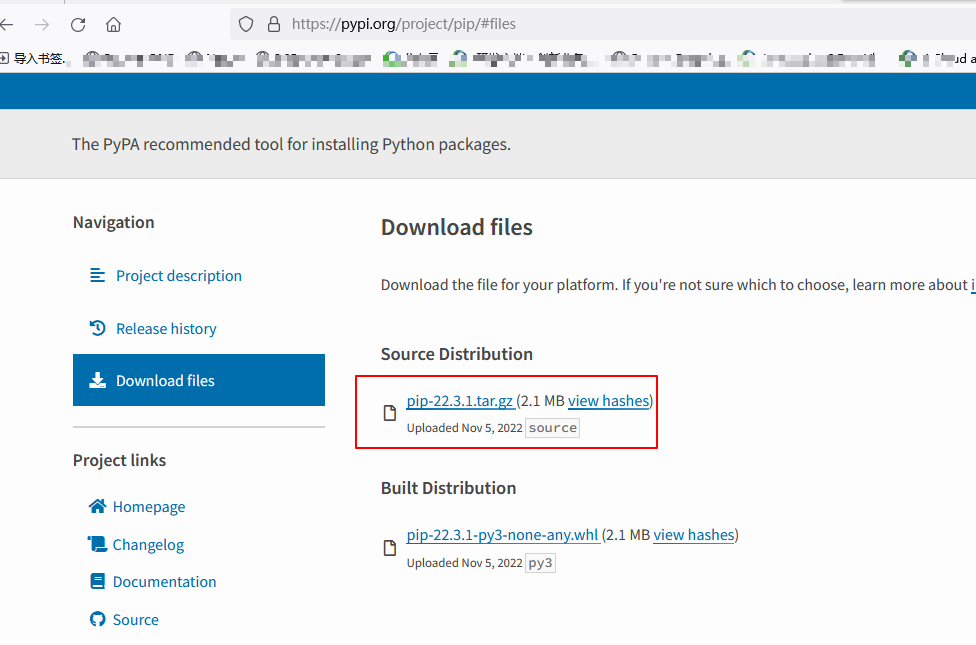
官网下载pip安装包:https://pypi.org/project/pip/#files
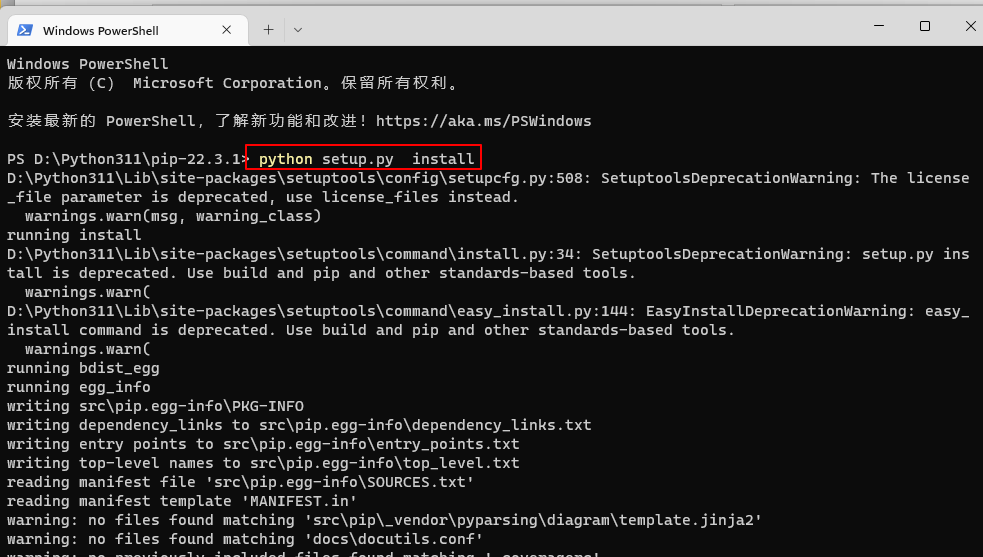
解压后 python setup.py install 来安装pip
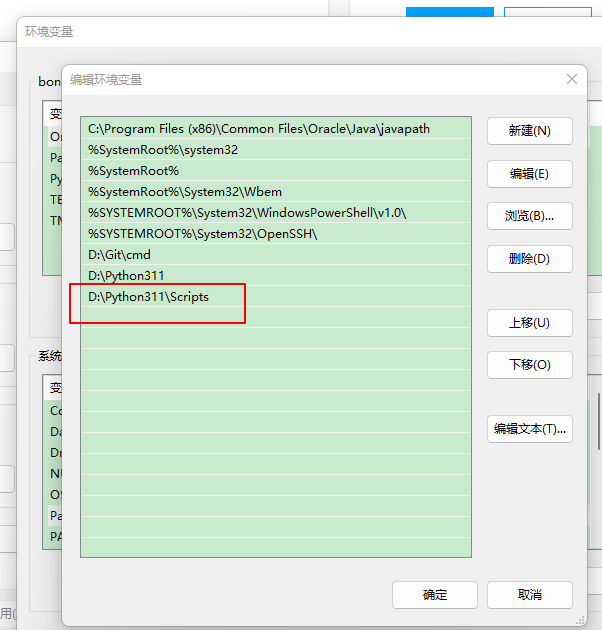
安装成功后将pip添加到Windows系统环境变量
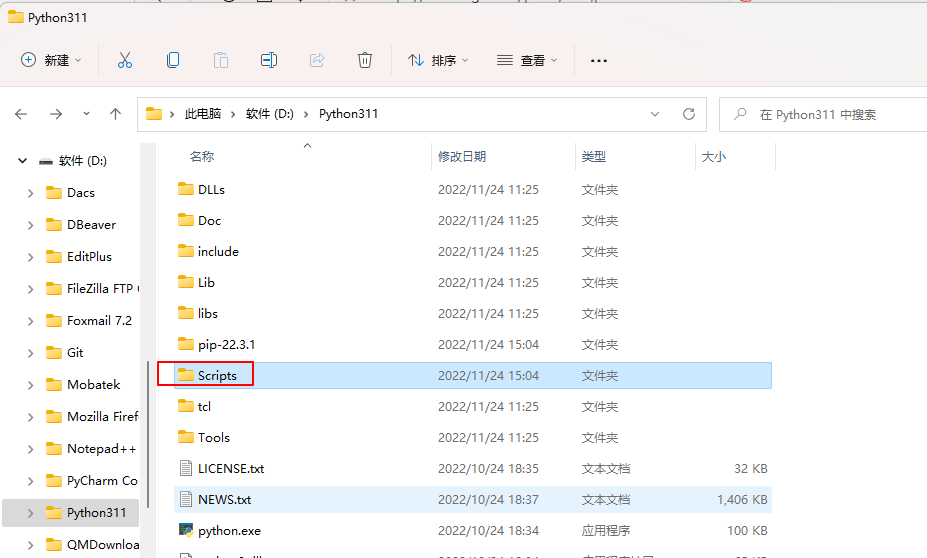
也可直接执行: ./pip.exe install selenium
------------------------------------------------------------------------------------------------------------------------------------------------------------------------------------
Selenium主要为我们提供了3种工具:Selenium WebDriver,Selenium IDE和Selenium Grid。
Selenium WebDriver是一个框架,它可以帮助我们在Selenium IDE上编写Java,C#,PHP,Python,Perl,Ruby等语言的脚本,并将其发送到浏览器上。Selenium Grid用于分布式测试场景,并允许在多个操作系统上进行测试
-------------------------------------------------------------------------------------------------------------------------------------------------------------------------------------
3、安装selenium
pip install selenium
4、安装浏览器驱动
根据使用的浏览器,选择相应的驱动:
要启动相应的浏览器必须要有它的驱动器,可以到Selenium官网下载所以相关的Driver:
http://www.seleniumhq.org/download/
如果Selenium官网访问不了,直接贴:
Mozilla GeckoDriver(Firefox)
https://github.com/mozilla/geckodriver/releases
Google Chrome Driver
https://sites.google.com/a/chromium.org/chromedriver/
https://chromedriver.storage.googleapis.com/index.html?
Microsoft Edge Driver(IE)
https://developer.microsoft.com/en-us/microsoft-edge/tools/webdriver/
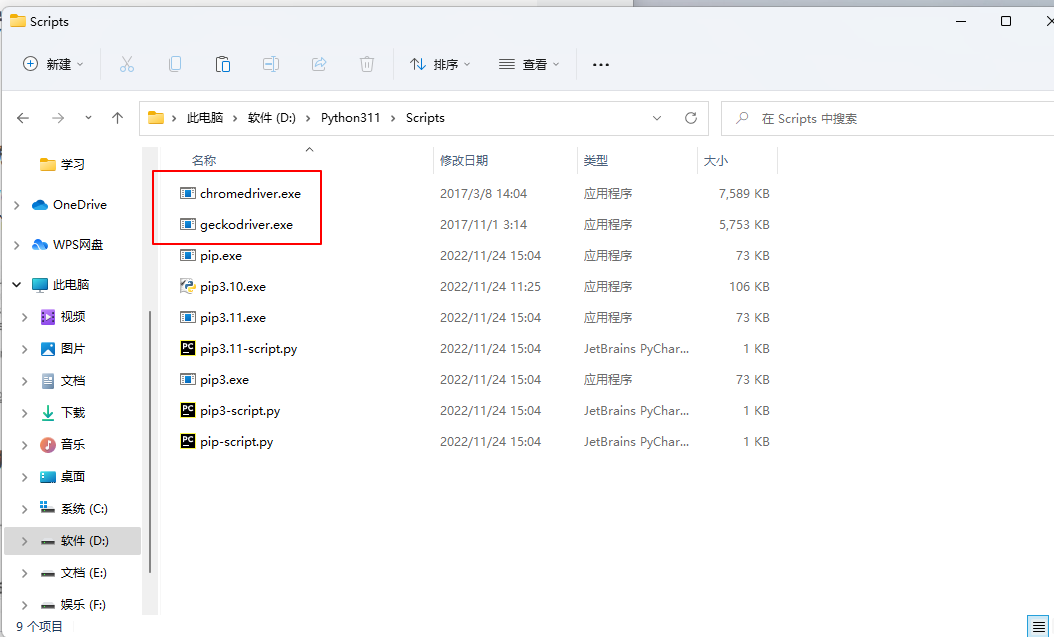
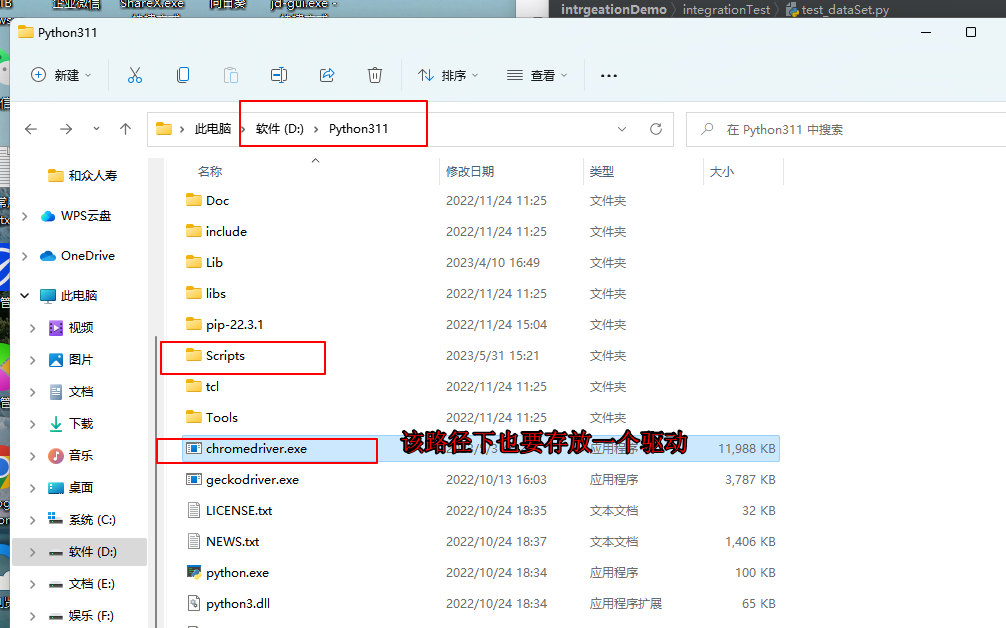
请注意,下载后将这3个驱动(exe文件)放在F:\Python\Python36\scripts目录下(python安装目录)
5、selenium Ide安装
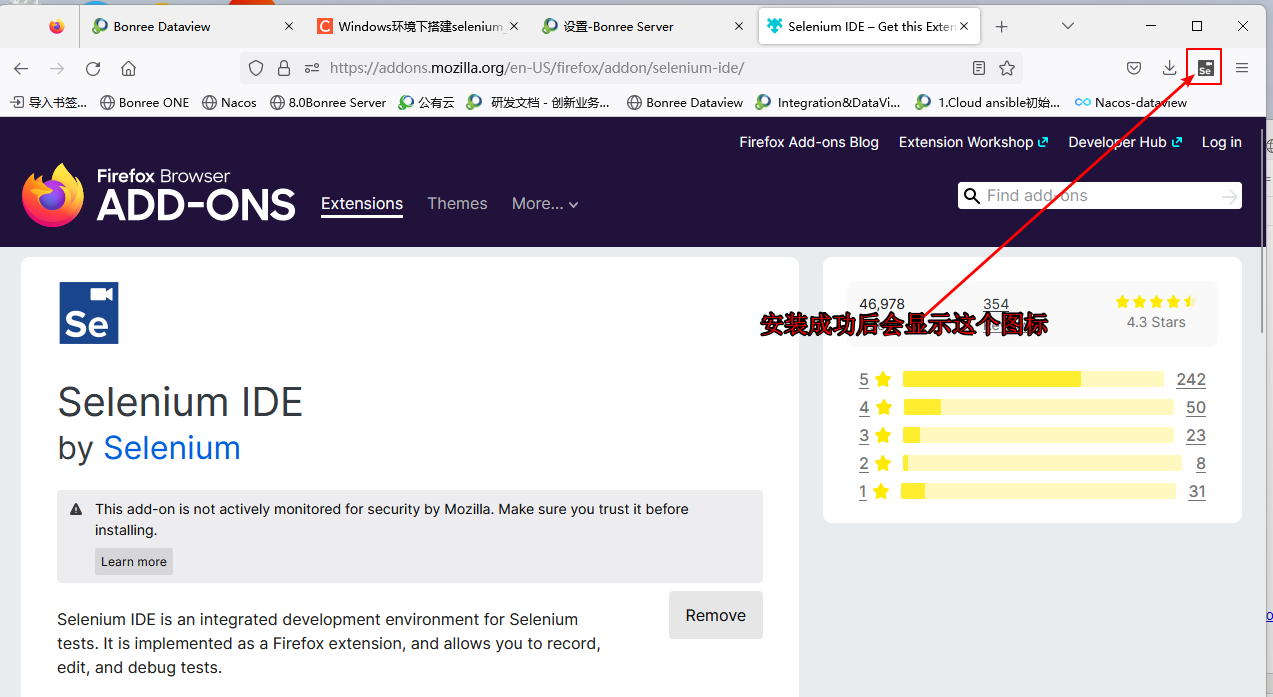
通过该网站在线安装 selenium Ide https://docs.seleniumhq.org/download/

 浙公网安备 33010602011771号