
Unity 调用C++ 编译DLL
首选需要创建C++ 工程:
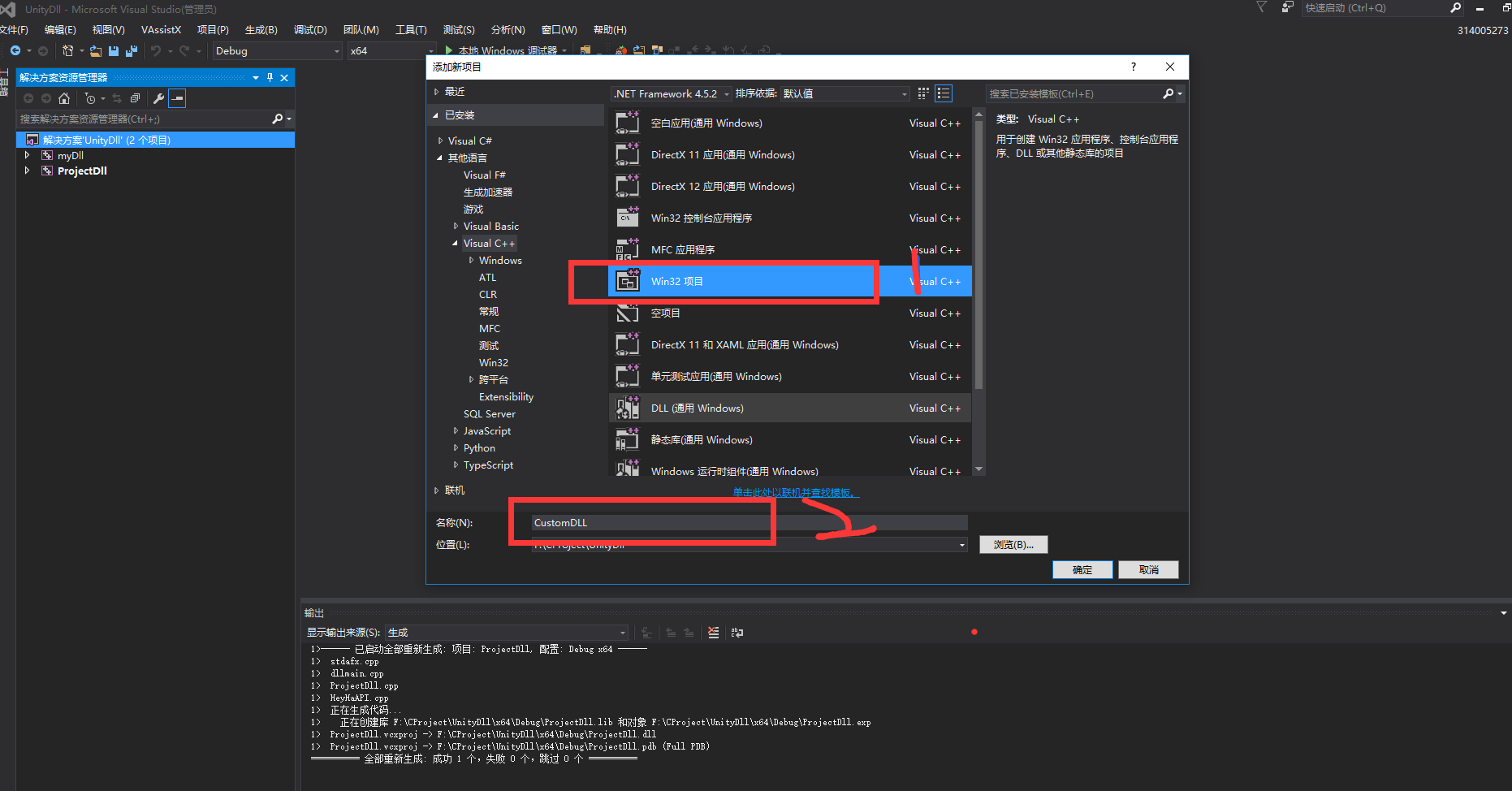
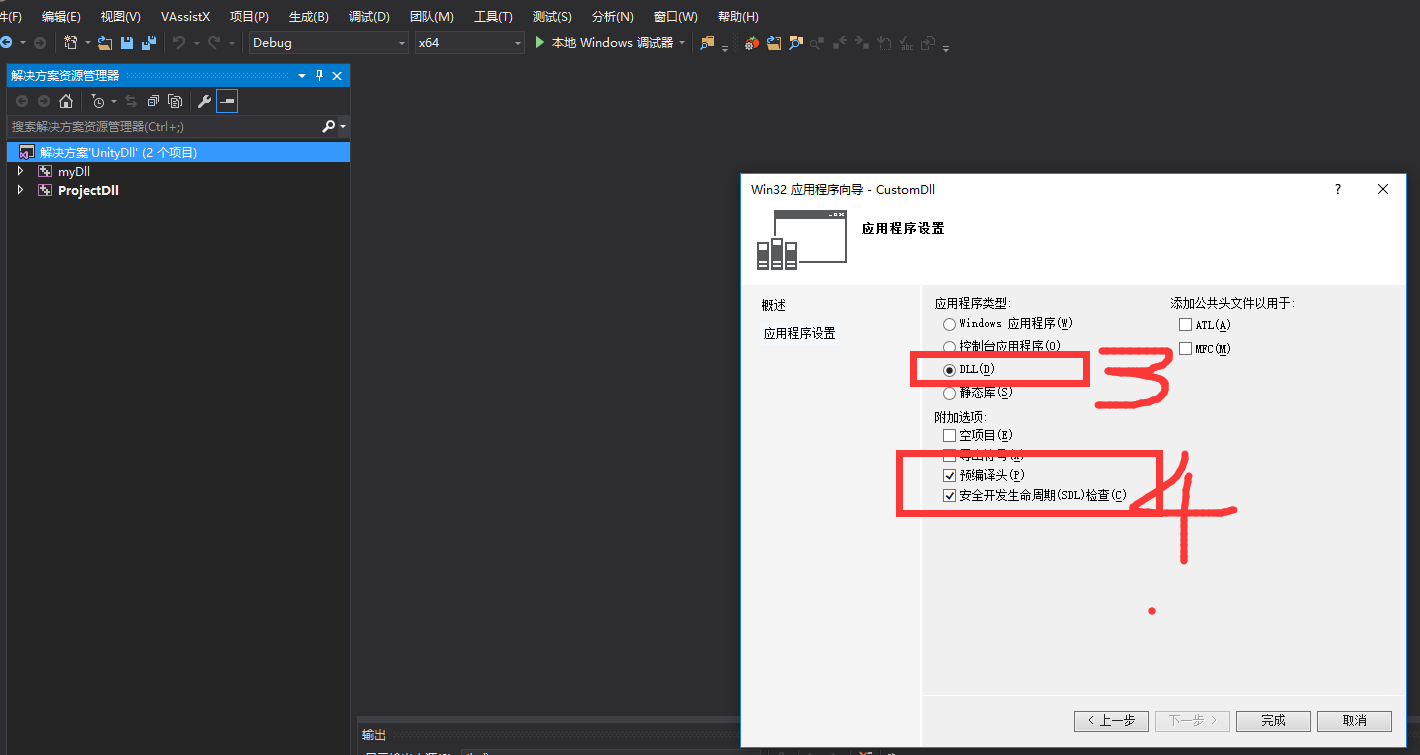
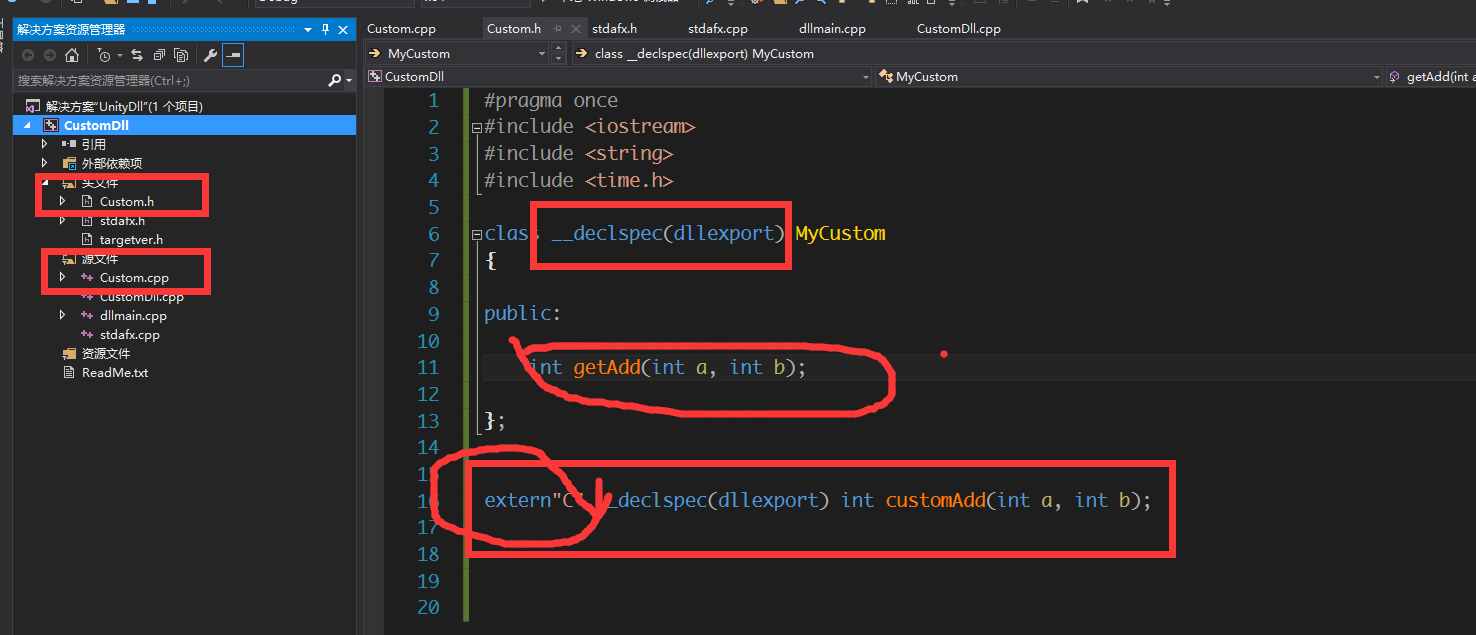
一: 自己添加Custom.h 和Custom.cpp 在头文件里面定义一个MyCustom 类
#pragma once
#include <iostream>
#include <string>
#include <time.h>
#include <iostream>
#include <string>
#include <time.h>
class __declspec(dllexport) MyCustom
{
{
public:
int getAdd(int a, int b);
};
extern"C" __declspec(dllexport) int customAdd(int a, int b);
注意点: class __declspec(dllexport) MyCustom 这个“__declspec(dllexport)” 一定要有,有些是宏定义
extern"C" __declspec(dllexport) int customAdd(int a, int b); “extern"C" __declspec(dllexport)” 一定要写 尤其是 extern“c“
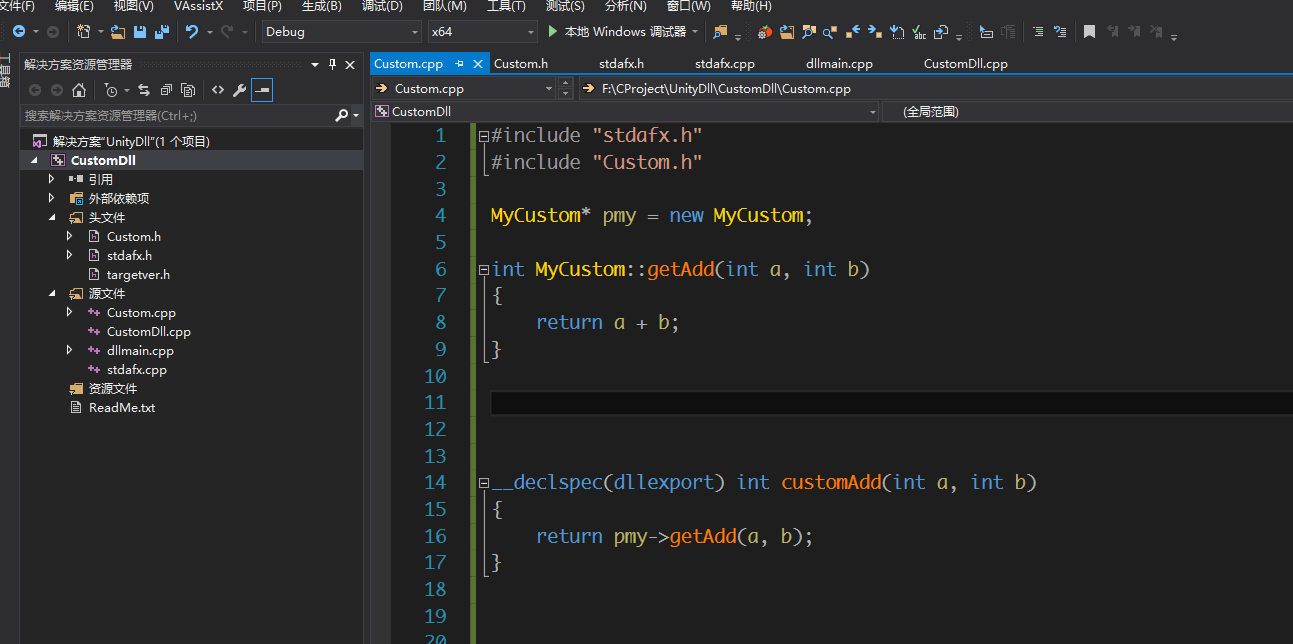
cpp 里面这个customAdd 就是让外面调用的方法
可以在这个方法里面调用其他的方法来处理逻辑
接下来开始编译
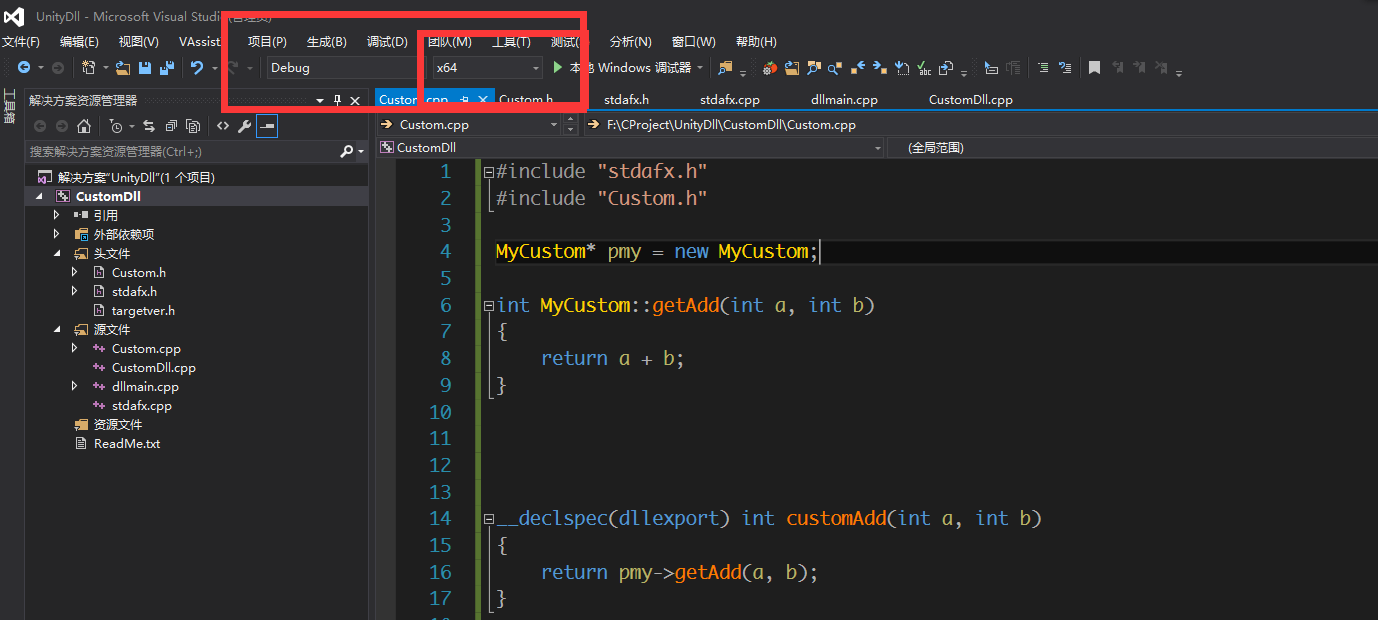
注意: 红框标注
有x64 和x86 两个选项 这个是和unity是想对应的。
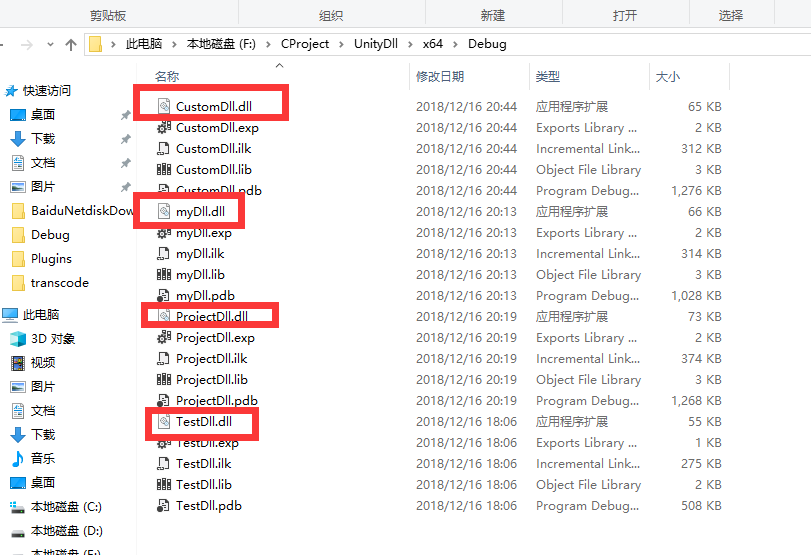
我编译的x64 所以在相对于的x64文件夹下面找到dll
接下来 导入到unity
在Assets 下面创建一个名字为 Plugins 到文件夹 同时把DLL 放进去
创建一个c#脚本
需要using System.Runtime.InteropServices; 命名空间
using System.Collections;
using System.Collections.Generic;
using UnityEngine;
using System.Runtime.InteropServices;
using System.Collections.Generic;
using UnityEngine;
using System.Runtime.InteropServices;
public abstract class UnityDLL
{
//[DllImport("TestDll")]
// public static extern int add(int a, int b);
{
//[DllImport("TestDll")]
// public static extern int add(int a, int b);
[DllImport("ProjectDll")]
public static extern void PrintDebugLog();
public static extern void PrintDebugLog();
[DllImport("ProjectDll")]
public static extern int getSum(int a, int b);
public static extern int getSum(int a, int b);
[DllImport("myDll")]
public static extern int fnmyDll();
[DllImport("myDll")]
public static extern int getgetNumber(int a, int b);
public static extern int getgetNumber(int a, int b);
[DllImport("CustomDll")]
public static extern int customAdd(int a, int b);
}

 浙公网安备 33010602011771号