
目录结构:
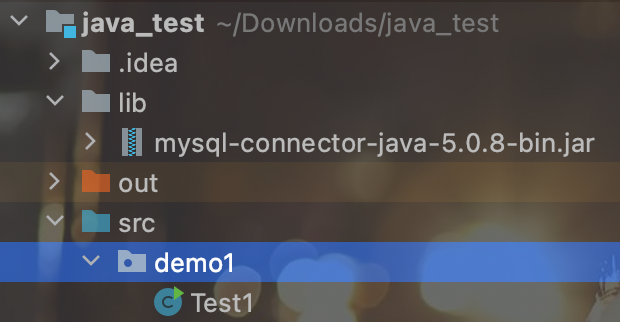
代码实现:
package demo1;

import java.sql.Connection;
import java.sql.DriverManager;
import java.sql.SQLException;

/*
 * 1.将驱动包添加到项目中
 * 2.编码
 */
public class Test1 {
    public static void main(String[] args){
        try {
            //加载驱动
            Class.forName("com.mysql.jdbc.Driver");
       //建立连接
       //url的格式:主协议:自协议:名称
            String url = "jdbc:mysql://127.0.0.1:3306/mysql";
            Connection connection = DriverManager.getConnection(url,"root","123456");

            if(connection != null){
                System.out.println("连接成功");
            }else{
                System.out.println("连接失败");
            }

        } catch (SQLException | ClassNotFoundException e) {
            e.printStackTrace();
        }
    }
}
此时运行后报错:Client does not support authentication protocol requested by server; consider upgrading MySQL client
这是因为navicat版本的问题造成连接失败。mysql8之前的版本中加密规则是mysql_native_password,而在mysql8之后,加密规则是caching_sha2_password
进入mysql查看版本:select version();
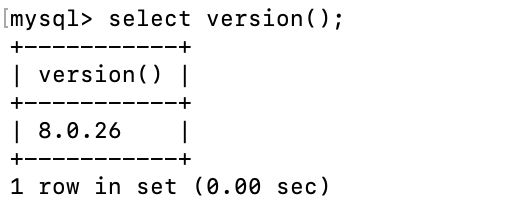
然后输入修改加密规则:
ALTER USER 'root'@'localhost' IDENTIFIED WITH mysql_native_password BY '123456';

然后让权限生效:
FLUSH PRIVILEGES;

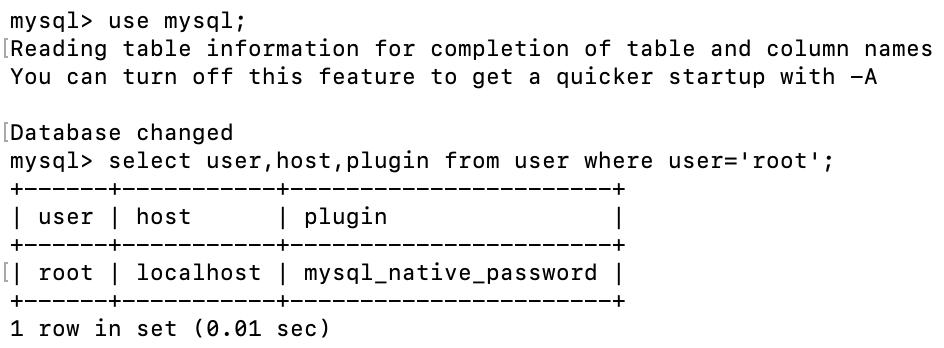
然后查看加密规则已经改成功了:
user mysql;
select user,host,plugin from user where user='root';
此时在去运行仍然报错了:Unknown initial character set index '255' received from server. Initial client character set can be forced via the 'characterEncoding' property.
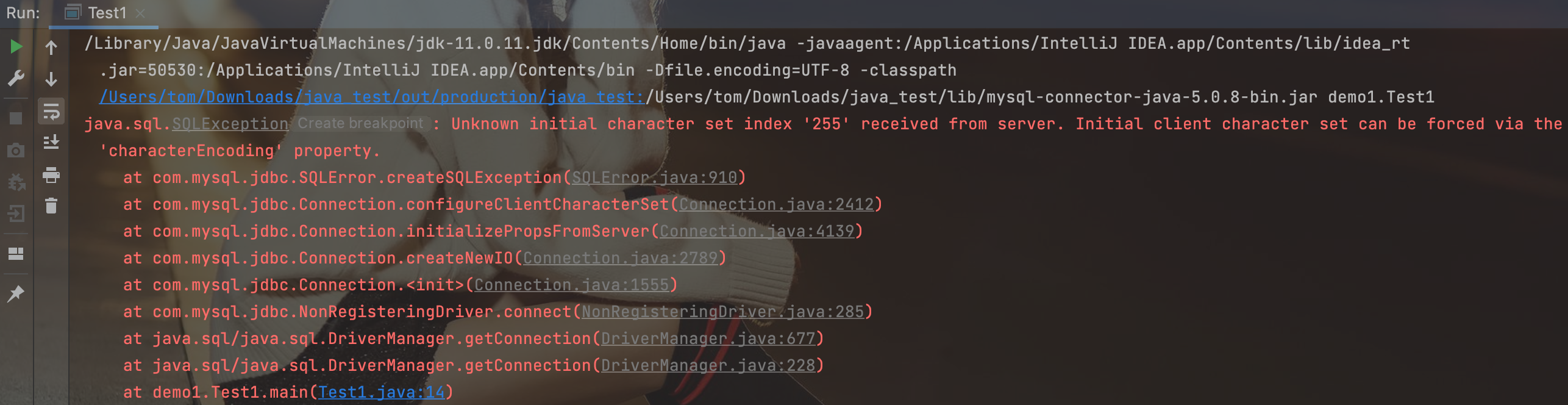
这是因为在建立连接的时候字符集设置有问题导致的:
给URL中加入:?useUnicode=true&characterEncoding=utf8
package demo1;

import java.sql.Connection;
import java.sql.DriverManager;
import java.sql.SQLException;

public class Test1 {
    public static void main(String[] args){
        try {
            //加载驱动
            Class.forName("com.mysql.jdbc.Driver");
       //建立连接
       //url的格式:主协议:自协议:名称
            String url = "jdbc:mysql://127.0.0.1:3306/mysql?useUnicode=true&characterEncoding=utf8";
            Connection connection = DriverManager.getConnection(url,"root","123456");

            if(connection != null){
                System.out.println("连接成功");
            }else{
                System.out.println("连接失败");
            }

        } catch (SQLException | ClassNotFoundException e) {
            e.printStackTrace();
        }
    }
}
连接成功:


 浙公网安备 33010602011771号