
启动 bert-as-service
- S1:启动bert-as-service时,执行命令
bert-serving-start -model_dir /downloads/uncased_L-12_H-768_A-12/ -num_worker=2
- 出现错误(依赖库版本不对)
RuntimeWarning: compiletime version 3.6 of module 'tensorflow.python.framework.fast_tensor_util' does not match runtime version 3.8
...
E:GRAPHOPT:[gra:opt:154]:fail to optimize the graph!
..
TypeError: cannot unpack non-iterable NoneType object
- S2:安装1.14版本的tensorflow,执行命令
pip install -i https://pypi.doubanio.com/simple/ tensorflow==1.14- 安装失败
ERROR: Could not find a version that satisfies the requirement tensorflow==1.14 (from versions: 2.2.0rc1, 2.2.0rc2, 2.2.0rc3)
ERROR: No matching distribution found for tensorflow==1.14
- 原因:必须使用python <=3.7来安装Tensorflow 1.14
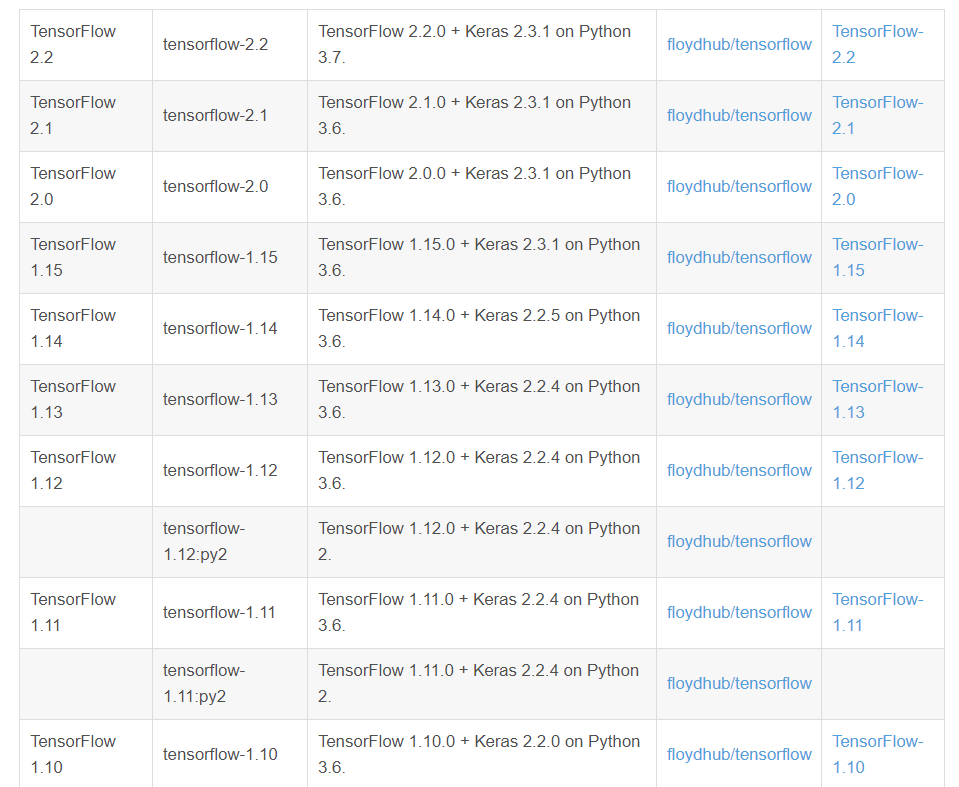
- 解决:通过创建conda虚拟环境,在这个环境下安装1.14版本的tf
- 镜像安装tensorflow-cpu1.14及Keras超详细版 - 灰信网(软件开发博客聚合)
- S3:创建conda_python3.6 (python=3.6, tensorflow=1.14) 虚拟环境
# 1. 创建一个环境,指定python版本
conda create --name conda_python3.6 python=3.6
# 2. 启动该环境
conda activate conda_python3.6
# 3. 验证环境是否被选中
conda info --envs
# 4. 验证python版本
python --version
# 5. 禁用环境
conda deactive
- S4:在创建完conda_python3.6虚拟环境之后,执行安装命令,安装成功
pip install -i https://pypi.doubanio.com/simple/ tensorflow==1.14
pip install -i https://pypi.doubanio.com/simple/ keras==2.2.5 - S5:重新执行启动命令,仍然出错
![]()
-
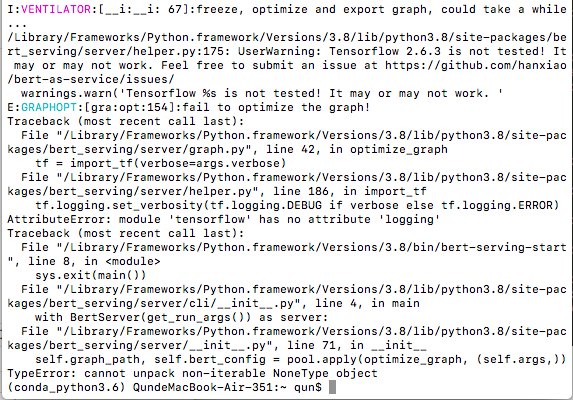
看上图,这个启动命令还是在python3.8上执行的,这是为啥?
-
又去找原目录(python3.8)了,结果还是tf==2.6.3
/Library/Frameworks/Python.framework/Versions/3.8/lib/python3.8/site-packages/bert_serving/server/helper.py:175: UserWarning: Tensorflow 2.6.3 is not tested! It may or may not work. Feel free to submit an issue at https://github.com/hanxiao/bert-as-service/issues/ -
要改目录,让它去找conda虚拟环境的目录
![]()
-

su root   //进入root用户
vi /etc/profile
原路径:export PATH=/Library/Frameworks/Python.framework/Versions/3.8/bin/:$PATH
修改为:export PATH=/Users/qun/opt/anaconda3/envs/conda_python3.6/:$PATH
- S6:重新执行命令,仍然出错
![]()
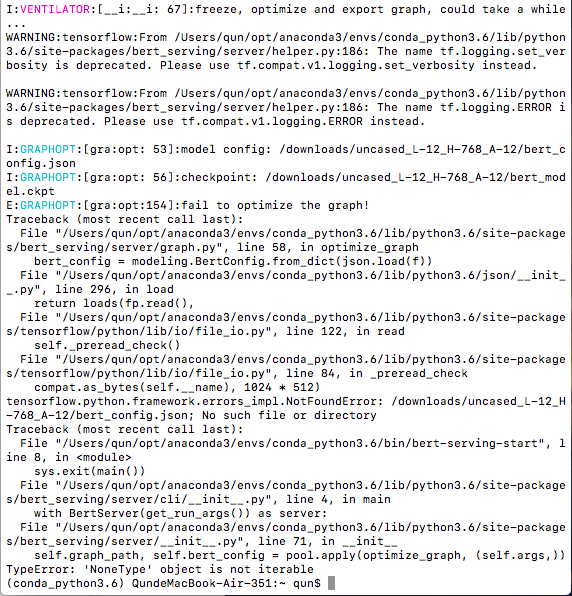
The name tf.logging.set_verbosity is deprecated. Please use tf.compat.v1.logging.set_verbosity instead.
The name tf.logging.ERROR is deprecated. Please use tf.compat.v1.logging.ERROR instead.
- 在之前的路径里加了bin (没用)
export PATH=/Users/qun/opt/anaconda3/envs/conda_python3.6/bin/:$PATH
- 在网上查了,说这错误@是因为tf 2.0移除了一些API,但是咱这不是tf1.14吗?? 疑惑了
- 解决:按照[完美解决:针对tensorflow中tf.logging.set_verbosity(tf.logging.ERROR)问题](https://blog.csdn.net/tangerrr/article/details/105340433)里面的修改了`/Users/qun/opt/anaconda3/envs/conda_python3.6/lib/python3.6/site-packages/bert_serving/server/helper.py`文档
原程序:
tf.logging.set_verbosity(tf.logging.DEBUG if verbose else tf.logging.ERROR)
修改为:
tf.compat.v1.logging.set_verbosity(tf.logging.DEBUG if verbose else tf.compat.v1.logging.ERROR)
- S7: 重新执行命令,错误@成功解决,但是还有俩错误
![]()
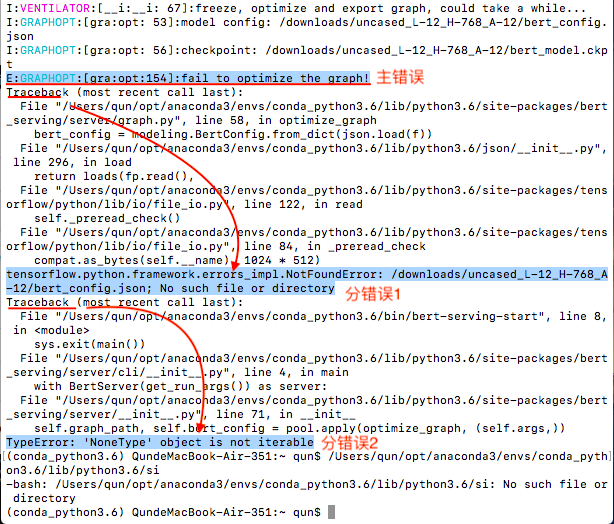
主错误:
E:GRAPHOPT:[gra:opt:154]:fail to optimize the graph!
回溯查找错误原因:
1. tensorflow.python.framework.errors_impl.NotFoundError: /downloads/uncased_L-12_H-768_A-12/bert_config.json; No such file or directory 🌿
2. TypeError: 'NoneType' object is not iterable
- 解决:按照 tensorflow中的tensorflow.python.framework.errors_impl.NotFoundError 错误及解决方法_u014553172的博客-CSDN博客中执行
bert-serving-start -model_dir ~/downloads/uncased_L-12_H-768_A-12/ -num_worker=2成功!!
![]()
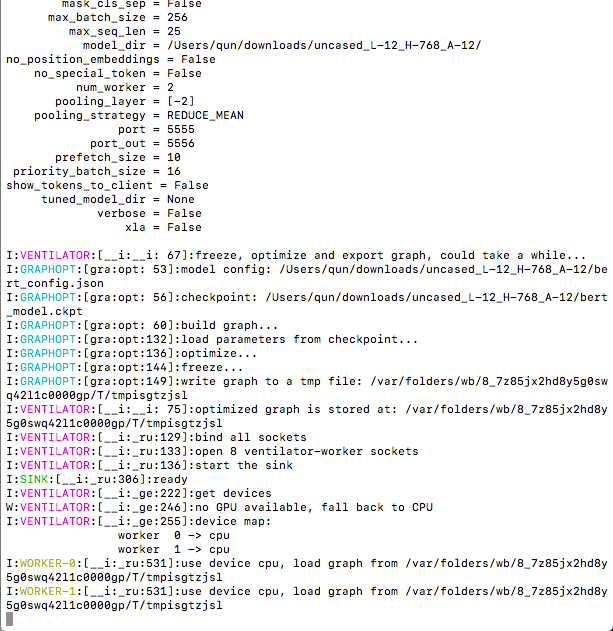
简单例子
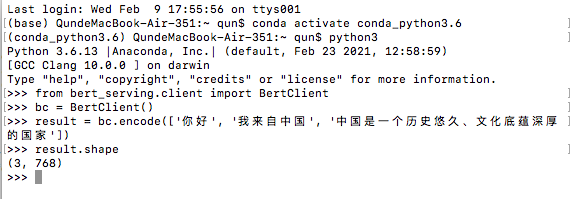
- 客户端:(🐷:要进去conda_python3.6才行)
![]()
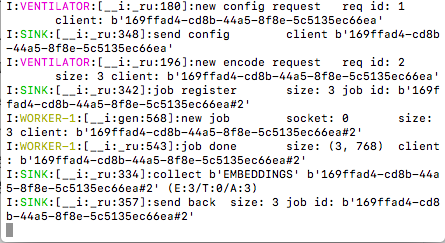
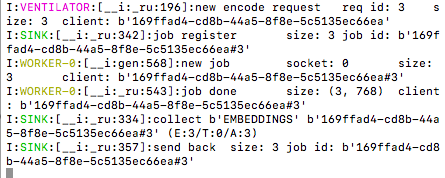
- 服务端:
![]()
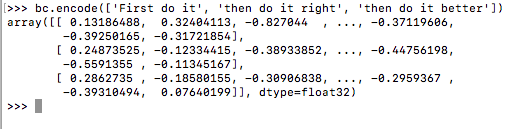
- 第二个小例子
![]()
![]()
- Use exit() or Ctrl-D (i.e. EOF) to exit
- 也可以通过
bc = BertClient(ip='xx.xx.xx.xx') # ip address of the GPU machine进行远程调用

 浙公网安备 33010602011771号