
性能测试监控平台搭建-grafana(四)
4. 安装grafana
4.1 安装mysql57,用于grafana的数据库,默认用的SQL数据库太慢,这里使用mysql代替
[root@master ~]# cd /opt/tgz
下载mysql源安装包
[root@master ~]# wget http://dev.mysql.com/get/mysql57-community-release-el7-8.noarch.rpm
安装mysql源
[root@master ~]# yum localinstall mysql57-community-release-el7-8.noarch.rpm -y
检查mysql源是否安装成功
[root@master tgz]# yum repolist enabled | grep "mysql.-community."
!mysql-connectors-community/x86_64 MySQL Connectors Community 258
!mysql-tools-community/x86_64 MySQL Tools Community 108
!mysql57-community/x86_64 MySQL 5.7 Community Server 696
跟新安装的秘钥配对
[root@master tgz]# rpm --import https://repo.mysql.com/RPM-GPG-KEY-mysql-2022
安装mysql5.7
[root@master tgz]# yum install mysql-community-server -y
启动MySQL服务
[root@master tgz]# systemctl start mysqld
查看MySQL的启动状态
[root@master tgz]# systemctl status mysqld
开机启动
[root@master tgz]# systemctl enable mysqld
[root@master tgz]# systemctl daemon-reload
修改root本地登录密码
mysql安装完成之后,在/var/log/mysqld.log文件中给root生成了一个默认密码。通过下面的方式找到root默认密码,然后登录mysql进行修改:查看初始密码
[root@master tgz]# grep 'temporary password' /var/log/mysqld.log
修改mysql的启动配置
[root@master tgz]# echo -e "validate_password = off\ncharacter_set_server=utf8\ninit_connect='SET NAMES utf8'\nskip-name-resolve\n" >> /etc/my.cnf
重启mysql服务
[root@master tgz]# systemctl restart mysqld
登录mysql服务器
[root@master tgz]# mysql -uroot -p
Enter password:
Welcome to the MySQL monitor. Commands end with ; or \g.
Your MySQL connection id is 14
Server version: 5.7.44 MySQL Community Server (GPL)
Copyright (c) 2000, 2023, Oracle and/or its affiliates.
Oracle is a registered trademark of Oracle Corporation and/or its
affiliates. Other names may be trademarks of their respective
owners.
Type 'help;' or '\h' for help. Type '\c' to clear the current input statement.
修改mysql的root用户的密码
mysql> alter user 'root'@'localhost' identified by '123456';
为root用户进行授权,运行远程访问
mysql> grant all privileges on . to root@'%' identified by '123456' with grant option;
mysql> flush privileges;
创建grafana使用的数据库
mysql> CREATE DATABASE IF NOT EXISTS grafana DEFAULT CHARSET utf8 COLLATE utf8_general_ci;
退出mysql
mysql> quit
4.2 安装grafana
4.2.1 grafana的官方下载方式(合理上网)
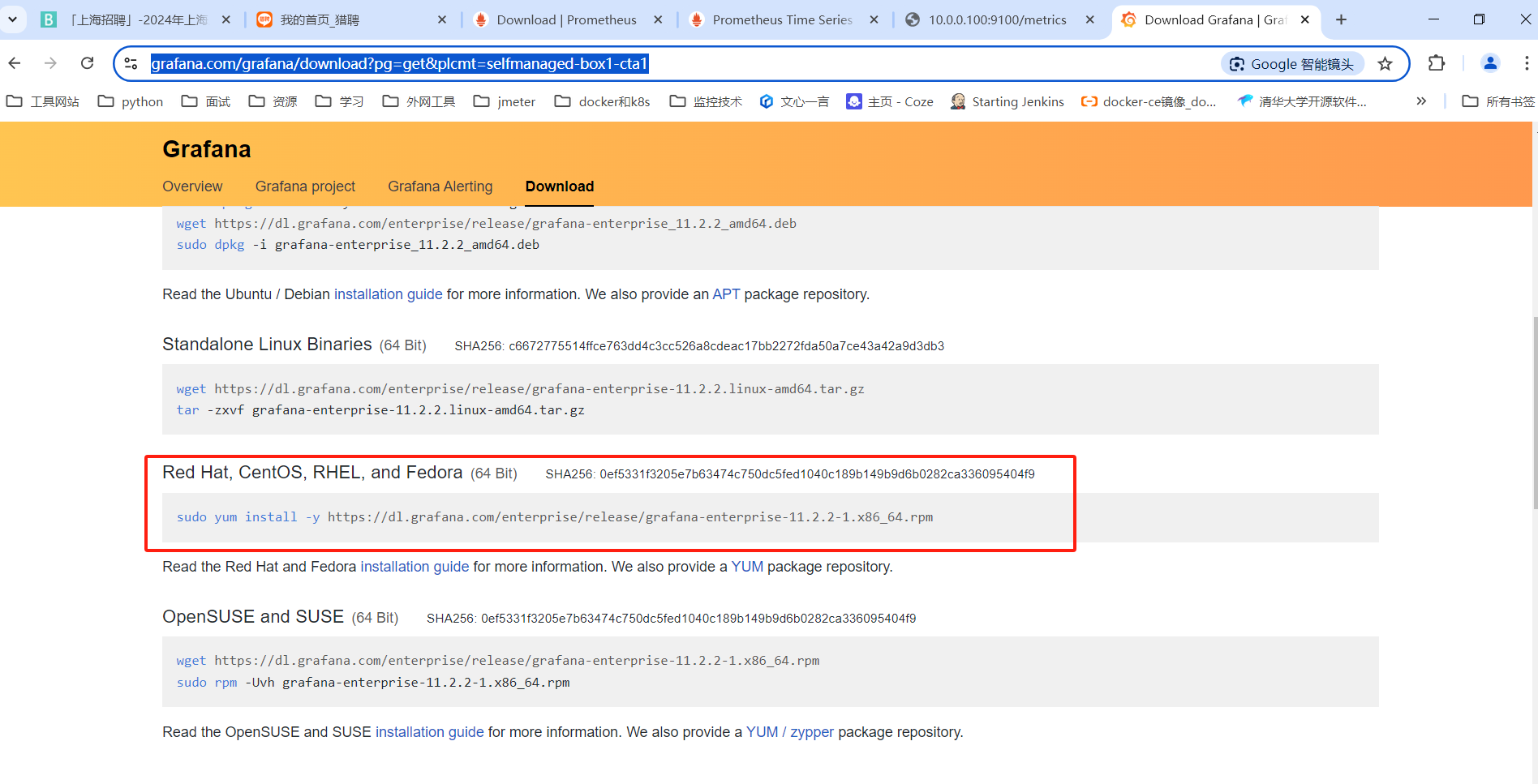
官网地址:https://grafana.com/grafana/download?pg=get&plcmt=selfmanaged-box1-cta1
创建存放安装包的目录(环境已经创建的可以跳过)
[root@master ~]# mkdir -p /opt/tgz
创建安装目录(环境已经创建的可以跳过)
[root@master ~]# mkdir -p /opt/app
grafana的rpm文件放到到tgz目录下
[root@master tgz]# cd /opt/tgz/
[root@master tgz]# wget https://dl.grafana.com/enterprise/release/grafana-enterprise-11.2.2-1.x86_64.rpm
[root@master tgz]# ll
总用量 297756
-rw-r--r--. 1 root root 127546953 10月 2 04:47 grafana-enterprise-11.2.2-1.x86_64.rpm
4.2.2 安装grafana
使用yum命令进行安装
[root@master tgz]# yum localinstall grafana-enterprise-11.2.2-1.x86_64.rpm -y
修改grafana的配置文件,将数据库指向mysql库
[root@master ~]# vim /etc/grafana/grafana.ini
对grafana中的配置文件进行修改内容如下,找到database的配置项目,将数据库指向之前安装的mysql数据库的配置
………………………………
#################################### Database ####################################
[database]
# You can configure the database connection by specifying type, host, name, user and password
# as separate properties or as on string using the url properties.
Either "mysql", "postgres" or "sqlite3", it's your choice
type = mysql
host = 127.0.0.1:3306
name = grafana
user = root
# If the password contains # or ; you have to wrap it with triple quotes. Ex """#password;"""
password = 123456
# Use either URL or the previous fields to configure the database
# Example: mysql://user:secret@host:port/database
;url =
…………………………………………
启动grafana的服务
启动服务
[root@master ~]# systemctl start grafana-server
# 设置服务为开机自动启动
[root@master ~]# systemctl enable grafana-server
# 检查服务的启动状态
[root@master ~]# systemctl status grafana-server
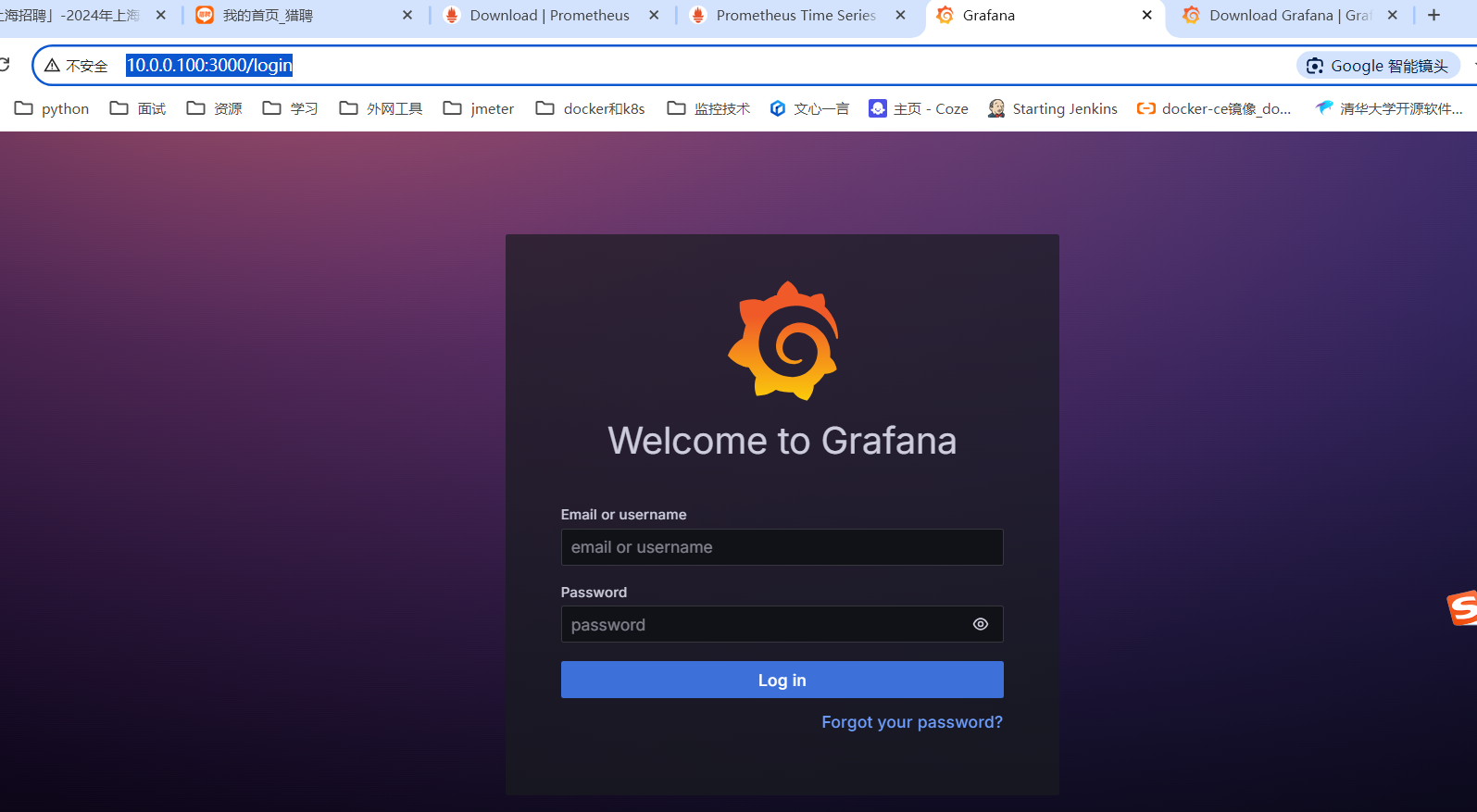
浏览器访问地址 http://10.0.0.100:3000/login (这里ip地址使用实际安装grafana的ip),登陆grafana,默认用户名:admin;密码:admin

 浙公网安备 33010602011771号