
IDEA的使用及优化
一、IDEA安装
IDEA优化
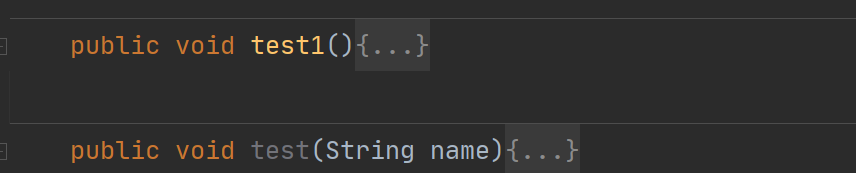
1、方法分割线
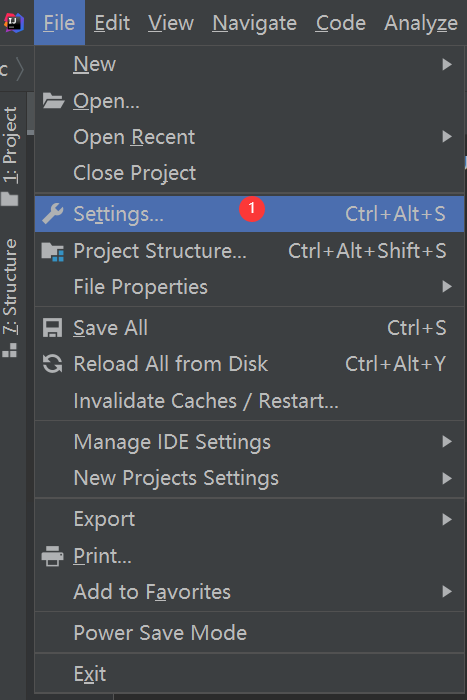
1、打开设置Settings...
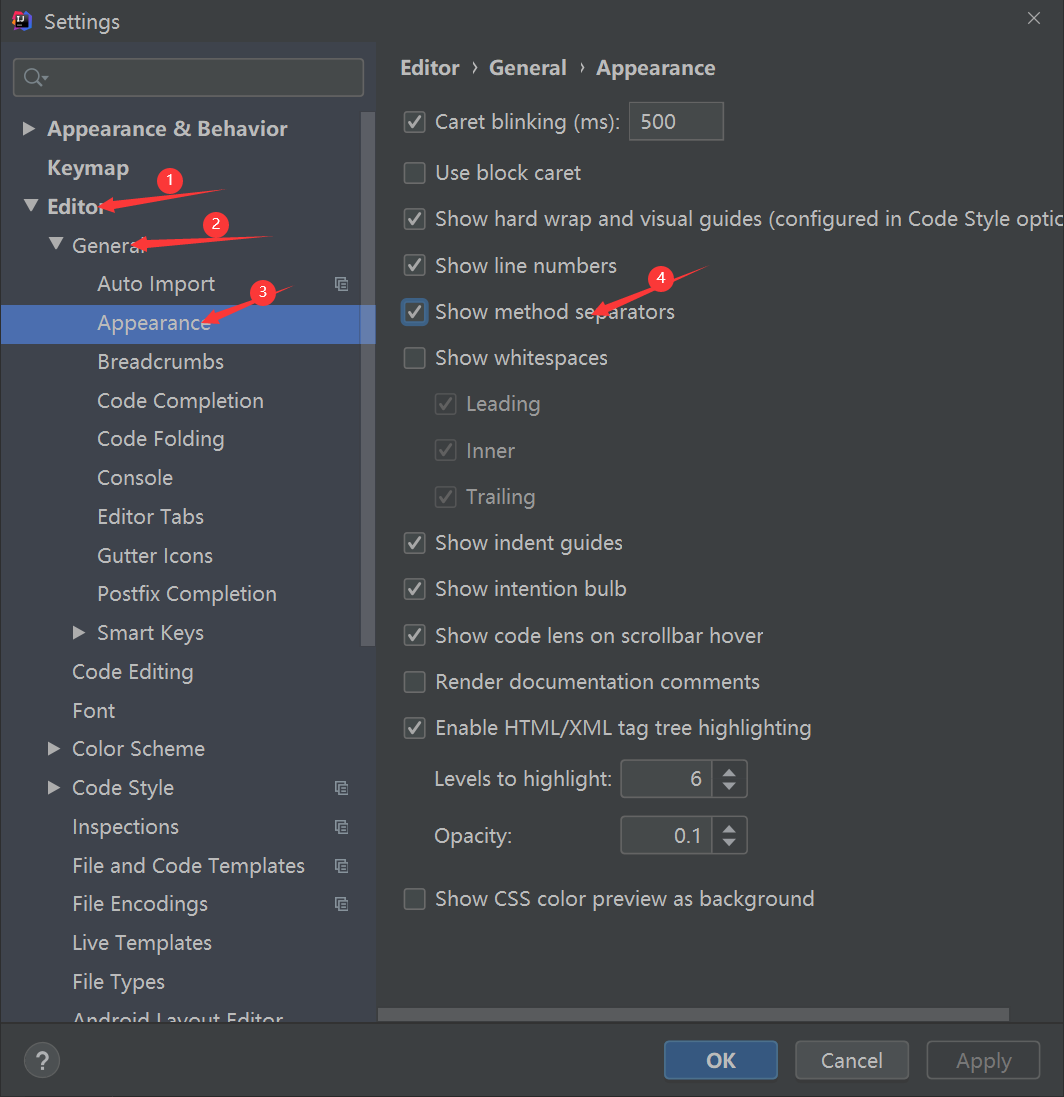
2、Editor --> General --> Appearance --> 勾选Show method separators
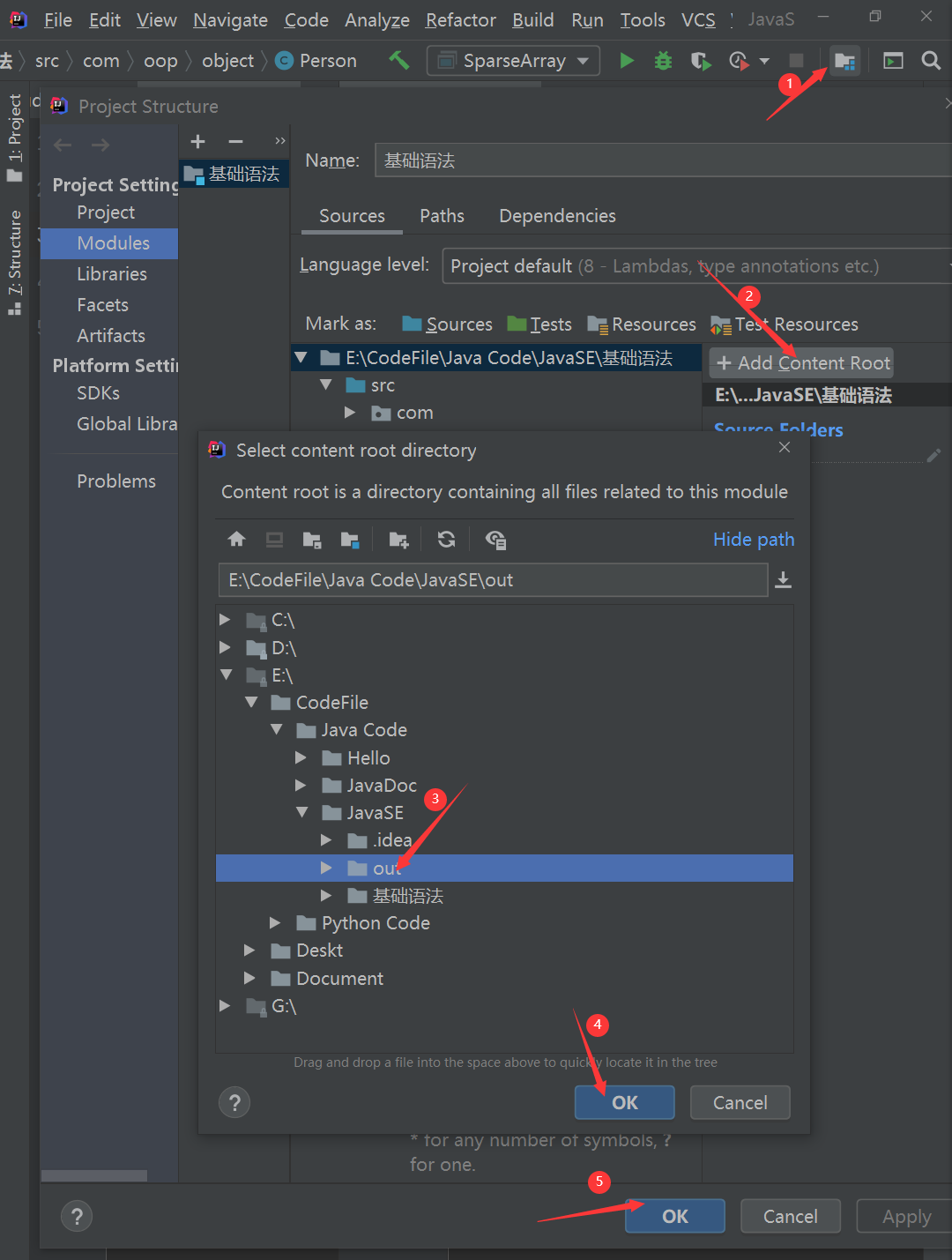
2、导入class包
Structure --> Add Content Root --> out
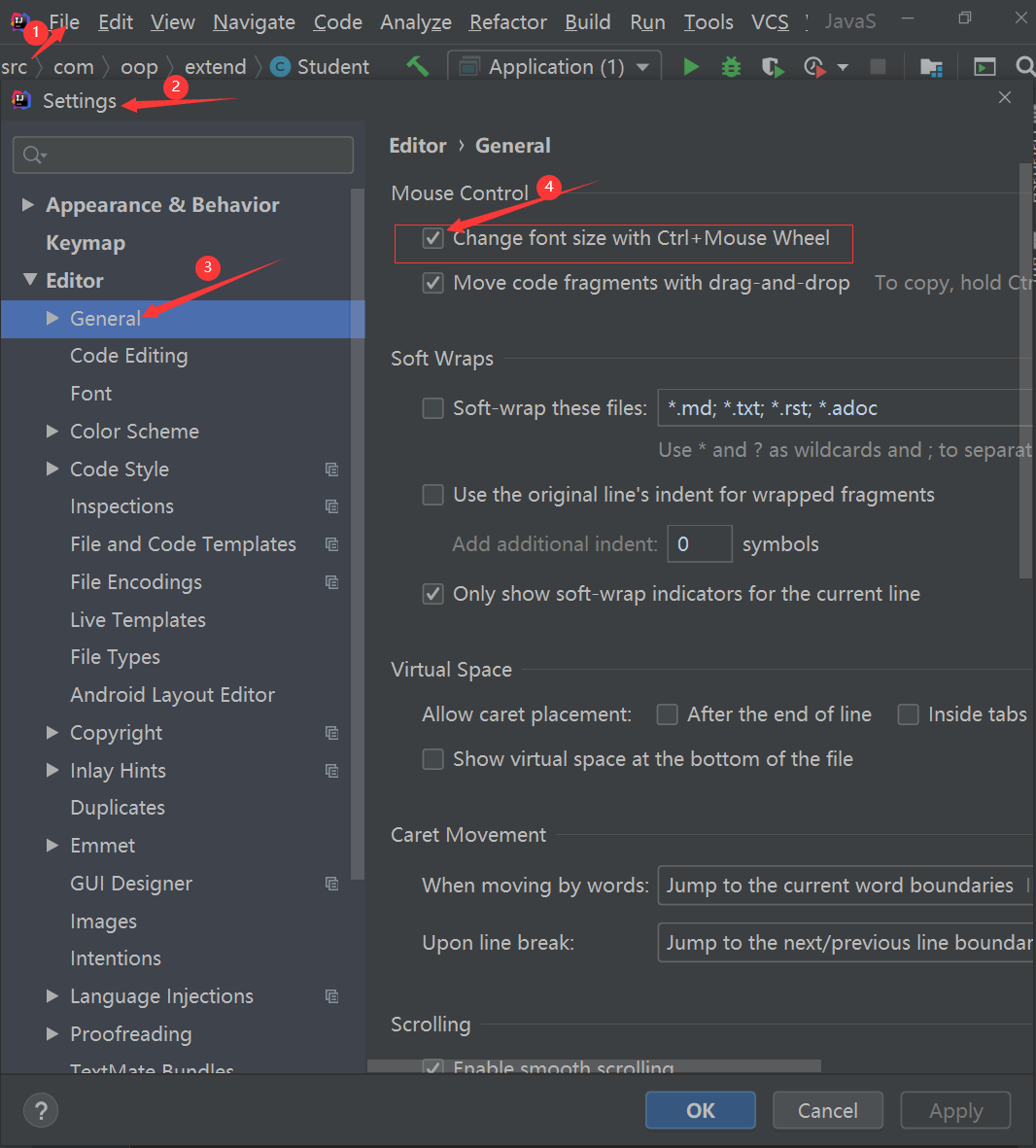
3、Ctrl+滑轮 控制字体大小
File ---> Settings.... ---> General ---> 勾选Change font size with Ctrl + Mouse Wheel
4、修改类头的文档注释信息
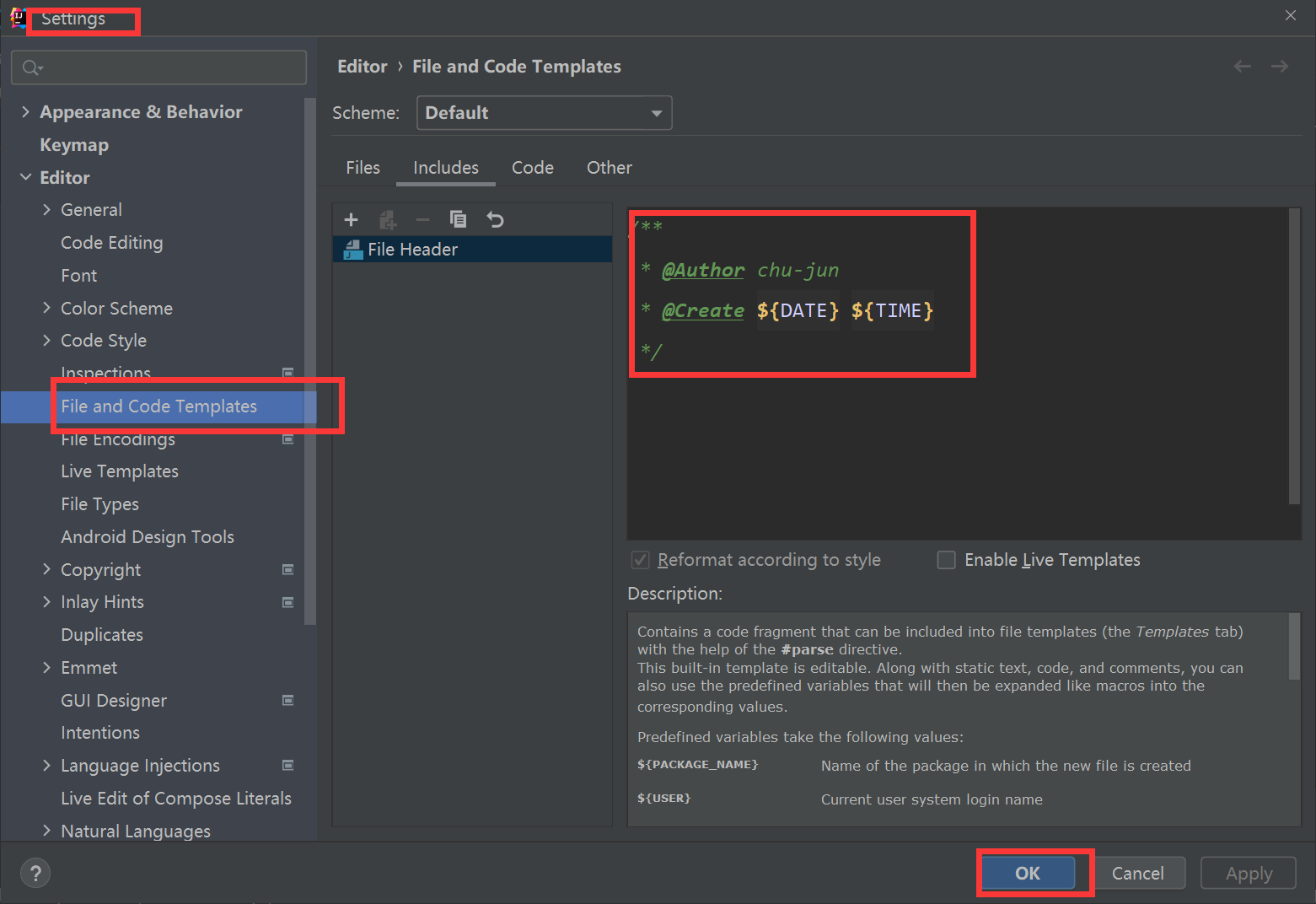
- 下面给出官网给出的常用预设变量:
${PACKAGE_NAME} - the name of the target package where the new cor interface wil1 be created.
${ PROJECT_NAME} - the name of the current project.
${FILE_NAME} - the name of the PHP file that will be created.
${NAME} - the name of the new file which you specify in the New File dialog box during the file creation.
${USER} - the login name of the current user.${DATE} - the current system date.
${TIME} - the current system time.${ YEAR} - the current year.
${MONTH} - the current month.
${DAY} - the current day of the month.${HOUR} - the current hour.
${MINUTE} - the current minute.
${PRODUCT_NAME} - the name of the IDE in which the file will be created.
${MONTH_NAME_SHORT}- the first 3 letters of the month name. Example:an,Feb,etc.
${MONTH_NANE_FULL} - full name of a month. Example: January ,February, etc.
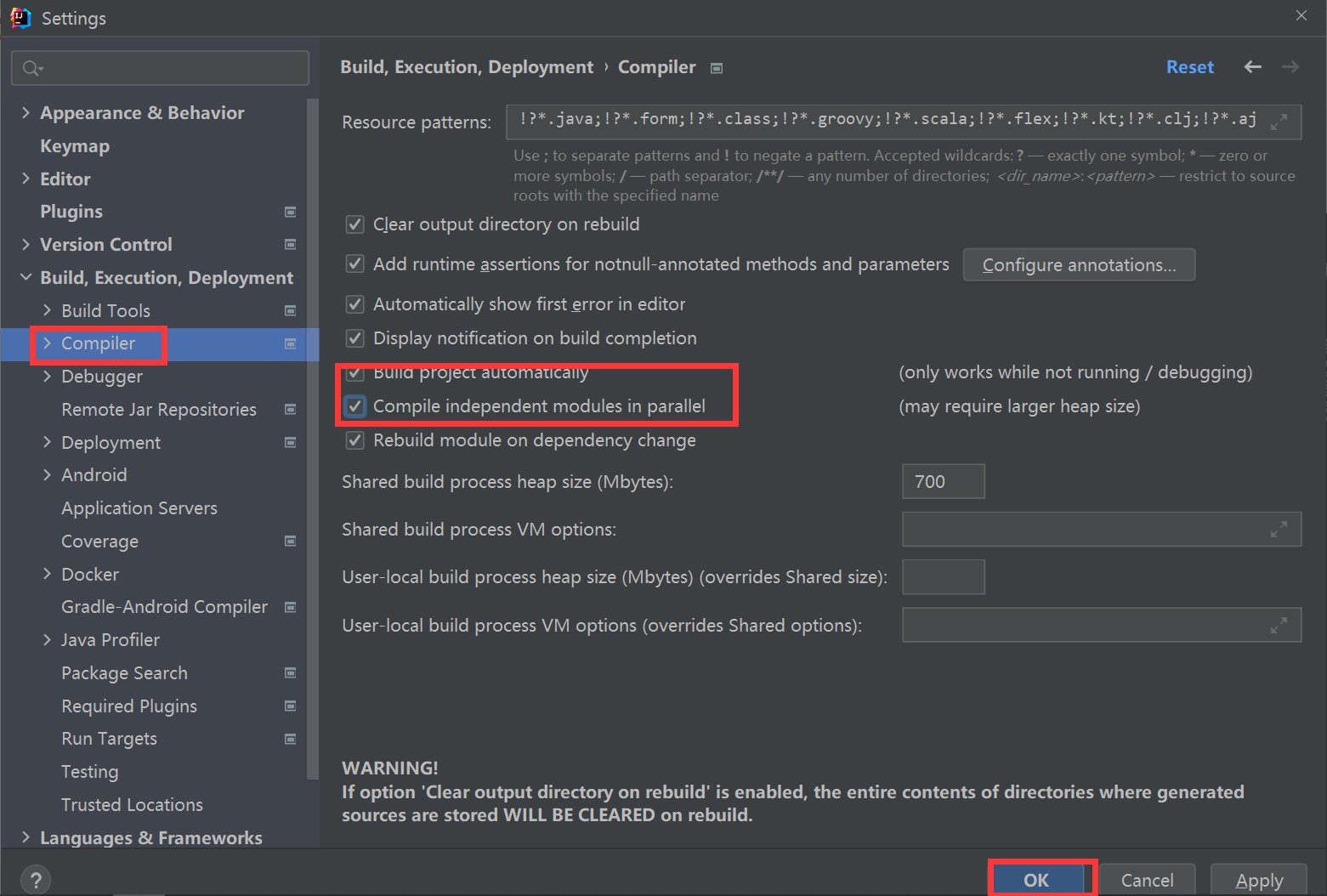
5、设置自动编译
settings-->Build,Execution, Deployment-->Compiler
6、自动导包
setting ---> Editor ---> General ---> Auto import 勾选下图红框里的,应用确认。


 浙公网安备 33010602011771号