
Python爬虫-scrapy基本使用
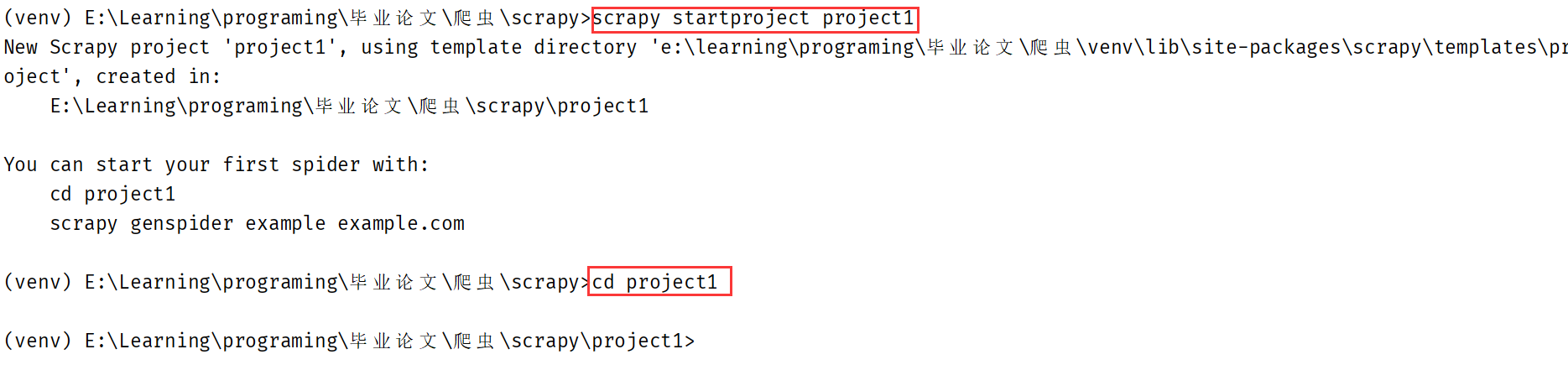
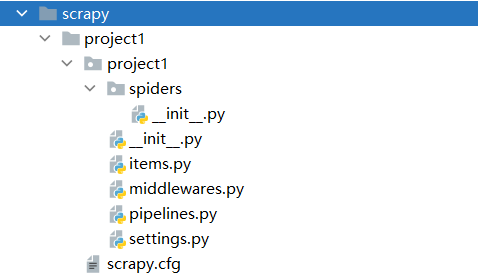
创建工程:scrapy startproject project_name
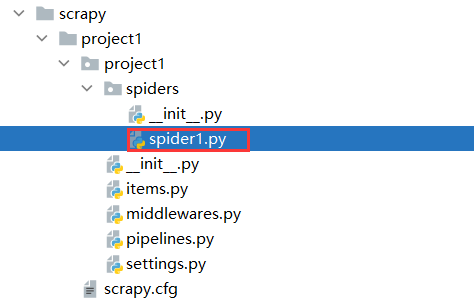
切换到工程目录后创建爬虫文件:scrapy genspider spider_name www.xxx.com
执行工程:scrapy crawl spiderName。若要省去输出的繁杂日志,可在settings.py文件中追加LOG_LEVEL="ERROR"只输出错误信息。
爬虫示例
前提:
- 若要突破
robots.txt限制,则将settings.py文件中的ROBOTSTXT_OBEY设为False。 - UA伪装在
settings.py的USER_AGENT设置。
目标:爬取B站当天排行榜内容。
import scrapy


class Spider1Spider(scrapy.Spider):
    name = 'spider1'
    # 允许爬取的域名列表
    allowed_domains = ['www.bilibili.com']
    # 要爬取的URL列表
    start_urls = ['https://www.bilibili.com/v/popular/rank/all']

    def parse(self, response):
        # 返回内容封装在selector中,其返回所有符合条件的selector对象组成的列表。
        selector_list = response.xpath('//li//div[@class="info"]/a/@href')
        # 将selector中封装的data提取出来
        data = selector_list.extract()
        print(data)
Selector列表:[<Selector xpath='//li//div[@class="info"]/a/@href' data='//www.bilibili.com/video/BV1xp4y 1b7LX'>, ...]

 浙公网安备 33010602011771号