

Ubuntu下安装Docker CE
官网配置步骤:https://docs.docker.com/install/linux/docker-ce/ubuntu/#install-docker-ce-1
安装Docker社区版仓库
-
Update the
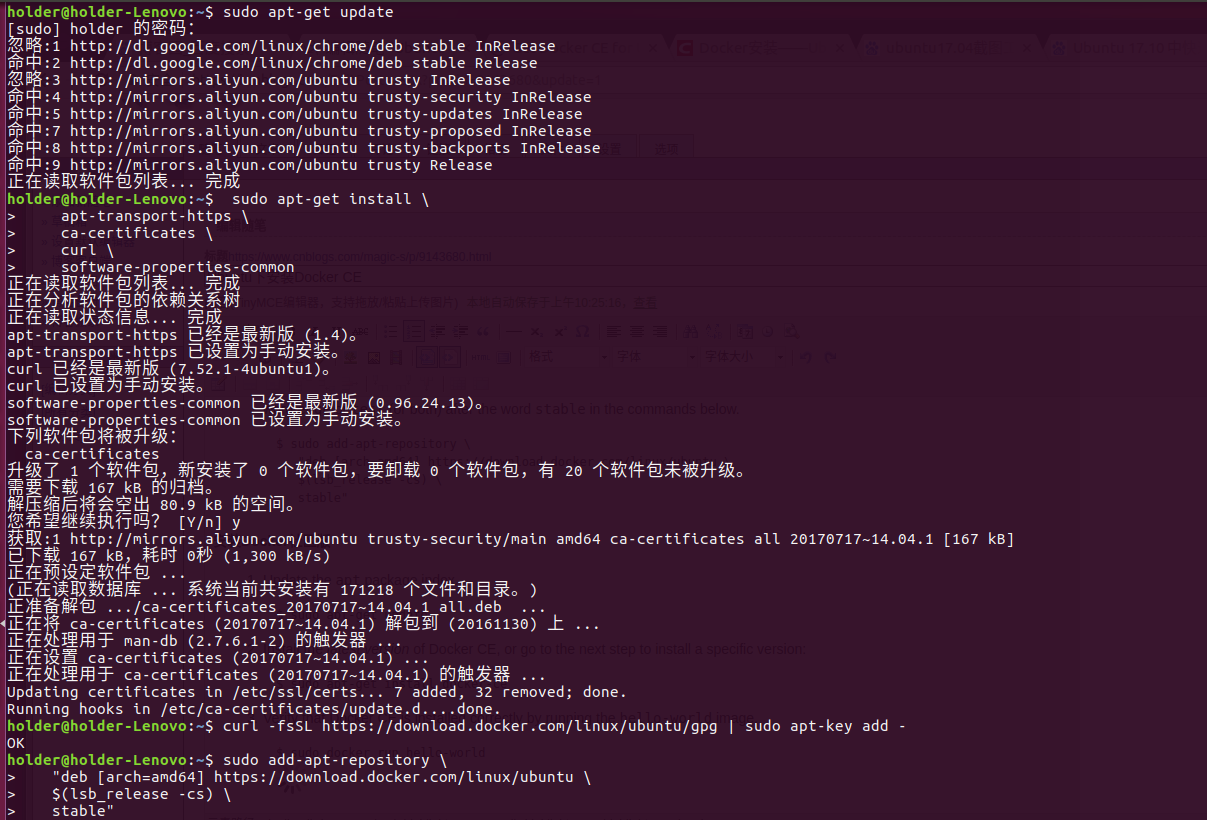
aptpackage index:$ sudo apt-get update -
Install packages to allow
aptto use a repository over HTTPS:$ sudo apt-get install \ apt-transport-https \ ca-certificates \ curl \ software-properties-common -
Add Docker’s official GPG key:
$ curl -fsSL https://download.docker.com/linux/ubuntu/gpg | sudo apt-key add - -
Use the following command to set up the stable repository. You always need the stable repository, even if you want to install builds from the edge or test repositories as well. To add the edge or test repository, add the word
edgeortest(or both) after the wordstablein the commands below.$ sudo add-apt-repository \ "deb [arch=amd64] https://download.docker.com/linux/ubuntu \ $(lsb_release -cs) \ stable"
安装Docker社区版
-
Update the
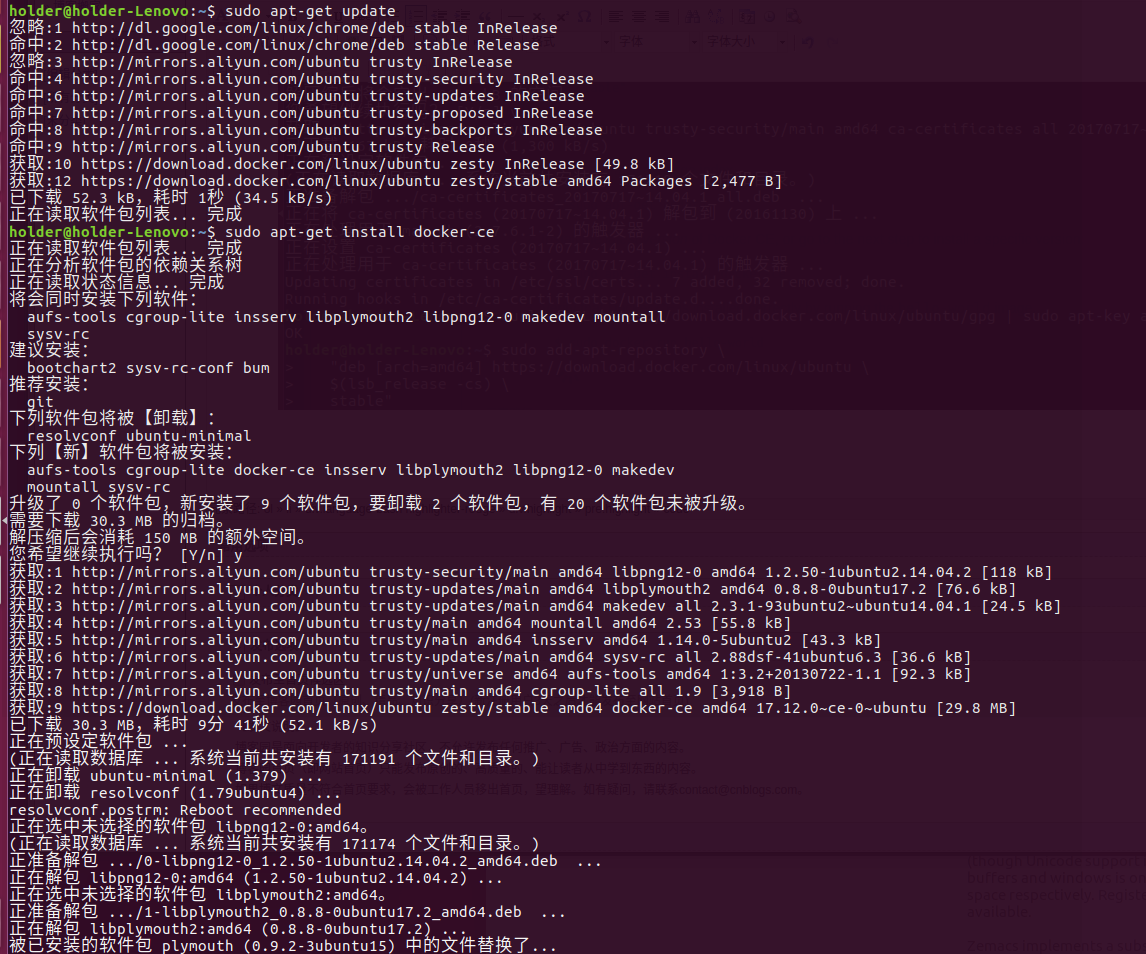
aptpackage index.$ sudo apt-get update -
Install the latest version of Docker CE, or go to the next step to install a specific version:
$ sudo apt-get install docker-ce
3.Verify that Docker CE is installed correctly by running the hello-world image.
$ sudo docker run hello-world
截图如下
![]()
![]()


 浙公网安备 33010602011771号