


element-ui Table组件二次封装
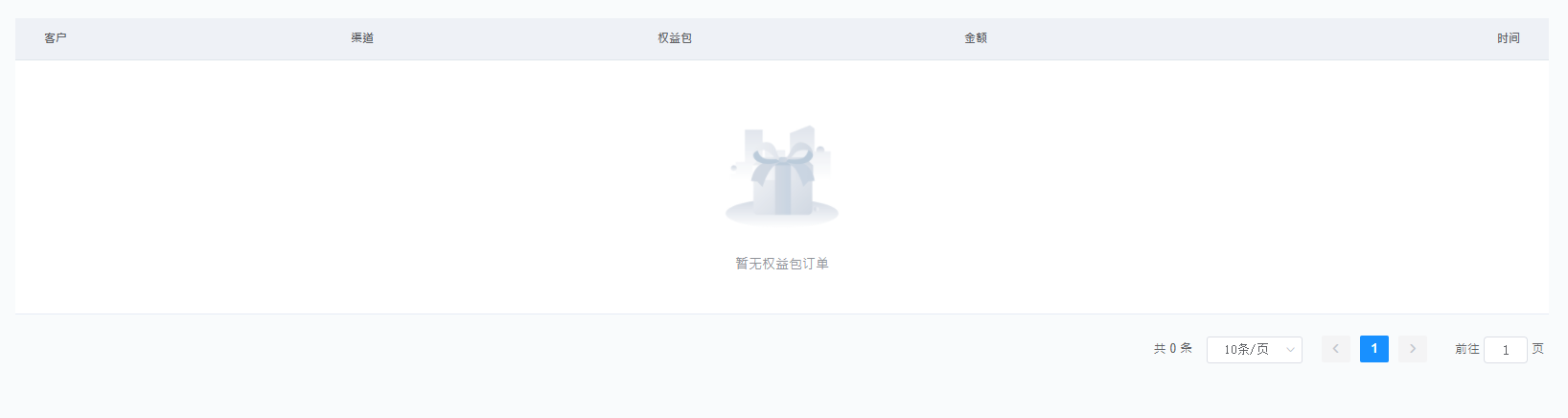
子组件:
<template>
  <div>
    <!-- S 表格 A -->
    <el-table stripe :data="tableData" :header-cell-style="{background:'#eef1f6',color:'#606266'}" @selection-change="selectionChange">
      <template slot="empty">
        <div class="empty-cont"><img :src="mTable.img" alt=""><span>{{mTable.description}}</span></div>
      </template>
      <!-- /缺省页 -->

      <slot v-if="showSelection" name="showSelection" />
      <!-- /多选插槽 -->

      <slot v-if="headerSlot" name="headerSlot" />
      <!-- /头部插槽 -->

      <template v-for="(item, index) in columns">
        <el-table-column :key="index" :prop="item.prop" :label="item.label" :align="item.align" :width="item.width" :class="item.style" :formatter="item.formatter?item.formatter : formatterValue">
        </el-table-column>
      </template>
      <!-- /表格内容 -->

      <slot v-if="footerSlot" name="footerSlot" />
      <!-- /尾部插槽 -->
    </el-table>
    <!-- E 表格 A -->

    <!-- S 分页 B -->
    <el-pagination background style="text-align: right;" v-if="showPagination" @size-change="handleSizeChange" @current-change="handleCurrentChange" :current-page="pager.pageNo"
      :page-size="pager.pageSize" :total="pager.totalCount" layout="total, sizes, prev, pager, next, jumper">
    </el-pagination>
    <!-- E 分页 B -->
  </div>
</template>

<script>
export default {
  name: "elementTable",
  props: {
    empty: Object, //缺省
    columns: Array, //表格的列
    tableData: Array, //表格的数据
    showSelection: { type: Boolean, default: false }, //是否显示多选
    /**表格*/
    pager: Object, //分页传值
    showPagination: { type: Boolean, default: false }, //是否显示分页
    headerSlot: { type: Boolean, default: false },  //是否显示头部插槽
    footerSlot: { type: Boolean, default: false },  //是否显示底部插槽
    /**分页*/
  },
  computed: {
    // 缺省页默认值
    mTable () {
      return Object.assign({
        img: 'https://xx.png',
        description: "暂无数据"
      }, this.empty);
    },
  },
  methods: {
    /**当选择项发生变化时会触发该事件*/
    selectionChange (val) { this.$emit('selectionChange', val) },
    //$emit 绑定一个自定义事件event,被执行时将参数传递给父组件,父组件通过@event监听并接收参数

    /**分页*/
    handleSizeChange (val) { this.$emit('handleSizeChange', val) },
    handleCurrentChange (val) { this.$emit('handleCurrentChange', val) },

    /**表格内容插槽*/
    formatterValue (row, column, cellValue) { return cellValue },
  }
}
</script>

<style lang='scss' scoped>
  /* 缺省页
            ---------------------------------------------------------------- */
  .empty-cont {
    display: flex;
    flex-direction: column;
    align-items: center;
    margin: 40px 0;
    > img {
      width: 20%;
      height: 20%;
    }
    span {
      font-size: 14px;
      line-height: 1.8;
    }
  }
</style>
父组件:
<template>
  <div>
    <!-- S 表格 A -->
    <elTable :columns="columns" :tableData="tableData" :footerSlot="footerSlot" :showPagination="showPagination" :pager="listPagination" :empty="empty" :showSelection="showSelection"
      @handleSizeChange="handleSizeChange" @handleCurrentChange="handleCurrentChange">

      <el-table-column slot="showSelection" width="88" label="全选" align="center" type="selection">
      </el-table-column>
       <!-- /全选 -->


      <el-table-column slot="footerSlot" label="操作" align="right" width="200">
        <template slot-scope="scope">
          <el-button type="text">按钮</el-button>
        </template>
      </el-table-column>
       <!-- /尾部 -->
    </elTable>
    <!-- E 表格 A -->
  </div>
</template>

<script>
import elTable from "../../components/CommonTable/index";
export default {
  name: "sell",
  components: { elTable },
  data () {
    return {
      empty: {
        img: "https://XXX.png",
        description: "暂无"
      },//缺省页
      showSelection: true, // 多选插槽
      footerSlot: true, // 尾部插槽
      columns: [
        { label: "单号", prop: "number", align: "left" },
        { label: "时间", prop: "date", align: "right" },
      ],//列属性
      tableData: [], //表格数据
      showPagination: true, //是否分页
      listPagination: {
        current: 1,
        size: 10,
        totalCount: 0,
      },//分页
    };
  },
  mounted () {
    // this._list();
  },
  methods: {
    /**
     * 列表
    */
    _list () {
      this.$api.xx(this.listPagination).then((res) => {
        this.tableData = res.data.list;
        this.listPagination.totalCount = res.data.totalCount;
      });
    },

    /**
     * 分页
    */
    handleSizeChange (val) {
      this.listPagination.size = val;
    },
    handleCurrentChange (val) {
      this.listPagination.current = val;
    },
  },
};
</script>

 浙公网安备 33010602011771号