
第二次作业
一.软件实现
本次作业采用visual studio ,c#语言,access数据库
(一)登录界面

1.代码
using System;
using System.Collections.Generic;
using System.ComponentModel;
using System.Data;
using System.Drawing;
using System.Linq;
using System.Text;
using System.Threading.Tasks;
using System.Windows.Forms;
using System.Data.OleDb;//用access数据库连接时需添加这句
namespace 软件开发
{
public partial class Form1 : Form
{
public Form1()
{
InitializeComponent();
}
private void Form1_Load(object sender, EventArgs e)
{
}
private void button1_Click(object sender, EventArgs e)
{
string conStr = "Provider=Microsoft.ACE.OLEDB.12.0;Data Source=C:\Users\xx\Documents\aaa.accdb";
//创建数据库连接
OleDbConnection conn = new OleDbConnection(conStr);
//当创建好连接到Access后打开数据库连接
conn.Open();
/ /SQL查询语句
string Access = "select * from yonghu where UserName='" + this.textBox1.Text + "'";//select是查询数据库语句
string Access1 = "select * from yonghu where UserName='" + this.textBox1.Text + "'and PassWord='" +
this.textBox2.Text + "'";//select是查询数据库语句
//新声明一个OleDbCommand对象
OleDbCommand cmd = new OleDbCommand(Access, conn);
//从数据库读出来的数据流赋给read,简而言之就是读取数据库中实时数据流
OleDbDataReader read = cmd.ExecuteReader();
if (read.Read() == true) {
OleDbCommand cmd1 = new OleDbCommand(Access1, conn);
OleDbDataReader read1 = cmd1.ExecuteReader();
if (read1.Read() == true)
{
string passData = textBox1.Text;
MessageBox.Show("登录成功!");
//此操作用于将窗口1跳转至窗口2
FrmMain frm=new FrmMain();
frm.Show();
}
else
{
MessageBox.Show("用户名或密码错误!");
}
}
private void button2_Click(object sender, EventArgs e)
{
this.Close();
}
}
}
(二)计算器界面
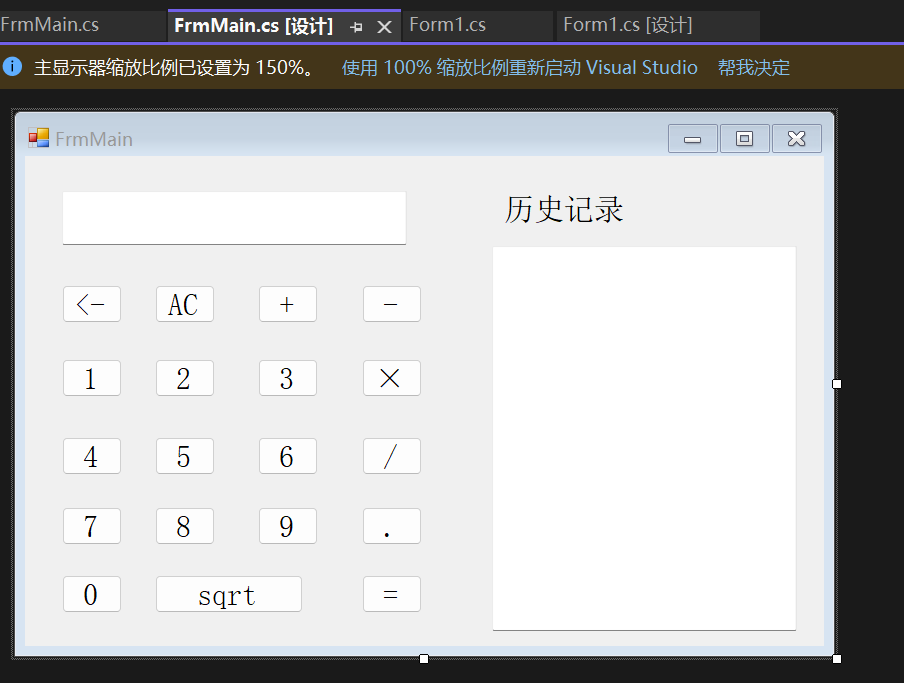
1.代码
using Microsoft.Win32;
using System;
using System.Collections.Generic;
using System.ComponentModel;
using System.Data;
using System.Drawing;
using System.Linq;
using System.Security.Policy;
using System.Text;
using System.Threading;
using System.Threading.Tasks;
using System.Windows.Forms;
using static System.Windows.Forms.VisualStyles.VisualStyleElement;
namespace 软件开发
{
public partial class FrmMain : Form
{
Double One, Two, Three;
String character;
private void button13_Click(object sender, EventArgs e)
{
string old = textBox1.Text;//取得当前的数据
if (old.Length > 0)
textBox1.Text = old.Remove(old.Length - 1);
}
private void button16_Click(object sender, EventArgs e)
{
One = Convert.ToDouble(textBox1.Text);
character = "+";
textBox1.Text = "";
}
private void button17_Click(object sender, EventArgs e)
{
One= Convert.ToDouble(textBox1.Text);
character = "-";
textBox1.Text = "";
}
private void button18_Click(object sender, EventArgs e)
{
One= Convert.ToDouble(textBox1.Text);
character = "×";
textBox1.Text = "";
}
private void button19_Click(object sender, EventArgs e)
{
One= Convert.ToDouble(textBox1.Text);
character = "/";
textBox1.Text = "";
}
private void button11_Click(object sender, EventArgs e)
{
int n = textBox1.Text.IndexOf(".");
if (n == -1)
textBox1.Text = textBox1.Text + ".";
}
private void button1_Click(object sender, EventArgs e)
{
textBox1.Text += "1";
}
private void button2_Click(object sender, EventArgs e)
{
textBox1.Text += "2";
}
private void button3_Click(object sender, EventArgs e)
{
textBox1.Text += "3";
}
private void button4_Click(object sender, EventArgs e)
{
textBox1.Text += "4";
}
private void button5_Click(object sender, EventArgs e)
{
textBox1.Text += "5";
}
private void button6_Click(object sender, EventArgs e)
{
textBox1.Text += "6";
}
private void button7_Click(object sender, EventArgs e)
{
textBox1.Text += "7";
}
private void button8_Click(object sender, EventArgs e)
{
textBox1.Text += "8";
}
private void button9_Click(object sender, EventArgs e)
{
textBox1.Text += "9";
}
private void button10_Click(object sender, EventArgs e)
{
textBox1.Text += "0";
}
private void button15_Click(object sender, EventArgs e)
{
textBox1.Text = " ";
}
private void button12_Click(object sender, EventArgs e)
{
int f = 1;
Two = Convert.ToDouble(textBox1.Text);
if (character == "+")
Three = One + Two;
else if (character == "-")
Three = One - Two;
else if (character == "×")
Three = One * Two;
else if (character == "/")
{
if (Two == 0)
{
textBox1.Text = "输入错误";
textBox2.Text = "错误\r\n\r\n";
return;
}
else
Three = One / Two;
}
else
Three = One / Two;
if (f == 1)
textBox1.Text = String.Format("{0} {1} {2} = {3}", One, character, Two, Three) + "\r\n\r\n\n";
textBox2.Text += String.Format("{0} {1} {2} = {3}", One, character, Two, Three) + "\r\n\r\n\n";
}
public FrmMain()
{
InitializeComponent();
}
private void listBox1_SelectedIndexChanged(object sender, EventArgs e)
{
}
private void button20_Click(object sender, EventArgs e)
{
double r = double.Parse(textBox1.Text);
if (r < 0||r==0)
{
MessageBox.Show("被开方数不能小于等于0");
textBox1.Text = "";
return;
}
else
{
textBox1.Text = Convert.ToString(Math.Sqrt(r));
textBox2.Text += Convert.ToString(Math.Sqrt(r));
}
}
private void FrmMain_Load(object sender, EventArgs e)
{
}
private void FrmMain_FormClosing(object sender,FormClosingEventArgs e)
{
Application.Exit();
}
}
}
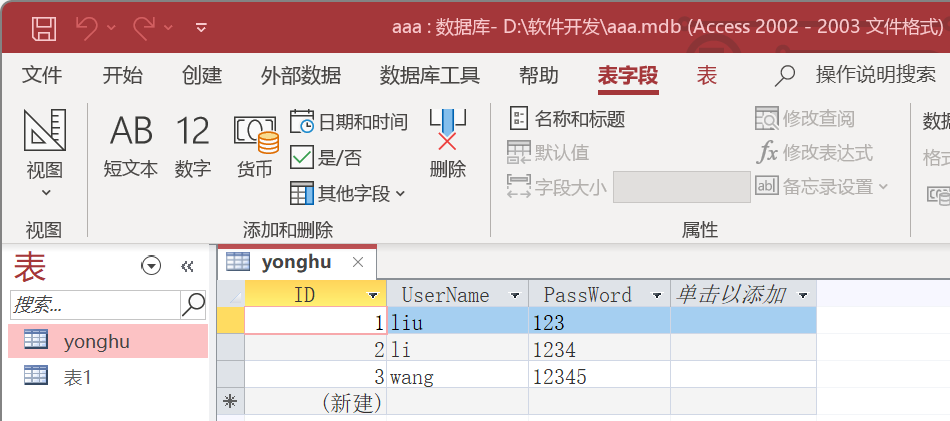
(三)access数据库
1.建表
2.连接数据库
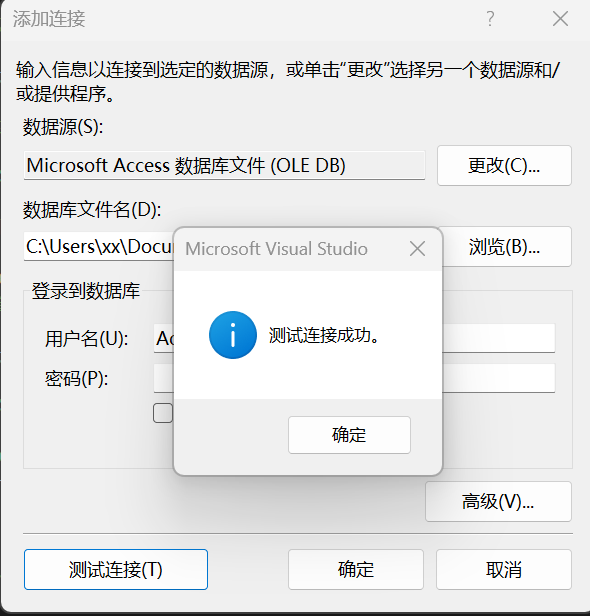
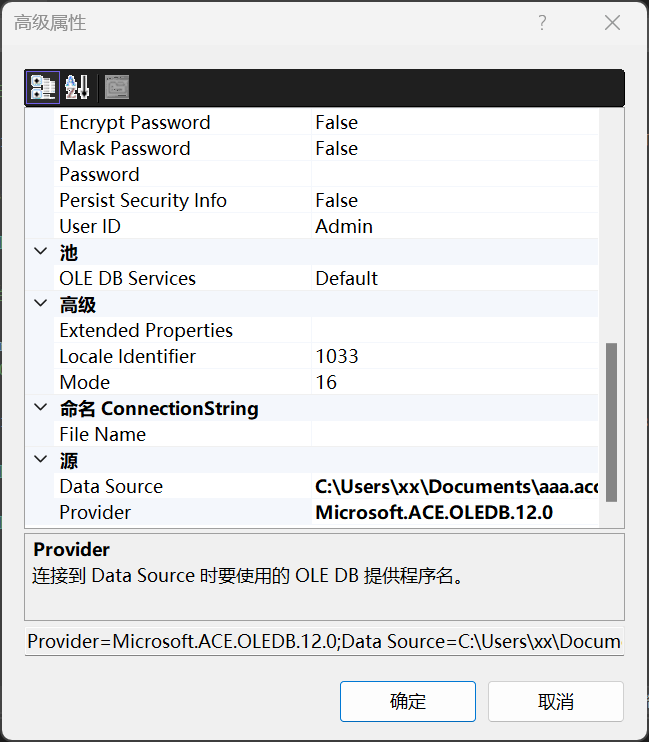
二.软件测试
(一)登录(链接access数据库)
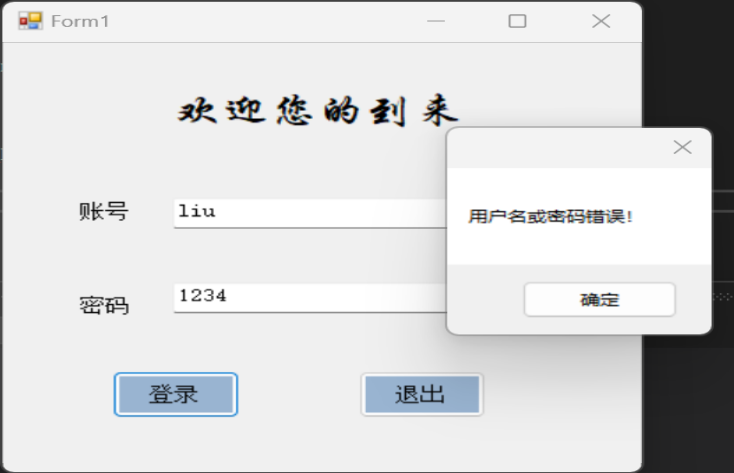
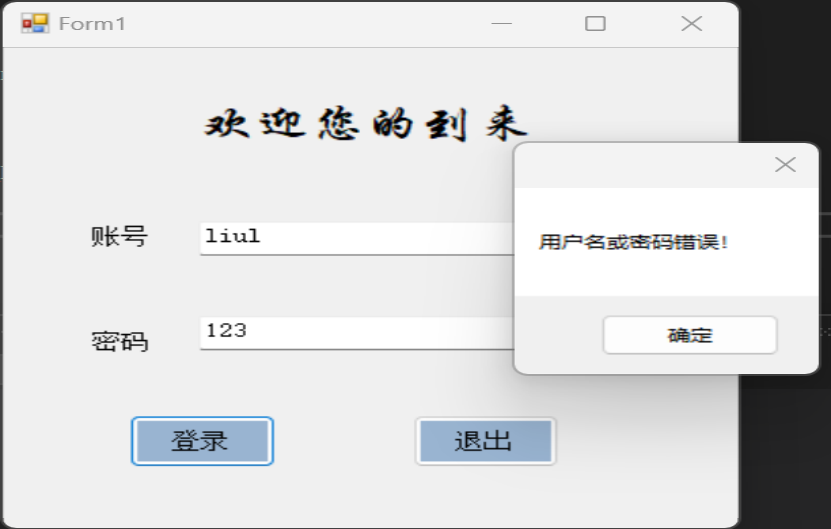
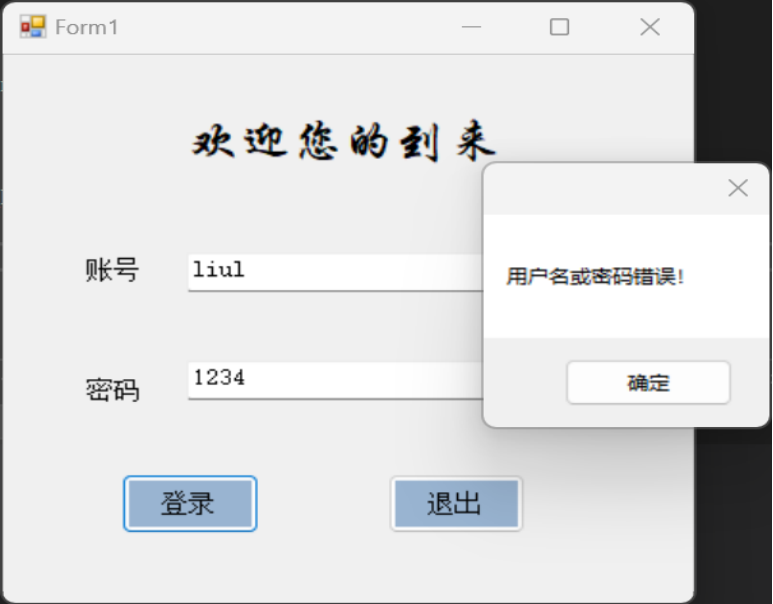
1.账号或密码错误,显示用户名或密码错误
a.密码错误
b.账号错误
c.账号和密码都错误
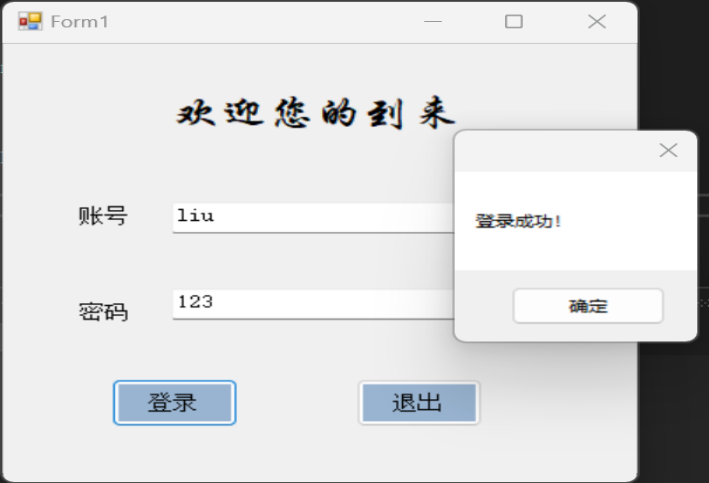
2.账号和密码正确,显示登录成功(登录成功后跳转至计算器窗口)
(二)计算
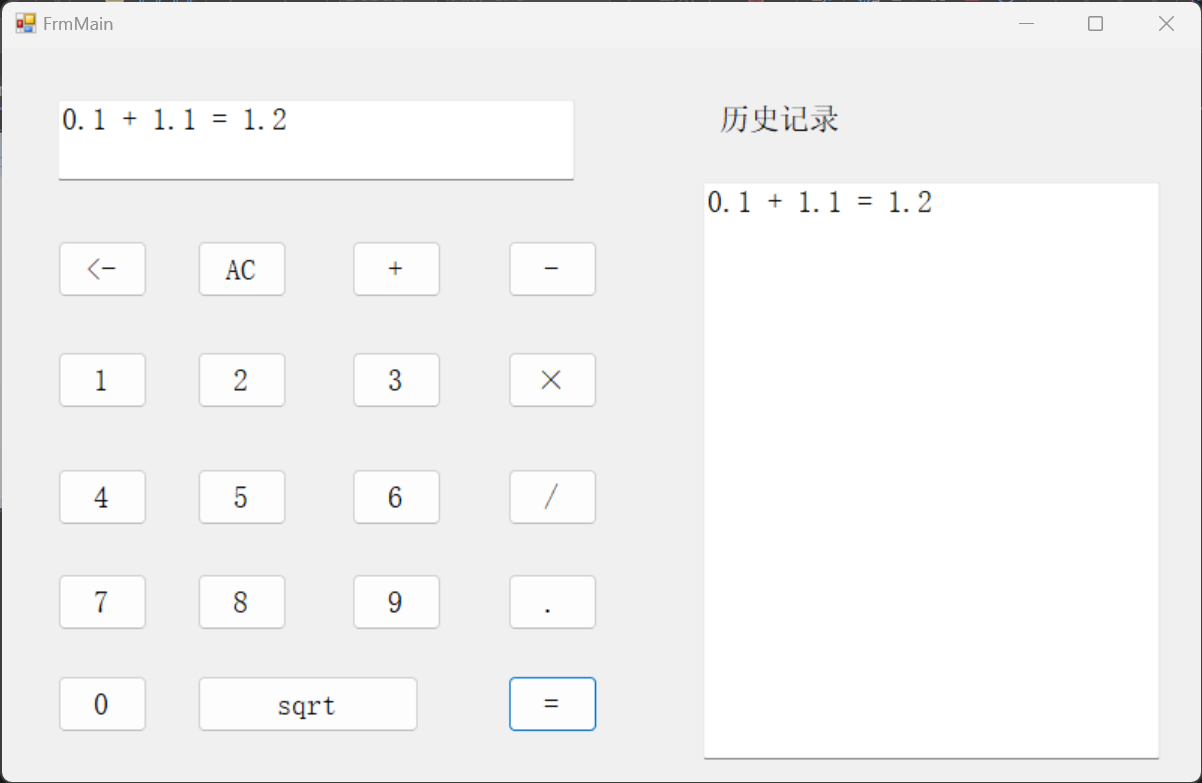
- 加法、小数点的运用
![]()
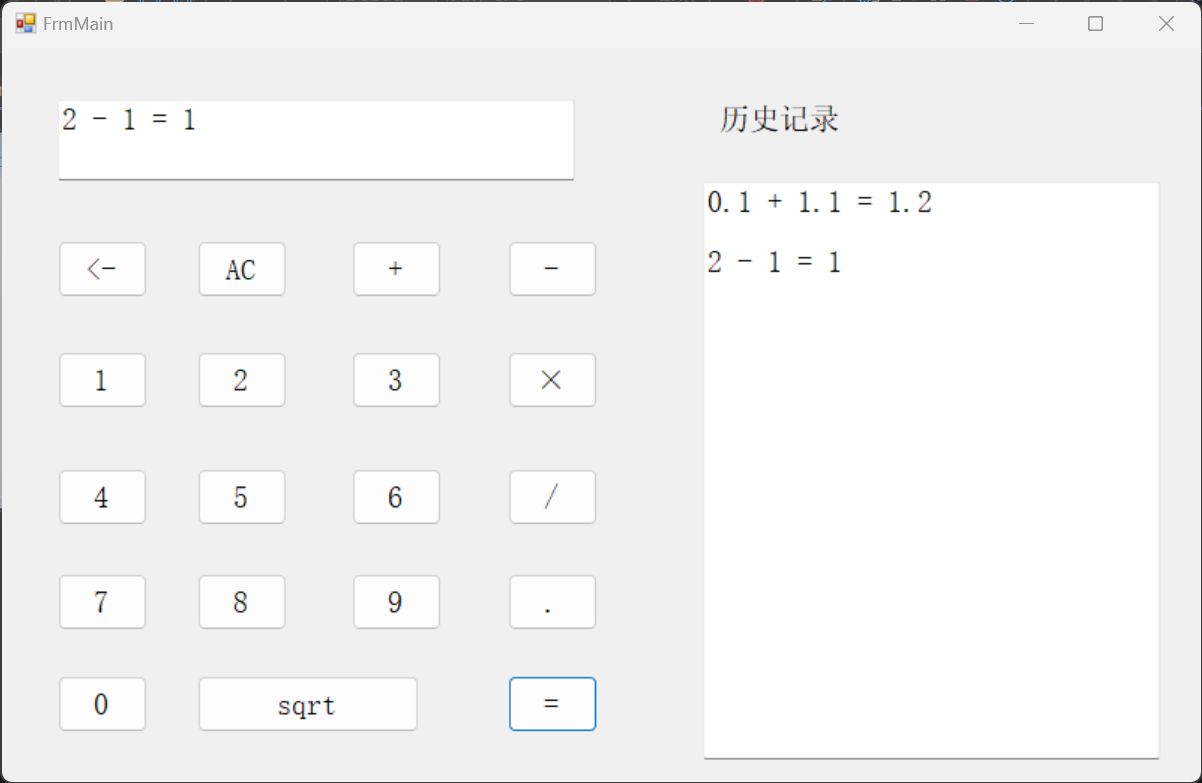
2.减法
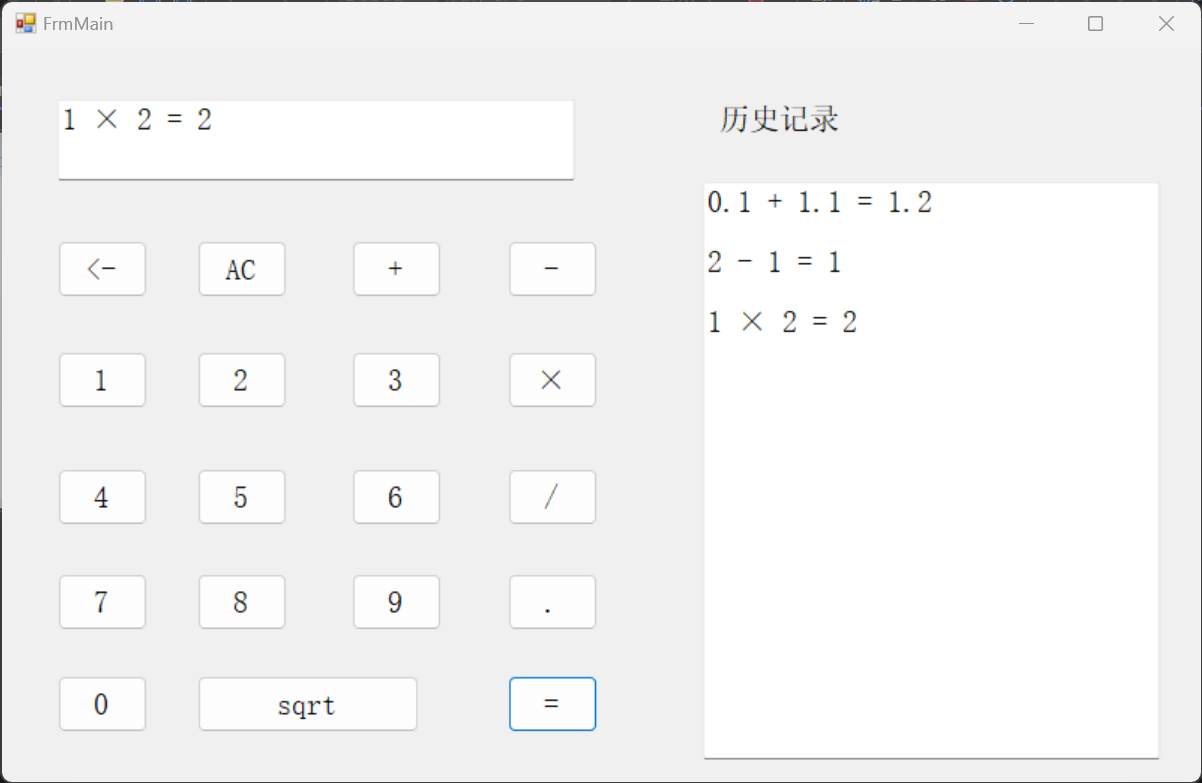
3.乘法
4.除法
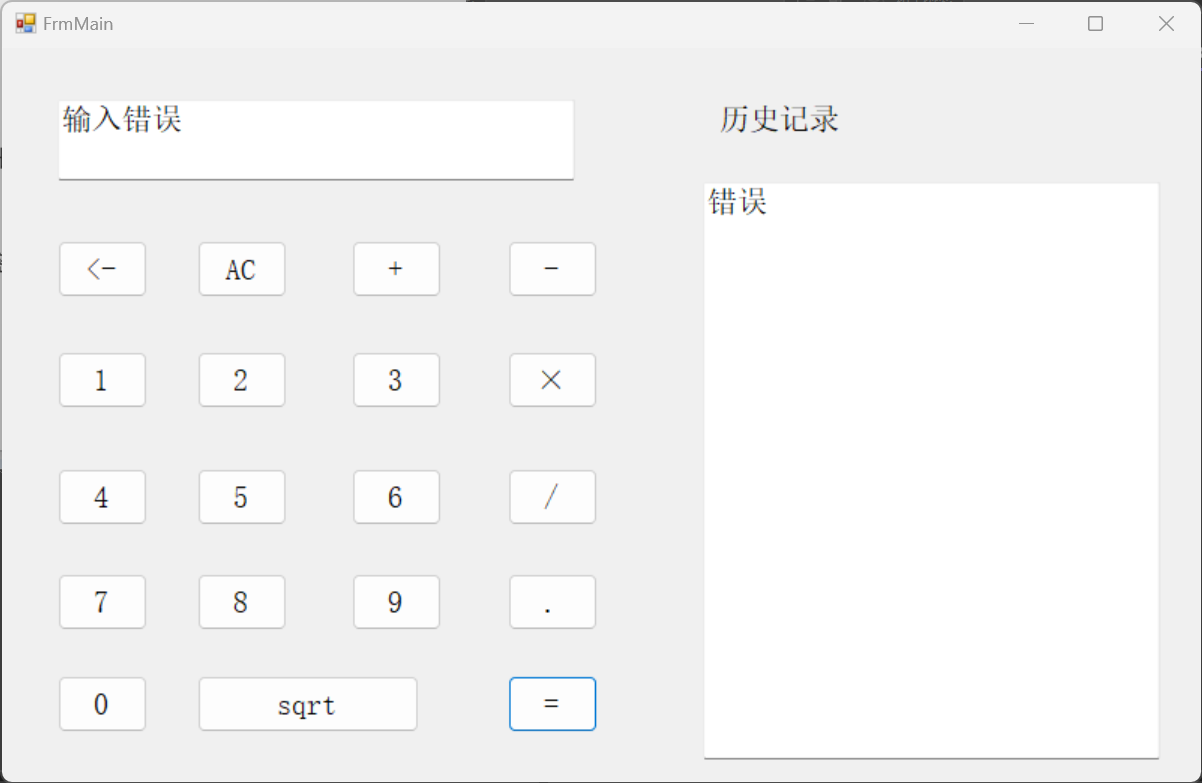
a.除数为0时
b.除数不为0时
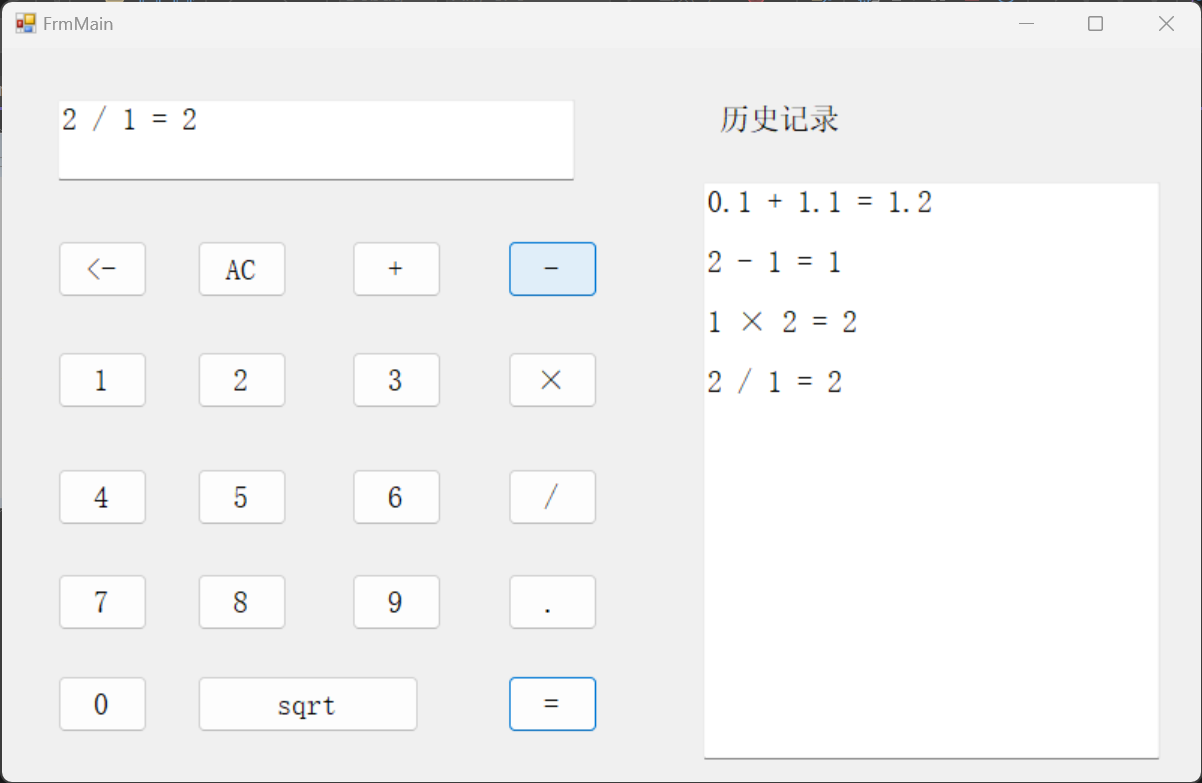
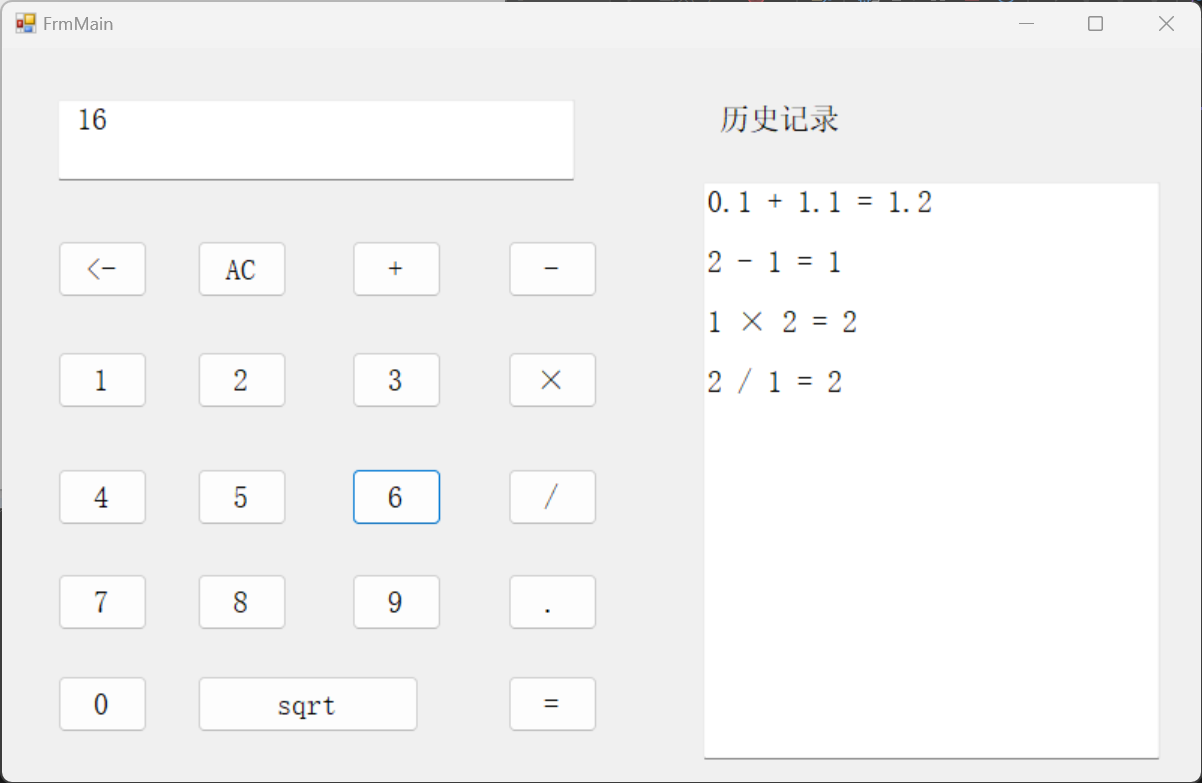
5.开根号
a.开根号的数大于0时
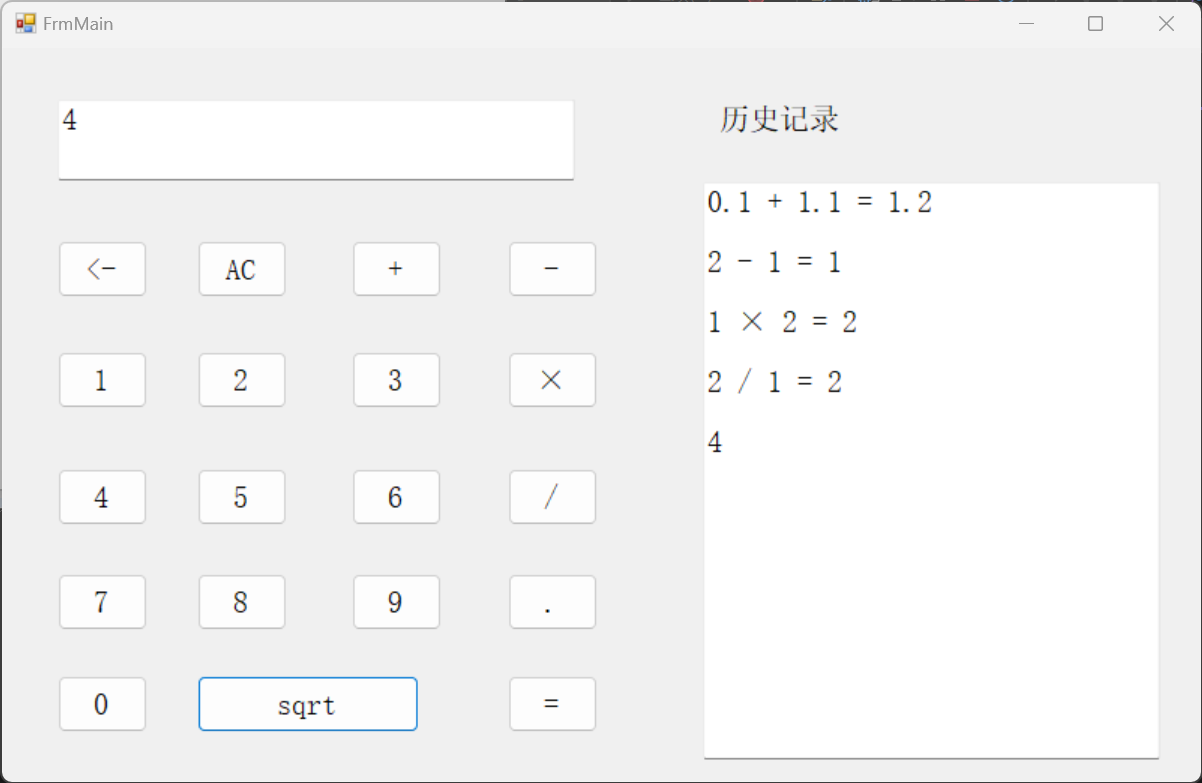
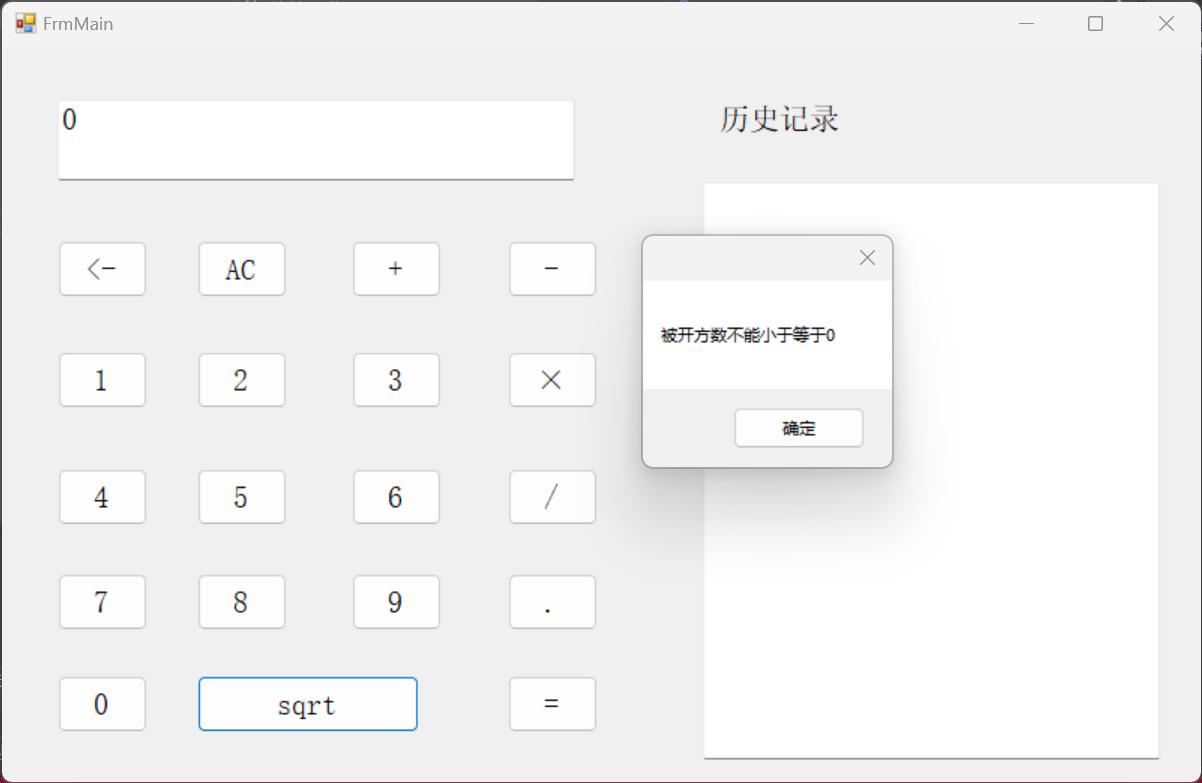
b.开根号的数小于等于0时
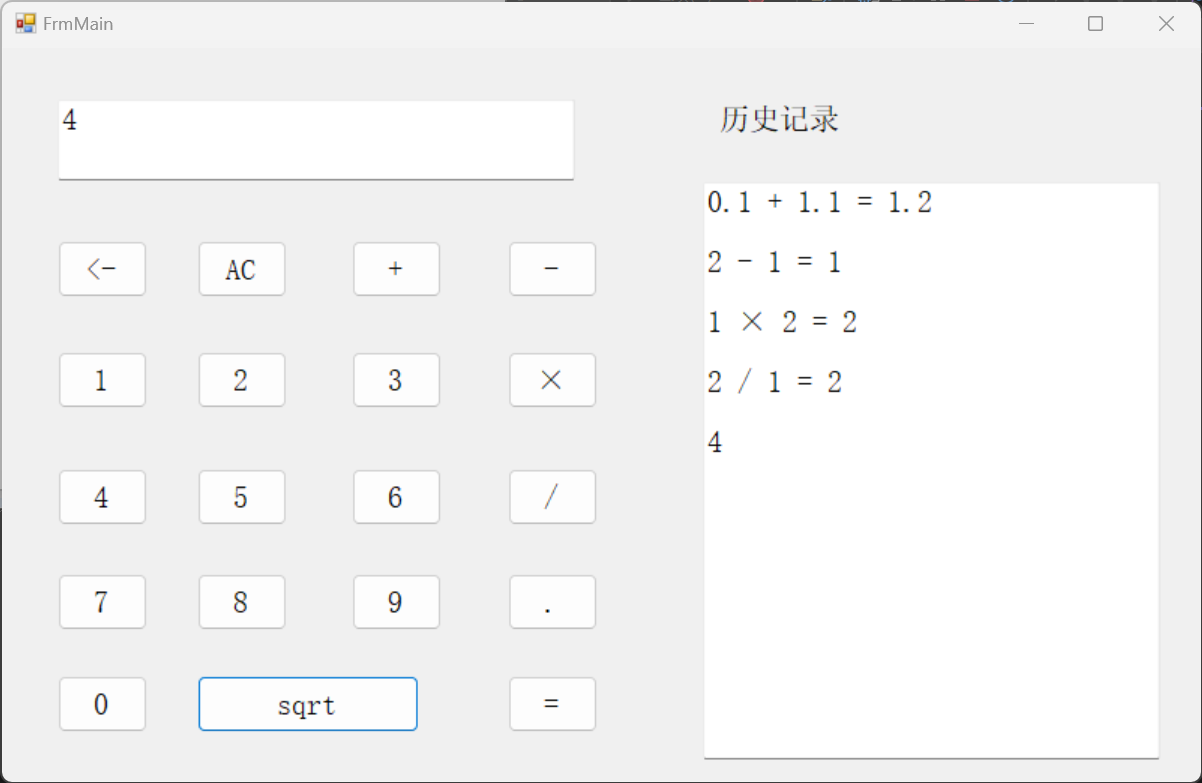
6.历史记录
三.流程图


 浙公网安备 33010602011771号