
eclipse添加jad用于查看class文件
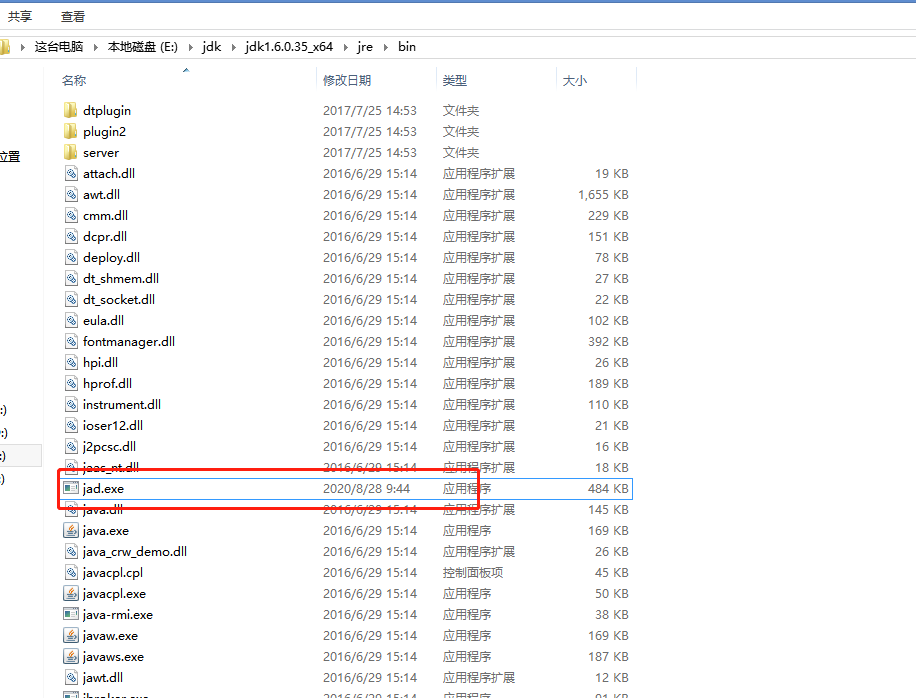
1、下载jad.exe文件放到jdk目录下
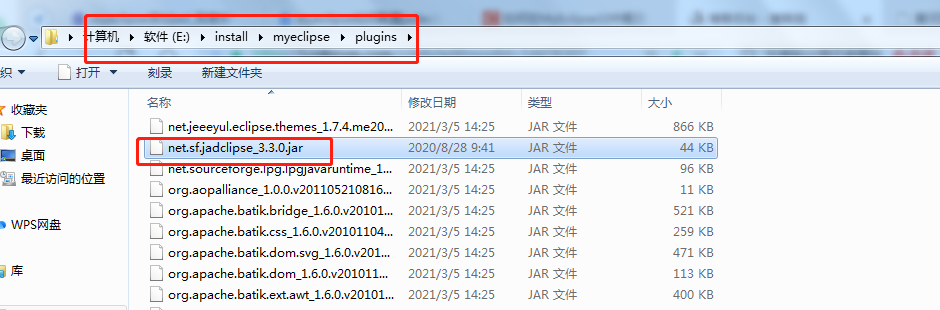
2、下载.net.sf.jadclipse文件夹,并放到myeclipse的安装目录下:
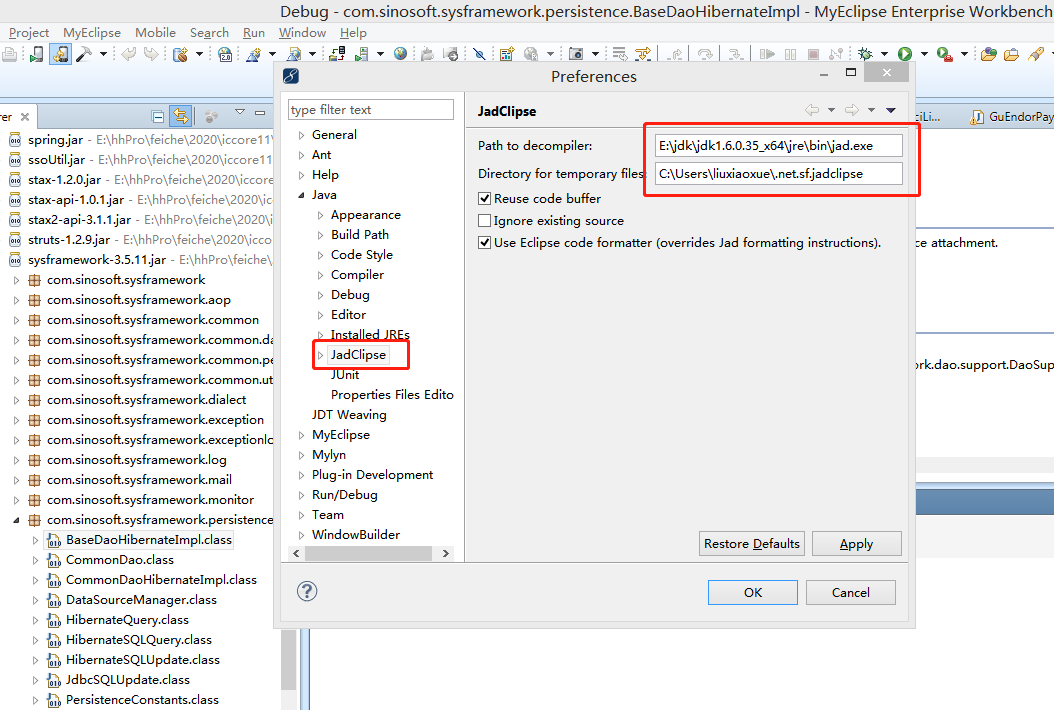
3、将下载文件的路径配置到eclipse中:Window->Preferences->Java->JadClipse
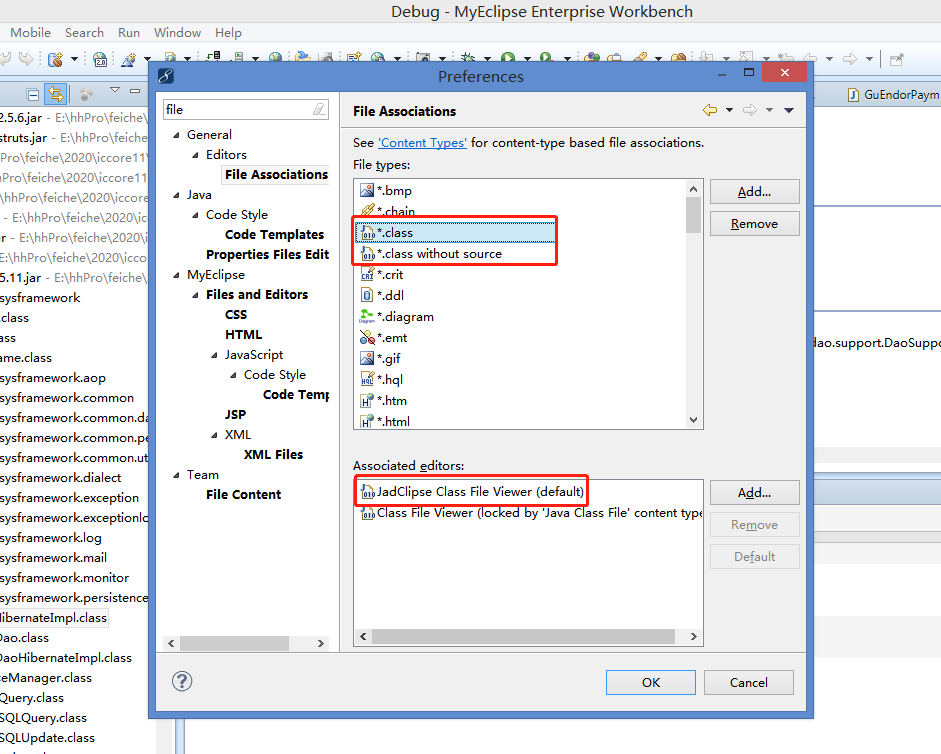
4、配置Window->Preferences->General->Editors->File Associations中的*.class和*.class without source如下图:
5、重启eclipse

 浙公网安备 33010602011771号