

一、输入指令
打开项目右键 - > git bash here
git init 初始化本地仓库
git add . 添加到暂存区
git commit -m "提交说明" 把暂存区的文件提交到本地仓库。
前往github后台(https://github.com/) 登录 - 新建仓库 - 创建完毕
git remote add origin https://github.com/0122ai/test1.git # 添加远程仓库地址(https/SSH)
git branch -M main # 当前分支重命名为main
git push -u origin main # 推送至远程仓库
二、推送至远程时
首次填写github 邮箱 和 密码
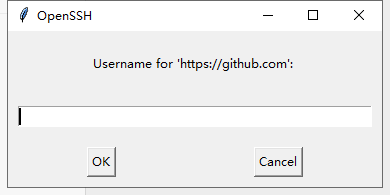
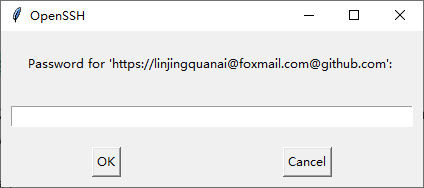
当出现下列输入框时
输入框1: Github 邮箱账户, 及 输入框2: Github 授权的token令牌
 https://blog.csdn.net/m0_71071209/article/details/151728440?sharetype=blogdetail&sharerId=151728440&sharerefer=PC&sharesource=m0_71071209&spm=1011.2480.3001.8118
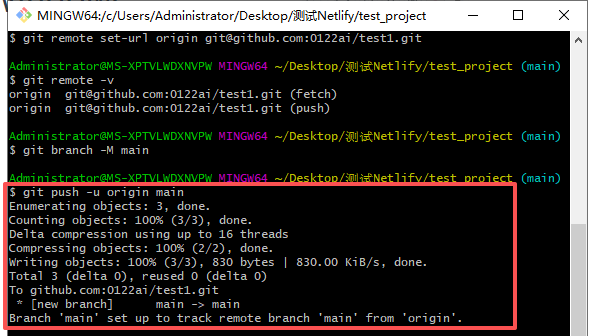
提交后-->推送成功
三、验证连接状态
#查看远程仓库信息 git remote -v
# 查看分支跟踪状态 git branch -vv
# 查看提交历史 git log --oneline --graph --all
# 查https远程地址更改为新的
git remote set-url origin '新地址(HTTPS/SSH)
 浙公网安备 33010602011771号