
Centos7 安装ActiveMQ_5.16.0
ActiveMQ 是Apache出品,最流行的,能力强劲的开源消息总线。ActiveMQ 是一个完全支持JMS1.1和J2EE 1.4规范的 JMS Provider实现,尽管JMS规范出台已经是很久的事情了,但是JMS在当今的J2EE应用中间仍然扮演着特殊的地位。
本文主要是在centos7安装ActiveMQ,由于安装ActiveMQ要基于JDK,下面是安装的版本环境
| 系统 | JDK | ActiveMQ |
| Centos7.5 | 1.11 | 5.16.0 |
JDK1.11安装
# tar -xf jdk-11.0.8_linux-x64_bin.tar.gz -C /usr/local/
# [ -f /etc/profile.d/jdk.sh ] || echo "
export JAVA_HOME=/usr/local/jdk-11.0.8
export CLASSPATH=.:\${JAVA_HOME}/jre/lib/rt.jar:\${JAVA_HOME}/lib/dt.jar:\${JAVA_HOME}/lib/tools.jar
export PATH=\$PATH:\${JAVA_HOME}/bin" > /etc/profile.d/jdk.sh
# source /etc/profile.d/jdk.sh
jdk1.11到此安装完成,只要 java -version 出来版本号就可以
下载ActiveMQ并且解压
# wget https://mirrors.bfsu.edu.cn/apache//activemq/5.16.0/apache-activemq-5.16.0-bin.tar.gz
# tar zxvf apache-activemq-5.16.0-bin.tar.gz -C /usr/local/
# tar zxvf apache-activemq-5.16.0-bin.tar.gz -C /usr/local/ && rm -rf apache-activemq-5.16.0-bin.tar.gz
# mv /usr/local/apache-activemq-5.16.0/ /usr/local/activemq
启动ActiveMQ
[root@Mike-node1 ~]# /usr/local/activemq/bin/activemq start
INFO: Loading '/usr/local/activemq//bin/env'
INFO: Using java '/usr/local/jdk/bin/java'
INFO: Starting - inspect logfiles specified in logging.properties and log4j.properties to get details
INFO: pidfile created : '/usr/local/activemq//data/activemq.pid' (pid '28875')

#
# ss -ntl
State       Recv-Q Send-Q                                          Local Address:Port                                                         Peer Address:Port
LISTEN      0      128                                                         *:22                                                                      *:*
LISTEN      0      100                                                 127.0.0.1:25                                                                      *:*
LISTEN      0      128                                                      [::]:5672                                                                 [::]:*
LISTEN      0      50                                                       [::]:42988                                                                [::]:*
LISTEN      0      128                                                      [::]:61613                                                                [::]:*
LISTEN      0      50                                                       [::]:61614                                                                [::]:*
LISTEN      0      128                                                      [::]:61616                                                                [::]:*
LISTEN      0      100                                                     [::1]:25                                                                   [::]:*
LISTEN      0      128                                                      [::]:1883                                                                 [::]:*
LISTEN      0      50                                         [::ffff:127.0.0.1]:8161                                                                 [::]:*
主要用端口
8161 是后台管理端口
61616 是程序用的tcp端口
加入firewalld防火墙
# firewall-cmd --zone=public --add-port=61616/tcp --permanent
# firewall-cmd --zone=public --add-port=8161/tcp --permanent
# firewall-cmd –reload
或者关闭防火墙
# systemctl stop firewalld
# systemctl stop iptables
修改后台访问端口
因为新版本后台 8161端口只能 127.0.0.1 本机访问,所以我们这里需要修改一下
# vim /usr/local/activemq/conf/jetty.xml

####到117行这里找到 127.0.0.1 修改为 0.0.0.0

    <bean id="jettyPort" class="org.apache.activemq.web.WebConsolePort" init-method="start">
             <!-- the default port number for the web console -->
        <property name="host" value="0.0.0.0"/>
        <property name="port" value="8161"/>
    </bean>

# /usr/local/activemq/bin/activemq restart
# ss -ntl
State       Recv-Q Send-Q                                          Local Address:Port                                                         Peer Address:Port
LISTEN      0      128                                                         *:22                                                                      *:*
LISTEN      0      100                                                 127.0.0.1:25                                                                      *:*
LISTEN      0      50                                                       [::]:37478                                                                [::]:*
LISTEN      0      128                                                      [::]:5672                                                                 [::]:*
LISTEN      0      128                                                      [::]:61613                                                                [::]:*
LISTEN      0      50                                                       [::]:61614                                                                [::]:*
LISTEN      0      128                                                      [::]:61616                                                                [::]:*
LISTEN      0      100                                                     [::1]:25                                                                   [::]:*
LISTEN      0      128                                                      [::]:1883                                                                 [::]:*
LISTEN      0      50                                                       [::]:8161                                                                 [::]:*
测试访问
在浏览器输入 http://ip:8161即可,用户是 admin 密码是 admin
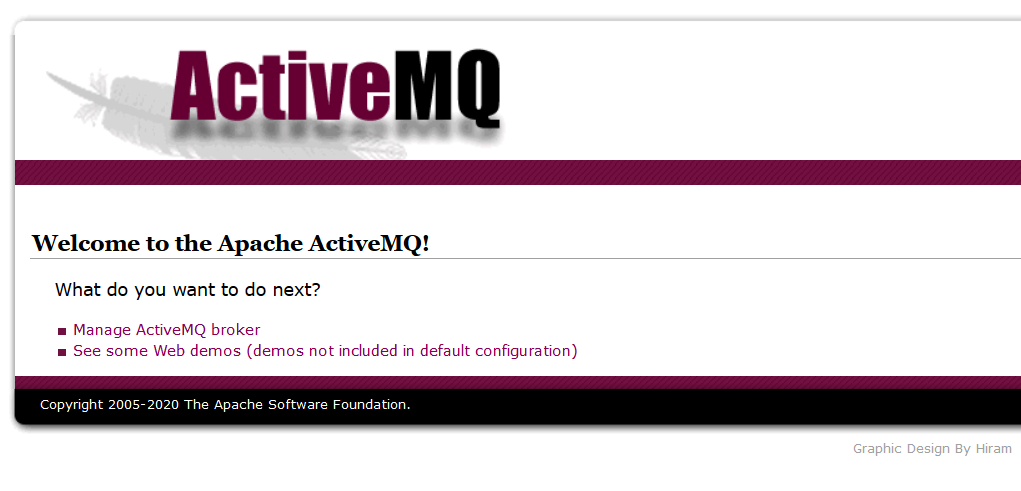
看到这画面证明已经安装成功了,并且进去后台管理界面
加入系统服务设置快捷启动
# vim /etc/init.d/activemqd

#!/bin/sh
#
# /etc/init.d/activemq
# chkconfig: 345 63 37
# description: activemq servlet container.
# processname: activemq 5.16.0

# Source function library.
#. /etc/init.d/functions
# source networking configuration.
#. /etc/sysconfig/network


export ACTIVEMQ_HOME=/usr/local/activemq

case $1 in
    start)
        sh $ACTIVEMQ_HOME/bin/activemq start
    ;;
    stop)
        sh $ACTIVEMQ_HOME/bin/activemq stop
    ;;
    status)
        sh $ACTIVEMQ_HOME/bin/activemq status
    ;;
    restart)
        sh $ACTIVEMQ_HOME/bin/activemq stop
        sleep 1
        sh $ACTIVEMQ_HOME/bin/activemq start
    ;;

esac
exit 0


# chmod +x /etc/init.d/activemqd
# /etc/init.d/activemqd restart
INFO: Loading '/usr/local/activemq/bin/env'
INFO: Using java '/usr/local/jdk/bin/java'
INFO: Waiting at least 30 seconds for regular process termination of pid '1750' :
Java Runtime: Oracle Corporation 1.8.0_202 /usr/local/jdk/jre
  Heap sizes: current=62976k  free=61992k  max=932352k
    JVM args: -Xms64M -Xmx1G -Djava.util.logging.config.file=logging.properties -Djava.security.auth.login.config=/usr/local/activemq/conf/login.config -Dactivemq.classpath=/usr/local/activemq/conf:/usr/local/activemq/../lib/: -Dactivemq.home=/usr/local/activemq -Dactivemq.base=/usr/local/activemq -Dactivemq.conf=/usr/local/activemq/conf -Dactivemq.data=/usr/local/activemq/data
Extensions classpath:
  [/usr/local/activemq/lib,/usr/local/activemq/lib/camel,/usr/local/activemq/lib/optional,/usr/local/activemq/lib/web,/usr/local/activemq/lib/extra]
ACTIVEMQ_HOME: /usr/local/activemq
ACTIVEMQ_BASE: /usr/local/activemq
ACTIVEMQ_CONF: /usr/local/activemq/conf
ACTIVEMQ_DATA: /usr/local/activemq/data
Connecting to pid: 1750
Stopping broker: localhost
.. TERMINATED
INFO: Loading '/usr/local/activemq/bin/env'
INFO: Using java '/usr/local/jdk/bin/java'
INFO: Starting - inspect logfiles specified in logging.properties and log4j.properties to get details
INFO: pidfile created : '/usr/local/activemq/data/activemq.pid' (pid '1920')
# ss -ntl
State       Recv-Q Send-Q                                          Local Address:Port                                                         Peer Address:Port
LISTEN      0      128                                                         *:22                                                                      *:*
LISTEN      0      100                                                 127.0.0.1:25                                                                      *:*
LISTEN      0      128                                                      [::]:5672                                                                 [::]:*
LISTEN      0      128                                                      [::]:61613                                                                [::]:*
LISTEN      0      50                                                       [::]:61614                                                                [::]:*
LISTEN      0      128                                                      [::]:61616                                                                [::]:*
LISTEN      0      50                                                       [::]:34073                                                                [::]:*
LISTEN      0      100                                                     [::1]:25                                                                   [::]:*
LISTEN      0      128                                                      [::]:1883                                                                 [::]:*
LISTEN      0      50                                                       [::]:8161                                                                 [::]:*
已经添加 activemq 脚本到 /etc/init.d/activemq 里,后面可以使用这个方式 stop start restart 操作
ActiveMQ到此就全部安装完毕

 浙公网安备 33010602011771号