

vscode1.44 版自定义 HTML5 代码块
最近下载了 vscode,发现不亏是神器,各种插件就如神来之笔
setp1
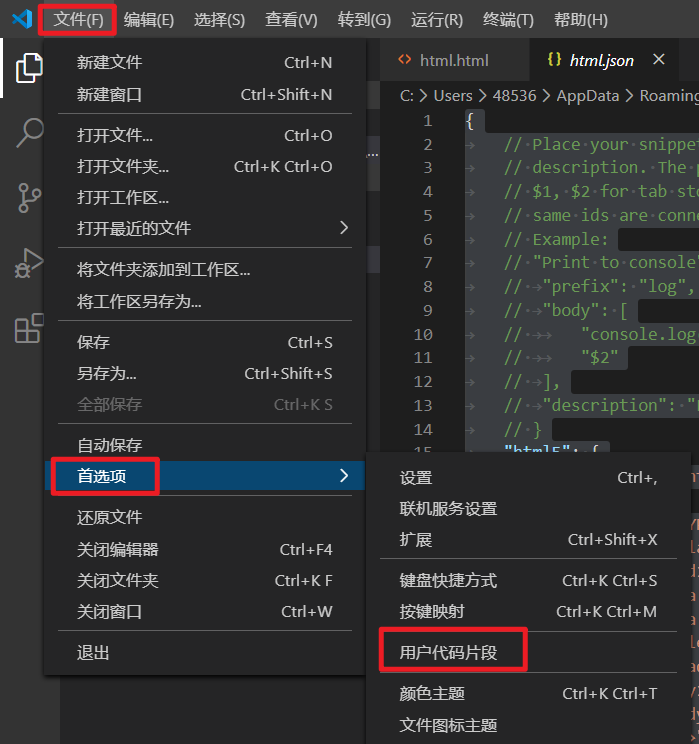
首先打开 文件 -> 首选项 -> 用户代码片段
 setp1
setp1
setp2
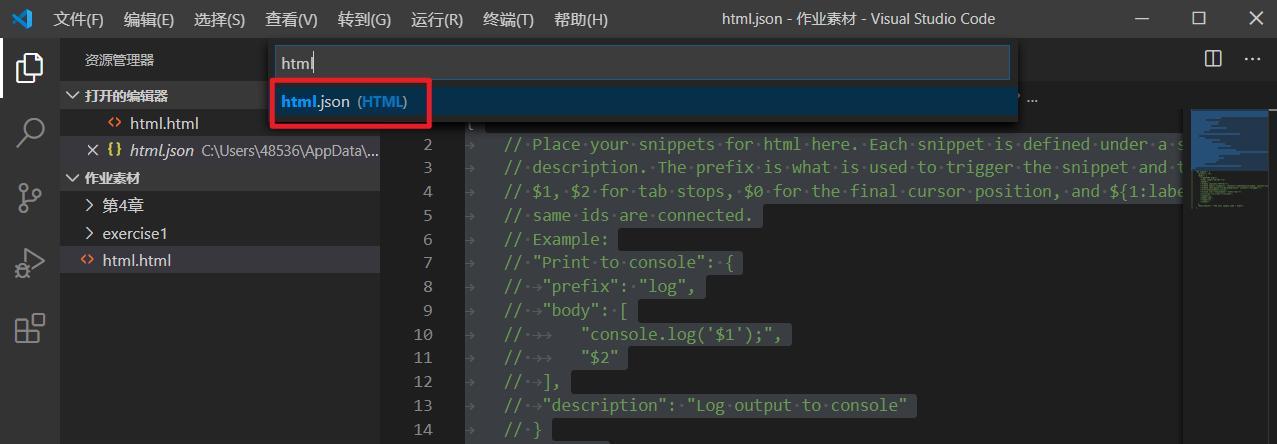
搜索 html,会显示一个 html.json
 setp2
setp2
setp3
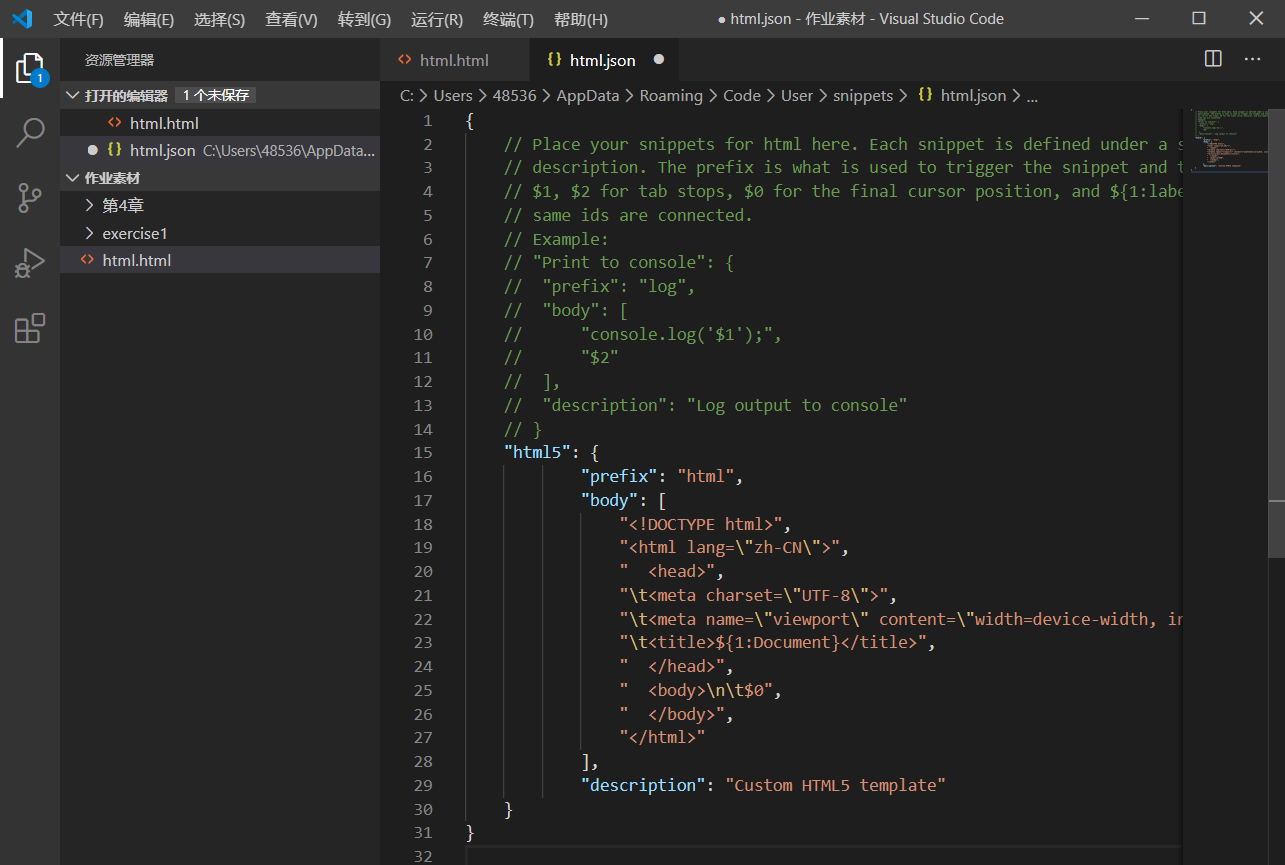
粘贴下面的代码
下面的代码也可以自己修改
prefix:快捷键
body:自定义代码片段
片段内容。请使用 '$1', '${1:defaultText}' 来定义光标位置,使用 “$0” 表示最终光标位置。请插入带有 “${varName}” 和 “${varName:defaultText}” 的变量值,例如 "这是文件: $TM_FILENAME"。
description:代码块描述
{
    // Place your snippets for html here. Each snippet is defined under a snippet name and has a prefix, body and
    // description. The prefix is what is used to trigger the snippet and the body will be expanded and inserted. Possible variables are:
    // $1, $2 for tab stops, $0 for the final cursor position, and ${1:label}, ${2:another} for placeholders. Placeholders with the
    // same ids are connected.
    // Example:
    // "Print to console": {
    //  "prefix": "log",
    //  "body": [
    //      "console.log('$1');",
    //      "$2"
    //  ],
    //  "description": "Log output to console"
    // }
    "html5": {
            "prefix": "html",
            "body": [
                "<!DOCTYPE html>",
                "<html lang=\"zh-CN\">",
                "  <head>",
                "\t<meta charset=\"UTF-8\">",
                "\t<meta name=\"viewport\" content=\"width=device-width, initial-scale=1.0\">",
                "\t<title>${1:Document}</title>",
                "  </head>",
                "  <body>\n\t$0",
                "  </body>",
                "</html>"
            ],
            "description": "Custom HTML5 template"
    }
}
 setp3
setp3

 浙公网安备 33010602011771号