
【Azure 环境】使用Connect-MgGraph 命令登录中国区Azure遇见报错 AADSTS700016
完整标题:使用Connect-MgGraph 命令登录中国区Azure遇见报错 AADSTS700016: Application with identifier '14d82eec-204b-4c2f-b7e8-296a70dab67e' was not found in the directory
问题描述
使用Microsoft Graph PowerShell SDK来获取登录中国区的时候,会出现Global Azure不会遇见的错误情况。
# 登录命令:
Connect-MgGraph -Environment China -Scopes "User.Read.All","Group.ReadWrite.All"
在弹出的登录页面中选择了Azure Account后,报错:
抱歉,登录时遇到问题。
AADSTS700016: Application with identifier '14d82eec-204b-4c2f-b7e8-296a70dab67e' was not found in the directory 'xxx xxx xxx'. This can happen if the application has not been installed by the administrator of the tenant or consented to by any user in the tenant. You may have sent your authentication request to the wrong tenant.
面对这个问题,是否有办法使用Connect-MgGraph 登录成功呢?
问题解答
当然可以的。出现这个问题的原因是 PowerShell登录时使用的Application'14d82eec-204b-4c2f-b7e8-296a70dab67e' 在中国区Azure环境中并没有注册,而且这个是微软官方的注册应用,个人用户无法对它修改。
所以为了解决这个问题,可以通过在Azure Entra ID中注册一个新的应用,通过这个应用登录并连接到Microsoft Graph。具体操作步骤如下:
第一步:创建注册应用
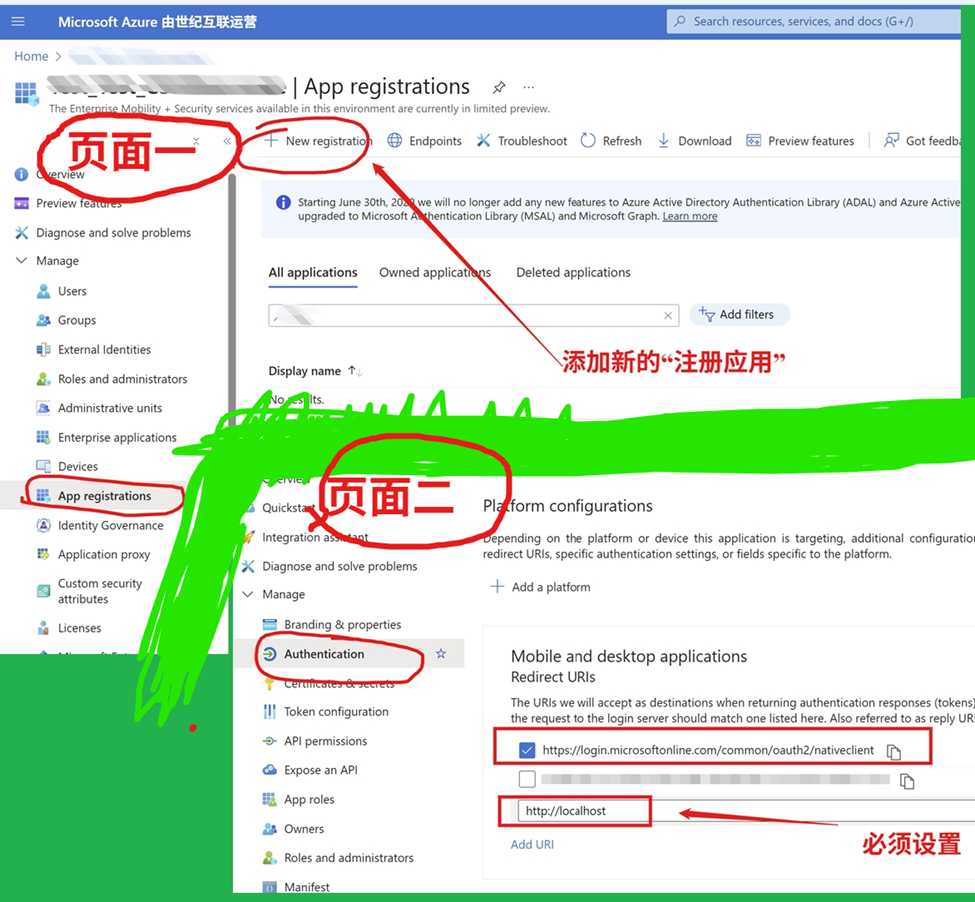
登录Azure Entra ID,进入App Registrations目录,点击“New Registration”,页面截图如下:
注意:添加Platform的时候选择Mobile and desktop applications,并且设置Redirect URIs 为 https://login.microsoftonline.com/common/oauth2/nativeclient 和 http://localhost
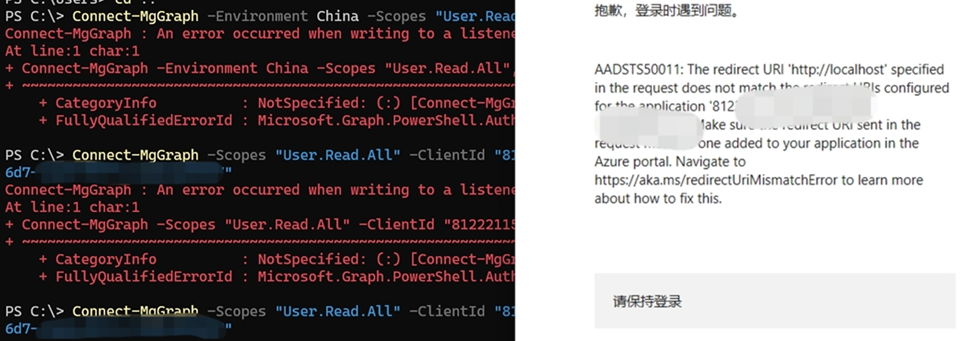
如果在Redirect URIs中 不添加 http://localhost, 在第二步中,就会遇见如下报错。
抱歉,登录时遇到问题。
AADSTS50011: The redirect URI 'http://localhost' specified in the request does not match the redirect URIs configured for the application 'xx-x-x-x-xxx'. Make sure the redirect URI sent in the request matches one added to your application in the Azure portal. Navigate to https://aka.ms/redirectUriMismatchError to learn more about how to fix this.
第二步:执行 Connect-MgGraph
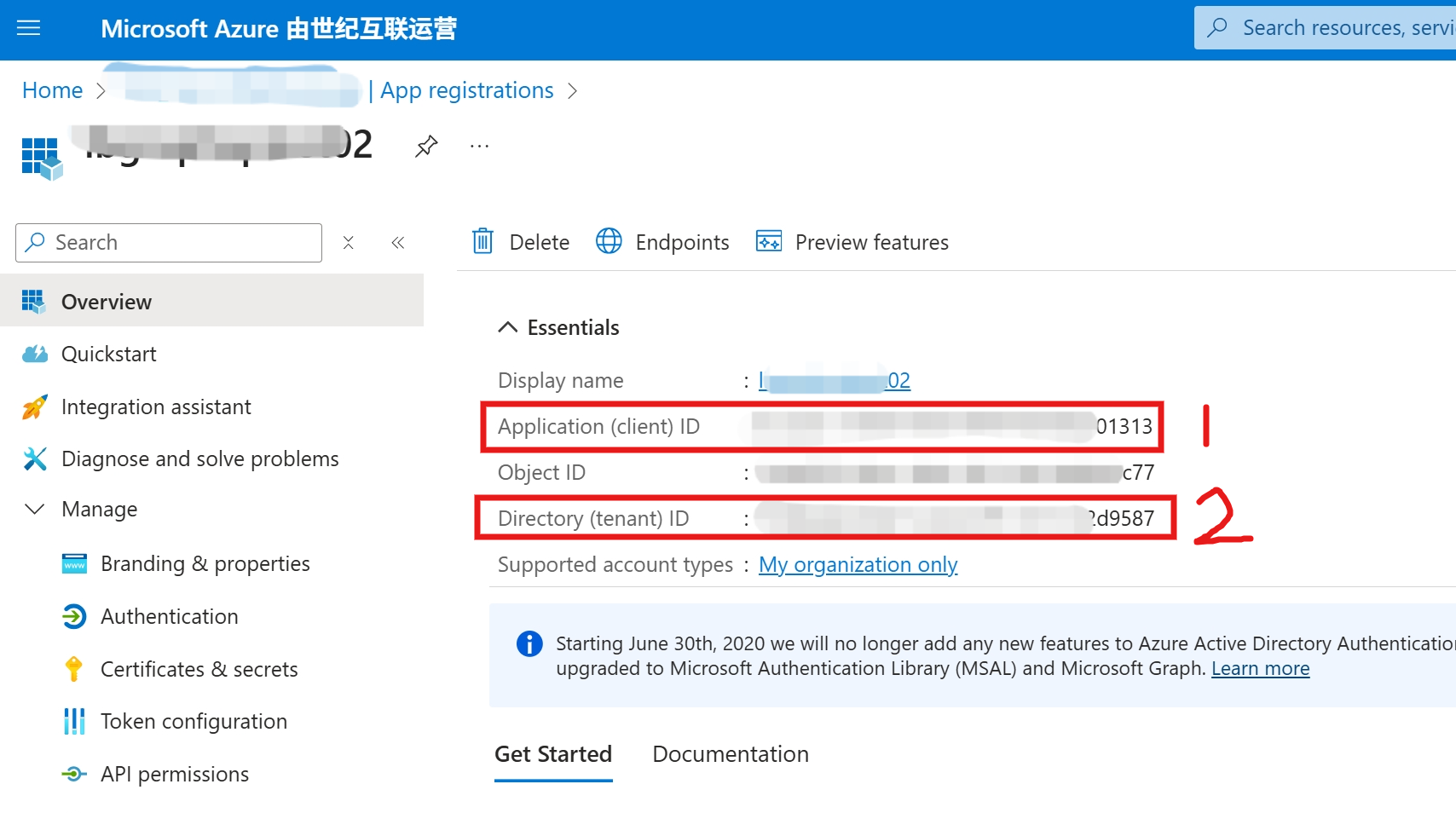
在Connect-MgGraph命令中使用第一步创建的 Client Id 和 Tenant Id 值,执行如下命令,即可登录成功。
正确的命令为:
Connect-MgGraph -Scopes "User.Read.All" -Environment China -ClientId "your entra id application id" -TenantID "your tenant id"
如果需要更多的权限范围,直接添加到-scopes参数之后。
Connect-MgGraph -Scopes "User.ReadWrite.All", "UserAuthenticationMethod.ReadWrite.All", "UserAuthenticationMethod.ReadWrite" -Environment China -ClientId "your entra id application id" -TenantID "your tenant id"
登录成功截图:

参考资料
Authentication module cmdlets in Microsoft Graph PowerShell : https://learn.microsoft.com/en-us/powershell/microsoftgraph/authentication-commands?view=graph-powershell-1.0
当在复杂的环境中面临问题,格物之道需:浊而静之徐清,安以动之徐生。 云中,恰是如此!

 浙公网安备 33010602011771号