
【Azure Developer】中国区Azure环境中查看用户账号是否可用(accountEnabled)的操作步骤
问题描述
在 21V(中国运营的 Microsoft 云,世纪互联)环境中,需要通过 Microsoft Graph API获取某个用户的 accountEnabled(账号启用/禁用)状态。
由于国家云与全球版在 令牌颁发端点、Graph 服务根域名、以及 权限作用域(scope) 上存在差异,很多“全球版”教程在中国区直接套用会出现 401/403 或取不到该属性(返回 null)的问题。
本文聚焦“在中国区Azure环境中,正确查询指定用户的 accountEnabled 值”的可操作步骤
问题解答
第一步:连接中国区Azure环境并获取Token
az cloud set --name AzureChinaCloud
az login
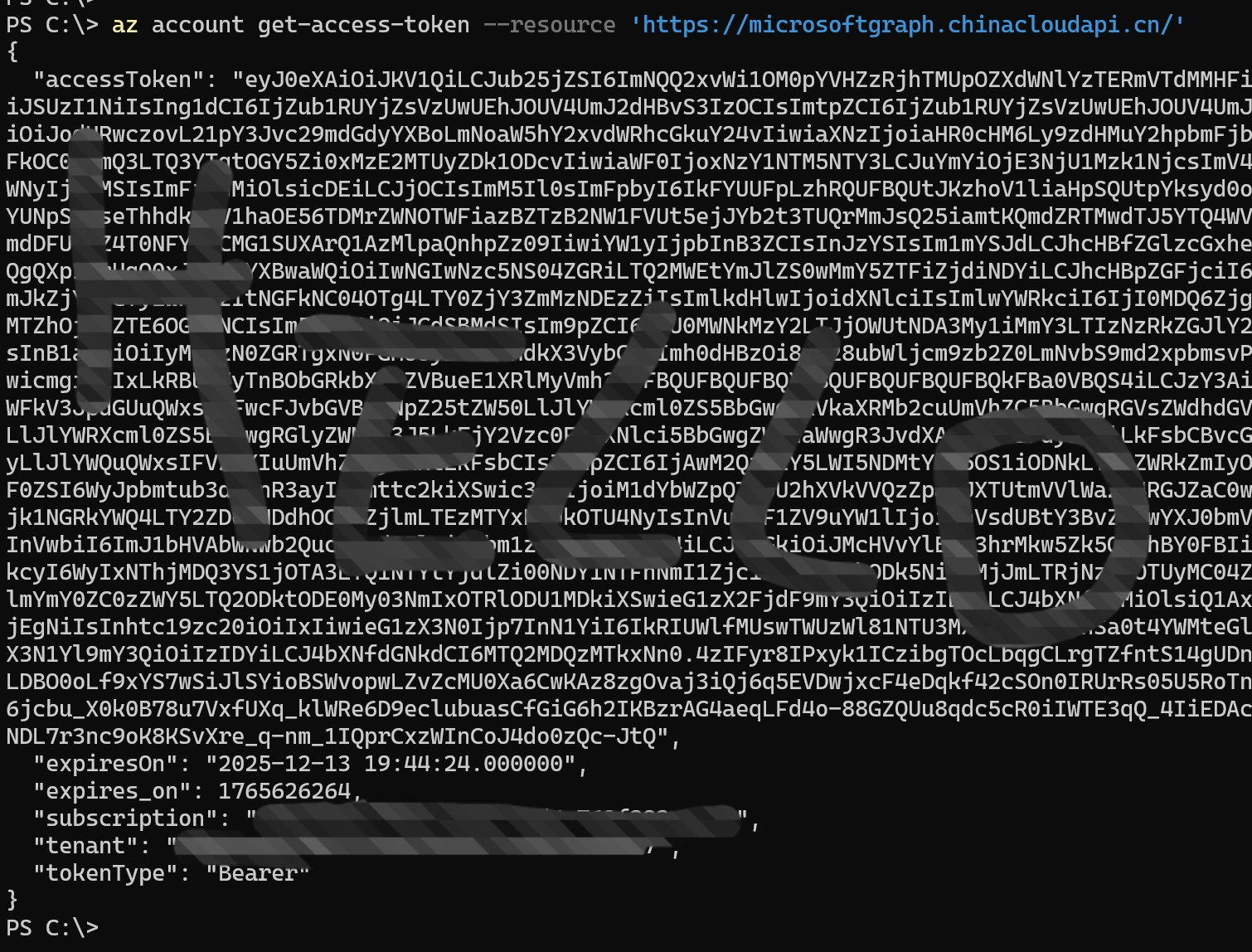
az account get-access-token --resource 'https://microsoftgraph.chinacloudapi.cn/'
第二步:使用发送REST API的客户端发送GET请求获取用户的User ID
GET https://microsoftgraph.chinacloudapi.cn/v1.0/users?$filter=userPrincipalName eq 'your login user account , the format is xxx@xxx.xxx.onmschina.cn'
第一步中获取的Token作为Authorization值,请求返回的格式如下:
{
  "@odata.context": "https://microsoftgraph.chinacloudapi.cn/v1.0/$metadata#users",
  "value": [
    {
      "businessPhones": [],
      "displayName": "your name",
      "givenName": null,
      "jobTitle": null,
      "mail": "xxx@xxx.xxx.onmschina.cn",
      "mobilePhone": null,
      "officeLocation": null,
      "preferredLanguage": null,
      "surname": null,
      "userPrincipalName": "xxx@xxx.xxx.onmschina.cn",
      "id": "xxx-xxx-xxx-xxx-xxx"
    }
  ]
}
第三步:获取user的account状态
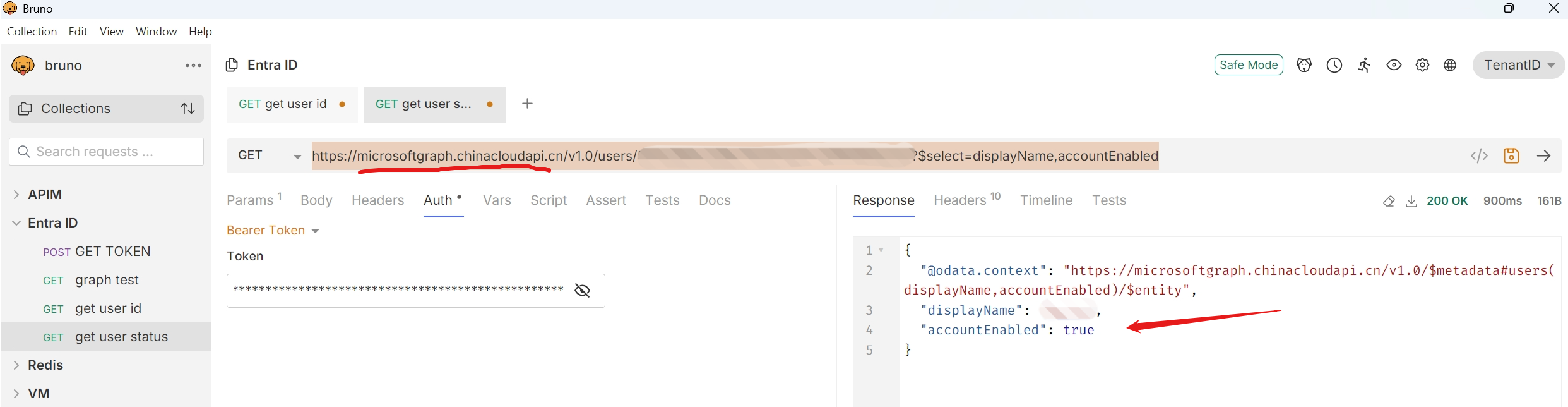
GET https://microsoftgraph.chinacloudapi.cn/v1.0/users/<xxx-xxx-xxx-xxx-xxx>?$select=displayName,accountEnabled
第一步中获取的Token作为Authorization值,第二步中的ID值替换URL中的<xxx-xxx-xxx-xxx-xxx>。
执行请求,返回的结果如下:
{
  "@odata.context": "https://microsoftgraph.chinacloudapi.cn/v1.0/$metadata#users(displayName,accountEnabled)/$entity",
  "displayName": "user name",
  "accountEnabled": true
}
返回结果中的accountEnabled就是最终所需要的结果!
参考资料
无
当在复杂的环境中面临问题,格物之道需:浊而静之徐清,安以动之徐生。 云中,恰是如此!

 浙公网安备 33010602011771号