
NTP时间同步
内网时间同步配置
1.NTP
该软件时间精确度没有下面第二种方式好,但是好多时候除服务器以外的网络设备会用到。该服务允许在UDP的123端口上。
1.1 软件安装(服务端和客户端都需要安装)
查看是否已经安装
[root@localhost ~]# rpm -qa|grep ntp
软件安装
[root@localhost ~]# yum -y install ntp ntpdate
启动服务并设置开机自启动
[root@localhost ~]# systemctl enable ntpd --now
1.2 配置ntp服务端
备份配置文件:
[root@localhost ~]# cp /etc/ntp.conf /etc/ntp.conf-defaul
打开配置文件vim /etc/ntp.conf
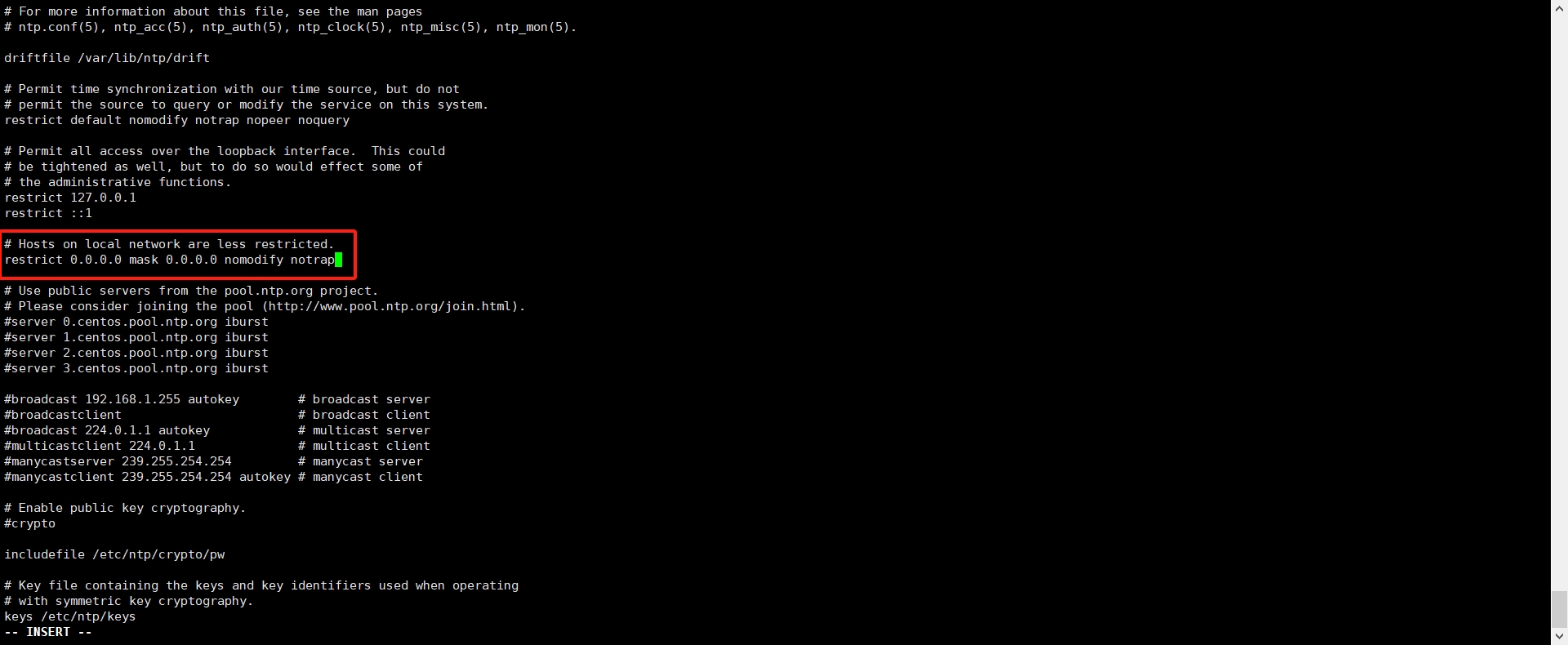
① 授权哪些地址可以向该服务器同步时间(这里是所有地址):
② 配置向哪个服务器同步时间:
# 注释原来自带的
#server 0.centos.pool.ntp.org iburst
#server 1.centos.pool.ntp.org iburst
#server 2.centos.pool.ntp.org iburst
#server 3.centos.pool.ntp.org iburst
server ntp.aliyun.com iburst
server 127.127.1.0 iburst
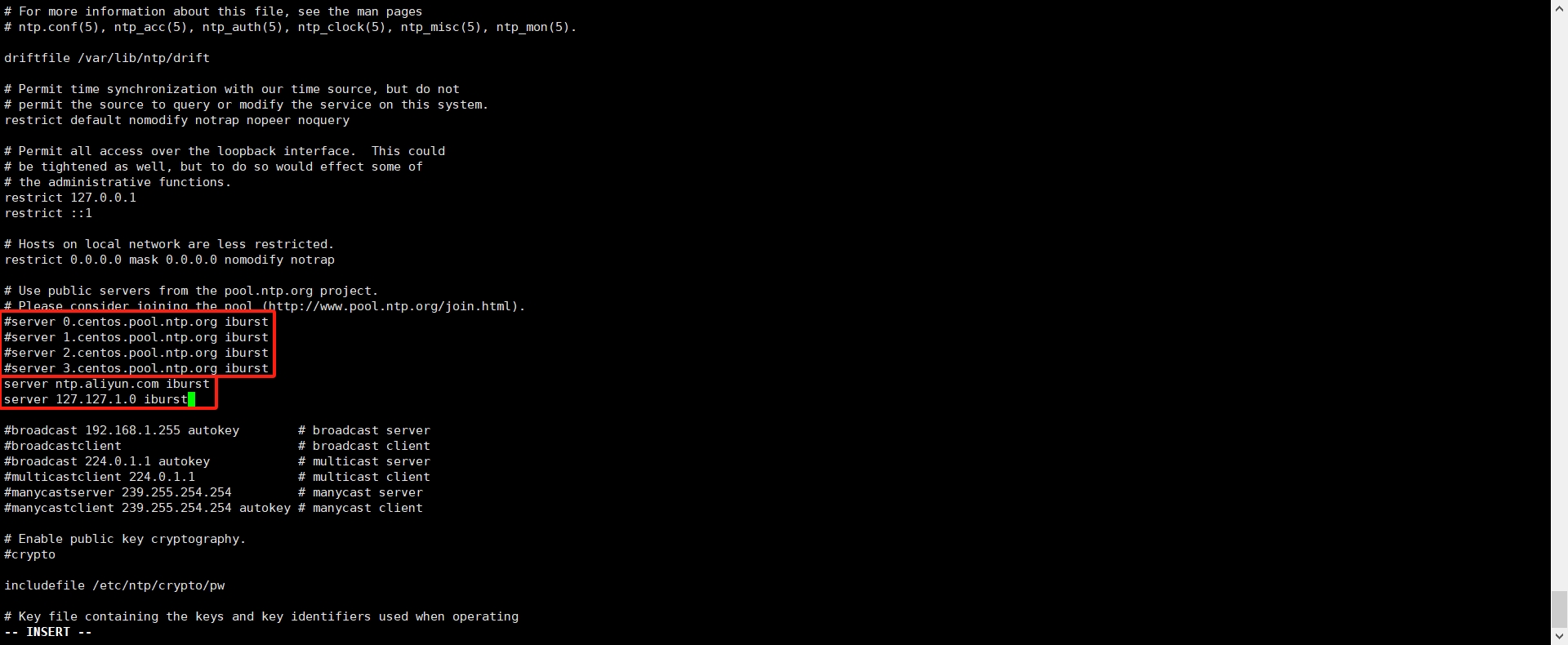
第一条是向阿里云ntp服务器同步时间,第二条是它自己,当外部时间不可用时,使用本地时间。
③ 重启服务
[root@localhost ~]# systemctl restart ntpd
④ 查看是否同步(这里可能要多等一会儿它才会跳到阿里云那个)
[root@localhost ~]# ntpq -p
     remote           refid      st t when poll reach   delay   offset  jitter
==============================================================================
*ntp.aliyun.com  100.107.25.114   2 u   34   64   17   54.033  -241.94   1.246
 LOCAL(0)        .LOCL.           5 l  173   64   14    0.000    0.000   0.000
1.3 客户端配置
客户端的配置很简单,同样修改配置文件/etc/ntp.conf
备份
[root@localhost ~]# cp /etc/ntp.conf /etc/ntp.conf-defaul
修改:
[root@localhost ~]# vi /etc/ntp.conf
。。。
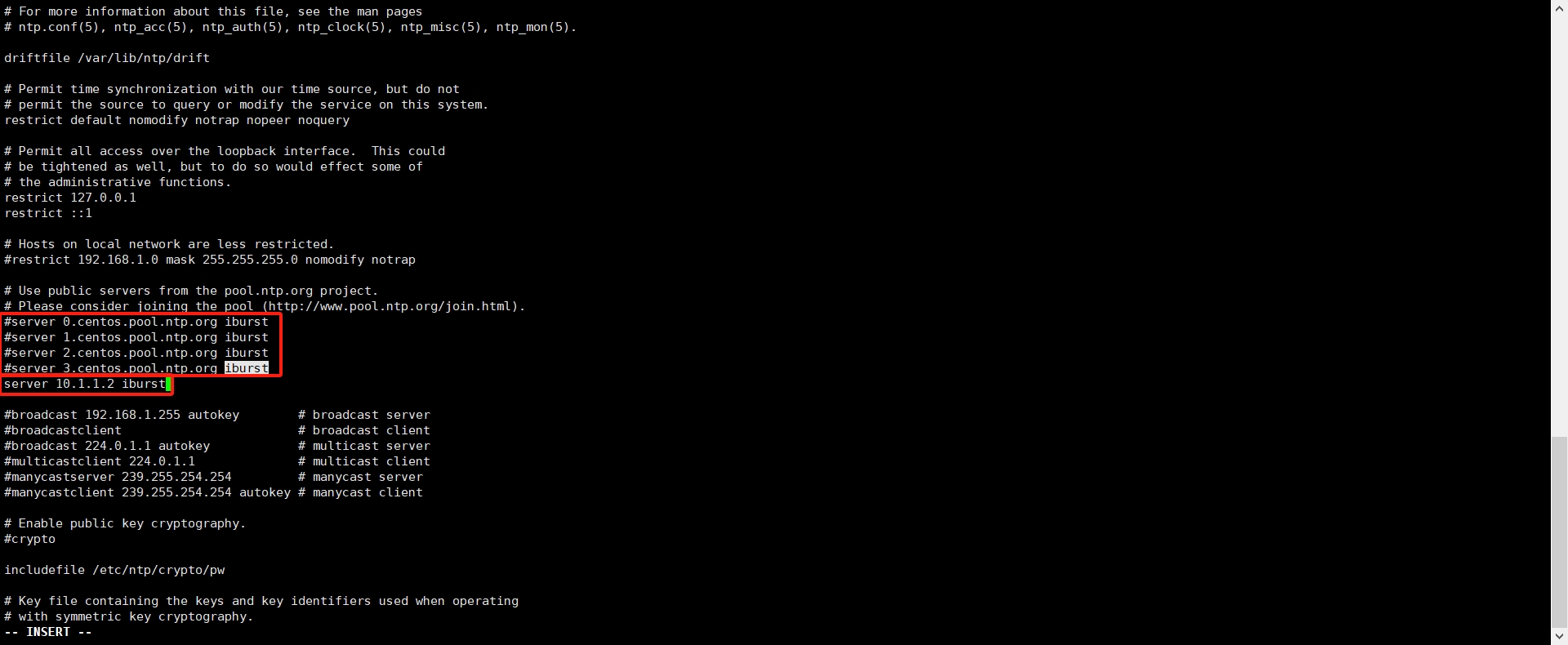
# 注释掉其它源,添加如下服务端ntp配置。
server 10.1.1.2 iburst
。。。
重启服务并设置开机自启动:
[root@localhost ~]# systemctl enable ntpd --now
[root@localhost ~]# systemctl restart ntpd

状态说明:
*: 表示目前选择的主同步服务器,标 + 的表示有可能被用来进一步提高同步精度的次要服务器。
remote: 表示目前使用的NTP Server,这里选择的本机;
st: 即stratum阶层,值越小表示ntp serve的精准度越高;
when: 单位秒,几秒前曾做过时间同步更新的操作;
poll: 表示,每隔多少毫秒与ntp server同步一次;
reach: 已经向上层NTP服务器要求更新的次数;
delay: 网络传输过程钟延迟的时间;
offset: 时间补偿的结果;
jitter: Linux系统时间与BIOS硬件时间的差异时间
注:当服务端与客户端之间的时间误差过大时,此时修改时间可能对系统或应用带来不可预知问题,NTP会停止时间同步。若检查NTP启动后时间未同步时,应考虑可能是时间误差过大所致,此时需要先手动进行时间同步。
还有另一种办法就是配置定时任务,每隔多久自动同步一次时间(这里是五分钟):
[root@localhost ~]# systemctl stop ntpd && systemctl disable ntpd
[root@localhost ~]# crontab -e
*/5 * * * * /usr/sbin/ntpdate 11.10.24.252 >/dev/null 2>&1
2.chronyd
正常情况下要有一台服务器联网,能向互联网同步时间,其它服务器向改服务器同步时间。该服务允许在UDP的323端口上。
2.1 软件安装
默认一般这个服务都是自带的:
[root@localhost ~]# rpm -qa|grep chrony
chrony-3.4-1.el7.x86_64
而且默认已经配置像哪些服务器同步时间:
[root@localhost ~]# chronyc sources -n
210 Number of sources = 4
MS Name/IP address         Stratum Poll Reach LastRx Last sample
===============================================================================
^* 0.centos.pool.ntp.org         2   6    17    33    -76us[ +889us] +/-   41ms
^? 1.centos.pool.ntp.org         0   6     0     -     +0ns[   +0ns] +/-    0ns
^- 2.centos.pool.ntp.org         3   6    17    24  +4968us[+4968us] +/-  123ms
^- 3.centos.pool.ntp.org         2   6    17    20    +11ms[  +11ms] +/-  149ms
使用chronyc sources -v可以看到详细的参数详解。
[root@localhost ~]# chronyc sources -v
210 Number of sources = 4

  .-- Source mode  '^' = server, '=' = peer, '#' = local clock.
 / .- Source state '*' = current synced, '+' = combined , '-' = not combined,
| /   '?' = unreachable, 'x' = time may be in error, '~' = time too variable.
||                                                 .- xxxx [ yyyy ] +/- zzzz
||      Reachability register (octal) -.           |  xxxx = adjusted offset,
||      Log2(Polling interval) --.      |          |  yyyy = measured offset,
||                                \     |          |  zzzz = estimated error.
||                                 |    |           \
MS Name/IP address         Stratum Poll Reach LastRx Last sample
===============================================================================
^* 119.28.183.184                2   6   367    36   +902us[+1533us] +/-   46ms
^- tock.ntp.infomaniak.ch        1   6    37    29  +2340us[+2340us] +/-  106ms
^- time.cloudflare.com           3   6   377    30  +1745us[+1745us] +/-  104ms
^+ ntp7.flashdance.cx
大概的意思:
^* :- 当前同步源:表示当前主机正在使用的时间源。这个标记表示主机与该NTP服务器的时间同步已经完成,并且主机的时间与该服务器的时间保持同步。
^-: - 可用的同步源:表示该NTP服务器也可用于时间同步,但当前主机可能正在使用其他源或尚未完全同步。这个标记表示该服务器是可供选择的备选同步源。
^+: - 可用的备选源:表示该NTP服务器可以作为备选的时间源,但当前主机可能正在使用其他源或尚未完全同步。这个标记表示该服务器是可供选择的备选同步源。
2.2 常用使用命令
| 命令 | 翻译 |
|---|---|
| chronyc sources -n | 查看当前系统中配置了哪些NTP服务器。 |
| chronyc -a makestep | 立即同步时间。 |
| chronyc tracking | 查看时间是否同步成功。 |
2.3 服务配置
备份配置
cp /etc/chrony.conf /etc/chrony.conf_default
修改配置文件 vi /etc/chrony.conf:
① 为内网中可以访问互联网的服务器配置NTP服务器,注释掉默认的,配置自己需要的ntp服务器,这里我只写一个,但是是可以写多个的:
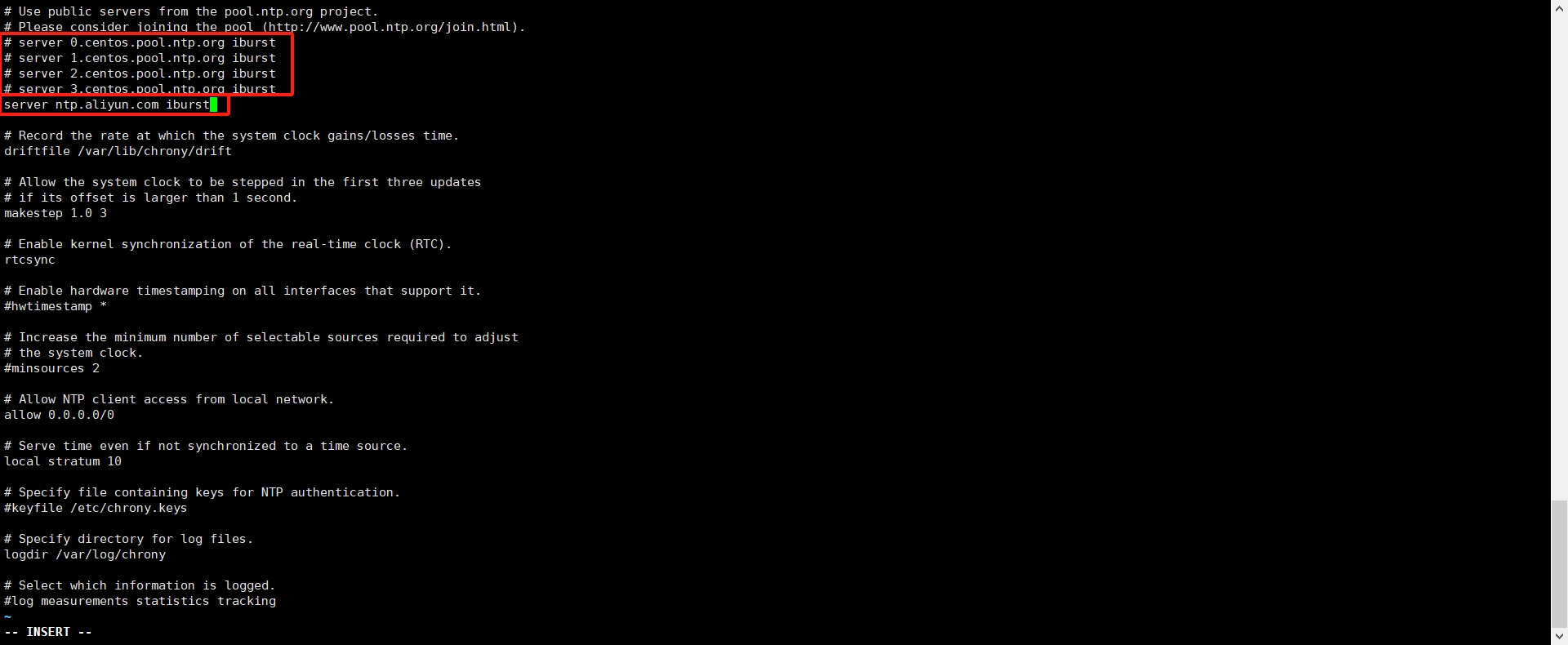
pool ntp.aliyun.com iburst
② 允许局域网内所有的客户端与本机进行时间同步
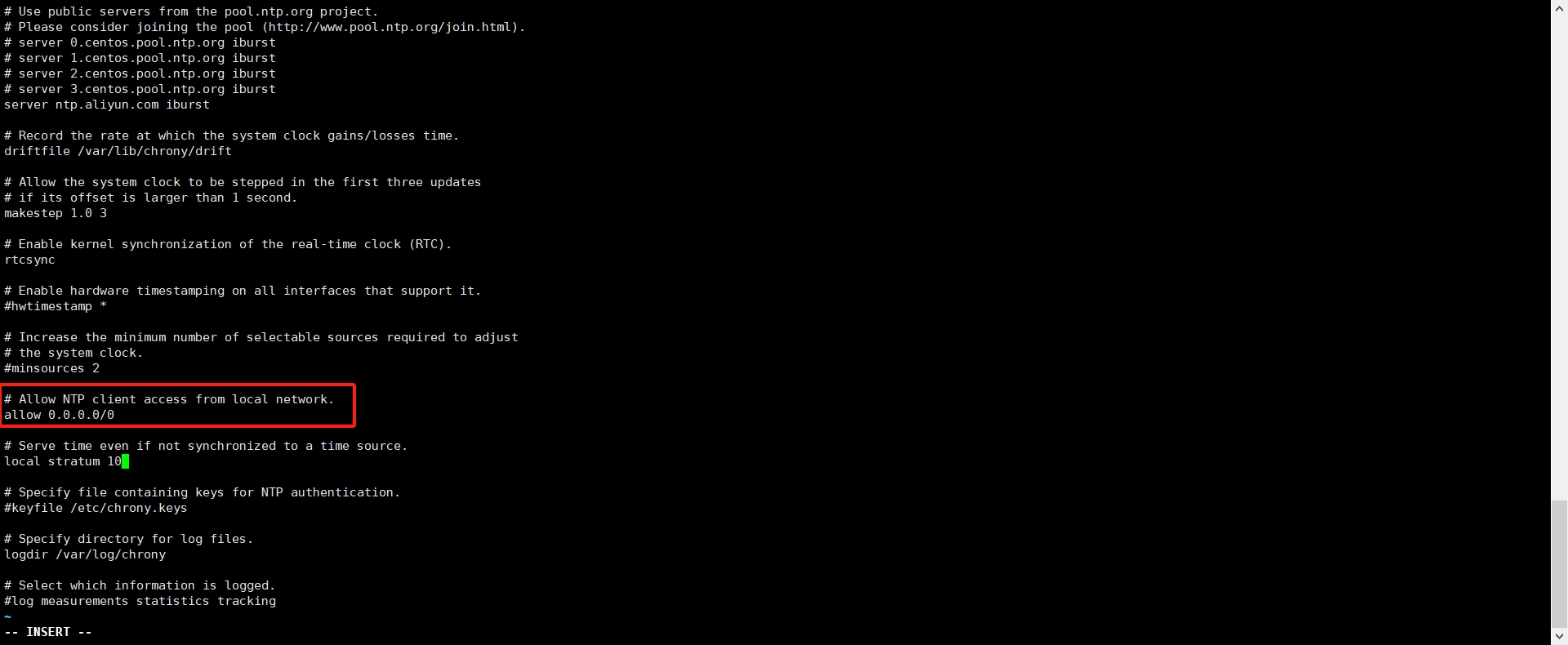
可以写成192.168.1.0/24这样ip/掩码的方式,我上面那种是运行所有客户端过来同步。
③打开本地时间同步,即使没有与时间服务器同步成功依然要为局域网内的客户端提供服务。
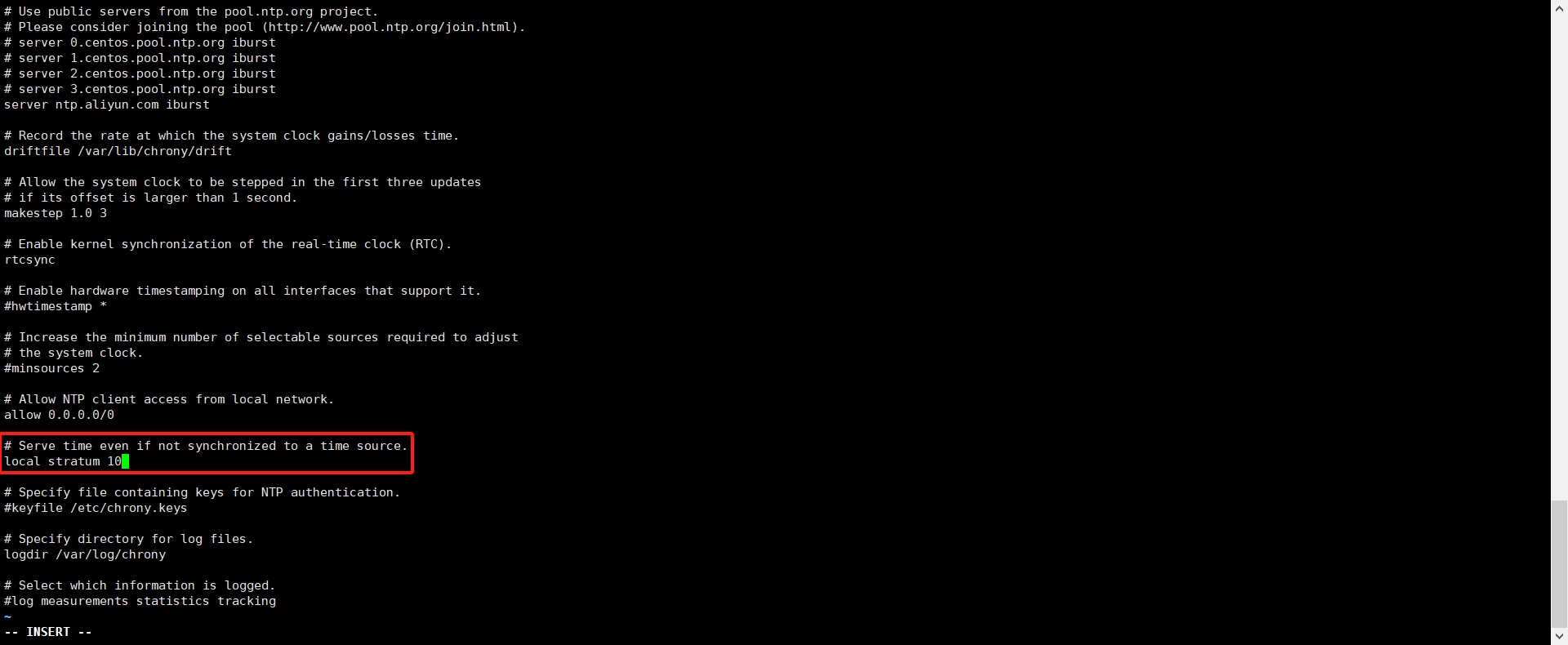
④重启服务
[root@localhost ~]# systemctl restart chronyd
注:如果开了防火墙需要方通UDP/323端口。
2.4客户端配置
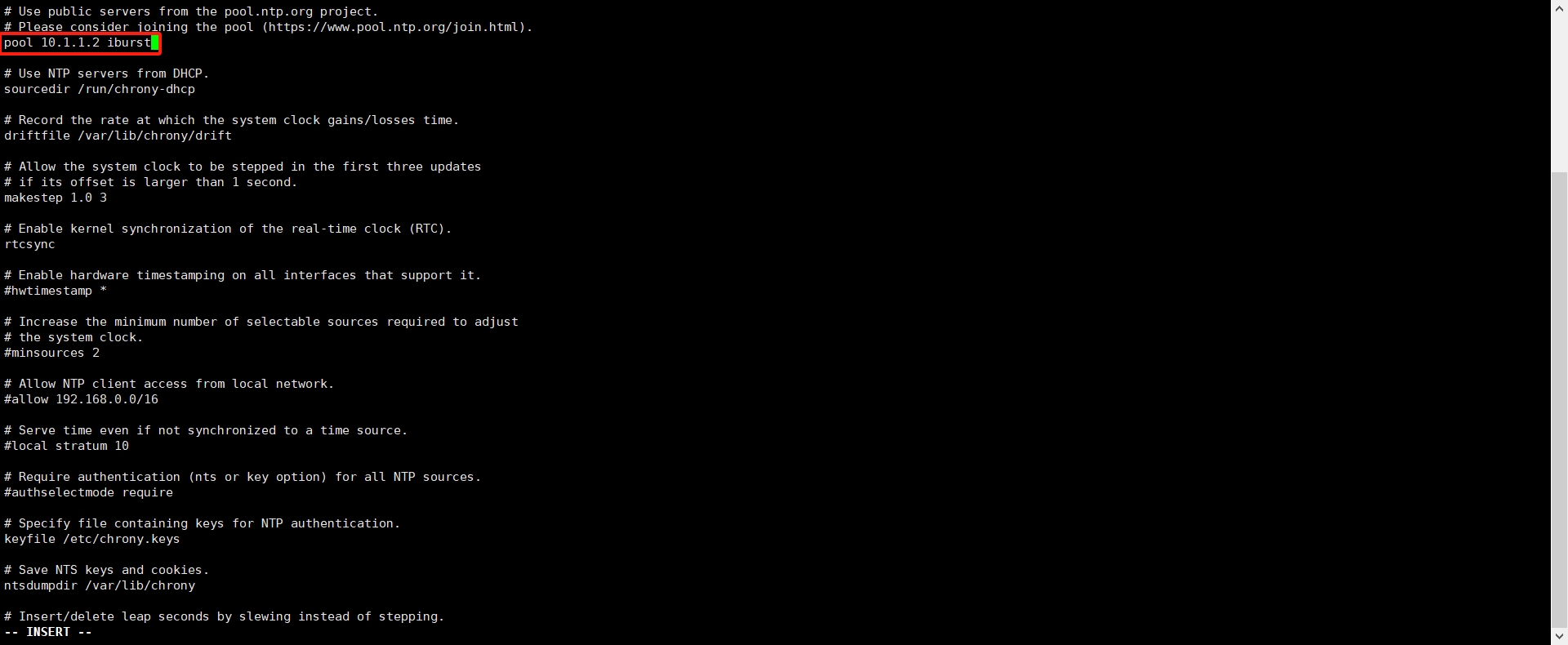
客户端的配置就很简单,只需要修改配置文件:vi /etc/chrony.conf
pool 10.1.1.2 iburst
10.1.1.2换成自己服务端的地址即可,写域名也可以。
重启服务:
[root@node01 ~]# systemctl restart chronyd
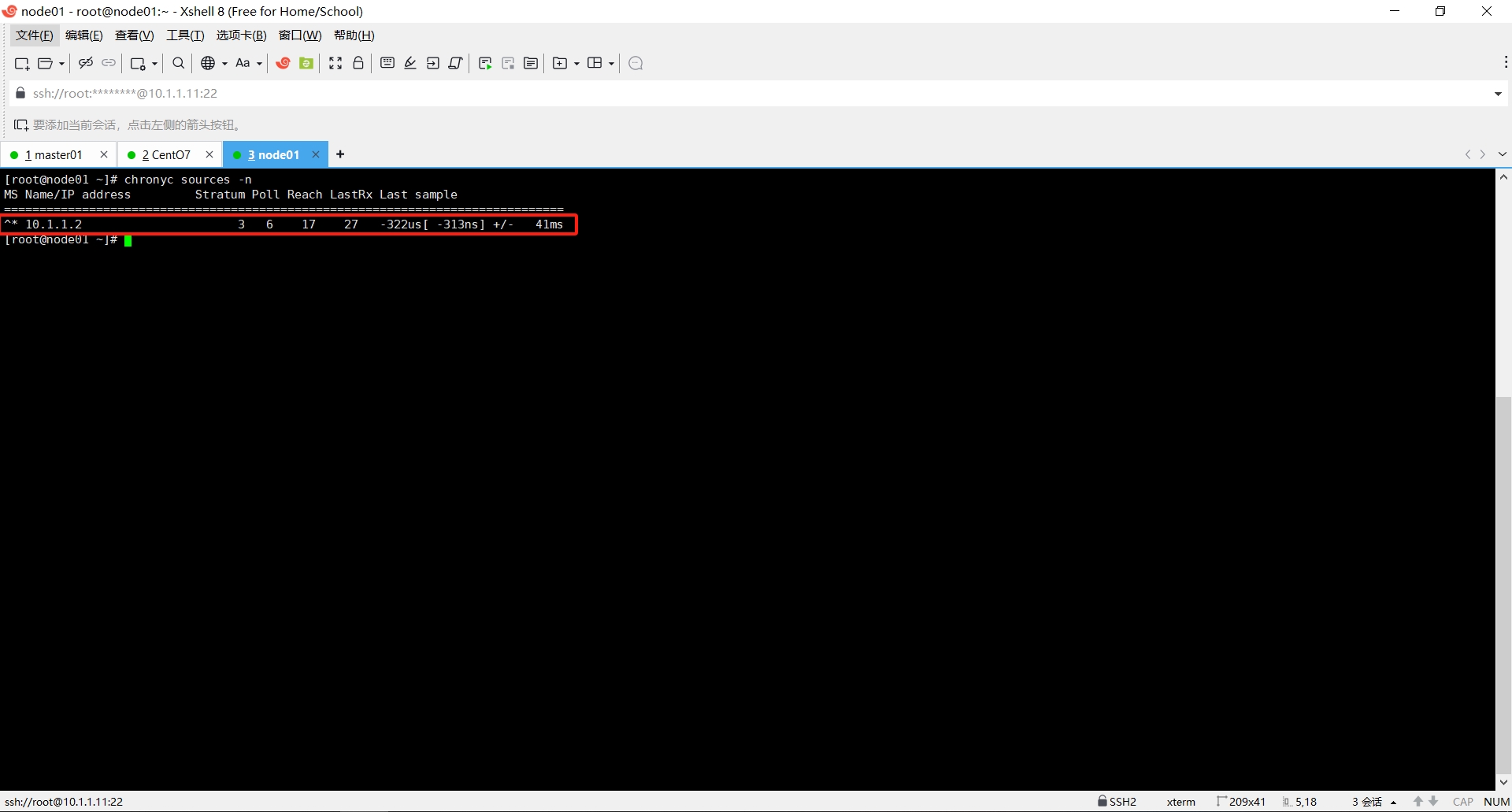
如图,当前就表示成功。
注:当服务端与客户端之间的时间误差过大时,此时修改时间可能对系统或应用带来不可预知问题,NTP会停止时间同步。若检查NTP启动后时间未同步时,应考虑可能是时间误差过大所致,此时需要先手动进行时间同步。

 浙公网安备 33010602011771号