
Mac版IntelliJ的Maven配置
Mac版IntelliJ的Maven配置
内置的Maven配置文件setting.xml
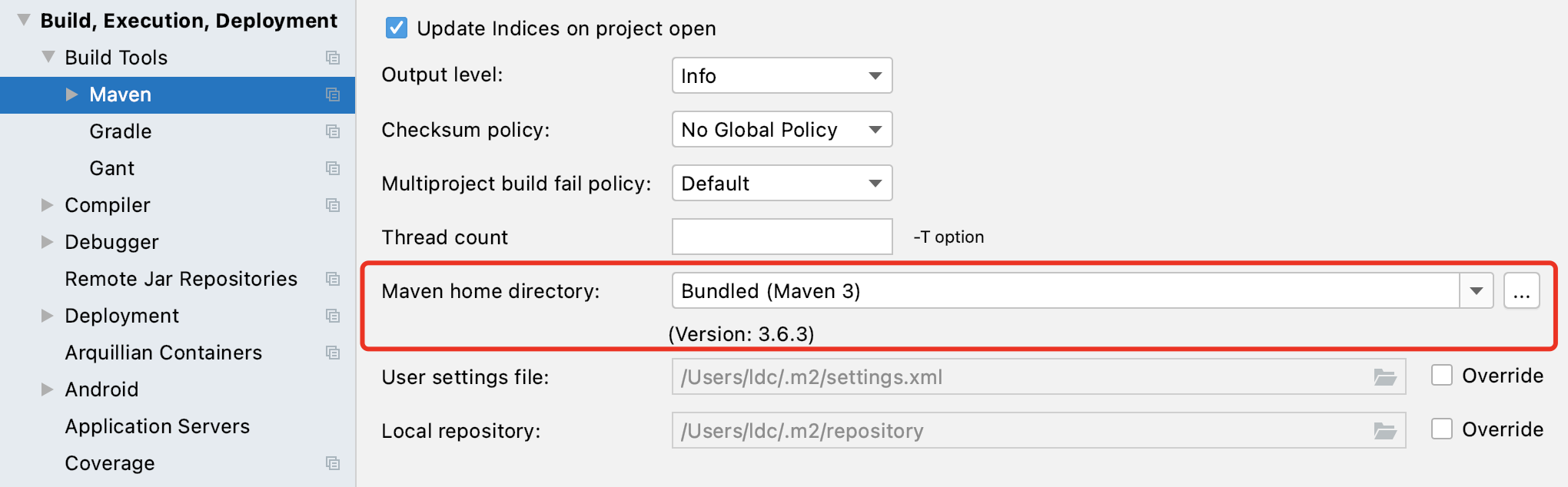
Mac版IntelliJ(2020.3)已经内置了Maven 3.6.3版本。
自带的setting.xml文件位置:
/Applications/IntelliJ IDEA.app/Contents/plugins/maven/lib/maven3/conf/
Maven 阿里云镜像配置
找到位置:
Preferences – > Build,Execution,Deployment–>Build Tools–>Maven
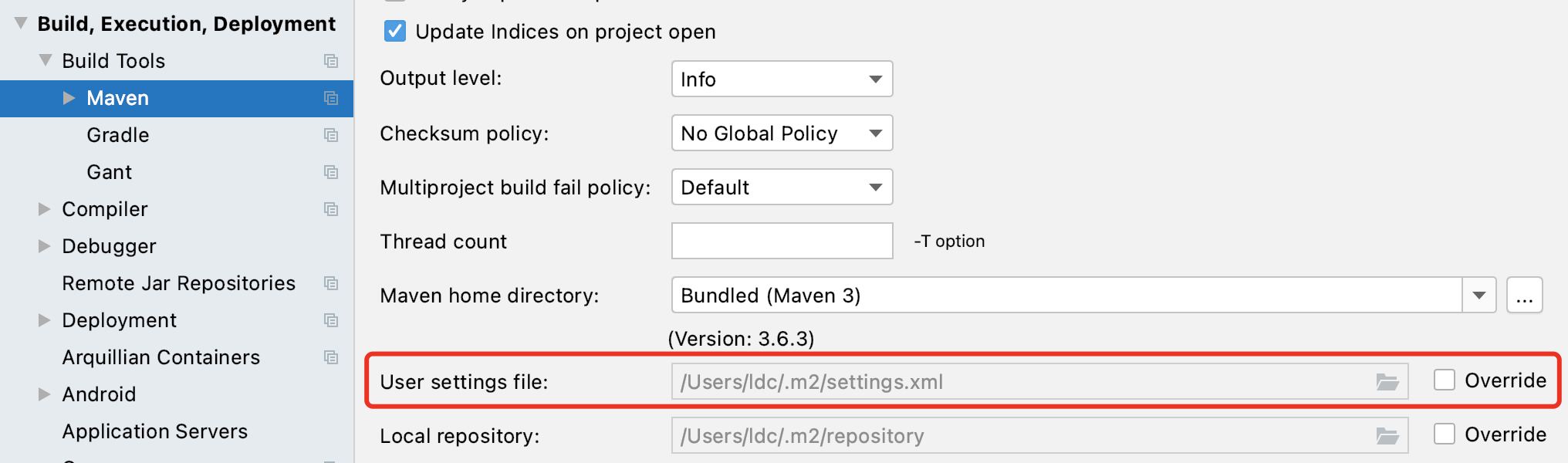
对应配置文件位置:
~/.m2/settings.xml
如果该路径下没有settings.xml文件,新建文件settings.xml并复制下面代码进文件:
<?xml version="1.0" encoding="UTF-8"?>
<settings xmlns="http://maven.apache.org/SETTINGS/1.0.0"
          xmlns:xsi="http://www.w3.org/2001/XMLSchema-instance"
          xsi:schemaLocation="http://maven.apache.org/SETTINGS/1.0.0 http://maven.apache.org/xsd/settings-1.0.0.xsd">
    <mirrors>
        <mirror>
            <id>alimaven</id>
            <name>aliyun maven</name>
            <url>http://maven.aliyun.com/nexus/content/groups/public/</url>
            <mirrorOf>central</mirrorOf>
        </mirror>

        <mirror>
            <id>uk</id>
            <mirrorOf>central</mirrorOf>
            <name>Human Readable Name for this Mirror.</name>
            <url>http://uk.maven.org/maven2/</url>
        </mirror>

        <mirror>
            <id>CN</id>
            <name>OSChina Central</name>
            <url>http://maven.oschina.net/content/groups/public/</url>
            <mirrorOf>central</mirrorOf>
        </mirror>

        <mirror>
            <id>nexus</id>
            <name>internal nexus repository</name>
            <!-- <url>http://192.168.1.100:8081/nexus/content/groups/public/</url>-->
            <url>http://repo.maven.apache.org/maven2</url>
            <mirrorOf>central</mirrorOf>
        </mirror>

    </mirrors>
</settings>
如果有settings.xml文件,只覆盖对应的mirrors标签内的代码。
最后点击Override按钮,更换配置文件。
Idea创建Maven项目速度过慢的问题
当我们构建 Maven 项目的时候,之所以速度慢,是因为 Maven 仓库的地址在国外。
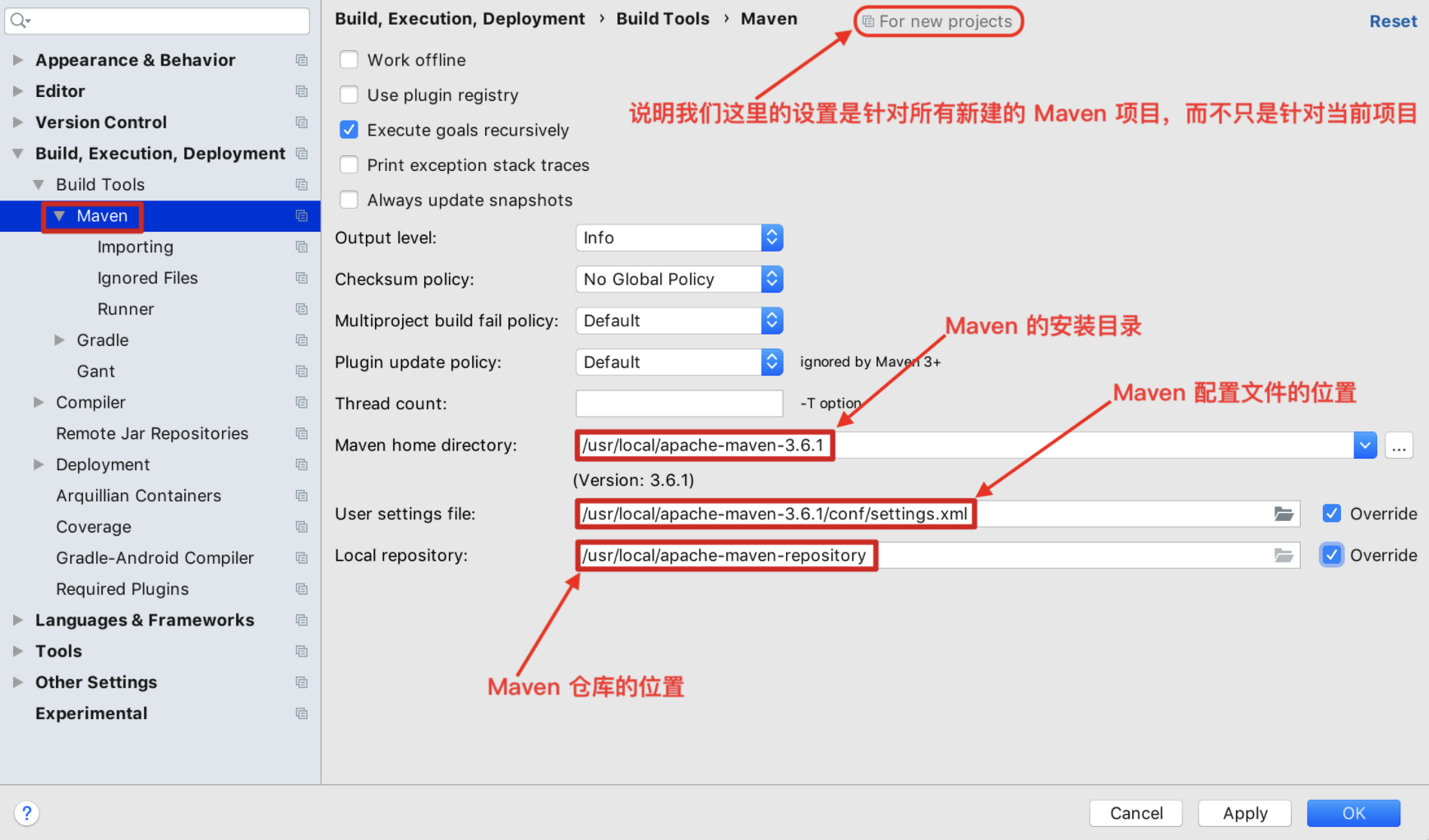
点击「File」—「Preferences for New Projects…」针对所有的项目:
设置 -DarchetypeCatalog=internal:
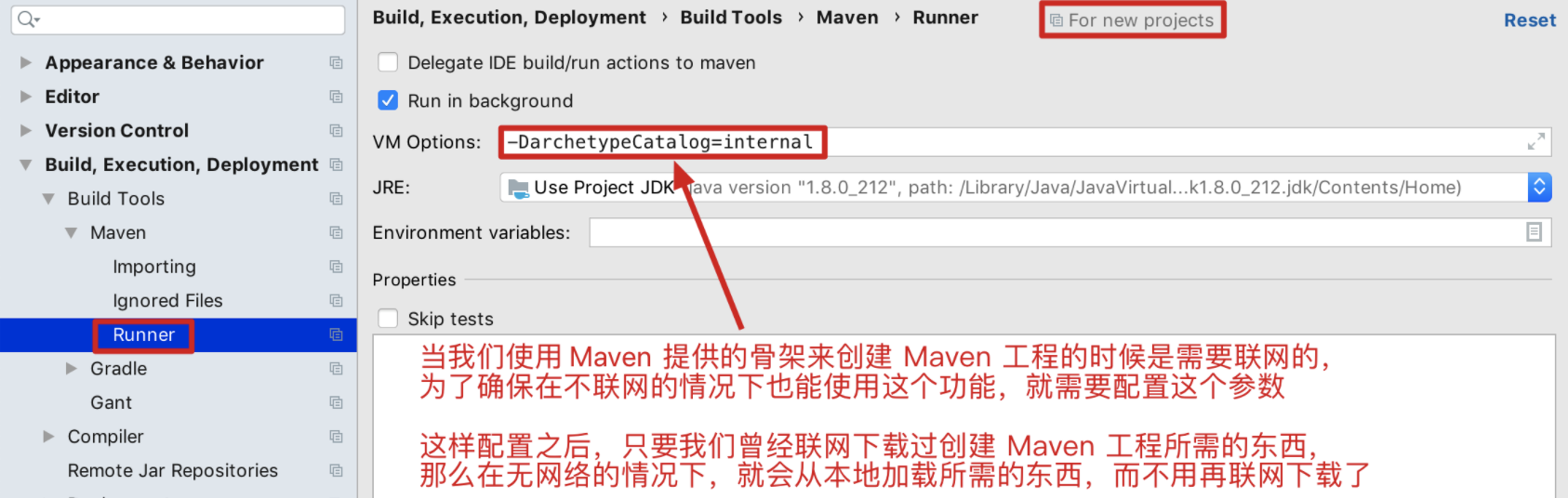
注:如果在后期使用过程中,控制台出现了乱码,那么上图所示位置就需要配置为 -DarchetypeCatalog=internal -Dfile.encoding=gb2312

 浙公网安备 33010602011771号