初识jQuery
第一次认识jQuery,有好多疑问。
- 它是什么?它是基于JavaScript的一个库
- 它能做什么?HTML文档遍历,Ajax交互和动画等
- 它的优点是什么?使用起来比较方便, 简化了用户与浏览器的交互, 提高了系统的性能和开发效率。
下面用js和jQuery分别做个Demo,体验下他们的使用方式。(使用的编辑器为webstorm)
- js代码


<!DOCTYPE html>
<html lang="en">
<head>
    <meta charset="UTF-8">
    <title>js</title>
    <style>
        div{
            width: 50px;
            height: 50px;
            border: 1px solid;
        }
    </style>
    <script>
        // 加载整个文档后 再去执行
        window.onload = function () {
            var div= document.getElementsByTagName("div");
            console.log(div);
            var div1=document.getElementsByTagName("div")[0];
            console.log(div1);
            div1.innerHTML = "div";
            div1.style.backgroundColor = "red";
            var div2=document.getElementById("div2");
            console.log(div2);
            div2.style.backgroundColor = "green";
            var div3=document.getElementsByClassName("div3")[0];
            console.log(div3);
            div3.style.backgroundColor = "blue";
        }
    </script>
</head>
<body>
<!--        使用webstor的快捷键-->
<!--        ctrl+shift+f10-->
<!--        使用快捷键-->
<!--        注释快捷键-->
<!--            多行注释 ctrl + shift + ?-->
<!--            单行注释 ctrl + /-->
        <div >1</div>
        <div id="div2">2</div>
        <div class="div3">3</div>
</body>
</html>
效果
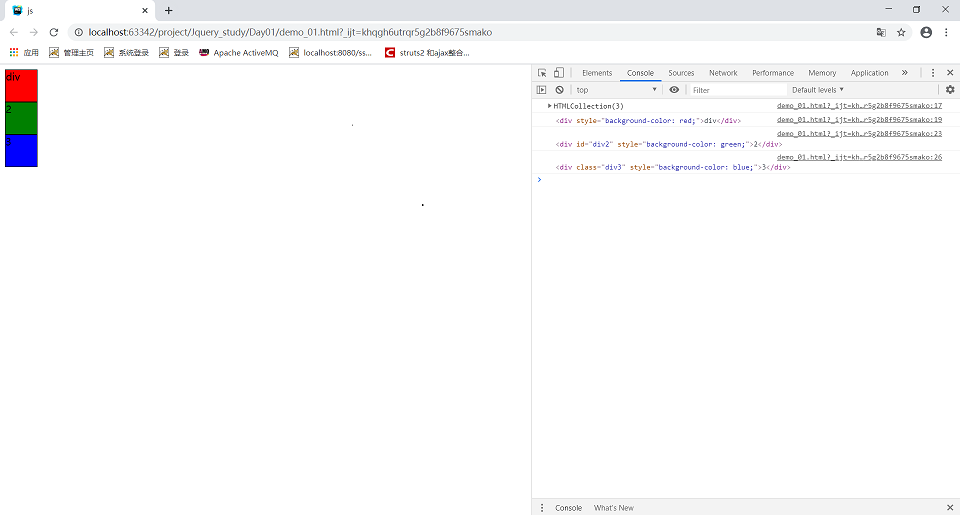
2.jQuery代码
<!DOCTYPE html>
<html lang="en">
<head>
    <meta charset="UTF-8">
    <title>jquery</title>
    <style>
        div{
            width: 50px;
            height: 50px;
            border: 1px solid;
        }
    </style>
<!--    引入jquery 的库 用的webstorm软件的话 直接拖进来-->
<!--    jquery 1.x版本和 3.x版本 对于浏览器IE6的兼容性 有区别-->
    <script src="../resources/jquery-3.4.1.js"></script>
    <script>
        $(function () {
            $("div").css("color","red");
            $("#div2").css("backgroundColor","green").text("div2");
            $(".div3").css("backgroundColor","blue");
        })
    </script>

</head>
<body>
<!--        script + tab键  自动补全 -->
<!--        ctrl+shift+f10 打开浏览器 -->
<!--        使用快捷键-->
<!--        注释快捷键-->
<!--            多行注释 ctrl + shift + ?-->
<!--            单行注释 ctrl + /-->

<!--        李南江 教学视频 :https://www.bilibili.com/video/av22807707?from=search&seid=17598684149902065820-->
        <div >1</div>
        <div id="div2">2</div>
        <div class="div3">3</div>
</body>
</html>
效果
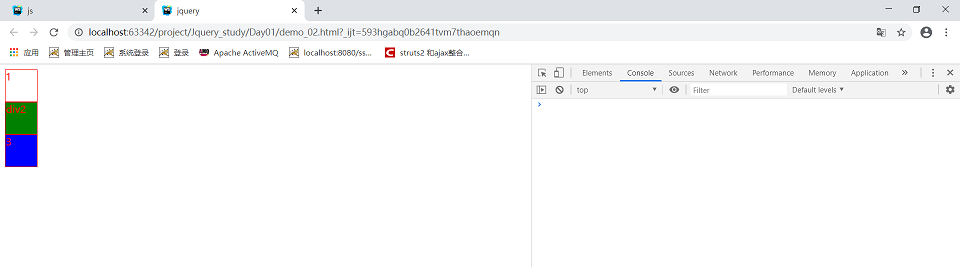
资源放到了码云上,可以直接下载 链接 https://gitee.com/lu_handsome/jQuery

 浙公网安备 33010602011771号