
Jwt 启用无状态登陆系统(模拟用户登陆)
Jwt 启用无状态登陆系统(模拟用户登陆)
一.创建controller(AuthenticateController)
1.创建控制器
2.配置controller
namespace FakeXiecheng.API.Controllers
{
	//设置特性
    [ApiController]
    //配置路由
    [Route("auth")]
    public class AuthenticateController : ControllerBase
    {
        private readonly IConfiguration _configuration;

        public AuthenticateController(IConfiguration configuration
        )
        {
            _configuration = configuration;
        }


        [AllowAnonymous]
        [HttpPost("login")]
        public IActionResult login([FromBody] LoginDto loginDto)
        {
            //1.验证用户名密码
            //2.创建jwt
            //header 编码方式
            var signingAlgorithm = SecurityAlgorithms.HmacSha256;
            //payload
            var claims = new[]
            {
                //sub
                //第一个是id在jwt中有个专有名词sub ,第二个是用户的准确id,现在用的是假id
                new Claim(JwtRegisteredClaimNames.Sub,"fake_user_id")
            };
            //signiture

            //首先吧私钥用utf格式进行编码并输出字节
            var secreByte = Encoding.UTF8.GetBytes(_configuration["Authentication:SecretKey"]);

            //把secreByte传入,进行非对称加密算法
            var signingKey = new SymmetricSecurityKey(secreByte);

            //还需要使用HS256来验证这个非对称加密后的私钥
            var signingCredentials = new SigningCredentials(signingKey, signingAlgorithm);


            //然后通过上述的数据创建token
            var token = new JwtSecurityToken(
                //谁发布的
                issuer: _configuration["Authentication:Issuer"],
                //发布对象
                audience: _configuration["Authentication:Audience"],
                //之前准备的payload数据即claim数组
                 claims,
                 //发布时间
                notBefore: DateTime.UtcNow,
                //过期时间一天有效
                expires: DateTime.UtcNow.AddDays(1),
                //数字签名
                signingCredentials
                );
            //使用JwtSecurityTokenHandler来以字符串进行输出
            var tokenStr = new JwtSecurityTokenHandler().WriteToken(token);

            //3.return 200 Ok + jwt
            return Ok(tokenStr);
        }
    }
}
3.因为涉及到用户登陆的数据模型需要创建登陆数据模型LoginDto
下面展示一些 内联代码片。
namespace FakeXiecheng.API.Dtos
{
    public class LoginDto
    {
        [Required]
        public string Email { get; set; }
        [Required]
        public string Password { get; set; }
    }
}
4.在controller中因为将私钥还有token的接收与发送方,配置到配置文件中
所以配置appsetting.json文件,添加如下:
  "Authentication": {
    "SecretKey": "suibianzifuchaun", //十六位
    "Issuer": "fakexiecheng.com",
    "Audience": "fakexiecheng.com"
  }
二.进行模拟登陆
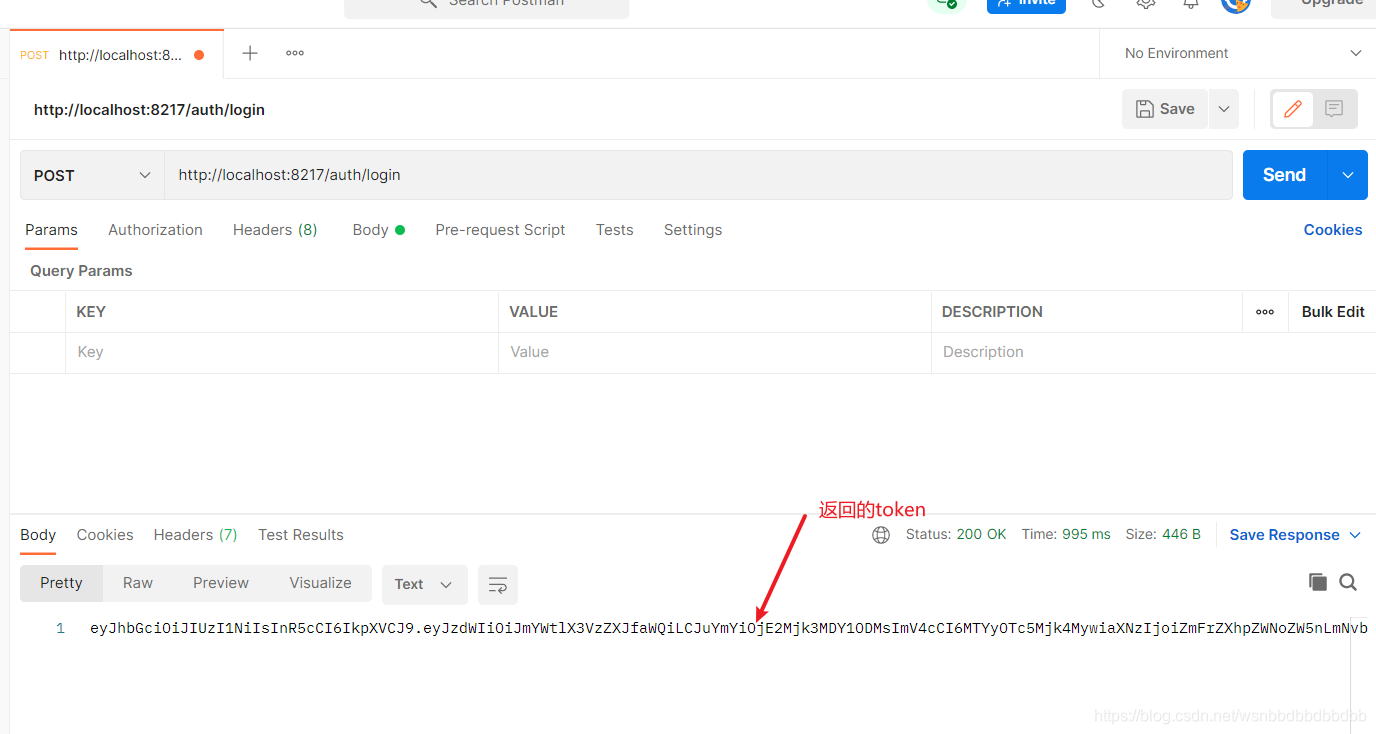
1.使用postman发送请求
2.进入jwt.io网站,进行验证
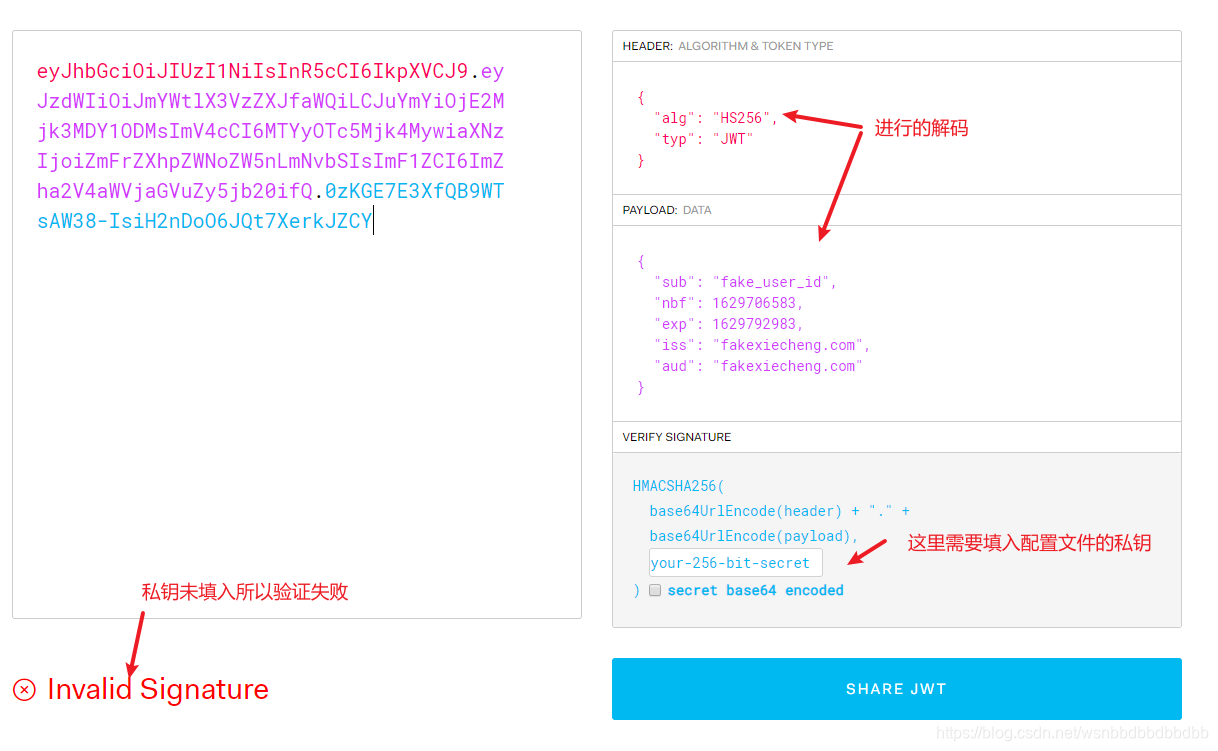
3.填入私钥验证用户登陆模拟结束

 浙公网安备 33010602011771号