
NetCore使用Dapper查询数据
NetCore使用Dapper查询数据
一、Nuget包安装
Dapper
MySqlConnector
二、Class
1.Student
public class Student
    {
        public int ID { get; set; }
        public string Name { get; set; } ;
        public string Sex { get; set; } ;
        public string Phone { get; set; }
        public string Address { get; set; }
    }
2.IStudentQueries
public interface IStudentQueries
    {
       Task<List<Student>> GetStudent(int studentId);
    }
3.StudentQueries
  public class StudentQueries :IStudentQueries
    {
        private string _connectionString = string.Empty;
        public StudentQueries(string constr)
        {
            _connectionString = !string.IsNullOrWhiteSpace(constr) ? constr : throw new ArgumentNullException(nameof(constr));
        }
        public async Task<List<Student>> GetStudent(int studentId)
        {
            using(var dbconnection = new MySqlConnection(_connectionString))
            {
                dbconnection.Open();
                var sb = new StringBuilder();
                var sql = "" ;
                if (studentId >0)
                {
                    sql = $@" select * from student where id = @studentId";
                }
                return (await dbconnection.QueryAsync<Student>(sql, new {studentId })).ToList();
            }
        }
     }
4.MediatorModule 使用Autofac注入
 public class MediatorModule : Autofac.Module
    {
    //构造函数,将链接字符串传入
        public string QueriesConnectionString { get; }

        public MediatorModule(string qconstr)
        {
            QueriesConnectionString = qconstr;
        }
        protected override void Load(ContainerBuilder builder)
        {
          builder.Register(c => new StudentQueries(QueriesConnectionString))
           .As<IStudentQueries>()
           .InstancePerLifetimeScope();

        }
5.starup
与ConfigureServices同级
  public virtual void ConfigureContainer(ContainerBuilder builder)
        {
            builder.RegisterModule(new MediatorModule(Configuration.GetConnectionString("ConnectionMysql")));

        }
6.connectionstring添加allowuservariables=True
allowuservariables=True;允许以参数传入
"ConnectionMysql": "server=localhost;uid=root;pwd=123456;database=studenttest;allowuservariables=True; "
7.Controller
public async Task<List<Student>> GetSqlData(int studentId)
        {
             return await _productQueries.GetStudent(studentId);
            //操纵stream,生成集合
        }
三、效果展示
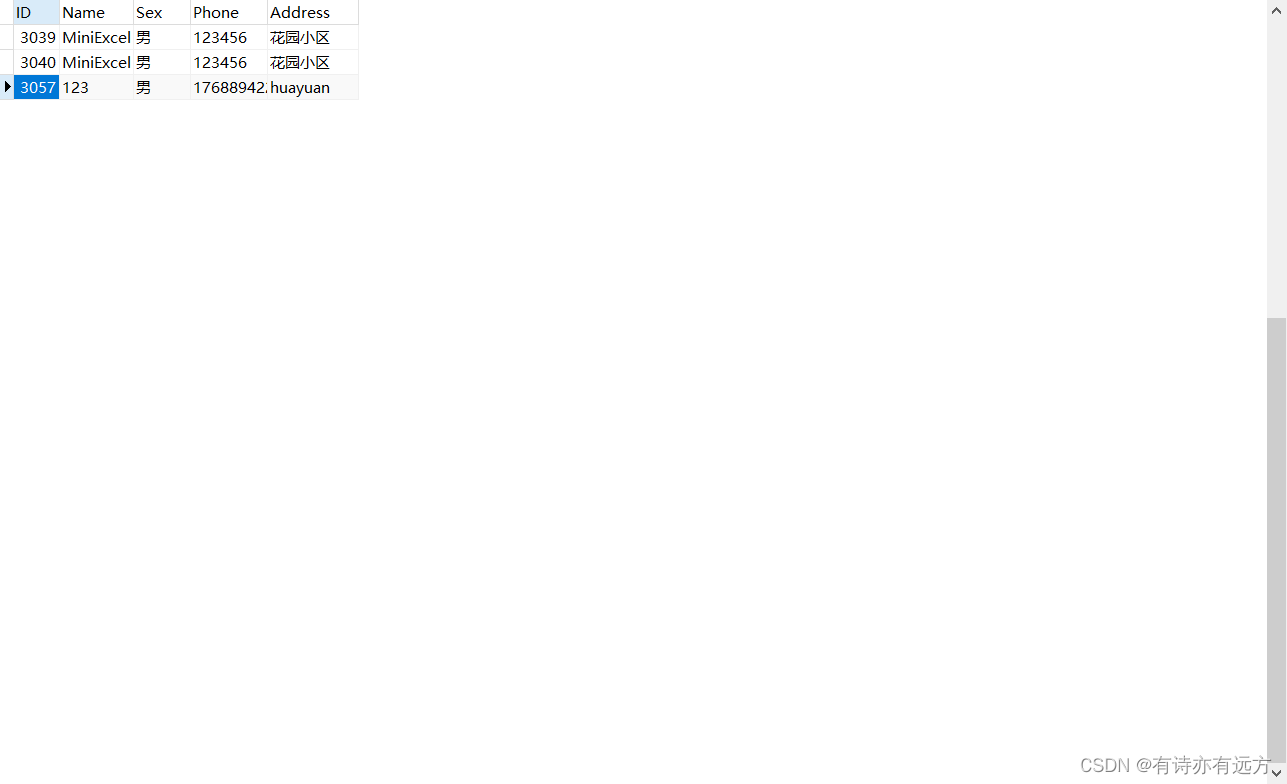
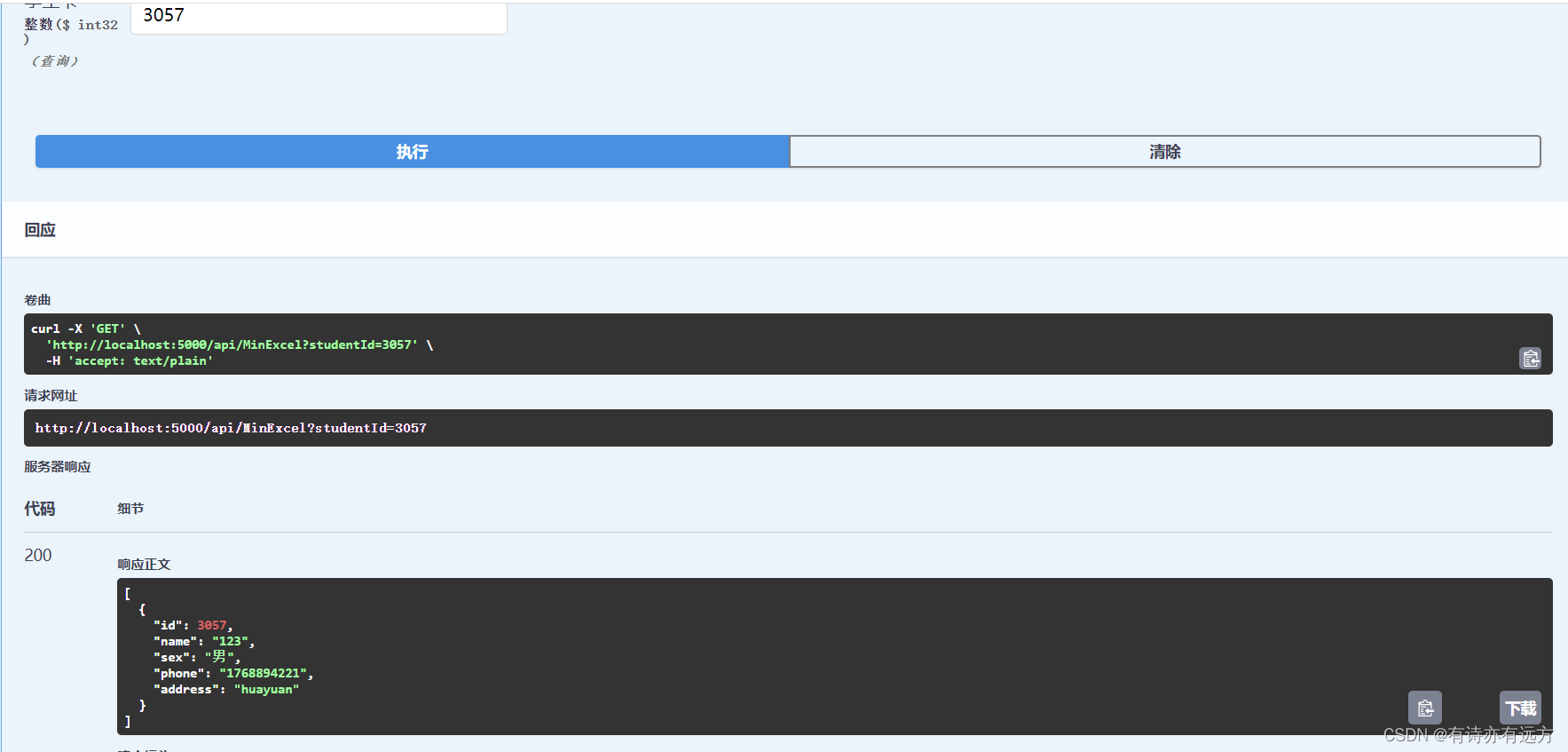
四、用法总结
1.in条件查询
//listId 可以是一个集合,也能以数组传递参数

		"...WHERE detail_id IN @detailIds"
         await connection.QueryAsync<Account>(sql, new { detailIds = listId })).ToList();

 浙公网安备 33010602011771号