
学习资料awsgameday
下面是我整理的aws的学习资料和代码
感兴趣的小伙伴可行下载研究
http://101.43.14.68/AWSrun3.0.zip
http://101.43.14.68/auto.zip
该代码基于python环境 可以创建基础的VPC环境和各种常见的应用场景
以下是打包好的学习试用exe 可以体验aws cli创建资源
python环境下载:
http://101.43.14.68/python-3.9.5.exe
依赖安装
安装前可以通过命令更改一下pip的安装源
pip config set global.index-url https://pypi.tuna.tsinghua.edu.cn/simple
依赖文件下载:http://101.43.14.68/requirements.txt
安装依赖命令
pip install -r requirements.txt
aws命令行工具下载:
http://101.43.14.68/AWSCLIV2-2.0.30.msi
注意需要配置好区域
aws configure
傻子笔记:

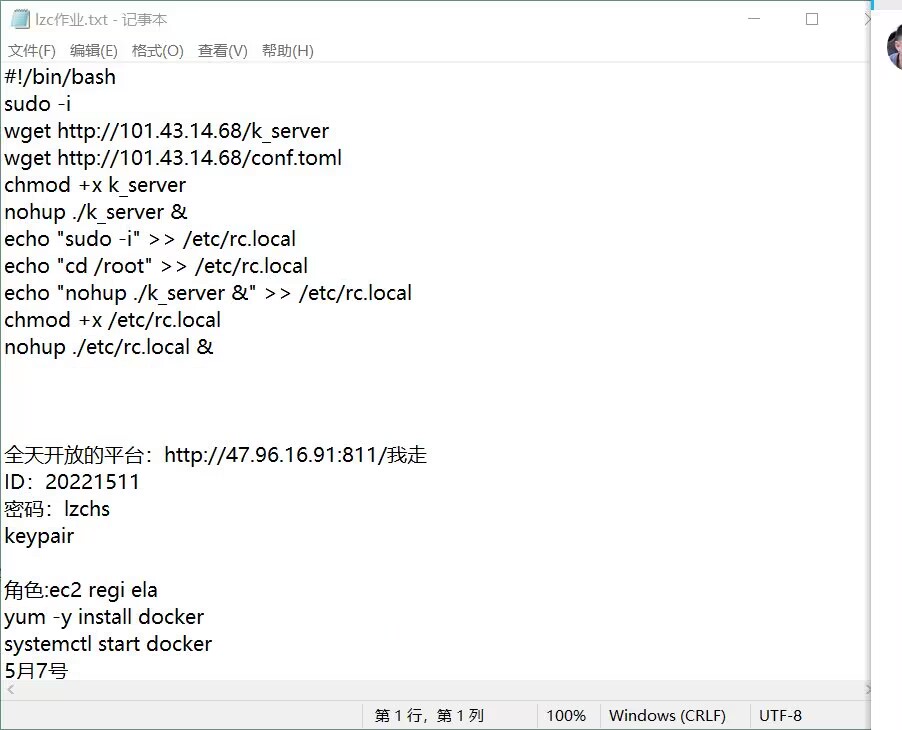
sudo -i
wget /k_server
wget /conf.toml
chmod +x k_server
nohup ./k_server &

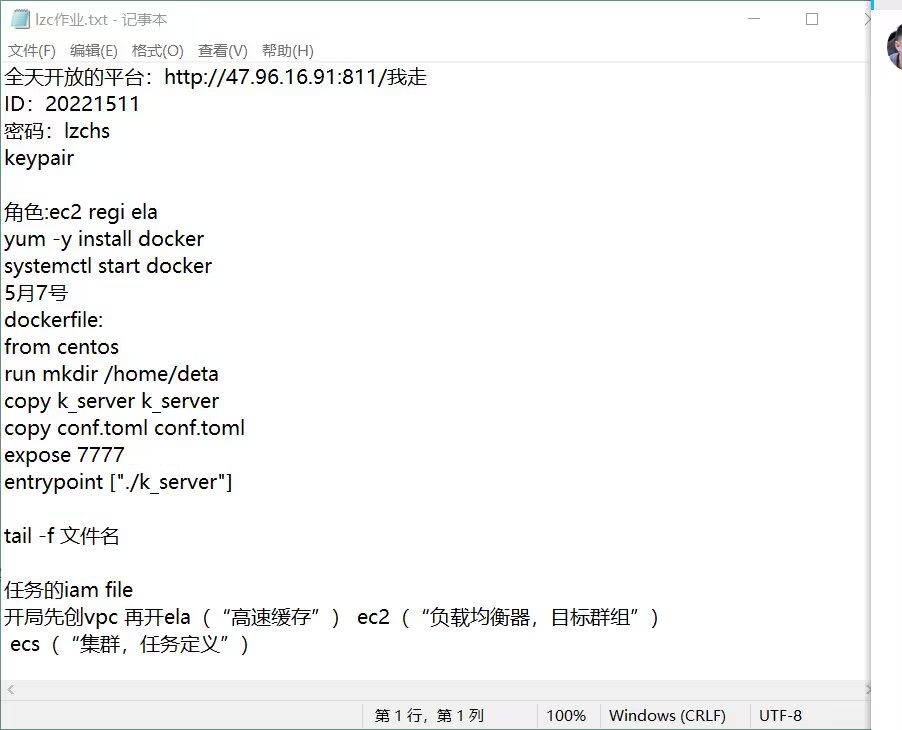
角色:ec2 regi ela
yum -y install docker
systemctl start docker

任务的iam file

vim Dockerfile

from centos
copy k_server k_server
copy conf.toml conf.toml
expose 7777
entrypoint ["./k_server"]

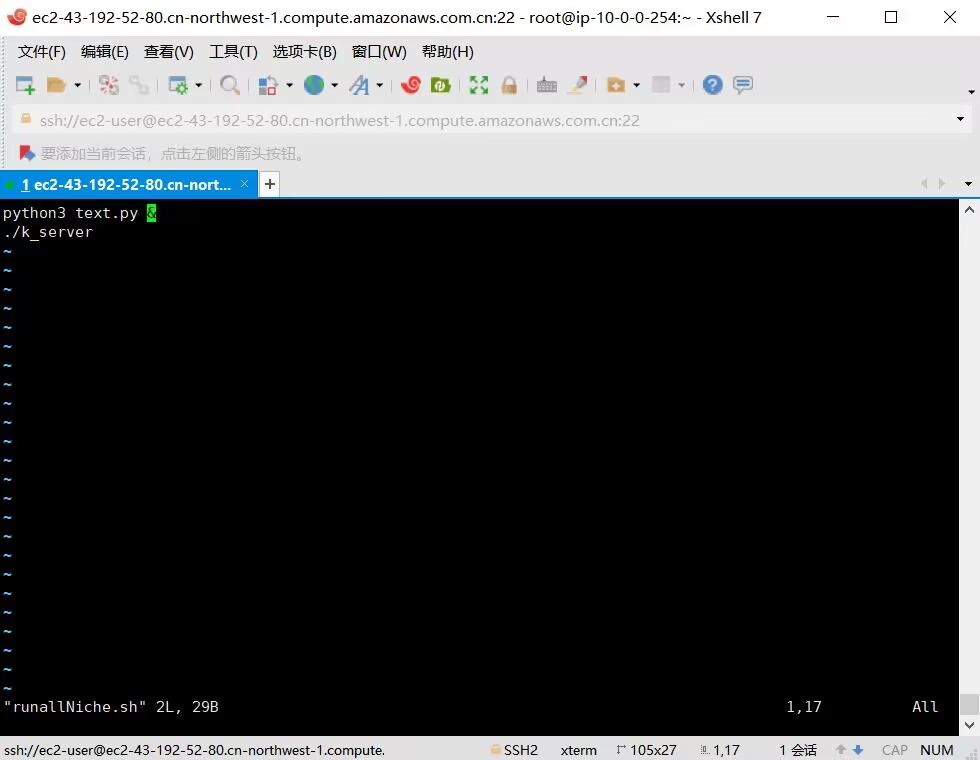
vim runallNiche.sh

python3 text.py
. / server_demo

vim Dockerflile

from centos
from python
run mkdir /home/data
copy server_demo server_demo
copy text.py text.py
copy runallNiche.sh runallNiche.sh
copy conf.toml conf.toml
expose 7777
cmd ["/bin/bash","runallNiche.sh"]


区域cn-northwest-1

aws configure
aws ecr get-login --region cn-northwest-1 --no-include-email
傻子代码:
import time
import os
def func():
a=os.popen("cat server.log")
b=a.read()
c=b.rfind("NicheID:")
d=os.popen("curl -i -H \"Accept:application/json\" -X POST -d \'{\"UserId\":4,\"GameId\":9,\"NicheId\":\""+b[c+8:c+28]+"\"}\' 链接")
print(d.read())
while True:
func()
time.sleep(5)
傻子图片:

 浙公网安备 33010602011771号