
c++文件流输入输出问题
1.
使用文件I/O流,以文本方式打开Part1中合并后的文件,在文件最后一行添加字符"merge successfully. " :
代码:
 1 // 合并两个文件内容到一个新文件中。
 2 // 文件名均从键盘输入
 3
 4 #include <iostream>
 5 #include <fstream>
 6 #include <string>
 7 #include <cstdlib>
 8 #include<vector>
 9 using namespace std;
10
11 int main() {
12     string filename1, filename2, newfilename;
13
14     cout << "输入要合并的两个文件名: ";
15     cin >> filename1 >> filename2;
16     cout << "输入合并后新文件名: ";
17     cin >> newfilename;
18
19     ofstream fout;        // 输出文件流对象
20     ifstream fin;        // 输入文件流对象
21
22
23     fin.open(filename1);  // 将输入文件流对象fin与文件filename1建立关联
24     if (!fin.is_open()) {  // 如果打开文件失败,则输出错误提示信息并退出
25         cerr << "fail to open file " << filename1 << endl;
26         system("pause");
27         exit(0);
28     }
29
30     fout.open(newfilename);    // 将输出文件流对象fout与文件newfilename建立关联
31     if (!fin.is_open()) {  // 如果创建/打开文件失败,输出错误提示信息并退出
32         cerr << "fail to open file " << newfilename << endl;
33         system("pause");
34         exit(0);
35     }
36
37     char ch;
38
39     // 从文件输入流对象fin中获取字符,并将其插入到文件输出流对象fout中
40     while (fin.get(ch))
41         fout << ch;
42
43     fin.close();  // 关闭文件输入流对象fin与文件filename1的关联
44
45     fout << endl; // 向文件输出流对象fout中插入换行
46
47
48     fin.open(filename2);  // 将输入文件流对象fin与文件filename2建立关联
49     if (!fin.is_open()) {  // 如果打开文件失败,则输出错误提示信息并退出
50         cerr << "fail to open file " << filename2 << endl;
51         system("pause");
52         exit(0);
53     }
54
55     // 从文件输入流对象fin中获取字符,并将其插入到文件输出流对象fout中
56     while (fin.get(ch))
57         fout << ch;
58     fout << endl;
59     fin.close();     // 关闭文件输入流对象fin与文件filename2的关联
60     fout.close();
61     ofstream write;
62     write.open("3.txt", ios::app);
63     string a = "merge sucessfully.";
64     write << a << endl;
65     write.close();
66     // 关闭文件输出流对象fout与文件newfilename的关联
67
68     system("pause");
69
70     return 0;
71 }
截图: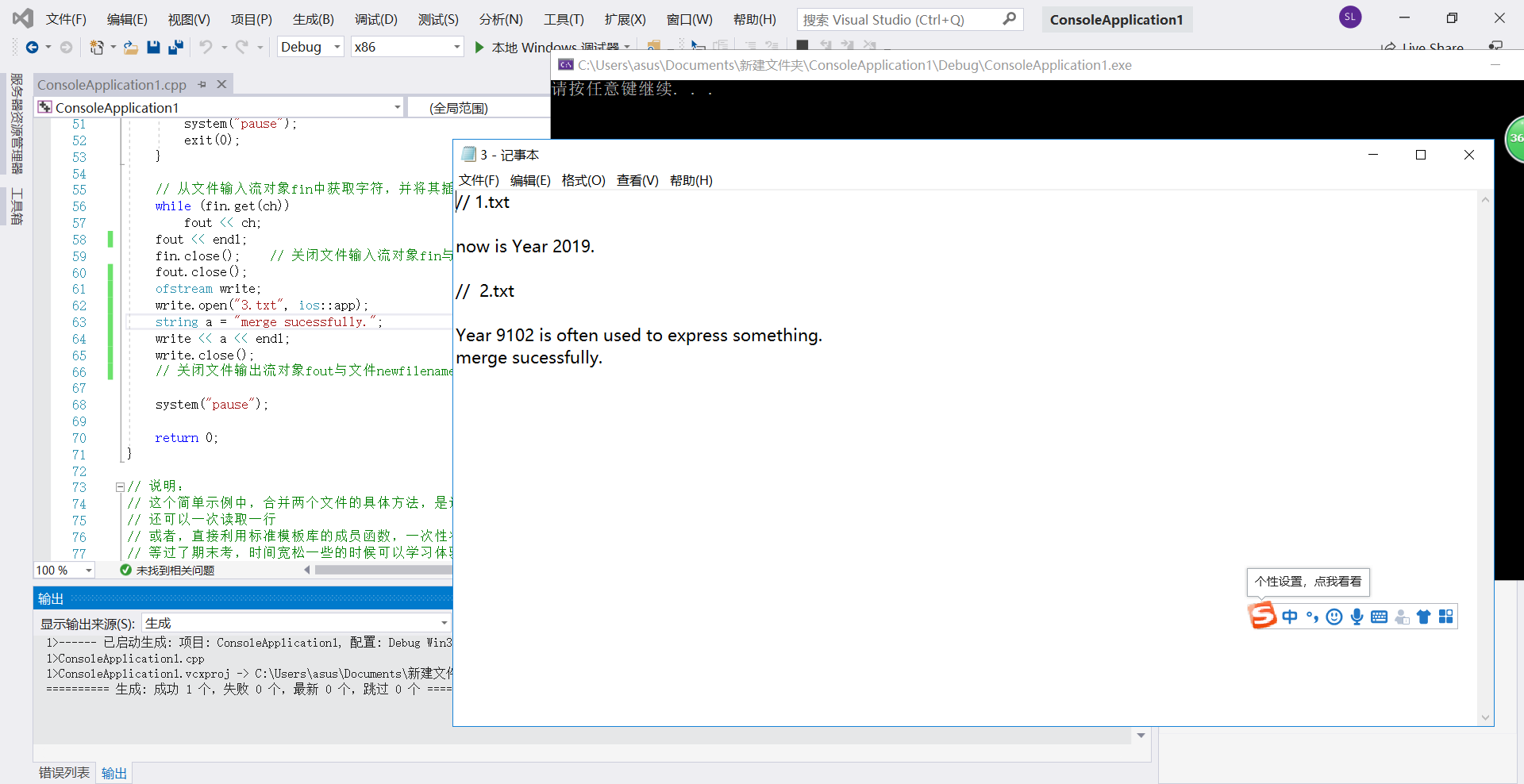
2. 已知名单列表文件list.txt。编写一个应用程序,实现从名单中随机抽点n位同学(n由键盘输入),在屏幕上显 示结果,同时也将结果写入文本文件,文件名自动读取当天系统日期,如20190611.txt。:
程序:
结构体写法:
#include<iostream>
#include<string>
#include<cstdlib>
#include<fstream>
#include<time.h>
using namespace std;
struct student {
    string order;
    string xuehao;
    string name;
    string classname;
};
int main() {
    int n;
    student s[83];
    ifstream filea("listr.txt");
    if (!filea)                 //测试是否成功打开
    {
        cerr << "open error!" << endl;
        return 0;
    }
    int i = 0;
    while (filea >> s[i].order >> s[i].xuehao >> s[i].name >> s[i].classname)
    {
        i++;
    }
    filea.close();
    int a = 1;
    time_t nowtime = time(NULL);
    struct tm *p;
    p = gmtime(&nowtime);

    char filename[256] = {0};
    sprintf(filename,"%d-%d-%d.txt",1900+p->tm_year,1+p->tm_mon,p->tm_mday);
    ofstream out(filename);
    cout << "Please input the number: " << endl;
    cin >> n;
    int k;
    k = n;
    while (k--)
    {
        a = rand() % n + 1;//产生一个1到i的随机数;
        cout << s[a].order << " " << s[a].xuehao << " " << s[a].name << " " << s[a].classname << endl;
        out << s[a].order << " " << s[a].xuehao << " " << s[a].name << " " << s[a].classname << endl;
    }
    out.close();

    return 0;
}
本来觉得结构体的方法更为简便,但想起了期中考试里的动态数组,觉得此题类似也可以定义一个类运用动态数组来写:
#include<iostream>
#include<string>
#include<fstream>
#include<cstdlib>
#include<vector>
using namespace std;
class student{
    public:
    student(string o,string x,string n,string cn):order(o),xuehao(x),name(n),classname(cn){}
    void print();
    string geto();
    string getx();
    string getn();
    string getcn();
    private:
        string order;
      string xuehao;
        string name;
        string classname;
};
void student::print(){
     cout<<order<<" "<<xuehao<<" "<<name<<" "<<classname<<endl;
}
string student::getcn(){
    return classname;
}
string student::geto(){
    return order;
}
string student::getn(){
    return name;
}
string student::getx(){
    return xuehao;
}
int main(){
    vector<student>s;
    string order,xuehao,name,classname;
    int n;
    int i=0;
    ifstream in("listr.txt");
    if(!in)
    {
        cout<<"OPEN ERROR!"<<endl;
        return 0;
    }
  while(in>>order>>xuehao>>name>>classname)
  {
      student st(order,xuehao,name,classname);
      i++;
      s.push_back(st);
  }
  in.close();
  ofstream out("roll.txt");
  cout<<"PLEASE INPUT: "<<endl;
  cin>>n;
 int  k=n;
  while(k--)
  {
 int     a=rand()%n+1;
      s[a].print();
      out<<s[a].geto()<<" "<<s[a].getx()<<" "<<s[a].getn()<<" "<<s[a].getcn()<<endl;
  }
out.close();
return 0;
}
截图: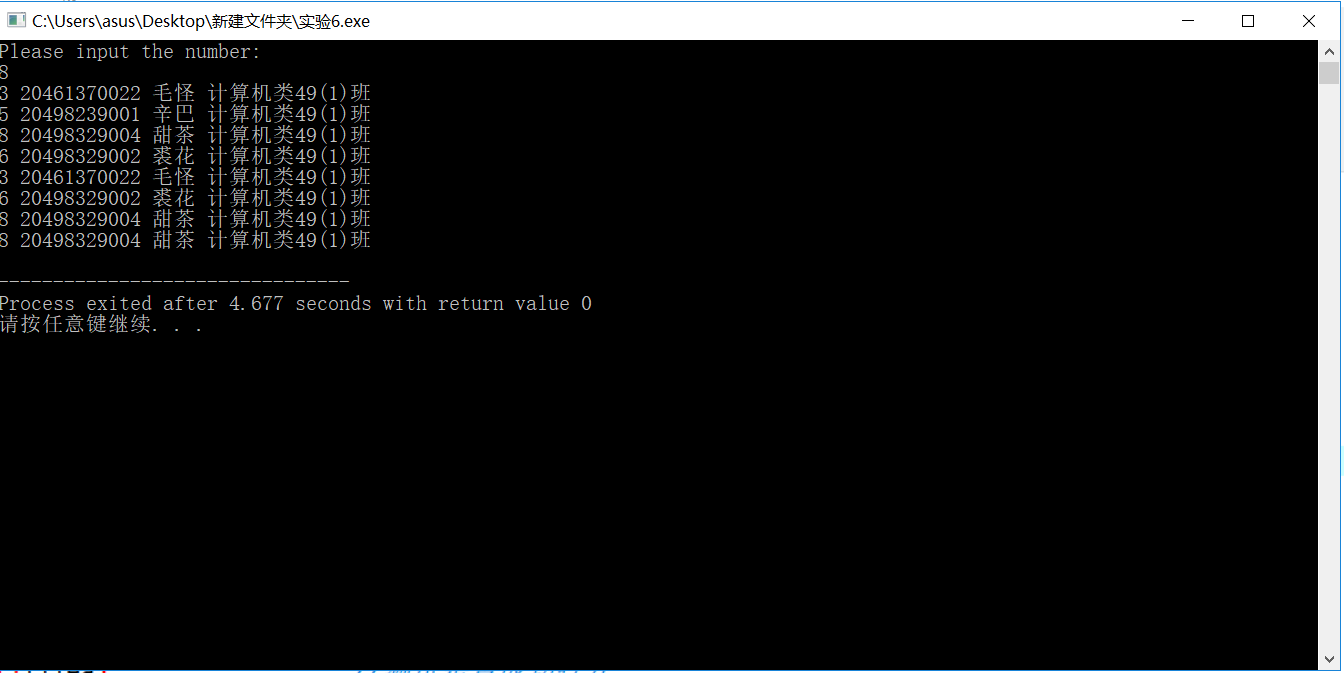
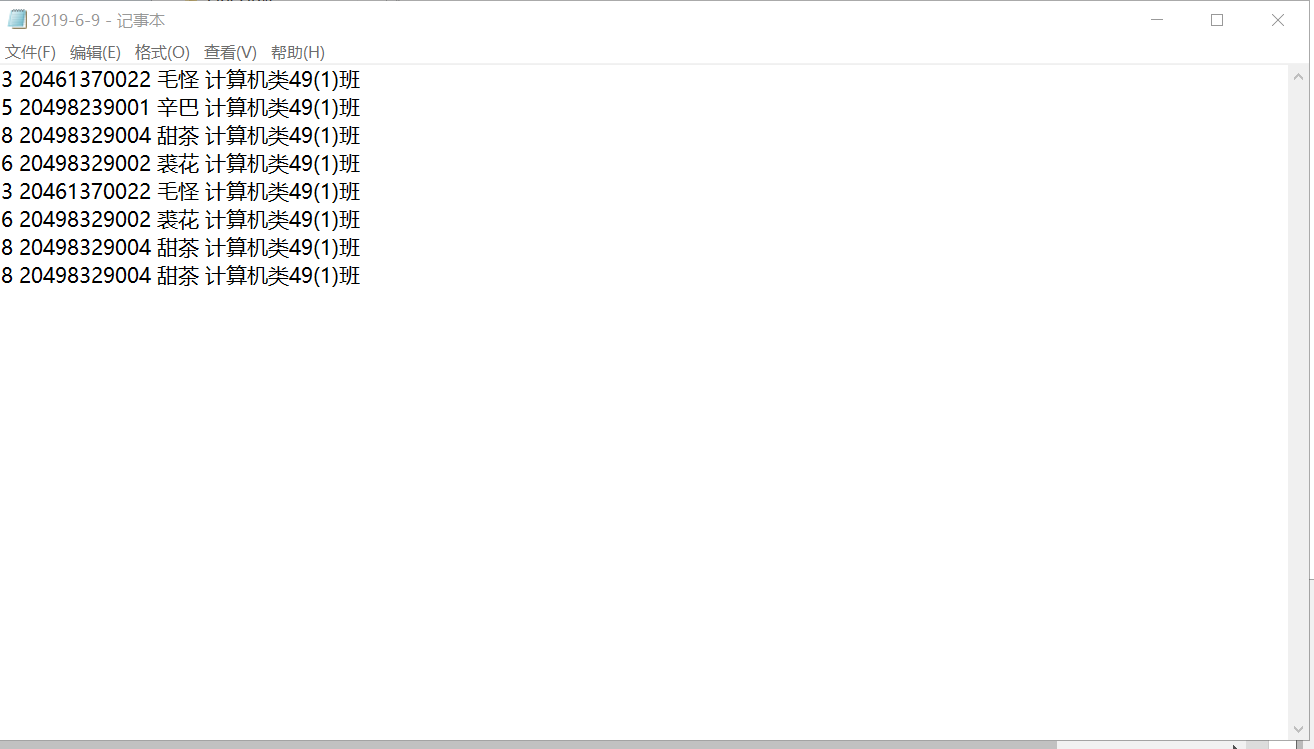
2. 编程统计英文文本文件中字符数(包括空格)、单词数、行数。文件名由键盘输入。
必做
用c++编程实现题目的基本功能要求:
代码:
代码:
#include<string.h>
#include<fstream>
#include<iostream>
using namespace std;
int main(){
ifstream in("article");
    long linenum=0,chnum=0,wordnum=0;
    char str[1000];
    while(in.getline(str,1000))
    {
        for(int i=0;i<strlen(str);i++)
        {
            chnum++;
            if(str[i]==' '||str[i]=='...'||(str[i]=='.'&&str[i+1]!='.'&&str[i-1]!='.')||str[i]==',')
            {
                wordnum++;
            }
        }
        linenum++;
    }

    cout<<"行数:"<<linenum<<endl<<"字符数:"<<chnum<<endl<<"单词数:"<<wordnum<<endl;
    in.close();
    return 0;
}
图片: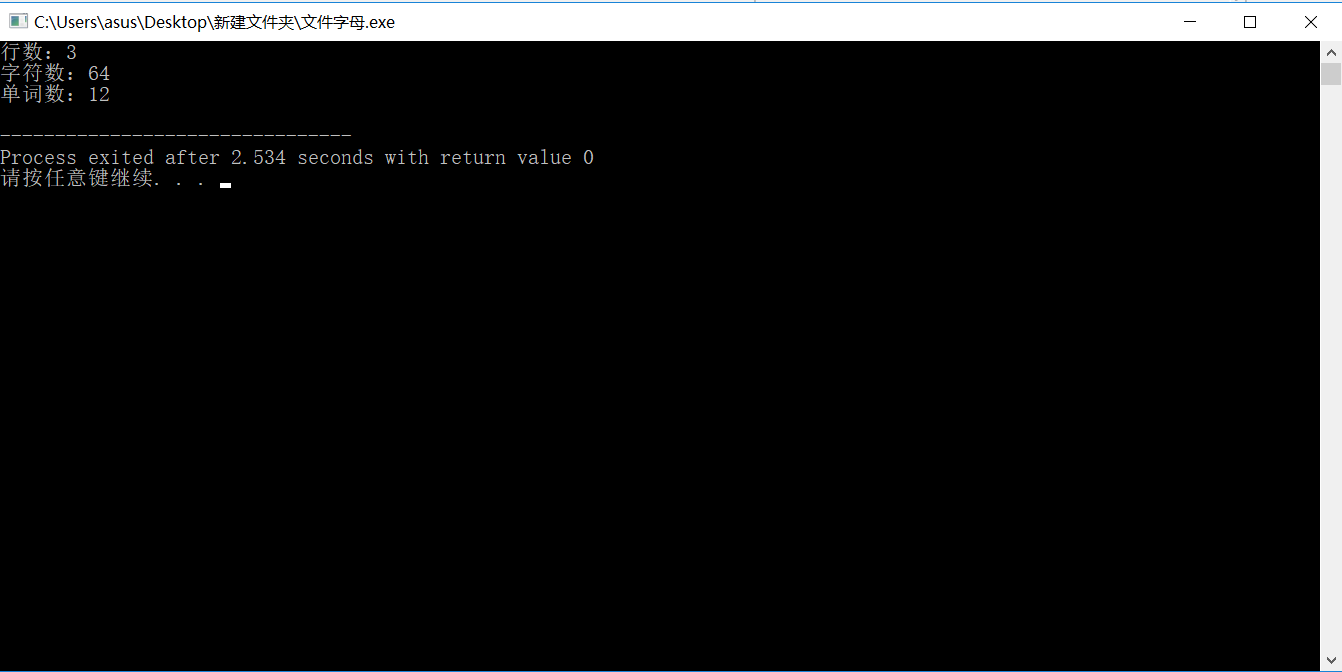
进行输入输出创建文件时要注意!!:在windows中建立txt文本文件时默认文件名为“你输入的名称.txt”,因而在创建文本文件时只需输入名称即可,不需要加上.txt,or
你的file会变成.txt.txt;
!!!
另外在windows进行文件流IO时还可能出现乱码的可能,原因,廖雪峰:
千万不要使用Windows自带的记事本编辑任何文本文件。原因是Microsoft开发记事本的团队使用了一个非常弱智的行为来保存UTF-8编码的文件,他们自作聪明地在每个文件开头添加了0xefbbbf(十六进制)的字符,你会遇到很多不可思议的问题,比如,网页第一行可能会显示一个“?”,明明正确的程序一编译就报语法错误,等等,都是由记事本的弱智行为带来的。建议你下载Notepad++代替记事本,不但功能强大,而且免费!
有一说一Notepad++》》》》记事本。
We Turn Not Older With Years ,But Newer Everyday!

 浙公网安备 33010602011771号