
解决LVGL与FATFS编码格式冲突及外挂字库方案
问题描述
在使用LVGL和FATFS文件系统时,遇到了编码格式不一致的问题:
- LVGL 默认使用 UTF-8 编码
- CubeMX生成的FATFS 使用 GBK 编码
- 从SD卡读取的字符文字为GBK格式,导致在LVGL中显示时出现乱码
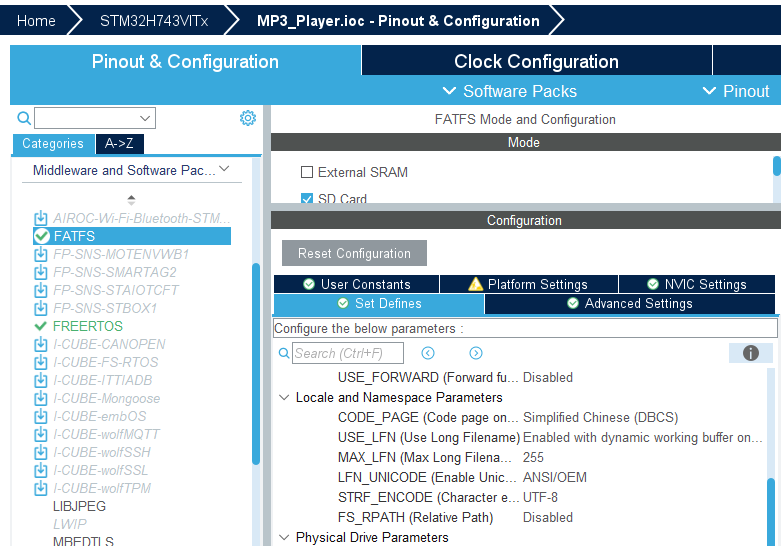
参考解决方案:http://www.openedv.com/forum.php?mod=viewthread&tid=348136&highlight=lvgl%2B%D6%D0%CE%C4
编码转换方案
转换逻辑
- LVGL中文存入SD卡:UTF-8 → GBK
- LVGL显示SD卡文字:GBK → UTF-8
实现步骤
-
下载转换文件
GBK转UTF-8修改好的文件 -
导入工程
将文件导入Keil工程 -
代码示例
#include "gbk2utf8.h"

char name[] = "你好你好你好";
char utf8_text[64];
str_gbk2utf8(name, utf8_text);
lv_label_set_text_fmt(guider_ui.screen_text_name, "%s", utf8_text);
LVGL外挂字库方案
准备工作
使用 LvglFontTool 工具生成字库文件
操作步骤
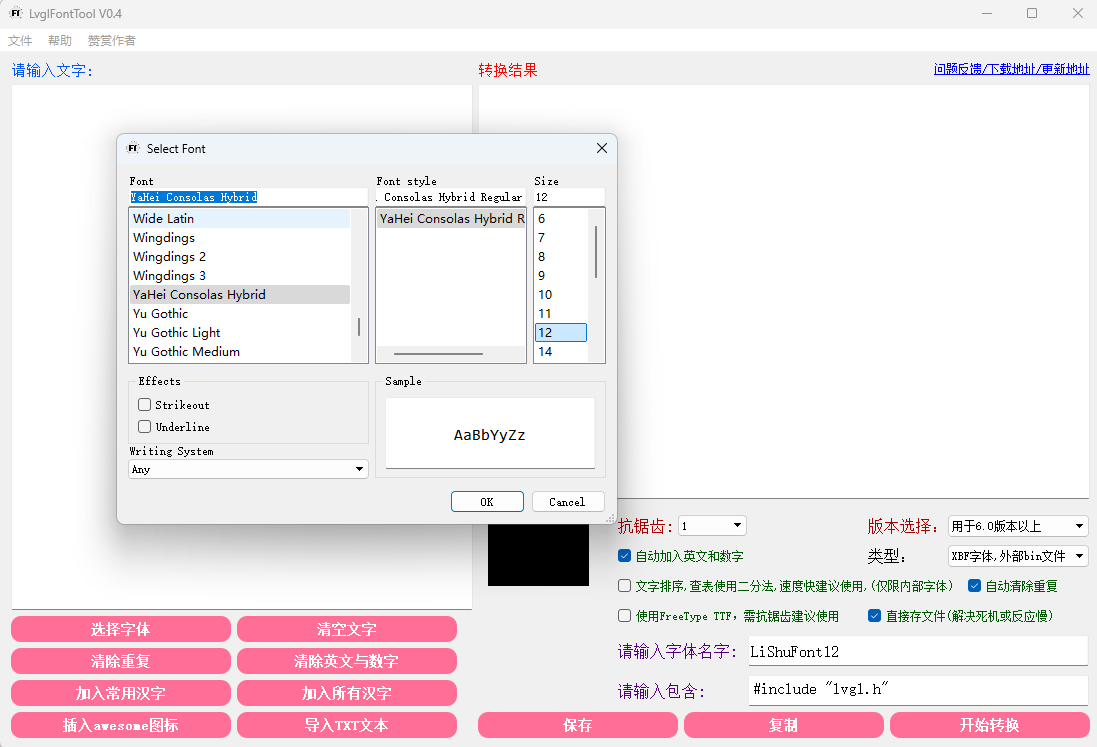
1. 选择字体和大小
2. 添加字符集
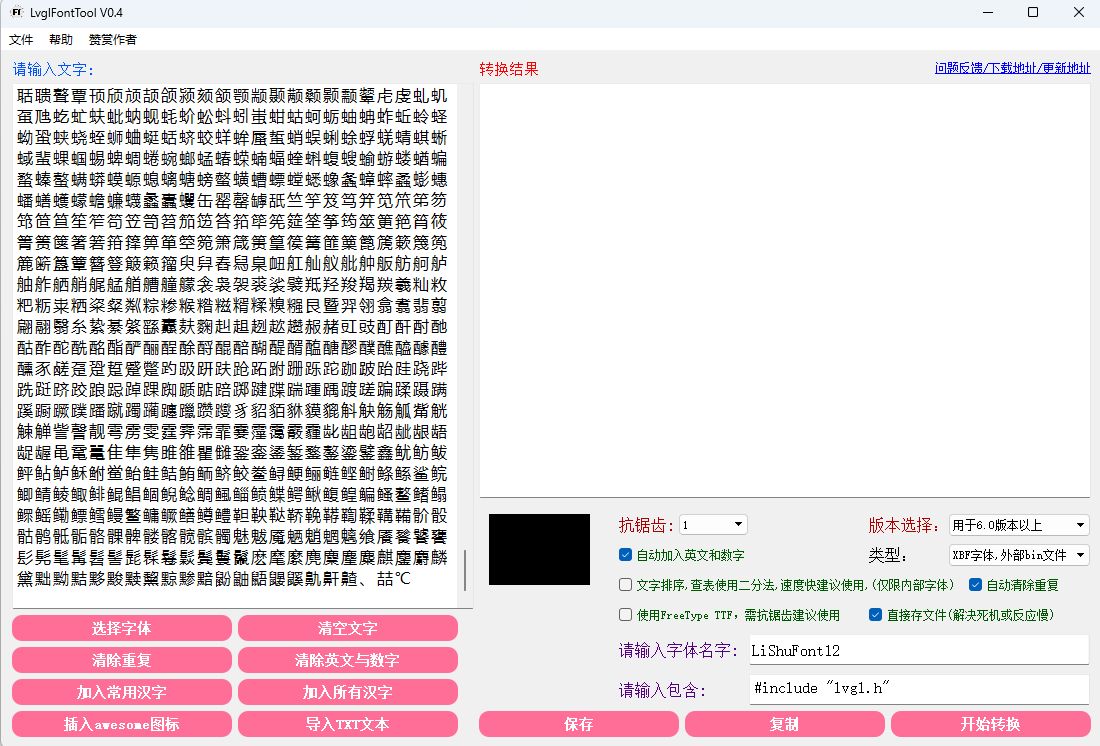
- 点击"加入常用汉字"
- 添加可能用到的生僻字和中文符号,避免显示为方框
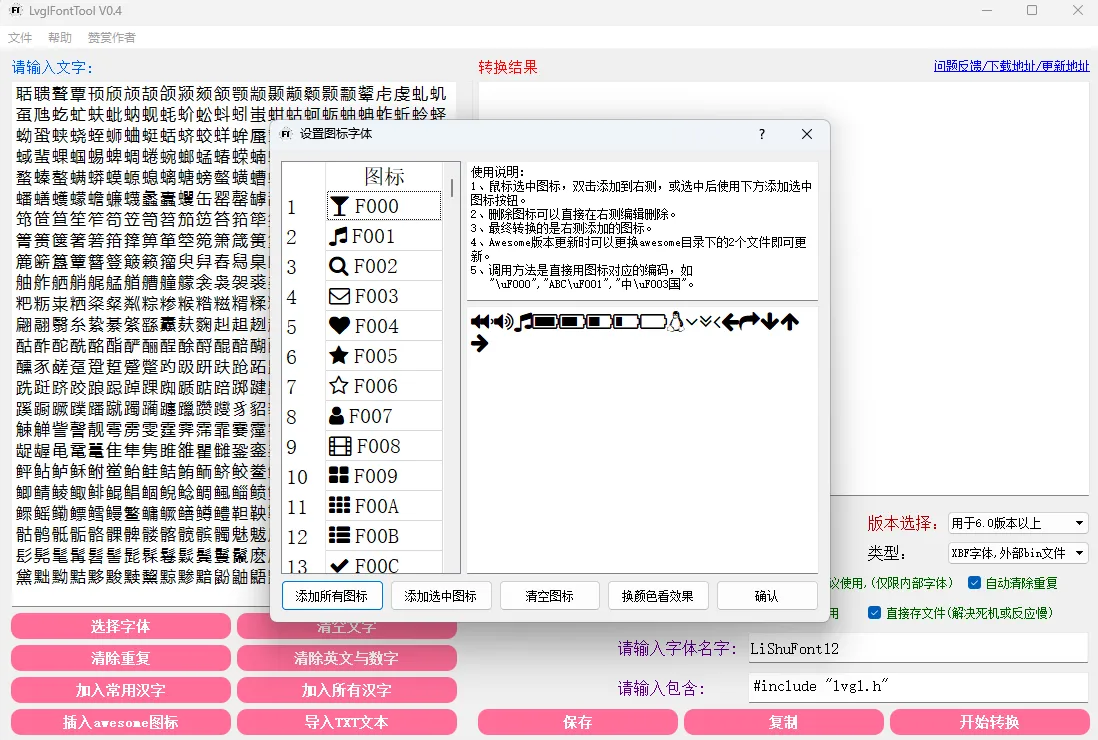
3. 可选:添加Awesome图标
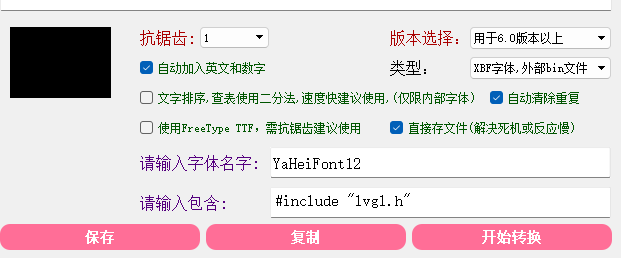
4. 设置输出参数
- 设置字体名称和尺寸
- 类型选择"外部bin文件"
5. 生成文件
-
点击"开始转换"
-
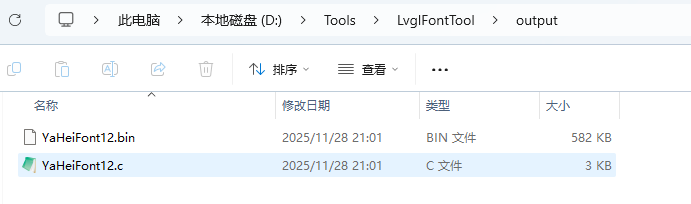
生成两个文件:
-
.bin文件 → 拷贝到SD卡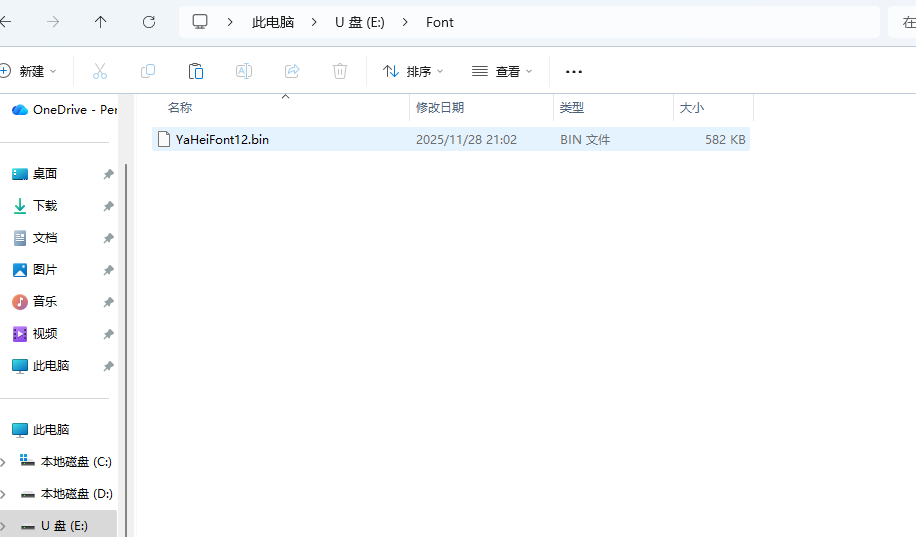
-
.c文件 → 加入Keil工程
-
代码修改
修改 YaHeiFont12.c 文件:
/*
*---------------------------------------------------------------
*                        Lvgl Font Tool
*
* 注:使用unicode编码
* 注:本字体文件由Lvgl Font Tool V0.4 生成
* 作者:阿里(qq:617622104)
*---------------------------------------------------------------
*/

#include "lvgl.h"
#include "fatfs.h"
#include "ff.h"
#include <stdio.h>

typedef struct{
    uint16_t min;
    uint16_t max;
    uint8_t  bpp;
    uint8_t  reserved[3];
}x_header_t;

typedef struct{
    uint32_t pos;
}x_table_t;

typedef struct{
    uint8_t adv_w;
    uint8_t box_w;
    uint8_t box_h;
    int8_t  ofs_x;
    int8_t  ofs_y;
    uint8_t r;
}glyph_dsc_t;

static x_header_t __g_xbf_hd = {
    .min = 0x0020,
    .max = 0xf244,
    .bpp = 1,
};

static uint8_t __g_font_buf[63];  // 字体读取缓冲区

static uint8_t *__user_font_getdata(int offset, int size){
    uint32_t br;
    // 注意修改SD卡中字库文件路径
    if( f_open(&SDFile, (const TCHAR*)"0:/Font/YaHeiFont12.bin", FA_READ) != FR_OK ) {
        printf("font.bin open failed\r\n");
    } else {
        if( f_lseek(&SDFile, (FSIZE_t)offset) != FR_OK ) {
            printf("font lseek failed\r\n");
        }
        if( f_read(&SDFile, __g_font_buf, (UINT)size, (UINT*)&br) != FR_OK ) {
            printf("font read failed\r\n");
        }
        f_close(&SDFile);
    }
    return __g_font_buf;
}

static const uint8_t * __user_font_get_bitmap(const lv_font_t * font, uint32_t unicode_letter) {
    if( unicode_letter>__g_xbf_hd.max || unicode_letter<__g_xbf_hd.min ) {
        return NULL;
    }
    uint32_t unicode_offset = sizeof(x_header_t)+(unicode_letter-__g_xbf_hd.min)*4;
    uint32_t *p_pos = (uint32_t *)__user_font_getdata(unicode_offset, 4);
    if( p_pos[0] != 0 ) {
        uint32_t pos = p_pos[0];
        glyph_dsc_t * gdsc = (glyph_dsc_t*)__user_font_getdata(pos, sizeof(glyph_dsc_t));
        return __user_font_getdata(pos+sizeof(glyph_dsc_t), gdsc->box_w*gdsc->box_h*__g_xbf_hd.bpp/8);
    }
    return NULL;
}

static bool __user_font_get_glyph_dsc(const lv_font_t * font, lv_font_glyph_dsc_t * dsc_out, uint32_t unicode_letter, uint32_t unicode_letter_next) {
    if( unicode_letter>__g_xbf_hd.max || unicode_letter<__g_xbf_hd.min ) {
        return NULL;
    }
    uint32_t unicode_offset = sizeof(x_header_t)+(unicode_letter-__g_xbf_hd.min)*4;
    uint32_t *p_pos = (uint32_t *)__user_font_getdata(unicode_offset, 4);
    if( p_pos[0] != 0 ) {
        glyph_dsc_t * gdsc = (glyph_dsc_t*)__user_font_getdata(p_pos[0], sizeof(glyph_dsc_t));
        dsc_out->adv_w = gdsc->adv_w;
        dsc_out->box_h = gdsc->box_h;
        dsc_out->box_w = gdsc->box_w;
        dsc_out->ofs_x = gdsc->ofs_x;
        dsc_out->ofs_y = gdsc->ofs_y;
        dsc_out->bpp   = __g_xbf_hd.bpp;
        return true;
    }
    return false;
}

// YaHei Consolas Hybrid,YaHei Consolas Hybrid Regular,12
// 字模高度:21
// XBF字体,外部bin文件
const lv_font_t YaHeiFont12 = {
    .get_glyph_bitmap = __user_font_get_bitmap,
    .get_glyph_dsc = __user_font_get_glyph_dsc,
    .line_height = 21,
    .base_line = 0,
};
配置LVGL
1. 在 lv_conf.h 中添加自定义字体

2. 设置标签控件的字体

最终效果
成功实现外挂字库显示中文:
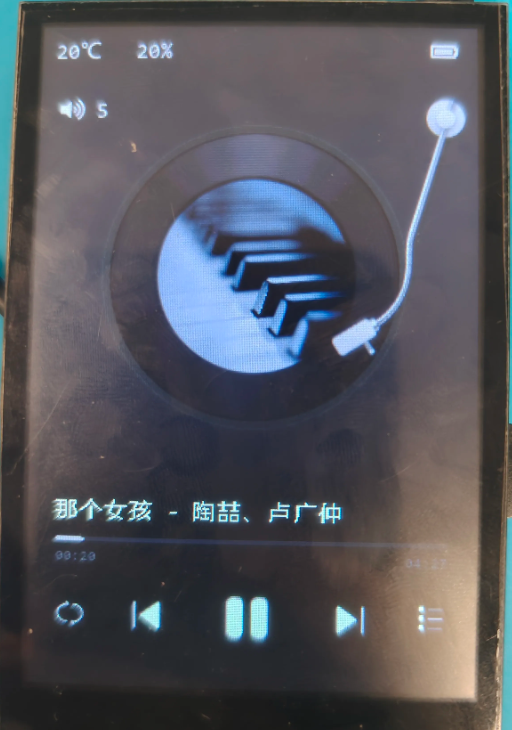
通过以上方案,完美解决了LVGL与FATFS编码格式冲突问题,并实现了灵活的外挂字库功能。

 浙公网安备 33010602011771号