jquery.fly.js实现添加购物车效果、实现抛物线运动
一、JQuery.fly.js整理
1.Git源代码地址:
2.Demo演示地址:http://codepen.io/hzxs1990225/full/ogLaVp
3.Api使用:
-
<script src="jquery.js"></script> -
<script src="dist/jquery.fly.min.js"></script> -
<script> -
jQuery(function($) { -
$('#fly').fly({ -
start:{ -
left: 11, //开始位置(必填)#fly元素会被设置成position: fixed -
top: 600, //开始位置(必填) -
}, -
end:{ -
left: 500, //结束位置(必填) -
top: 130, //结束位置(必填) -
width: 100, //结束时高度 -
height: 100, //结束时高度 -
}, -
autoPlay: false, //是否直接运动,默认true -
speed: 1.1, //越大越快,默认1.2 -
vertex_Rtop:100, //运动轨迹最高点top值,默认20 -
onEnd: function(){} //结束回调 -
}); -
$('#fly').play(); //autoPlay: false后,手动调用运动 -
$('#fly').destroy(); //移除dom -
}); -
</script>
二、使用实例
1.HTMl页面
-
<!DOCTYPE html> -
<html lang="en"> -
<head> -
<meta charset="UTF-8"> -
<meta name="viewport" content="width=device-width, initial-scale=1.0"> -
<meta http-equiv="X-UA-Compatible" content="ie=edge"> -
<title>Document</title> -
<script src="../js/jquery-1.11.1.min.js"></script> -
<script src="../js/jquery.fly.min.js"></script> -
<style> -
.circle { -
width: 50px; -
height: 50px; -
position: absolute; -
background: red; -
border-radius: 50%; -
top: 25%; -
} -
.end { -
width: 50px; -
height: 50px; -
position: absolute; -
background: blue; -
border-radius: 50%; -
top: 25%; -
left: 50%; -
} -
</style> -
</head> -
<body> -
<div class="circle"></div> -
<div class="circle" style="left:10%;"></div> -
<div class="end"></div> -
</body> -
</html>
2.Js代码
-
var offset = $('.end').offset(); -
$('.circle').click(function (event) { -
var thisItem = $(this); -
var flyer = thisItem.clone(); -
flyer.fly({ -
start: { -
left: event.pageX, -
top: event.pageY -
}, -
end: { -
left: offset.left + 10, -
top: offset.top + 10, -
width: 0, -
height: 0 -
}, -
onEnd: function () { -
$('.end').css({ -
background: 'red' -
}); -
setTimeout(function () { -
$('.end').css({ -
background: 'blue' -
}); -
}, 200); -
this.destory(); -
} -
}); -
});
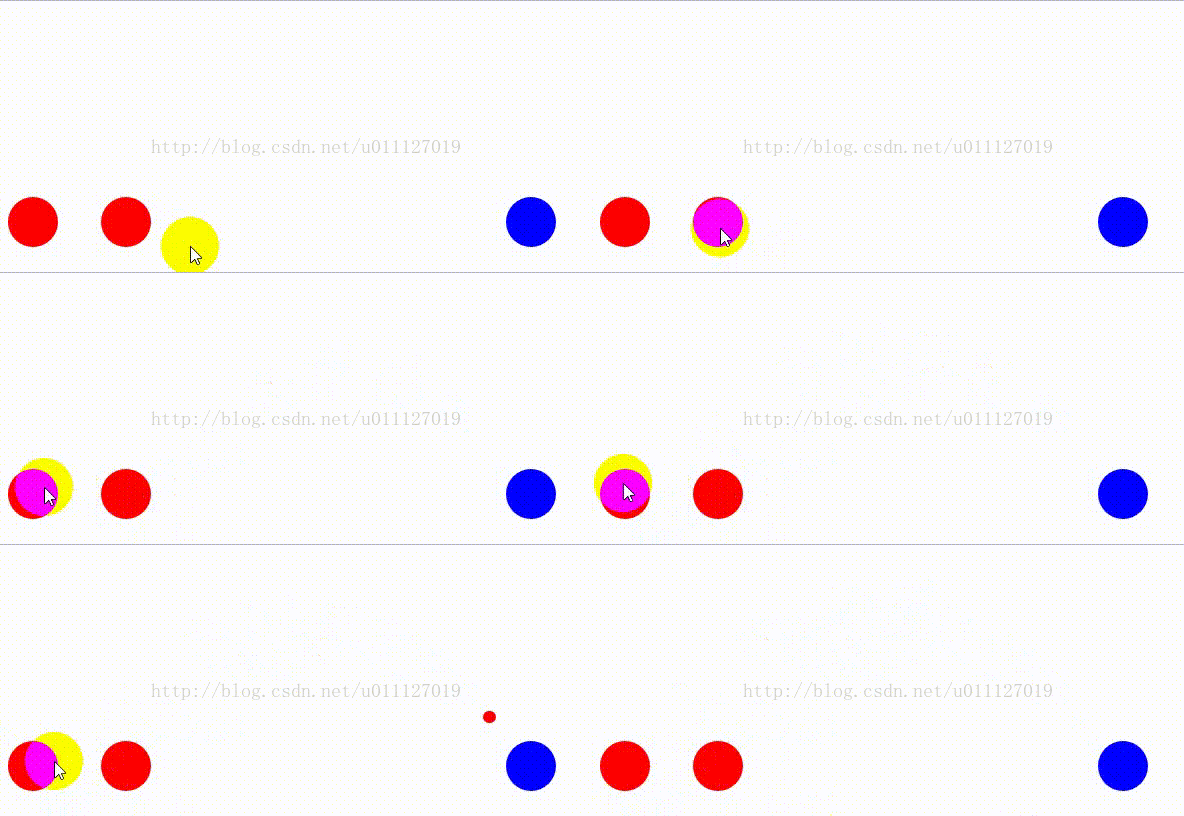
显示结果:
三、特别说明,运动的图片或效果都是针推当前浏览器可视窗口,
所以在有滚动条的页面,对于运动对象的起始位置、结束位置的高度需要去掉滚动条的高度。
jquery中也就是:
$(document).scrollTop()
-
function flay(thisPanel, targetPanel, callBack) { -
var thisImg = thisPanel.find('img'); -
var targetImg = targetPanel.find('img'); -
var coin = $('<img />'); -
coin.addClass('coin'); -
coin.attr('src', '/assets/apps/img/coin_48.png'); -
var scrollTop = $(document).scrollTop(); -
coin.fly({ -
start: { -
left: thisImg.offset().left+thisImg.width()/2, -
top: thisImg.offset().top-scrollTop, -
}, -
end: { -
left: targetImg.offset().left + targetImg.width() / 2, -
top: targetImg.offset().top - scrollTop, -
width: 0, -
height: 0 -
}, -
onEnd: function () { -
if (callBack) callBack(); -
} -
}); -
}

 浙公网安备 33010602011771号