Airtest IDE 自动化测试13 - 断言相等和不相等(assert_equal,assert_not_equal)
前言
Airtest IDE 提供了四种快捷断言的方式
assert_exists 断言存在
assert_not_exists 断言不存在
assert_equal 断言相等
assert_not_equal 断言不相等
assert_equal
断言2个值相等,实际结果等于期望结果
参数:
- first - 第一个值
- second - 第二个值
- msg - 断言的简短描述,它将被记录在报告中
断言失败引起异常:AssertionError -如果断言失败
返回:None
支持平台:Android,Windows,ios
断言两个值相等,需传入2个参数,实际结果和期望结果
|
1
|
assert_equal("实际结果", "期望结果", "请填写断言的简短描述") |
Airtest 是截图图片,需获取页面元素的文本,通常与poco 获取属性的脚本一起做断言,示例如下:
|
1
2
|
assert_equal(poco("com.taobao.taobao:id/dx_root").get_text(), "天猫新品", "控件的text属性值为天猫新品")assert_equal(str(poco(text="天猫新品").attr("enabled")), "True", "控件的enabled属性值为True") |
assert_not_equal
断言两个值不相等
参数
- first - 第一个值
- second - 第二个值
- msg - 断言的简短描述,它将被记录在报告中
引发:AssertionError -如果断言异常
返回:None
支持平台:Android,Windows,ios
使用示例
打开APP,断言登录按钮文本是“登录 Keep ,体验更多功能”
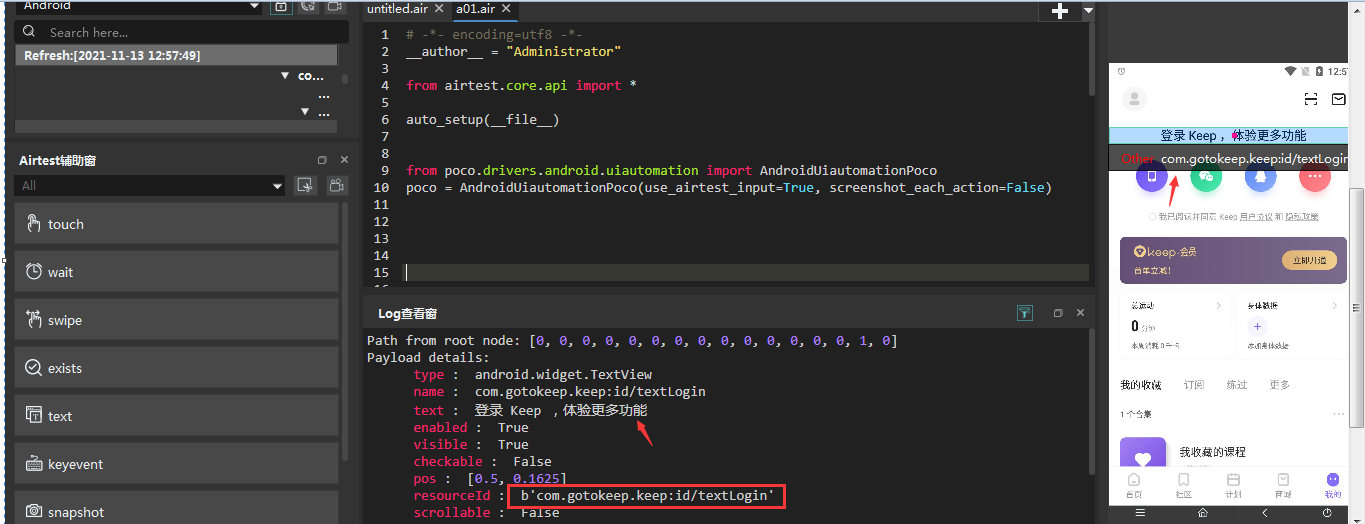
用Poco 辅助窗定位到元素,获取元素的resourceId : b'com.gotokeep.keep:id/textLogin'
导入pco库,.get_text()获取文本,.attr("xx")获取属性
|
1
2
3
4
5
6
7
8
9
10
11
12
13
14
15
16
17
18
19
20
21
|
# -*- encoding=utf8 -*-__author__ = "Administrator"from airtest.core.api import *auto_setup(__file__)from poco.drivers.android.uiautomation import AndroidUiautomationPocopoco = AndroidUiautomationPoco(use_airtest_input=True, screenshot_each_action=False)touch(Template(r"tpl1636778788879.png", record_pos=(-0.343, -0.275), resolution=(1080, 1920)))wait(Template(r"tpl1636779309698.png", record_pos=(0.395, 0.799), resolution=(1080, 1920)))touch(Template(r"tpl1636779315205.png", record_pos=(0.393, 0.803), resolution=(1080, 1920)))sleep(10)act_text=poco('com.gotokeep.keep:id/textLogin').get_text()assert_equal(act_text,"登录 Keep ,体验更多功能","检验通过") |
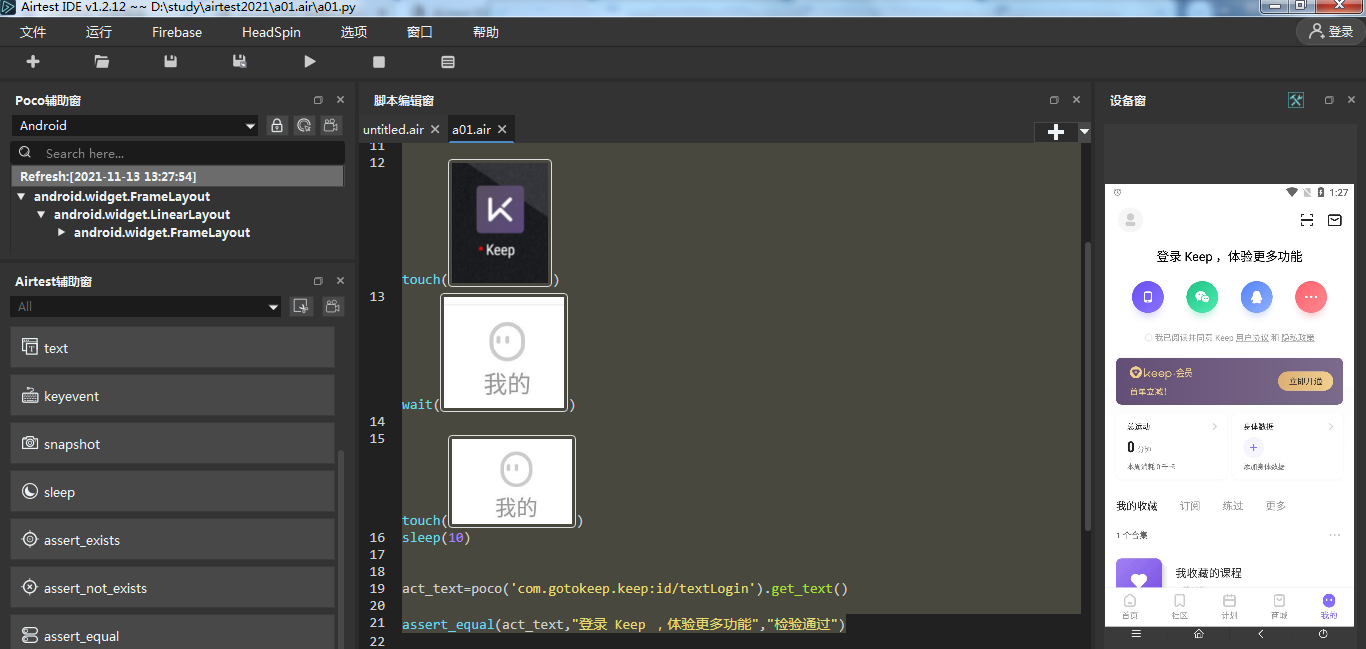
运行后查看报告


 浙公网安备 33010602011771号