父组件与子组件的相互传值——以todolist为例
作为一个简单的Todolist操作,本文令文本框下方显示的<li>成为组件。实现功能:文本框添加文本,提交后会在下方显示;点击下方<li>,对应项会消失。实现效果如下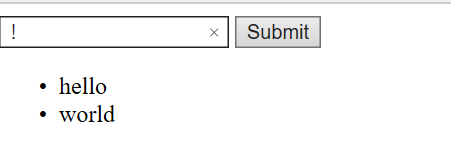
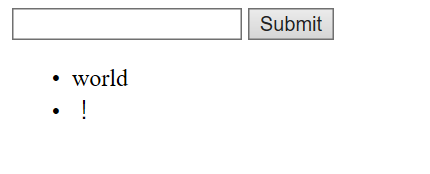
点击hello后:
具体实现逻辑
<div id='app'>
		<input type='text' v-model="inputValue"/> <!--双向绑定-->
		<button @click="handleBtn">Submit</button> <!--注册事件,即v-on:click-->
		<ul> <!--v-bind:content(父组件向子组件传值)-->
		<todo-item v-bind:content="item" v-bind:index="index" v-for="(item, index) in list" @delete="handleDelete"></todo-item>
		</ul>
	</div>

	<script>
		var TodoItem={
			props:['content','index'],
			template:"<li @click='handleLi'>{{content}}</li>",
			methods:{
				handleLi:function(){
					this.$emit("delete",this.index) //$emit向外触发delete事件,然后在父组件监听
					//(子组件向父组件传值)
				}
			}
		}
		var app = new Vue({
			el: '#app', //接管范围
			components: {
				TodoItem:TodoItem
			},
			data: {
				list: [],
				inputValue: ''
			},
			methods: {
				handleBtn:function() {
					this.list.push(this.inputValue)
					this.inputValue=''  //清除文本框内容
				},
				handleDelete:function(index) {
					this.list.splice(index,1)
				}
			}
		})
	</script>
父组件向子组件传值,父组件使用v-bind向子组件传递列表项和对应索引,子组件使用props接收。
子组件向父组件传值,通过事件触发机制,$emit向上一层触发delete事件,父组件恰好监听这个事件@delete="handleDelete",利用子组件传进来的index参数用过splice方法将父组件list对应的项删去。

 浙公网安备 33010602011771号