
js读取文件并展示内容(FileReader)
文件形式:txt
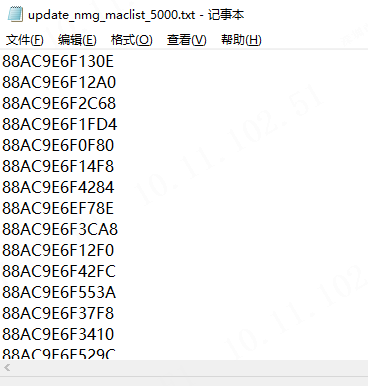
实现:
<template>
    <div class="hello">
        <h1>This is a show file page</h1>
        <h3>导入文件:<input type="file" name="file" @change="showFile($event)" /> </h3><br>
        <textarea v-model="input_text" name="" cols="100" rows="20" placeholder="输入……"></textarea><br><br>
    </div>
</template>

<script>
    export default {
        name: "Hello",
        data: function() {
            return {
                input_text: ''
            }
        },
        methods: {

            showFile(input) {
                //支持chrome IE10
                if (window.FileReader) {
                    var file = input.target.files[0];
                    var reader = new FileReader();
                    reader.onload=((event)=>{
                        this.input_text=event.target.result; // 文件的内容
                        console.log(String(event.target.result))
                        let temp = JSON.stringify(event.target.result).split('\\r\\n')
                        temp[0] = temp[0].substr(1)
                        let lastIndex = temp.length-1
                        temp[lastIndex] = temp[lastIndex].substr(0,temp[lastIndex].length-1)

                    })
                    reader.readAsText(file);
                }
                else {
                    alert("FileReader Not supported by your browser!");
                }
            }
        }
    }
</script>


<!-- Add "scoped" attribute to limit CSS to this component only -->
<style scoped>
    h3 {
        margin: 40px 0 0;
    }
    ul {
        list-style-type: none;
        padding: 0;
    }
    li {
        display: inline-block;
        margin: 0 10px;
    }
    a {
        color: #42b983;
    }
</style>

 浙公网安备 33010602011771号