
解决Weditor无法连接手机/模拟器报错:Local server not started, start with?
Weditor连接设备,无法连接手机/模拟器报错:
提示:
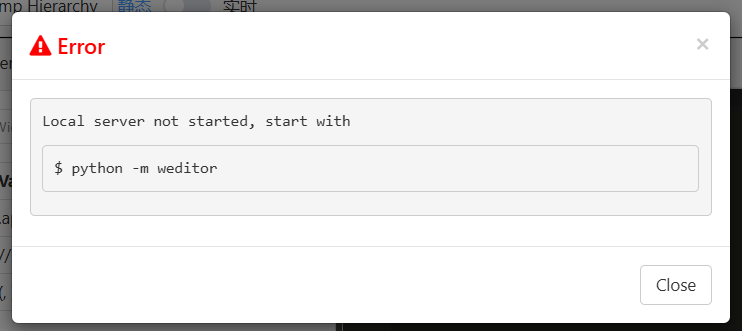
终端报错:
[E 250329 00:52:54 web:1875] Uncaught exception POST /api/v1/connect (::1)
    HTTPServerRequest(protocol='http', host='localhost:17310', method='POST', uri='/api/v1/connect', version='HTTP/1.1', remote_ip='::1')
    Traceback (most recent call last):
      File "D:\app\python39\lib\site-packages\tornado\web.py", line 1788, in _execute
        result = method(*self.path_args, **self.path_kwargs)
      File "D:\app\python39\lib\site-packages\weditor\web\handlers\page.py", line 80, in post
        ws_addr = get_device(id).device.address.replace("http://", "ws://") # yapf: disable
    AttributeError: 'Device' object has no attribute 'address'
排查步骤:
1.win+r,打开cmd;
2.输入adb devices,查看是否连接上,连接设备名称是否与weditor中设备名一致,改成正确的设备名称后重试;
3.若还是连接不上,打开报错中D:\app\python39\lib\site-packages\weditor\web\handlers\page.py路径将以下代码替换,重启weditor连接
替换代码:
if platform == "android":
    #原本的代码:
    #ws_addr = get_device(id).device.address.replace("http://", "ws://") # yapf: disable
    #ret['screenWebSocketUrl'] = ws_addr + "/minicap"

    #修改成(手机/模拟器的ip):
    ret['screenWebSocketUrl'] = "192.168.1.107" + "/minicap"
最终成功解决,亲测有效!!在此记录一下!

 浙公网安备 33010602011771号