

第四周作业
1. 计算 100 以内所有能被 3 整除的整数之和
 1 #vim sum.sh
 3 #!/bin/bash
 4
 5 sum=0
 7 for i in {1..100}; do
 9         num=`echo $i%3|bc`
10
11         if [ $num -eq 0 ]; then
13                 let sum+=i && continue 2
15         fi
16
17 done
18
19 echo "The sum is:$sum"

2. 编写脚本,求 100 以内所有正奇数之和
#vim sum2.sh
#!/bin/bash

sum=0
for i in {1..100}; do
  num=`echo $i%2|bc`
   [ $num -eq 1 ] ; then
    let sum+=i;continue 2
  fi
done
echo "The sum is:$sum"

3. 随机生成 10 以内的数字,实现猜字游戏,提示比较大或小,相等则退出
 #vim ramdom.sh

read -p 'Please guess the number between 1-10:' NUM

if [ $NUM -gt 10 -o $NUM -lt 0 ]; then
        echo "The false input" ;
        exit 1
fi

if [ $[$RANDOM%10] -gt $NUM ] ; then
        echo "The number is small!"
elif  [ $[$RANDOM%10] -lt $NUM ] ; then
        echo "The number is big!"
else
        echo "Congratulations,you are so smart!"
fi
4. 编写函数,实现两个数字做为参数,返回最大值
#vim test.sh

#!/bin/bash

read -p ' Please input the first number: ' num1
read -p " Please input the second number: " num2

#判断输入是否正确

if [[ $num1 =~ [^[0-9]]*$ ]] ; then
  echo "sorry,false input"
  exit
elif [[ $num2 =~ [^[0-9]]*$ ]] ;then
  echo "sorry,false input"
  exit
fi

#比较大小#

if [ $[$num1] -gt $[$num2] ]; then
  echo "The bigger number is $num1"
elif [ $[$num1] -lt $[$num2] ] ; then
  echo "The bigger number is $num2"
else
  echo "The number is equal."
fi
5. 编写一个httpd安装脚本
#vim httpd.sh

#!/bin/bash
NAME=httpd-2.4.43

#安装依赖包
yum install gcc apr-devel apr-util-devel autoconf pcre-devel openssl-devel redhat-rpm-config make tar bzip2 -y

#切换目录及下载解压缩文件
cd /usr/local/src
wget  http://archive.apache.org/dist/httpd/httpd-2.4.43.tar.bz2 && tar xvf $NAME.tar.bz2
cd $NAME/
./configure --prefix=/apps/httpd --sysconfdir=/etc/httpd --enable-ssl && make && make install

#写入环境变量
echo "PATH=/apps/httpd/bin:$PATH" > /etc/profile.d/httpd.sh
. /etc/profile.d/httpd.sh

#修稿网页内容
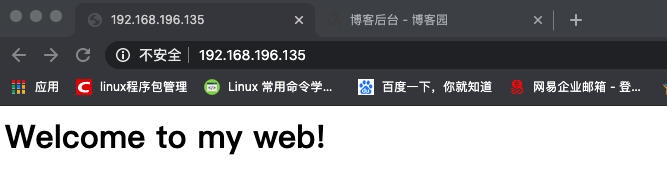
sed 's@It works\!@Welcome to my web@' /apps/httpd/htdos/index.html

#启动httpd
apachectl start


 浙公网安备 33010602011771号