
Linux 挂载磁盘
1. 查看磁盘信息
1.1 lsblk 查看磁盘
lsblk -f

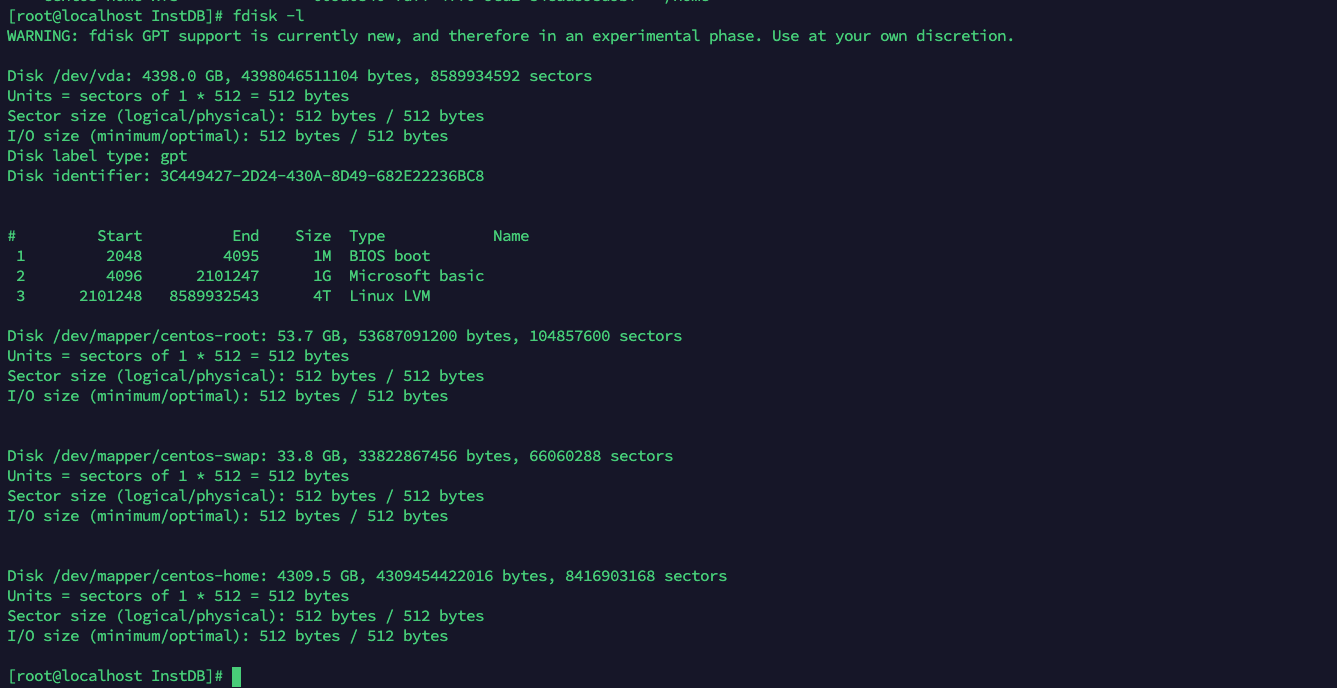
1.2 FDISK -L 查看
fdisk -l
2. 分区
2.1 添加磁盘
fdisk /dev/sdb

# Welcome to fdisk (util-linux 2.23.2).

# Changes will remain in memory only, until you decide to write them.
# Be careful before using the write command.

# Device does not contain a recognized partition table
# Building a new DOS disklabel with disk identifier 0x15fe3583.

# Command (m for help):
# 输入n 添加分区,然后输入 p 设置当前分区为主分区。
# Command (m for help): n
# Partition type:
# p primary (0 primary, 0 extended, 4 free)
# e extended
# Select (default p): p
# Partition number 代表这是该磁盘的第n个分区,我们这里输入1
# First sector 代表磁盘的开始扇区
# Last sector 代表结束扇区
# Partition number (1-4, default 1): 1 //划分为一个分区
# First sector (2048-1048575999, default 2048): //默认
# Using default value 2048
# Last sector, +sectors or +size{K,M,G} (2048-1048575999, default 1048575999): //默认
# Using default value 1048575999
# Partition 1 of type Linux and of size 500 GiB is set
# 这里我们就划分一个扇区,所以都选默认的
# Command (m for help): m //输入m进去命令选择行
# Command action
# a toggle a bootable flag
# b edit bsd disklabel
# c toggle the dos compatibility flag
# d delete a partition
# g create a new empty GPT partition table
# G create an IRIX (SGI) partition table
# l list known partition types
# m print this menu
# n add a new partition
# o create a new empty DOS partition table
# p print the partition table
# q quit without saving changes
# s create a new empty Sun disklabel
# t change a partition's system id
# u change display/entry units
# v verify the partition table
# w write table to disk and exit
# x extra functionality (experts only)
# Command (m for help): w //保存之前的操作
# The partition table has been altered!
# Calling ioctl() to re-read partition table.
# Syncing disks.
设置完后输入w保存当前的操作
2.2 检查是否分区成功
lsblk -f

# 如果在sdb下面看到sdb1分之那就说明分区成功了
3. 分区格式化
mkfs.xfs /dev/sdb1

# Allocating group tables: done
# Writing inode tables: done
# Creating journal (32768 blocks): done
# Writing superblocks and filesystem accounting information: done
4. 查看是否格式化成功
lsblk -f
5. 挂载磁盘
mkdir -p /data

# 临时挂载
mount /dev/sdb1 /data

lsblk -f

# 永久挂载(主要是开机后自动挂载)
mount -t xfs  /dev/sdb1  /data

vi /etc/fstab

/dev/vdb                                  /data                 xfs     defaults        0 0

mount -a

# 验证一下
df -h

 浙公网安备 33010602011771号