
js特效笔记
一、多图片切换效果
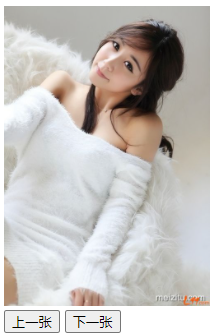
 1     //鼠标点击上一张下一张按钮,实现图片变换
 2     <div>
 3         <img id="box" src="images/image01.jpg" height="300">
 4     </div>
 5     <input type="button" id='prev' value="上一张">
 6     <input type="button" id='next' value="下一张">
 7     <script type="text/javascript">
 8         var nextBtn = document.getElementById('next');
 9         var prevBtn = document.getElementById('prev');
10         var imgNode = document.getElementById('box');
11         var minIndex = 1;
12         var maxIndex = 4;
13         var nowIndex = minIndex;
14         nextBtn.onclick = function () {
15             nowIndex ++;
16             if(nowIndex > maxIndex){
17                 nowIndex = minIndex;
18             }
19             imgNode.setAttribute('src', `images/image0${nowIndex}.jpg`);  //此处要用反引号
20         }
21         prevBtn.onclick = function () {
22             nowIndex --;
23             if(nowIndex < minIndex){
24                 nowIndex = maxIndex;
25             }
26             imgNode.setAttribute('src', `images/image0${nowIndex}.jpg`);
27         }
28     </script>
二、显示和隐藏图片
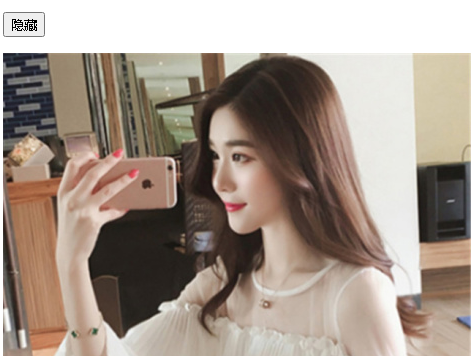

 1     <div>
 2         <p>
 3             <button id="comm">隐藏</button>
 4         </p>
 5         <p>
 6             <img id="pic" src="images/img01.jpg">
 7         </p>
 8     </div>
 9     <script type="text/javascript">
10         var commNode = document.getElementById('comm');
11         var imgNode = document.getElementById('pic');
12         var isDisplay = 1;
13         commNode.onclick = function () {
14             if(isDisplay===1){
15                 imgNode.style.display = 'none';
16                 commNode.innerText = '显示';
17                 isDisplay = 0;
18             }else{
19                 imgNode.style.display = 'block';
20                 commNode.innerText = '隐藏';
21                 isDisplay = 1;
22             }
23         }
24     </script>
对上面的程序进行精简:
 1     <div>
 2         <p>
 3             <button id="comm">隐藏</button>
 4         </p>
 5         <p>
 6             <img id="pic" src="images/img01.jpg">
 7         </p>
 8     </div>
 9     <script type="text/javascript">
10         var commNode = document.getElementById('comm');
11         var imgNode = document.getElementById('pic');
12         commNode.onclick = function () {
13             if(commNode.innerText === '隐藏'){
14                 imgNode.style.display = 'none';
15                 commNode.innerText = '显示';
16             }else{
17                 imgNode.style.display = 'block';
18                 commNode.innerText = '隐藏';
19             }
20         }
21     </script>
四、衣服相册切换效果
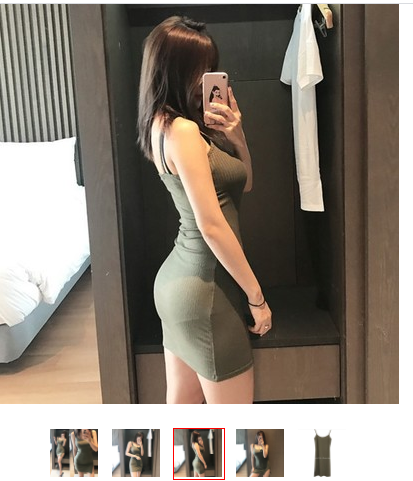
 1 <head>
 2     <meta charset="UTF-8">
 3     <title>Title</title>
 4     <style type="text/css">
 5         *{
 6             margin: 0;
 7             padding: 0;
 8         }
 9
10         ul{
11             list-style: none;
12             overflow: hidden;
13             margin-top: 20px;
14             margin-left: 40px;
15         }
16         ul li{
17             float: left;
18             width: 50px;
19             height: 50px;
20             margin-left: 10px;
21             border: 1px solid #ffffff;
22         }
23         ul li.active{
24             border-color: red;
25         }
26
27     </style>
28 </head>
29 <body>
30     <div>
31         <img id="bigImg" src="images/1.jpg">
32     </div>
33     <ul>
34         <li class="active">
35             <img src="images/1.jpg" width="48" class="smallImg">
36         </li>
37         <li>
38             <img src="images/2.jpg" width="48" class="smallImg">
39         </li>
40         <li>
41             <img src="images/3.jpg" width="48" class="smallImg">
42         </li>
43         <li>
44             <img src="images/4.jpg" width="48" class="smallImg">
45         </li>
46         <li>
47             <img src="images/5.jpg" width="48" class="smallImg">
48         </li>
49     </ul>
50     <script type="text/javascript">
51         var bigImgNode = document.getElementById('bigImg');
52         var smallImgNodes = document.getElementsByClassName('smallImg');
53         for(var i=0; i<smallImgNodes.length; i++){
54             smallImgNodes[i].onmouseover = function () {
55                 for(var j=0; j<smallImgNodes.length; j++){  //当鼠标悬浮在某一个小图上时,所有小图全部去掉红框效果
56                     smallImgNodes[j].parentNode.setAttribute('class', '');
57                 }
58                 this.parentNode.setAttribute('class', 'active');  //再为鼠标悬浮的当前小图添加红框
59                 bigImgNode.setAttribute('src', this.getAttribute('src'));
60             }
61         }
62     </script>
63
64 </body>
五、关闭小广告
 1 <head>
 2     <meta charset="UTF-8">
 3     <title>关闭小广告</title>
 4     <style type="text/css">
 5         *{
 6             margin: 0;
 7             padding: 0;
 8         }
 9         #taobao{
10             width: 180px;
11             height: 160px;
12             position: relative;
13             margin: 60px auto;
14         }
15         #qr-code{
16             position: absolute;
17             right: 0;
18             border: 1px solid #e0e0e0;
19         }
20         #close{
21             position: absolute;
22             width: 17px;
23             height: 18px;
24             border: 1px solid #e0e0e0;
25             text-align: center;
26             line-height: 18px;
27             cursor: pointer;
28             color: #666666;
29         }
30
31     </style>
32 </head>
33 <body>
34     <div id="taobao">
35         <img id="qr-code" src="images/phone_taobao.png">
36         <span id="close">X</span>
37     </div>
38     <script type="text/javascript">
39         var closeSpan = document.getElementById('close');
40         var taobaoDiv = document.getElementById('taobao');
41         closeSpan.onclick = function () {
42             taobaoDiv.style.display = 'none';
43         }
44     </script>
45 </body>
八、图片切换效果优化
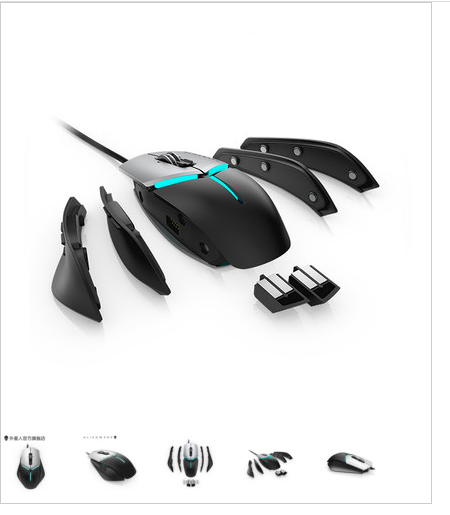
常规做法:
 1 <head>
 2     <meta charset="UTF-8">
 3     <title>Title</title>
 4     <style type="text/css">
 5         *{
 6             margin: 0;
 7             padding: 0;
 8         }
 9         #box{
10             border:1px solid #ccc;
11             width: 430px;
12             height: 70px;
13             padding-top: 430px;
14             background: url("images/big_pic1.jpg") no-repeat;
15         }
16         #box ul li{
17             display: inline-block;
18             margin-right: 15px;
19         }
20
21     </style>
22 </head>
23 <body>
24     <div id="box">
25         <ul>
26             <li>
27                 <img src="images/pic1.jpg" class="smallimg">
28             </li>
29             <li>
30                 <img src="images/pic2.jpg" class="smallimg">
31             </li>
32             <li>
33                 <img src="images/pic3.jpg" class="smallimg">
34             </li>
35             <li>
36                 <img src="images/pic4.jpg" class="smallimg">
37             </li>
38             <li>
39                 <img src="images/pic5.jpg" class="smallimg">
40             </li>
41         </ul>
42     </div>
43     <script type="text/javascript">
44         var smallImg = document.getElementsByClassName('smallimg');
45         var boxDiv = document.getElementById('box');
46         for(i=0; i<smallImg.length; i++){
47             smallImg[i].onmouseover = function () {
48                 imgIndex = this.getAttribute('src')[10];
49                 // console.log(imgIndex);
50                 boxDiv.style.background = `url("images/big_pic${imgIndex}.jpg") no-repeat`;
51             }
52         }
53     </script>
54
55 </body>
进阶做法(功能打包为函数,增强通用性):
 1 <head>
 2     <meta charset="UTF-8">
 3     <title>Title</title>
 4     <style type="text/css">
 5         *{
 6             margin: 0;
 7             padding: 0;
 8         }
 9         #box{
10             width: 430px;
11             height: 70px;
12             padding-top:430px;
13             background: url("images/big_pic1.jpg") no-repeat;
14         }
15         #box ul li{
16             list-style: none;
17             display: inline-block;
18             margin-right: 15px;
19         }
20     </style>
21 </head>
22 <body>
23     <div id="box">
24         <ul>
25             <li class="item">
26                 <img src="images/pic1.jpg">
27             </li>
28             <li class="item">
29                 <img src="images/pic2.jpg">
30             </li>
31             <li class="item">
32                 <img src="images/pic3.jpg">
33             </li>
34             <li class="item">
35                 <img src="images/pic4.jpg">
36             </li>
37             <li class="item">
38                 <img src="images/pic5.jpg">
39             </li>
40         </ul>
41     </div>
42     <script type="text/javascript">
43         //获取事件源函数
44         function $(id) {
45             return typeof id === 'string' ? document.getElementById(id) : null;
46         }
47         //获取所有li标签对象
48         var items = document.getElementsByClassName('item');
49         //遍历li标签,
50         for(var i=0; i<items.length; i++){
51             var item = items[i];
52             item.index = `${i+1}`;  //为每一个li标签增加一个index属性,属性的值是序号.(index属性不可见,如果改为ID属性就可见了)
53             items[i].onmouseover = function () {  //为每个li标签增加鼠标悬浮属性
54                 $('box').style.background = `url("images/big_pic${this.index}.jpg") no-repeat`;  //动态修改DIV标签的背景图片
55             }  //this指的是items[i]也就是某个li标签,this.index获取这个li标签的index属性的值
56         }
57     </script>
58
59 </body>
九、百度换肤
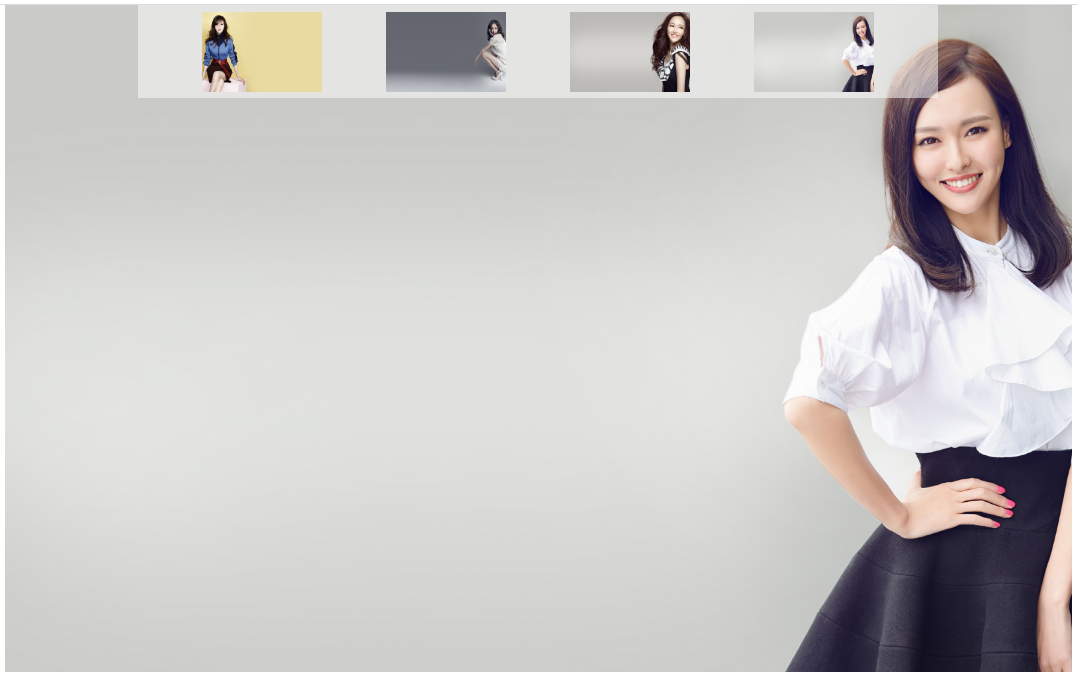
 1 <head>
 2     <meta charset="UTF-8">
 3     <title>Title</title>
 4     <style type="text/css">
 5         *{
 6             margin: 0;
 7             padding: 0;
 8         }
 9         ul li{
10             list-style: none;
11         }
12         #skin{
13             position: fixed;
14             top:0;
15             left:0;
16             width: 100%;
17             height: 100%;
18             background-image: url("images/skin1.jpg");
19             background-position: center 0;
20             background-repeat: no-repeat;
21         }
22         #skin-photo{
23             width: 100%;
24             height: 100px;
25             position: relative;
26             z-index: 10;
27         }
28         #skin-photo ul{
29             overflow: hidden;
30             width: 1200px;
31             margin: 0 auto;
32             background-color: rgba(255,255,255,.5);
33         }
34         #skin-photo ul li{
35             float: left;
36             height: 120px;
37             margin: 10px 0 10px 96px;
38             cursor: pointer;
39         }
40         #skin-photo ul li img{
41             width: 180px;
42             height: 120px;
43         }
44
45     </style>
46 </head>
47 <body>
48     <div id="skin"></div>
49     <div id="skin-photo">
50         <ul>
51             <li class="skin-photo">
52                 <img src="images/skin1.jpg">
53             </li>
54             <li class="skin-photo">
55                 <img src="images/skin2.jpg">
56             </li>
57             <li class="skin-photo">
58                 <img src="images/skin3.jpg">
59             </li>
60             <li class="skin-photo">
61                 <img src="images/skin4.jpg">
62             </li>
63         </ul>
64     </div>
65     <script type="text/javascript">
66         var imgLi = document.getElementsByClassName('skin-photo');
67         var skinDiv = document.getElementById('skin');
68         for(var i=0; i<imgLi.length; i++){
69             imgLi[i].index = i + 1;
70             imgLi[i].onclick = function () {
71                 skinDiv.style.backgroundImage=`url("images/skin${this.index}.jpg")`;
72             }
73         }
74     </script>
十、音乐盒实现全选反选
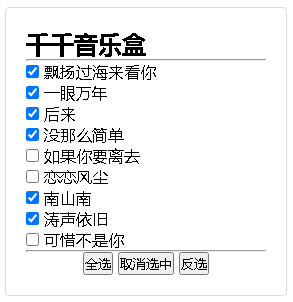
  1 <head>
  2     <meta charset="UTF-8">
  3     <title>Title</title>
  4     <style type="text/css">
  5         *{
  6             margin: 0;
  7             padding: 0;
  8         }
  9         li{
 10             list-style: none;
 11         }
 12         #box{
 13             width: 30%;
 14             height: auto;
 15             border: 1px solid #ddd;
 16             padding: 20px;
 17             margin: 100px auto;
 18             border-radius: 4px;
 19         }
 20         #box ul li{
 21         }
 22         #btn{
 23             text-align: center;
 24         }
 25     </style>
 26 </head>
 27 <body>
 28     <div id="box">
 29         <h2>千千音乐盒</h2>
 30         <hr>
 31         <ul>
 32             <li>
 33                 <input type="checkbox">
 34                 <span>飘扬过海来看你</span>
 35             </li>
 36             <li>
 37                 <input type="checkbox">
 38                 <span>一眼万年</span>
 39             </li>
 40             <li>
 41                 <input type="checkbox">
 42                 <span>后来</span>
 43             </li>
 44             <li>
 45                 <input type="checkbox">
 46                 <span>没那么简单</span>
 47             </li>
 48             <li>
 49                 <input type="checkbox">
 50                 <span>如果你要离去</span>
 51             </li>
 52             <li>
 53                 <input type="checkbox">
 54                 <span>恋恋风尘</span>
 55             </li>
 56             <li>
 57                 <input type="checkbox">
 58                 <span>南山南</span>
 59             </li>
 60             <li>
 61                 <input type="checkbox">
 62                 <span>涛声依旧</span>
 63             </li>
 64             <li>
 65                 <input type="checkbox">
 66                 <span>可惜不是你</span>
 67             </li>
 68         </ul>
 69         <hr>
 70         <p id="btn">
 71             <button id="allSelect">全选</button>
 72             <button id="cancelSelect">取消选中</button>
 73             <button id="reverseSelect">反选</button>
 74         </p>
 75         <script type="text/javascript">
 76             //获取按钮元素
 77             function $(id) {
 78                 return typeof id === 'string' ? document.getElementById(id) : null;
 79             }
 80             //获取左右的复选框
 81             var inputs = document.getElementsByTagName('input');
 82             //全选
 83             $('allSelect').onclick = function () {
 84                 for(var i=0; i<inputs.length; i++){
 85                     inputs[i].checked = true;
 86                 }
 87             }
 88             //取消选中
 89             $('cancelSelect').onclick = function () {
 90                 for(var i=0; i<inputs.length; i++){
 91                     inputs[i].checked = false;
 92                 }
 93             }
 94             //反选
 95             $('reverseSelect').onclick = function () {
 96                 for(var i=0; i<inputs.length; i++){
 97                     inputs[i].checked = !inputs[i].checked;  //注意反选这里用了!符号
 98                 }
 99             }
100         </script>
101     </div>
102 </body>
十一、表单验证

 1 <head>
 2     <meta charset="UTF-8">
 3     <title>Title</title>
 4     <style type="text/css">
 5         *{
 6             margin: 0;
 7             padding: 0;
 8         }
 9         #score{
10             border: 1px solid darkgray;
11         }
12         .right{
13             padding-left: 20px;
14             background: url("images/right.png") no-repeat;
15             background-size: 20px;
16             color: green;
17         }
18         .error{
19             padding-left: 20px;
20             background: url("images/error.png") no-repeat;
21             background-size: 20px;
22             color: red;
23         }
24     </style>
25 </head>
26 <body>
27     <div>
28         <label for="score">您的成绩:</label>
29         <input type="text" id="score" placeholder="请输入分数">
30         <span id="prompt">请输入您的成绩</span>
31     </div>
32     <script type="text/javascript">
33         function $(id) {
34             return typeof id === 'string' ? document.getElementById(id) : null;
35         }
36         //input输入框失去焦点
37         $('score').onblur = function () {
38             var value = parseFloat(this.value);  //parseFloat()函数可解析一个字符串,并返回一个浮点数。
39             if(isNaN(value)){  //isNaN() 函数用于检查其参数是否是非数字值。如果参数值为 NaN 或字符串、对象、undefined等非数字值则返回 true, 否则返回 false。
40                 $('prompt').className = 'error';
41                 $('prompt').innerText = '输入的成绩不正确';
42                 $('score').style.borderColor = 'red';
43             }else if(value>=0 && value<=100){
44                 $('prompt').className = 'right';
45                 $('prompt').innerText = '输入正确';
46                 $('score').style.borderColor = 'green';
47                 console.log(this.value);
48                 console.log(value);
49             }else{
50                 $('prompt').className = 'error';
51                 $('prompt').innerText = '请输入0~100之间的数';
52                 $('score').style.borderColor = 'red';
53             }
54         }
55
56         //input输入获得焦点
57         $('score').onfocus = function () {
58             this.value='';
59             $('prompt').className = '';
60             $('prompt').innerText = '请输入您的成绩';
61             $('score').style.borderColor = 'darkgray';
62         }
63     </script>
64 </body>
十二、上传图片格式验证

 1 <head>
 2     <meta charset="UTF-8">
 3     <title>11 上传图片验证</title>
 4     <script type="text/javascript">
 5         // jpg png gif jpeg
 6         window.onload = function(){
 7             // 1.获取标签
 8             var file = document.getElementById('file');
 9             // 2.监听图片选择的变化
10             file.onchange = function(){
11                 // 2.1 获取上传的图片路径
12                 var path = this.value;
13                 //C:\fakepath\01.gif
14                 // 2.2 获取.在路径字符串中占的位置
15                 var loc = path.lastIndexOf('.');
16
17                 // 2.3 截图 文件路径的后缀名
18                 var suffix = path.substr(loc);
19                 // 2.4统一转小写
20                 var lower_suffix = suffix.toLowerCase();
21                 // 2.5 判断
22                 if(lower_suffix === '.jpg' ||  lower_suffix === '.png' || lower_suffix === '.jpeg' || lower_suffix === '.gif' ){
23                     alert('上传图片格式正确');
24                 }else{
25                     alert('上传图片格式错误');
26                 }
27
28             }
29         }
30
31     </script>
32
33 </head>
34 <body>
35     <label for="file">上传图片格式验证:</label>
36     <input type="file" name="" id="file">
37
38 </body>
十三、随机验证码校验
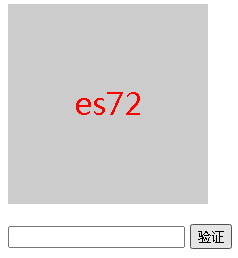
 1 <head>
 2     <meta charset="UTF-8">
 3     <title>Title</title>
 4     <style type="text/css">
 5         #showcode{
 6             width: 200px;
 7             height: 200px;
 8             background-color: #cccccc;
 9             margin-bottom: 20px;
10             font-size: 30px;
11             text-align: center;
12             line-height: 200px;
13             color: red;
14         }
15     </style>
16     <script type="text/javascript">
17         window.onload = function () {
18
19             //生成验证码,并显示出来
20             var showceodeDiv = document.getElementById('showcode');
21             function random(max, min){  //获取max~min之间的随机整数
22                 return Math.floor(Math.random() * (max-min) + min);
23             }
24             function createcode() {  //生成验证码
25                 var code = '';
26                 var chars = ['1', '2', '3', '4', '5', '6', '7', '8', '9', '0', 'a', 'b', 'c', 'd', 'e', 'f', 'g', 'h', 'i',
27                 'j', 'k', 'l', 'm', 'n', 'o', 'p', 'q', 'r', 's', 't', 'u', 'v', 'w', 'x', 'y', 'z'];
28                 var codelength = 4;
29                 for(var i=0; i<codelength; i++){
30                     code += chars[random(0, 36)];
31                 }
32                 showceodeDiv.innerHTML = code;
33                 return code;
34             }
35             var showcode = createcode();  //调用创建验证码,并显示.
36
37             //输入验证码,并校验
38             var codeInput = document.getElementById('inputcode');
39             var verifyBtn = document.getElementById('verifyBtn');  //获取验证按钮元素
40             verifyBtn.onclick = function () {
41                 var getinputcode = codeInput.value.toLowerCase();  //把输入字符全部转换为小写
42                 if(getinputcode===showcode){
43                     alert('验证通过');
44                     window.location.href = 'https://www.baidu.com';
45                 }else{
46                     alert('验证码输入错误');
47                     codeInput.value = '';  //将输入框设为空白
48                     showcode = createcode();  //刷新验证码
49                 }
50             }
51
52         }
53     </script>
54 </head>
55 <body>
56     <div>
57         <div id="showcode"></div>
58         <div>
59             <input id="inputcode">
60             <button id="verifyBtn">验证</button>
61         </div>
62     </div>
63
64 </body>
十四、发布评论
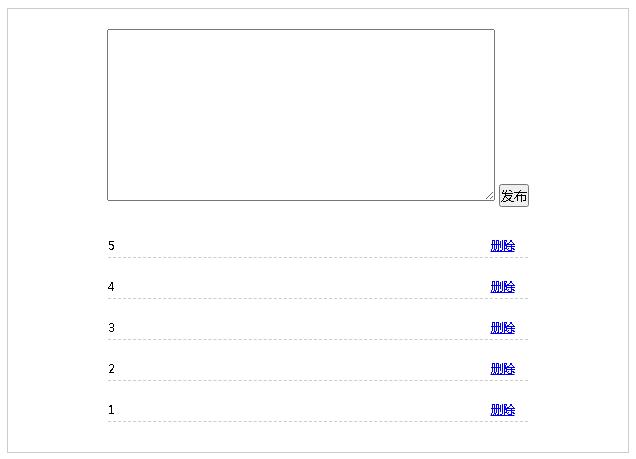
 1 <head>
 2     <meta charset="UTF-8">
 3     <title>Title</title>
 4     <style type="text/css">
 5         *{
 6             margin: 0;
 7             padding: 0;
 8         }
 9         li{
10             list-style: none;
11         }
12         #box{
13             width: 600px;
14             border: 1px solid #ccc;
15             margin: 120px auto;
16             text-align: center;
17             padding: 10px;
18             font-size: 12px;
19         }
20         #box-top{
21             padding: 10px;
22         }
23         #comment-text{
24             padding: 10px;
25             outline: none;
26         }
27         #box-comment ul{
28             overflow: hidden;
29         }
30         #box-comment ul li{
31             width: 420px;
32             margin: 20px auto;
33             height: 20px;
34             border-bottom: 1px dashed #ccc;
35          }
36         #box-comment ul li span{
37             float: left;
38             width: 260px;
39             text-align: left;
40         }
41         #box-comment ul li a{
42             width: 50px;
43             float: right;
44         }
45
46     </style>
47 </head>
48 <body>
49     <div id="box">
50         <div id="box-top">
51             <textarea cols="50" rows="10" id="comment-text"></textarea>
52             <button id="send">发布</button>
53         </div>
54         <div id="box-comment">
55             <ul id="list-comment">
56             </ul>
57         </div>
58     </div>
59     <script type="text/javascript">
60         window.onload = function () {
61             function $(id) {
62                 return typeof id === 'string' ? document.getElementById(id) : null;
63             }
64
65             //发布评论
66             $('send').onclick = function () {
67                 var get_comment = $('comment-text').value;
68                 if (get_comment.length === 0) {
69                     alert('请输入内容');
70                     return;
71                 }
72                 var createLi = document.createElement('li');
73                 createLi.innerHTML = `<span>${get_comment}</span><a href = 'javascript:void(0)' class="del">删除</a>`;
74                 // $('list-comment').appendChild(createLi);
75                 $('list-comment').insertBefore(createLi, $('list-comment').children[0]);  //插入到子元素的前面
76                 $('comment-text').value = '';
77
78
79                 //删除评论
80                 var delAs = document.getElementsByClassName('del');
81                 for (var i = 0; i < delAs.length; i++) {
82                     delAs[i].onclick = function () {
83                         this.parentNode.remove();  //删除
84                     }
85                 }
86             }
87         }
88     </script>
89 </body>
十五、九宫格1(浮动方式)
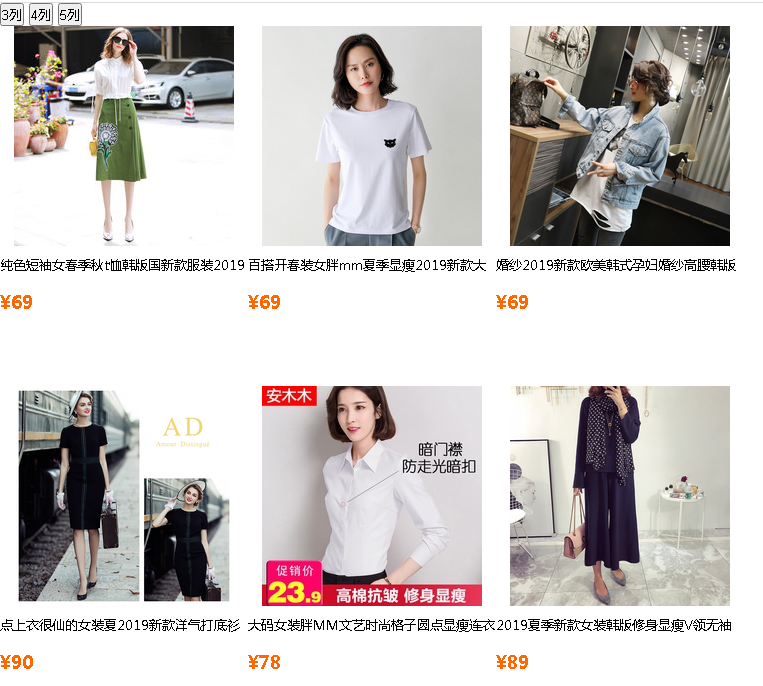


  1 <head>
  2     <meta charset="UTF-8">
  3     <title>Title</title>
  4     <style type="text/css">
  5         *{
  6             padding: 0;
  7             margin: 0;
  8         }
  9         #wrap{
 10             overflow: hidden;
 11         }
 12         #wrap .item{
 13             width: 248px;
 14             height: 360px;
 15             font-size: 13px;
 16
 17         }
 18         #wrap .item .title{
 19             width: 248px;
 20             height: 30px;
 21             line-height: 30px;
 22             overflow: hidden;
 23             margin-bottom: 10px;
 24         }
 25         .imgContainer{
 26             width: 248px;
 27             display: table-cell;
 28             text-align: center;
 29         }
 30          #wrap .item .price{
 31             color:#ff6700;
 32             font-size: 18px;
 33             font-weight: bold;
 34          }
 35     </style>
 36     <script type="text/javascript">
 37         window.onload = function () {
 38             function setcol(num) {
 39                 var wrapDiv = document.getElementById('wrap');
 40                 var itemDivs = document.getElementsByClassName('item');
 41                 wrapDiv.style.width = (num * itemDivs[0].offsetWidth) + 'px';  //根据列数得出容器的宽度
 42                 for(var j=0; j<itemDivs.length; j++){
 43                     itemDivs[j].style.float = 'left';
 44                 }
 45             }
 46             var btns = document.getElementsByTagName('button');
 47             btns[0].onclick = function () {
 48                 setcol(3);
 49             }
 50             btns[1].onclick = function () {
 51                 setcol(4);
 52             }
 53             btns[2].onclick = function () {
 54                 setcol(5);
 55             }
 56         }
 57     </script>
 58 </head>
 59 <body>
 60     <div class="cols">
 61         <button>3列</button>
 62         <button>4列</button>
 63         <button>5列</button>
 64     </div>
 65     <div id="wrap">
 66         <div class="item">
 67             <div class="imgContainer">
 68                 <img src="images/taobao_1.jpg" alt="">
 69             </div>
 70             <p class="title">纯色短袖女春季秋t恤韩版国新款服装2019潮</p>
 71             <p class="price">¥69</p>
 72          </div>
 73         <div class="item">
 74             <div class="imgContainer">
 75                 <img src="images/taobao_2.jpg" alt="">
 76             </div>
 77             <p class="title">百搭开春装女胖mm夏季显瘦2019新款大码韩版</p>
 78             <p class="price">¥69</p>
 79         </div>
 80         <div class="item">
 81             <div class="imgContainer">
 82                 <img src="images/taobao_3.jpg" alt="">
 83             </div>
 84             <p class="title">婚纱2019新款欧美韩式孕妇婚纱高腰韩版</p>
 85             <p class="price">¥69</p>
 86         </div>
 87         <div class="item">
 88             <div class="imgContainer">
 89                 <img src="images/taobao_4.jpg" alt="">
 90             </div>
 91             <p class="title">点上衣很仙的女装夏2019新款洋气打底衫</p>
 92             <p class="price">¥90</p>
 93         </div>
 94         <div class="item">
 95             <div class="imgContainer">
 96                 <img src="images/taobao_5.jpg" alt="">
 97             </div>
 98             <p class="title">大码女装胖MM文艺时尚格子圆点显瘦连衣裙</p>
 99             <p class="price">¥78</p>
100         </div>
101         <div class="item">
102             <div class="imgContainer">
103                 <img src="images/taobao_6.jpg" alt="">
104             </div>
105             <p class="title">2019夏季新款女装韩版修身显瘦V领无袖</p>
106             <p class="price">¥89</p>
107         </div>
108         <div class="item">
109             <div class="imgContainer">
110                 <img src="images/taobao_7.jpg" alt="">
111             </div>
112             <p class="title">春季短款小外套女2019春装春秋新款韩</p>
113             <p class="price">¥100</p>
114         </div>
115         <div class="item">
116             <div class="imgContainer">
117                 <img src="images/taobao_8.jpg" alt="">
118             </div>
119             <p class="title">大码女装中长款针织衫春装胖mm显瘦</p>
120             <p class="price">¥120</p>
121         </div>
122         <div class="item">
123             <div class="imgContainer">
124                 <img src="images/taobao_9.jpg" alt="">
125             </div>
126             <p class="title">春款韩版2019新款女装时尚初春两件套</p>
127             <p class="price">¥107</p>
128         </div>
129         <div class="item">
130             <div class="imgContainer">
131                 <img src="images/taobao_10.jpg" alt="">
132             </div>
133             <p class="title">牛仔外套女短款2019春装新款女装韩版</p>
134             <p class="price">¥69</p>
135         </div>
136         <div class="item">
137             <div class="imgContainer">
138                 <img src="images/taobao_11.jpg" alt="">
139             </div>
140             <p class="title">2019夏季新款女装裙子纯色流苏a字裙</p>
141             <p class="price">¥56</p>
142         </div>
143         <div class="item">
144             <div class="imgContainer">
145                 <img src="images/taobao_12.jpg" alt="">
146             </div>
147             <p class="title">女装休闲短袖韩版宽松2019新款春夏季</p>
148             <p class="price">¥76</p>
149         </div>
150         <div class="item">
151             <div class="imgContainer">
152                 <img src="images/taobao_13.jpg" alt="">
153             </div>
154             <p class="title">棉上衣女装秋季新款2019早春休闲时尚</p>
155             <p class="price">¥45</p>
156         </div>
157     </div>
158
159 </body>
十六、九宫格2(绝对定位)
计算出每个div的top left的值
  1 <head>
  2     <meta charset="UTF-8">
  3     <title>14 九宫格布局</title>
  4     <style type="text/css">
  5         *{
  6             padding: 0;
  7             margin: 0;
  8         }
  9         #wrap{
 10            position: relative;
 11         }
 12         #wrap .item{
 13             width: 248px;
 14             height: 360px;
 15             font-size: 13px;
 16         }
 17         #wrap .item .title{
 18             width: 248px;
 19             height: 30px;
 20             line-height: 30px;
 21             overflow: hidden;
 22             margin-bottom: 10px;
 23         }
 24         .imgContainer{
 25             width: 248px;
 26             display: table-cell;
 27             text-align: center;
 28         }
 29          #wrap .item .price{
 30             color:#ff6700;
 31             font-size: 18px;
 32             font-weight: bold;
 33          }
 34
 35
 36     </style>
 37 </head>
 38 <body>
 39 <div class="cols">
 40     <button>3列</button>
 41     <button>4列</button>
 42     <button>5列</button>
 43 </div>
 44 <div id="wrap">
 45         <div class="item">
 46             <div class="imgContainer">
 47                 <img src="images/taobao_1.jpg" alt="">
 48             </div>
 49             <p class="title">纯色短袖女春季秋t恤韩版国新款服装2019潮</p>
 50             <p class="price">¥69</p>
 51          </div>
 52         <div class="item">
 53             <div class="imgContainer">
 54                 <img src="images/taobao_2.jpg" alt="">
 55             </div>
 56             <p class="title">百搭开春装女胖mm夏季显瘦2019新款大码韩版</p>
 57             <p class="price">¥69</p>
 58         </div>
 59         <div class="item">
 60             <div class="imgContainer">
 61                 <img src="images/taobao_3.jpg" alt="">
 62             </div>
 63             <p class="title">婚纱2019新款欧美韩式孕妇婚纱高腰韩版</p>
 64             <p class="price">¥69</p>
 65         </div>
 66         <div class="item">
 67             <div class="imgContainer">
 68                 <img src="images/taobao_4.jpg" alt="">
 69             </div>
 70             <p class="title">点上衣很仙的女装夏2019新款洋气打底衫</p>
 71             <p class="price">¥90</p>
 72         </div>
 73         <div class="item">
 74             <div class="imgContainer">
 75                 <img src="images/taobao_5.jpg" alt="">
 76             </div>
 77             <p class="title">大码女装胖MM文艺时尚格子圆点显瘦连衣裙</p>
 78             <p class="price">¥78</p>
 79         </div>
 80         <div class="item">
 81             <div class="imgContainer">
 82                 <img src="images/taobao_6.jpg" alt="">
 83             </div>
 84             <p class="title">2019夏季新款女装韩版修身显瘦V领无袖</p>
 85             <p class="price">¥89</p>
 86         </div>
 87         <div class="item">
 88             <div class="imgContainer">
 89                 <img src="images/taobao_7.jpg" alt="">
 90             </div>
 91             <p class="title">春季短款小外套女2019春装春秋新款韩</p>
 92             <p class="price">¥100</p>
 93         </div>
 94         <div class="item">
 95             <div class="imgContainer">
 96                 <img src="images/taobao_8.jpg" alt="">
 97             </div>
 98             <p class="title">大码女装中长款针织衫春装胖mm显瘦</p>
 99             <p class="price">¥120</p>
100         </div>
101         <div class="item">
102             <div class="imgContainer">
103                 <img src="images/taobao_9.jpg" alt="">
104             </div>
105             <p class="title">春款韩版2019新款女装时尚初春两件套</p>
106             <p class="price">¥107</p>
107         </div>
108         <div class="item">
109             <div class="imgContainer">
110                 <img src="images/taobao_10.jpg" alt="">
111             </div>
112             <p class="title">牛仔外套女短款2019春装新款女装韩版</p>
113             <p class="price">¥69</p>
114         </div>
115         <div class="item">
116             <div class="imgContainer">
117                 <img src="images/taobao_11.jpg" alt="">
118             </div>
119             <p class="title">2019夏季新款女装裙子纯色流苏a字裙</p>
120             <p class="price">¥56</p>
121         </div>
122         <div class="item">
123             <div class="imgContainer">
124                 <img src="images/taobao_12.jpg" alt="">
125             </div>
126             <p class="title">女装休闲短袖韩版宽松2019新款春夏季</p>
127             <p class="price">¥76</p>
128         </div>
129         <div class="item">
130             <div class="imgContainer">
131                 <img src="images/taobao_13.jpg" alt="">
132             </div>
133             <p class="title">棉上衣女装秋季新款2019早春休闲时尚</p>
134             <p class="price">¥45</p>
135         </div>
136 </div>
137 <script type="text/javascript">
138     // 1.获取标签
139     var btns = document.getElementsByTagName('button');
140     var items = document.getElementsByClassName('item');
141
142     // 2.监听按钮的点击
143     btns[0].onclick = function(){
144
145         // 3.循环
146        mjj_flex(3);
147     }
148      btns[1].onclick = function(){
149
150         mjj_flex(4)
151
152     }
153     btns[2].onclick = function(){
154
155        mjj_flex(5);
156     }
157
158     function mjj_flex(colsNum){
159          // 第0行第0列   top: row * h         left: col* w
160          // 第0行第1列   top: 0 * h         left: 1* w
161          // 第0行第2列   top: 0 * h         left: 2* w
162          // 第1行第0列   top: 1 * h         left: 0 * w
163          // 第1行第1列   top: 1 * h         left: 1 * w
164          // 第1行第2列   top: 1 * h         left: 2* w
165          // 第2行第0列   top: 2 * h         left: 0* w
166          // 第2行第1列   top: 2 * h         left: 0* w
167          // 第2行第2列   top: 2 * h         left: 0* w
168          for(var i = 0; i < items.length; i++){
169                  // 求每个盒子占得行数和列数      10      3行  1列
170                                                                      // 11     3行 2列
171                  var row = parseInt(i / colsNum);
172                  var col = parseInt(i % colsNum);
173                  // 设置盒子定位
174                   items[i].style.position = 'absolute';
175                   items[i].style.top = (row * items[i].offsetHeight) + 'px';
176                   items[i].style.left = (col * items[i].offsetWidth) + 'px';
177          }
178
179
180     }
181
182 </script>
183
184 </body>
二十一、长图滚动案例
鼠标指针在图片的上办部分,图片向上滚动;指针移动到图片的下办部分,图片向下滚动。
 1 <head>
 2     <meta charset="UTF-8">
 3     <title>Title</title>
 4     <style type="text/css">
 5         *{
 6             margin: 0;
 7             padding: 0;
 8         }
 9         #box{
10             width: 658px;
11             height: 400px;
12             margin: 200px auto;
13             position: relative;
14             overflow: hidden;
15         }
16         #box img{
17             display: inline-block;
18             position: absolute;
19             width: 658px;
20             top: 0;
21         }
22         #top{
23             position: absolute;
24             width: 100%;
25             height: 50%;
26             top: 0;
27             cursor: pointer;
28         }
29         #bottom{
30             position: absolute;
31             width: 100%;
32             height: 50%;
33             bottom: 0;
34             cursor: pointer;
35         }
36     </style>
37 </head>
38 <body>
39     <div id="box">
40         <img id='image' src="images/timer.jpeg">
41         <div id="top"></div>
42         <div id="bottom"></div>
43     </div>
44     <script type="text/javascript">
45         function $(id) {
46             return typeof id === 'string' ? document.getElementById(id) : null;
47         }
48         var num = 0, timer = null;
49         $('top').onmouseover = function () {
50             clearInterval(timer);
51             timer = setInterval(function () {  //定时器
52                 num -= 10;
53                 if(num<=-3666){
54                     clearInterval(timer);
55                 }else{
56                     $('image').style.top = num + 'px';  //图片向上滚动
57                 }
58             }, 50);
59         }
60         $('bottom').onmouseover = function () {
61             clearInterval(timer);
62             timer = setInterval(function () {
63                 num += 10;
64                 if(num>=0){
65                     clearInterval(timer);
66                 }else{
67                     $('image').style.top = num + 'px';
68                 }
69             }, 50);
70         }
71         $('box').onmouseleave =function () {
72             clearInterval(timer);
73         }
74     </script>
75 </body>

 浙公网安备 33010602011771号