

vscode中github copilot安装ida-pro-mcp教程
首先安装ida-pro-mcp
pip uninstall ida-pro-mcp
pip install https://github.com/mrexodia/ida-pro-mcp/archive/refs/heads/main.zip

ida-pro-mcp --install
详细的说明可以看Alex师傅的博客IDAPro--MCP详细配置教程(通杀) - Alexander17 - 博客园
然后确认好两个路径:
1、安装ida-pro-mcp的Python位置
2、ida-pro-mcp的server.py位置
然后打开vscode的扩展商店,启用mcp商店
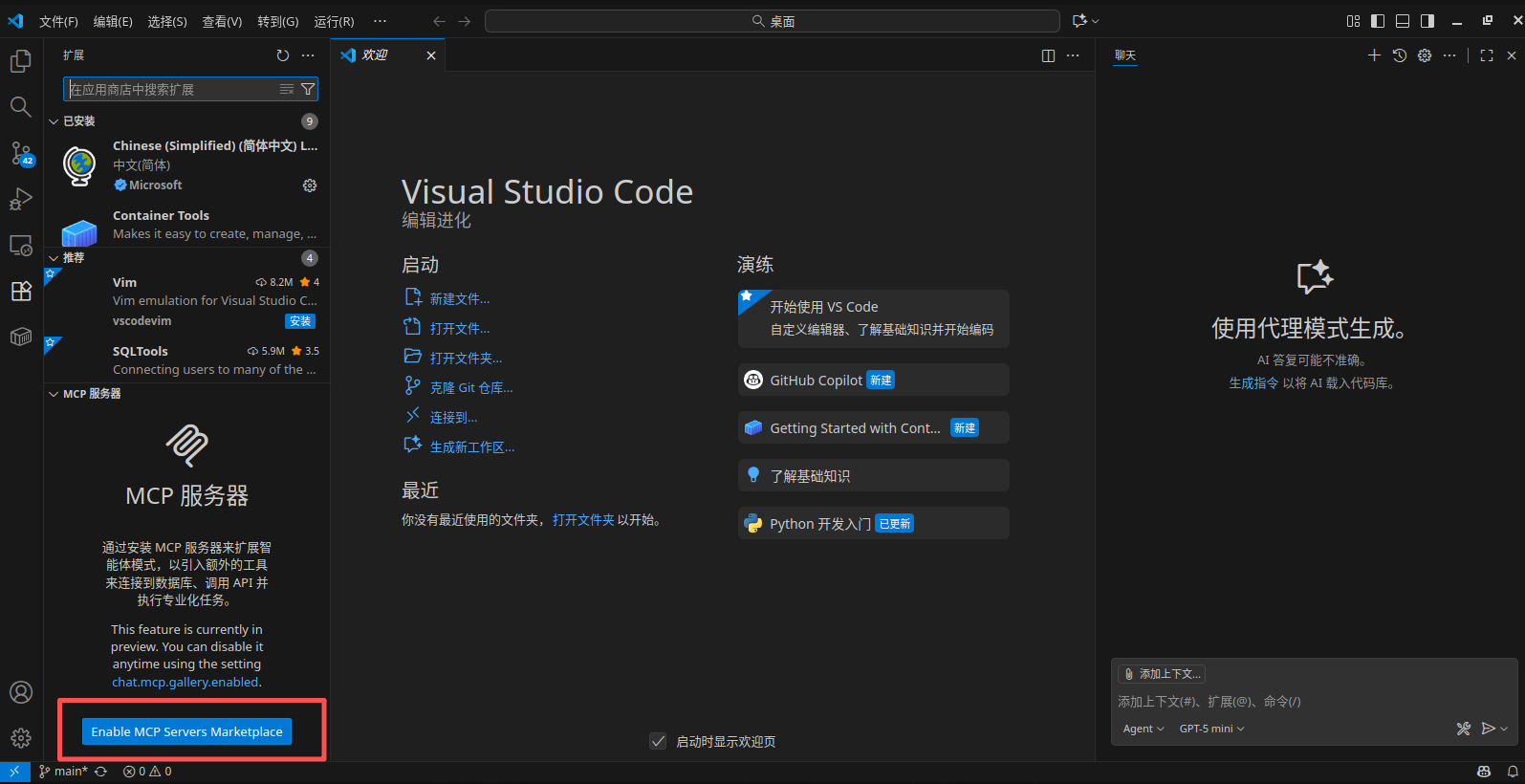
然后随便下载一个插件,我这里下载github
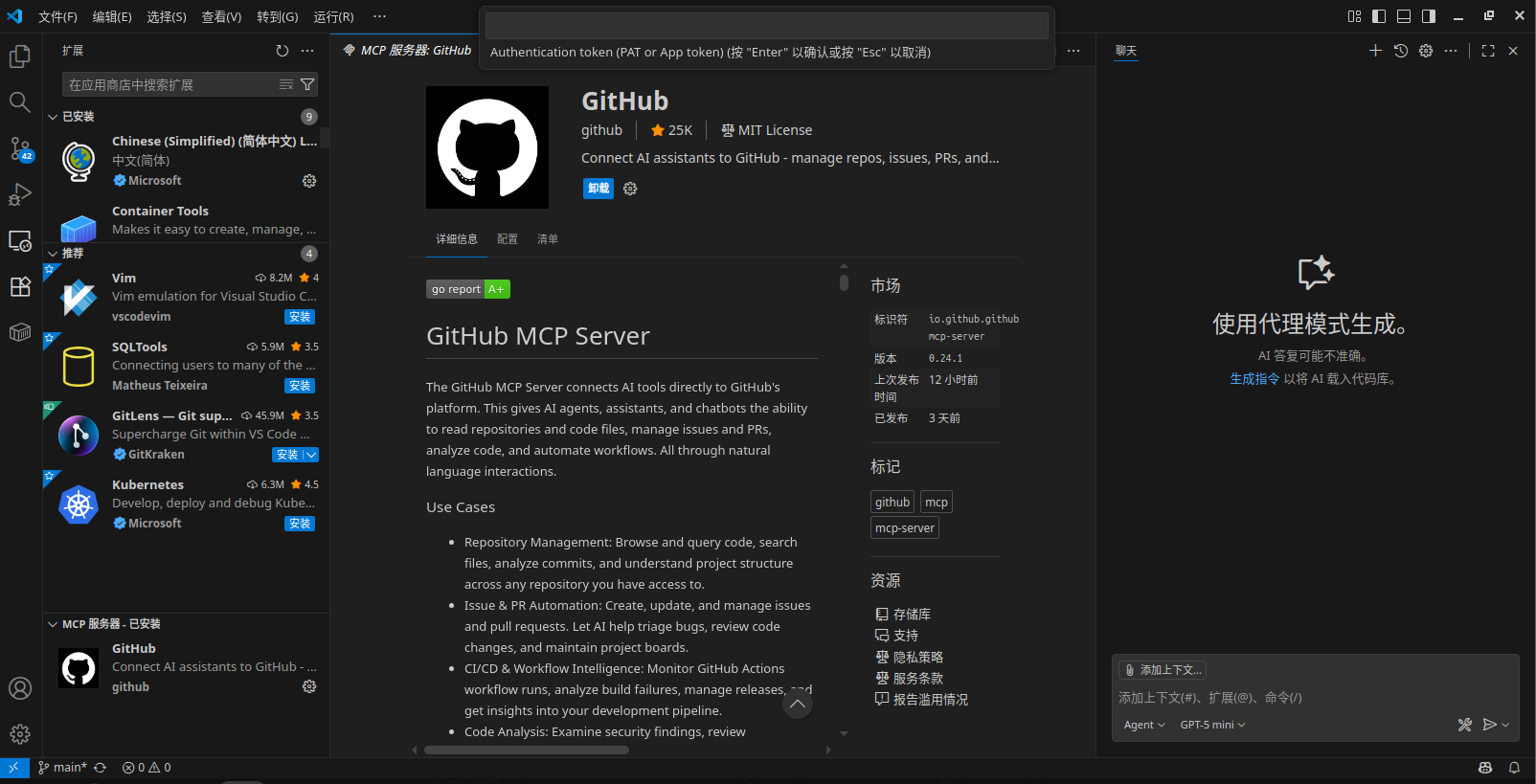
随后点击github右下角齿轮选中显示配置(JSON)
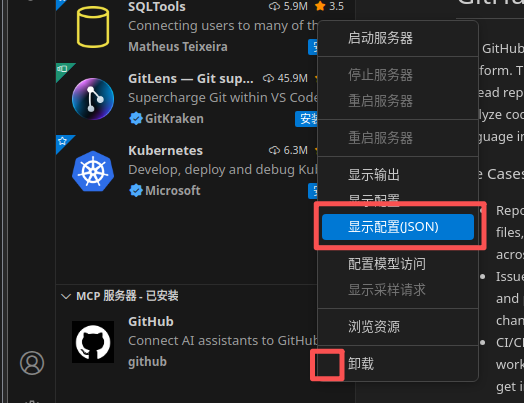
随后把里面的东西删掉换成下列内容
{
	"servers": {
		"idapromcp": {
			"isActive": true,
			"command": "D:\\Programming\\python311\\python.exe",
			"args": [
				"D:\\Programming\\python311\\Lib\\site-packages\\ida_pro_mcp\\server.py"
			],
			"timeout": 1800,
			"disabled": false,
			"autoApprove": [
				"check_connection",
				"get_metadata",
				"get_function_by_name",
				"get_function_by_address",
				"get_current_address",
				"get_current_function",
				"convert_number",
				"list_functions",
				"list_strings",
				"search_strings",
				"decompile_function",
				"disassemble_function",
				"get_xrefs_to",
				"get_entry_points",
				"set_comment",
				"rename_local_variable",
				"rename_global_variable",
				"set_global_variable_type",
				"rename_function",
				"set_function_prototype",
				"declare_c_type",
				"set_local_variable_type"
			],
			"alwaysAllow": [
				"check_connection",
				"get_metadata",
				"get_function_by_name",
				"get_function_by_address",
				"get_current_address",
				"get_current_function",
				"convert_number",
				"list_functions",
				"list_strings",
				"search_strings",
				"decompile_function",
				"disassemble_function",
				"get_xrefs_to",
				"get_entry_points",
				"set_comment",
				"rename_local_variable",
				"rename_global_variable",
				"set_global_variable_type",
				"rename_function",
				"set_function_prototype",
				"declare_c_type",
				"set_local_variable_type"
			],
			"name": "github.com/mrexodia/ida-pro-mcp",
			"baseUrl": "",
			"installSource": "unknown"
			}
		}
}
Ctrl+s保存后重启vscode
随后打开ida的mcp,询问一下ai能不能连上ida-pro-mcp服务器
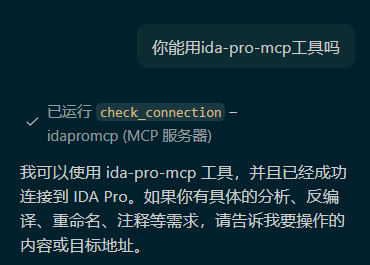
这样就说明安装成功了
注:如果想使用其他mcp服务可以让ai帮忙转换一下配置文件加在上面的mcp.json中

 浙公网安备 33010602011771号