
2025运维赛决赛电子数据取证分析师WriteUp
签到
先把gif分帧导出
(用的本地ai)
写个脚本把背景变透明
#!/usr/bin/env python3
# -*- coding: utf-8 -*-

"""
白色背景 → 透明
"""

import argparse
import os
import glob
import shutil
import sys
from PIL import Image
import numpy as np

# ---------- 支持的图片扩展 ----------IMG_EXTS = ('.png', '.jpg', '.jpeg', '.bmp', '.tiff', '.gif')

def collect_images(root: str):
    """收集 root 目录下的所有图片路径(按字典序)。"""
    patterns = [os.path.join(root, "**/*"+ext) for ext in IMG_EXTS]
    files = []
    for pat in patterns:
        files.extend(glob.glob(pat, recursive=True))
    files = sorted(set([os.path.abspath(f) for f in files]))
    if not files:
        raise FileNotFoundError(f"未在目录 '{root}' 中找到任何图片。")
    return files

def white_to_alpha(img: Image.Image, thr: int):
    """将接近白色的像素改为透明。参数 thr 为阈值 (0–255)。"""
    # 如果不是 RGBA,先转成 RGBA    if img.mode != 'RGBA':
        img = img.convert('RGBA')
    arr = np.array(img)

    # 计算“白点”掩码
    mask = (arr[..., 0] >= thr) & (arr[..., 1] >= thr) & (arr[..., 2] >= thr)
    # 对掩码对应位置设置透明度为 0    arr[..., 3][mask] = 0

    return Image.fromarray(arr, mode='RGBA')

def process_images(src_dir: str, dst_dir: str = None, thr: int = 240):
    """读取 src_dir,转换后写到 dst_dir(若 dst_dir 为空则覆写 src)。"""
    if dst_dir:
        os.makedirs(dst_dir, exist_ok=True)

    for src_path in collect_images(src_dir):
        with Image.open(src_path) as im:
            im_trans = white_to_alpha(im, thr)

        # 目标路径
        if dst_dir:
            rel_path = os.path.relpath(src_path, src_dir)   # 保持子目录结构
            dst_path = os.path.join(dst_dir, rel_path)
            os.makedirs(os.path.dirname(dst_path), exist_ok=True)
        else:   # 覆写原文件,建议先做备份
            dst_path = src_path

        # 对 PNG 以外格式,转换为 PNG 以支持透明
        _, ext = os.path.splitext(dst_path)
        if dst_path.lower().endswith('.png'):
            out_path = dst_path
        else:
            out_path = os.path.splitext(dst_path)[0] + '.png'

        im_trans.save(out_path, format='PNG')
        print(f"✓ {src_path} → {out_path}")

def main():
    parser = argparse.ArgumentParser(description="把图片中的白色(background)改为透明。")
    parser.add_argument('folder', nargs='?', default='.', help='图片所在文件夹,默认当前目录')
    parser.add_argument('-o', '--output', help='输出目录,若为空则覆写原图')
    parser.add_argument('-t', '--threshold', type=int, default=240,
                        help='白色阈值(0-255),越大越严格。默认 240')
    args = parser.parse_args()

    src_root = os.path.abspath(args.folder)
    dst_root = os.path.abspath(args.output) if args.output else None

    print(f"源目录:{src_root}\n目标:{dst_root or '覆写原图'}\n阈值:{args.threshold}")
    process_images(src_root, dst_root, args.threshold)
    print("\n✅ 完成!")

if __name__ == "__main__":
    main()

然后把图片随便叠加一下就可以出来

扫描即可获得flag
猜猜旗
Release v0.2.1 (Pharaoh's Heart) · Lil-House/Pyarmor-Static-Unpack-1shot · GitHub
一把梭,可惜我比赛的时候电脑上没装/(ㄒoㄒ)/~~
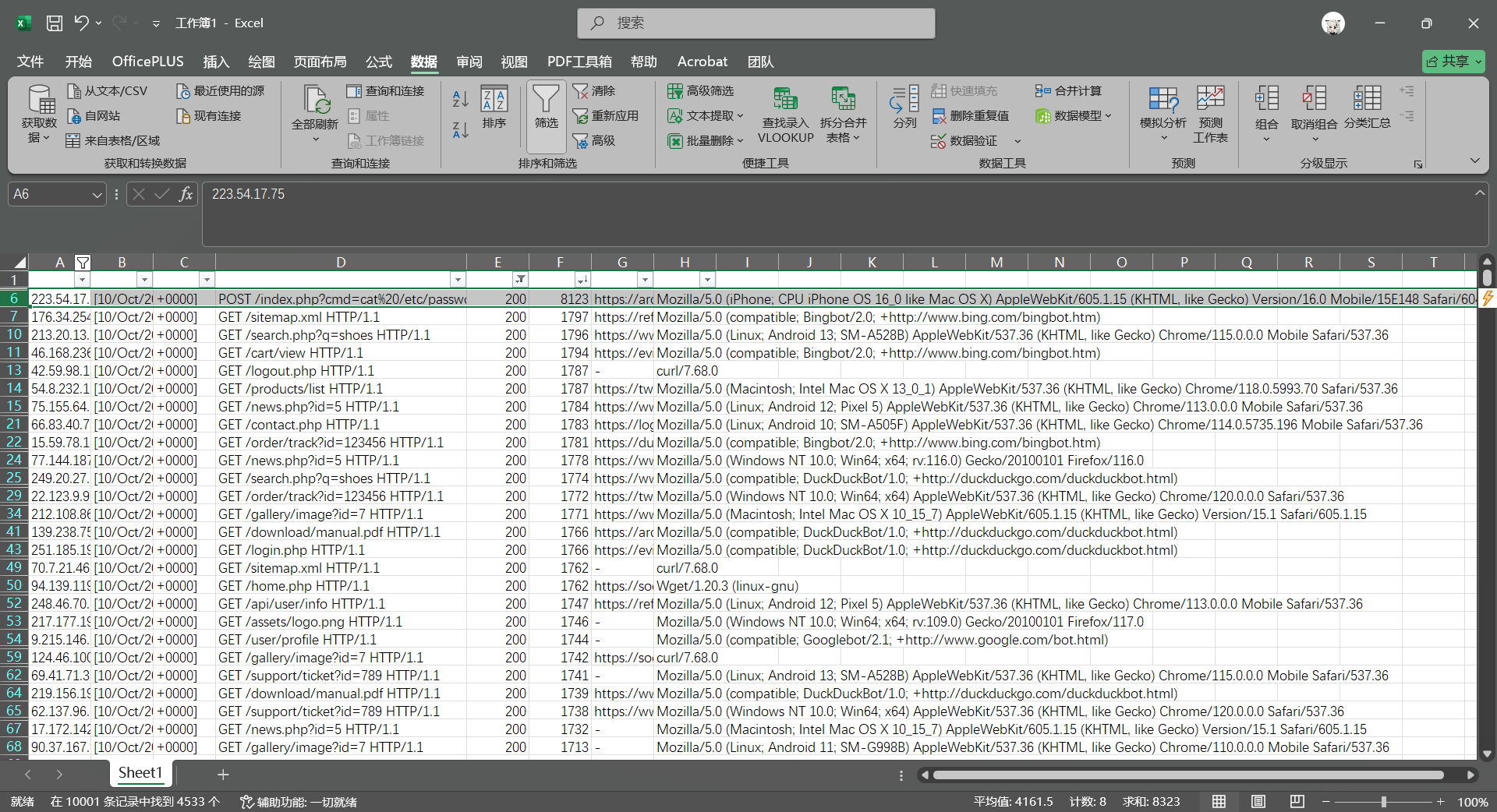
谁真正远程执行了命令?
用excel分列后只显示200内容,再对返回大小进行从大到小排序,第一个就是
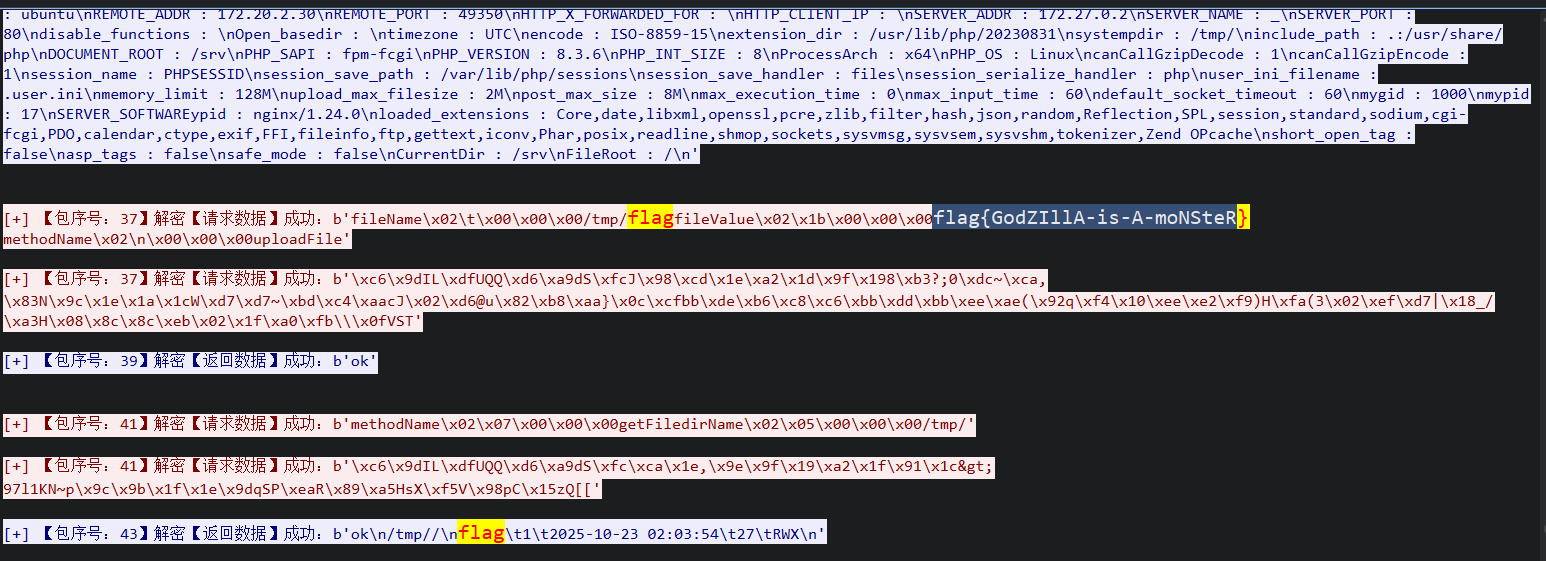
网络流量中的巨兽踪迹(1)
提示是哥斯拉所以直接neta梭了
第二个压缩包不会,等下次复现试试
DFIR-rensom
1. 恢复系统数据,给出主机用户的姓名全拼(全小写,例:zhangsan)。
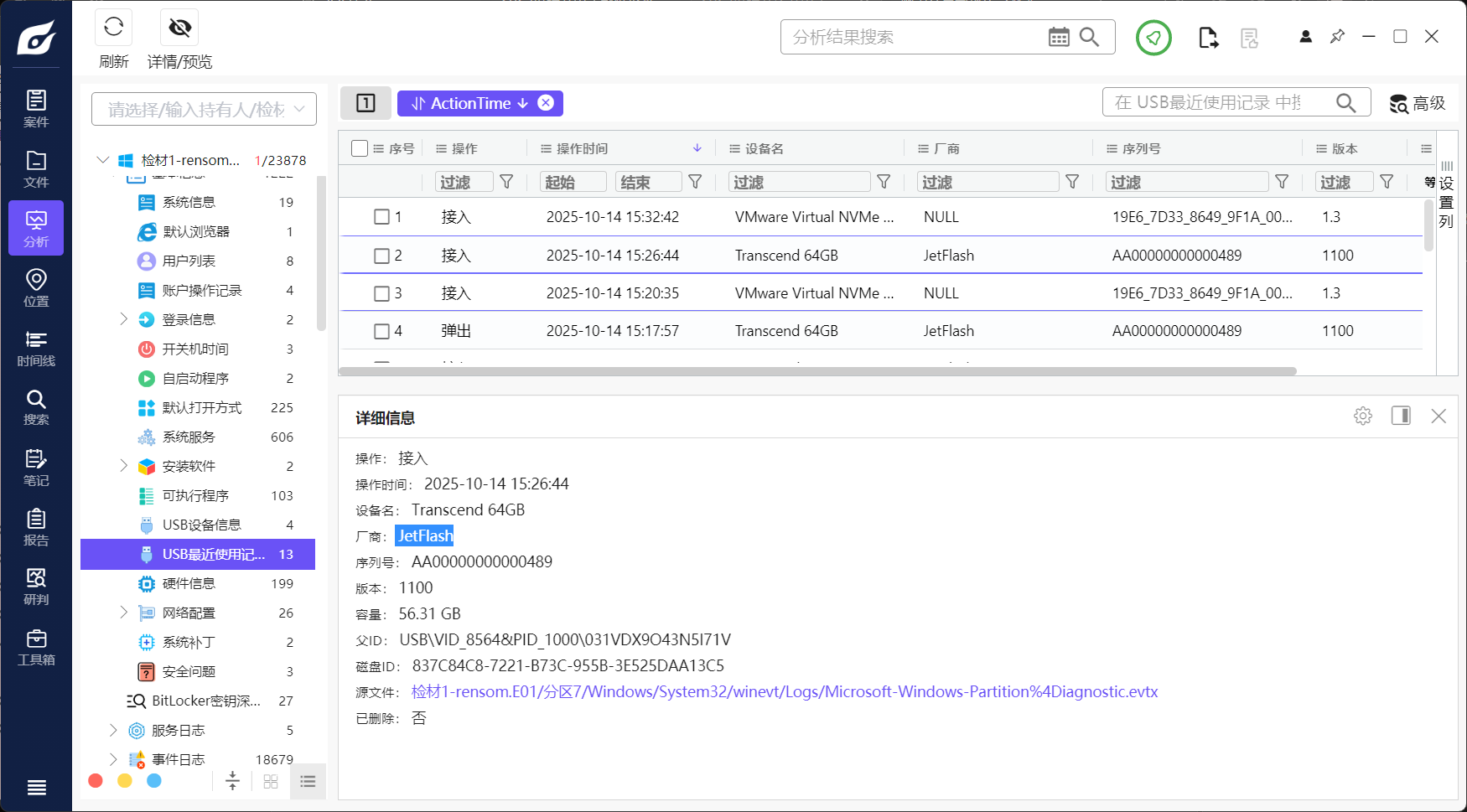
maaiyu

2. 给出主机最近一次插过的U盘的厂商,全小写(例:barracuda)。
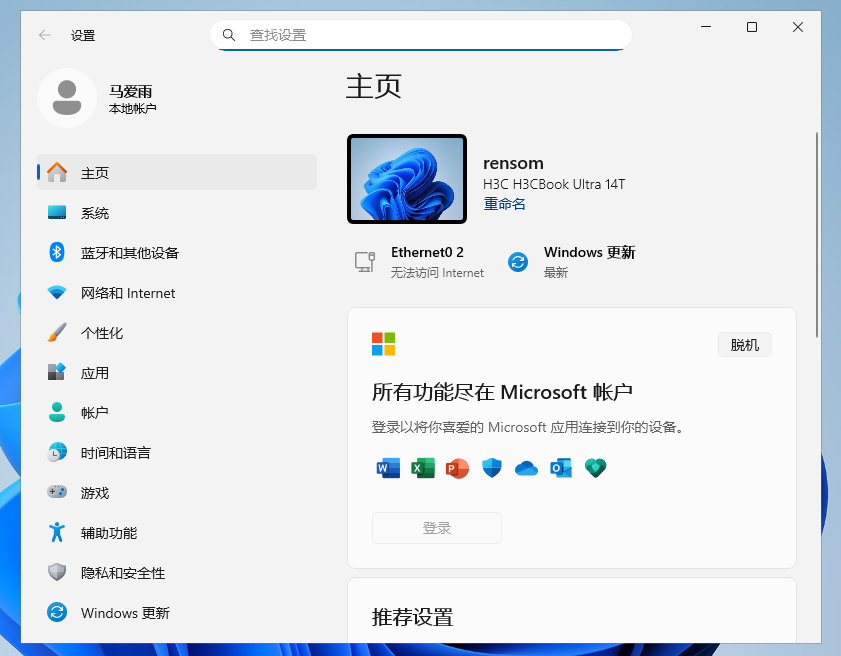
3. 给出电脑的OEM厂商品牌名称,全小写(例:xiaomi)。
因为不会所以直接仿真了
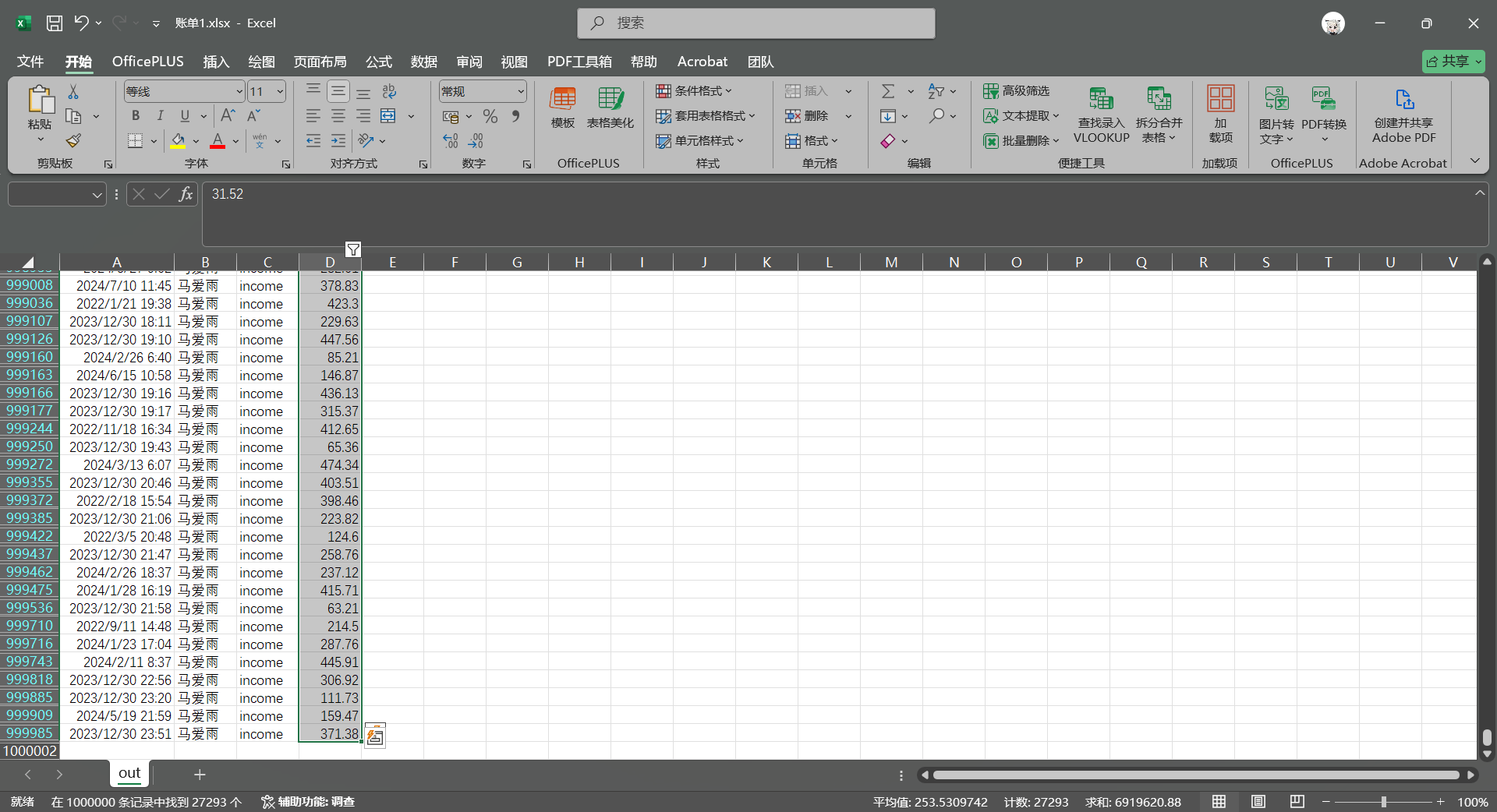
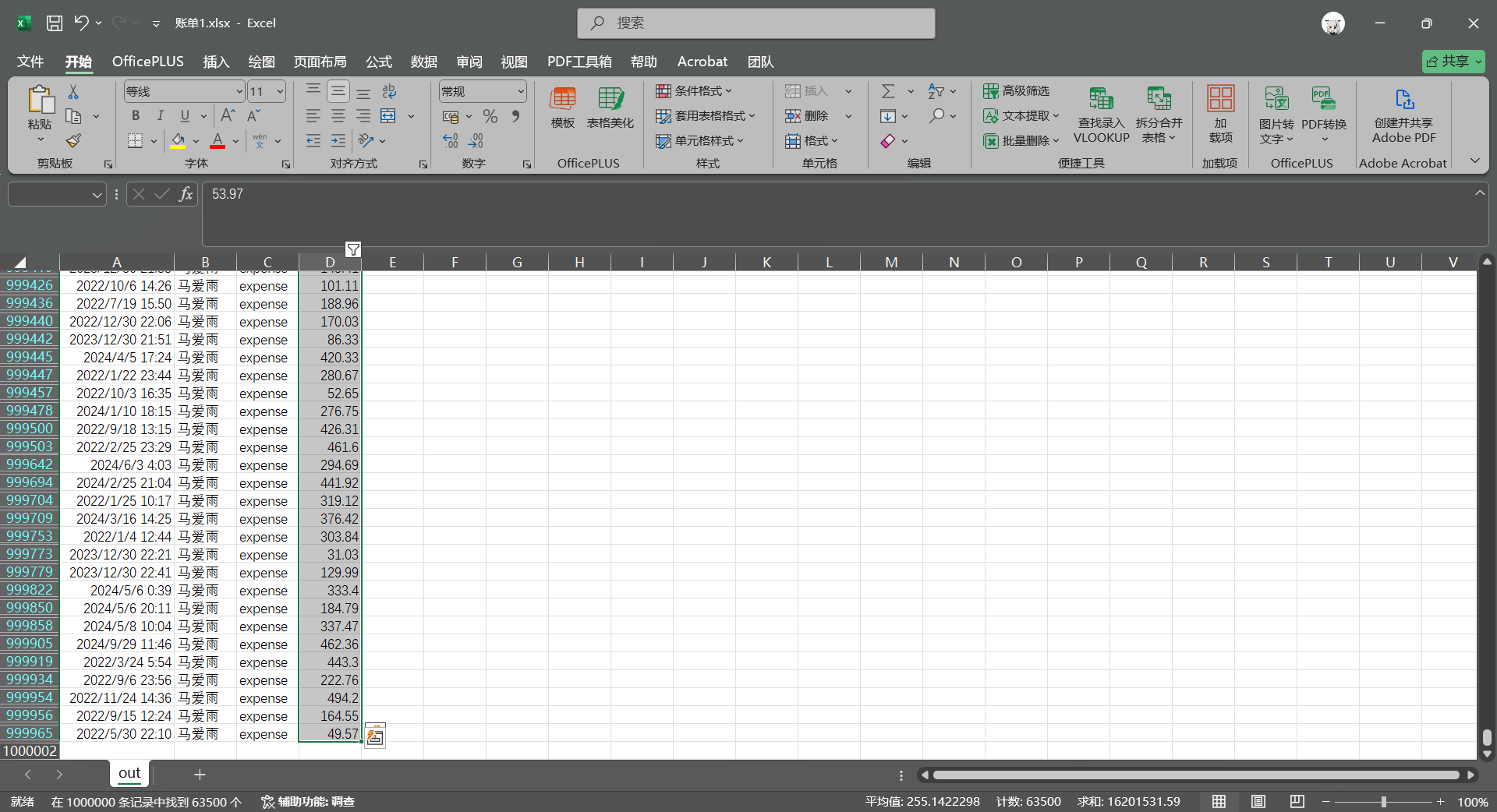
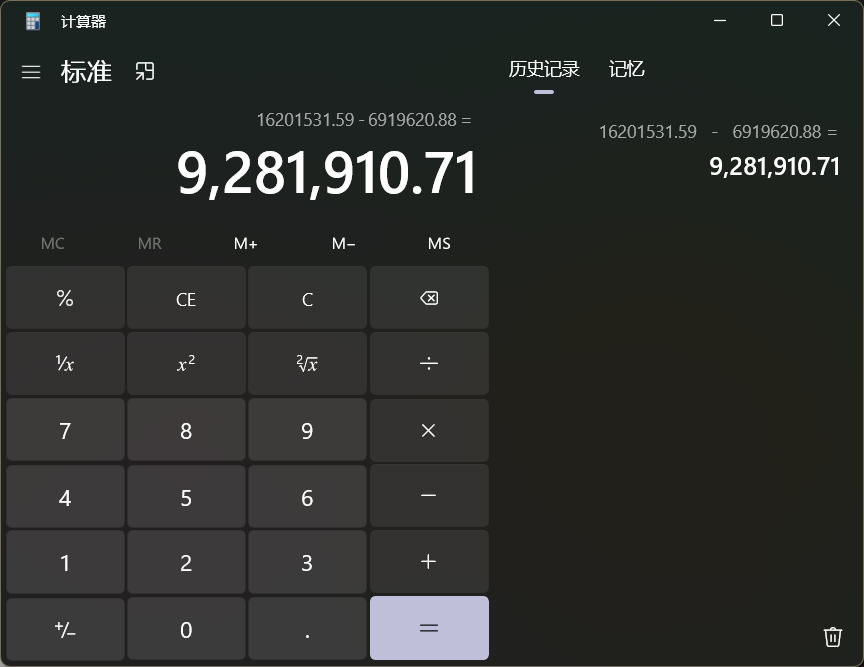
4. 恢复账单文件,给出主机用户2023年全年的净支出金额,保留两位小数(例:233621.14)。
简单的文件头修复,文件头改回504B0304就可以进去
随后excel筛选
日期筛选2023年,人筛选成马爱雨,用支出-收入就可以得到答案
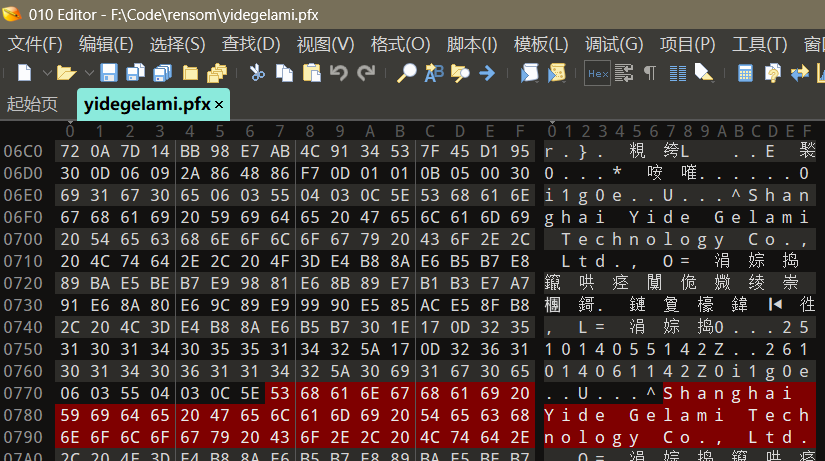
5. 挂载虚拟磁盘,恢复勒索病毒文件,勒索病毒伪造了某单位的证书签名,给出该单位名称全拼
(全小写,例:北京心脏跳动有限公司->beijingxinzangtiaodongyouxiangongsi)。
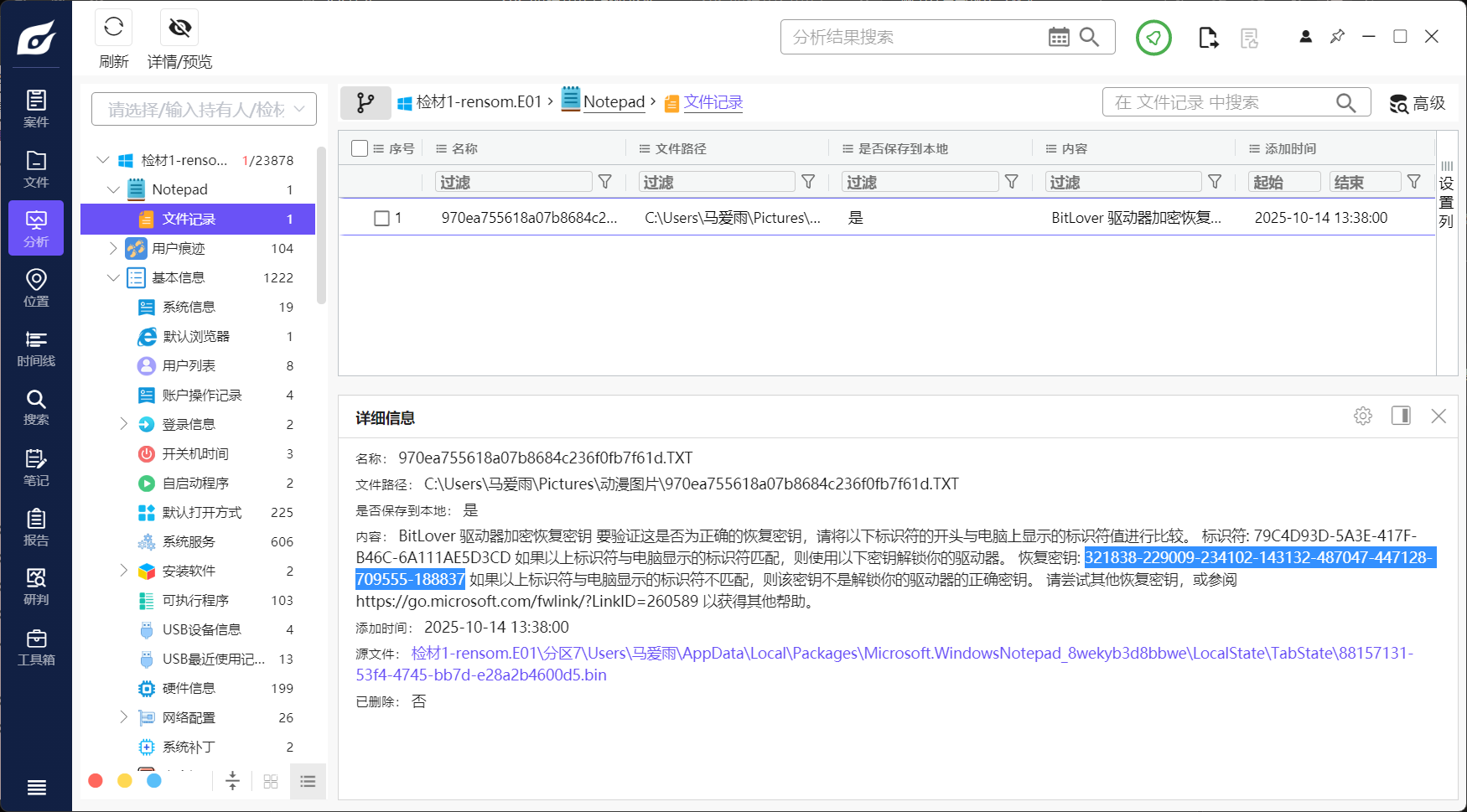
找到密钥
010可以找到公司名字
DFIR-archer
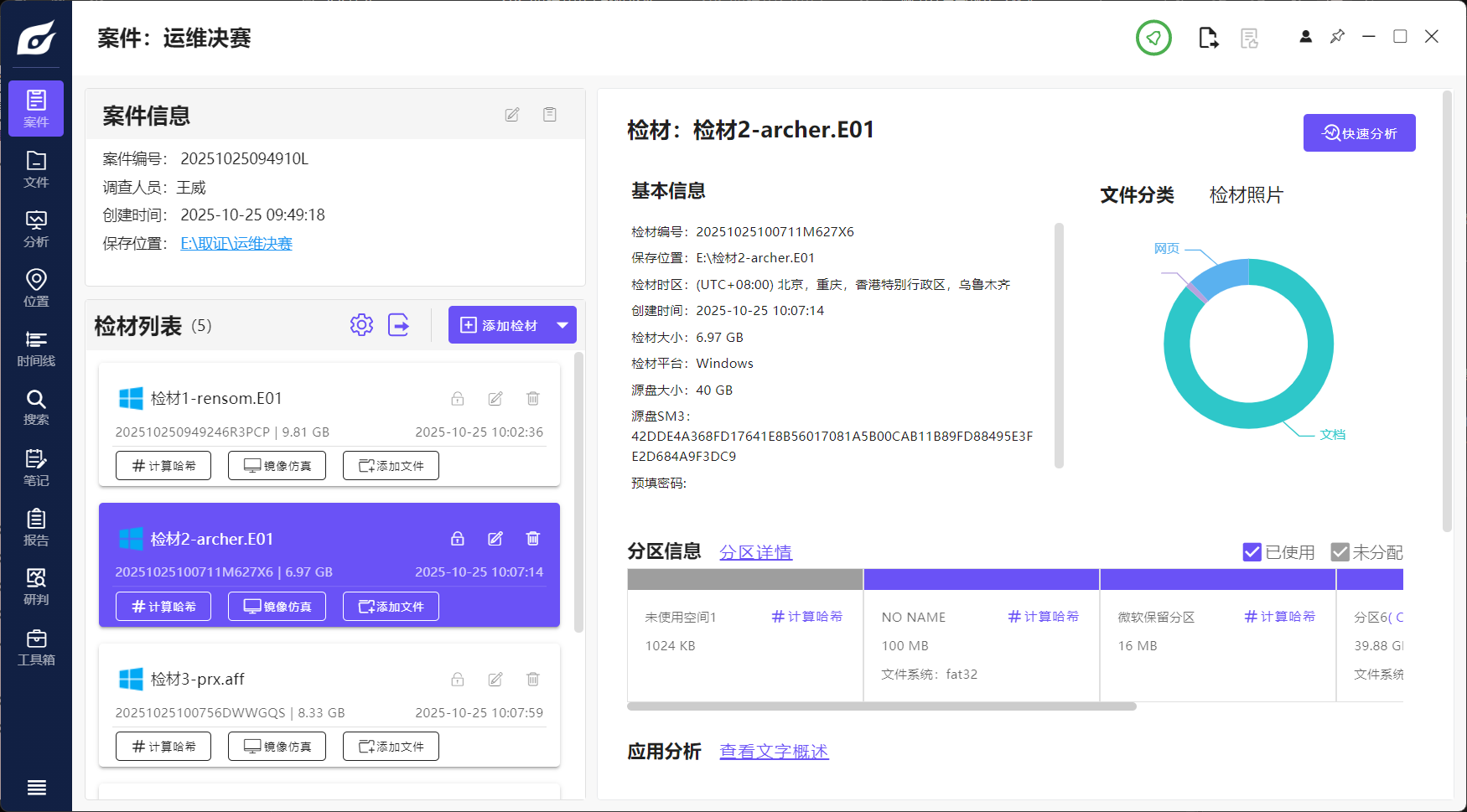
1. 加载镜像文件后,计算检材源盘数据的SM3校验值。(镜像格式E01,全大写)
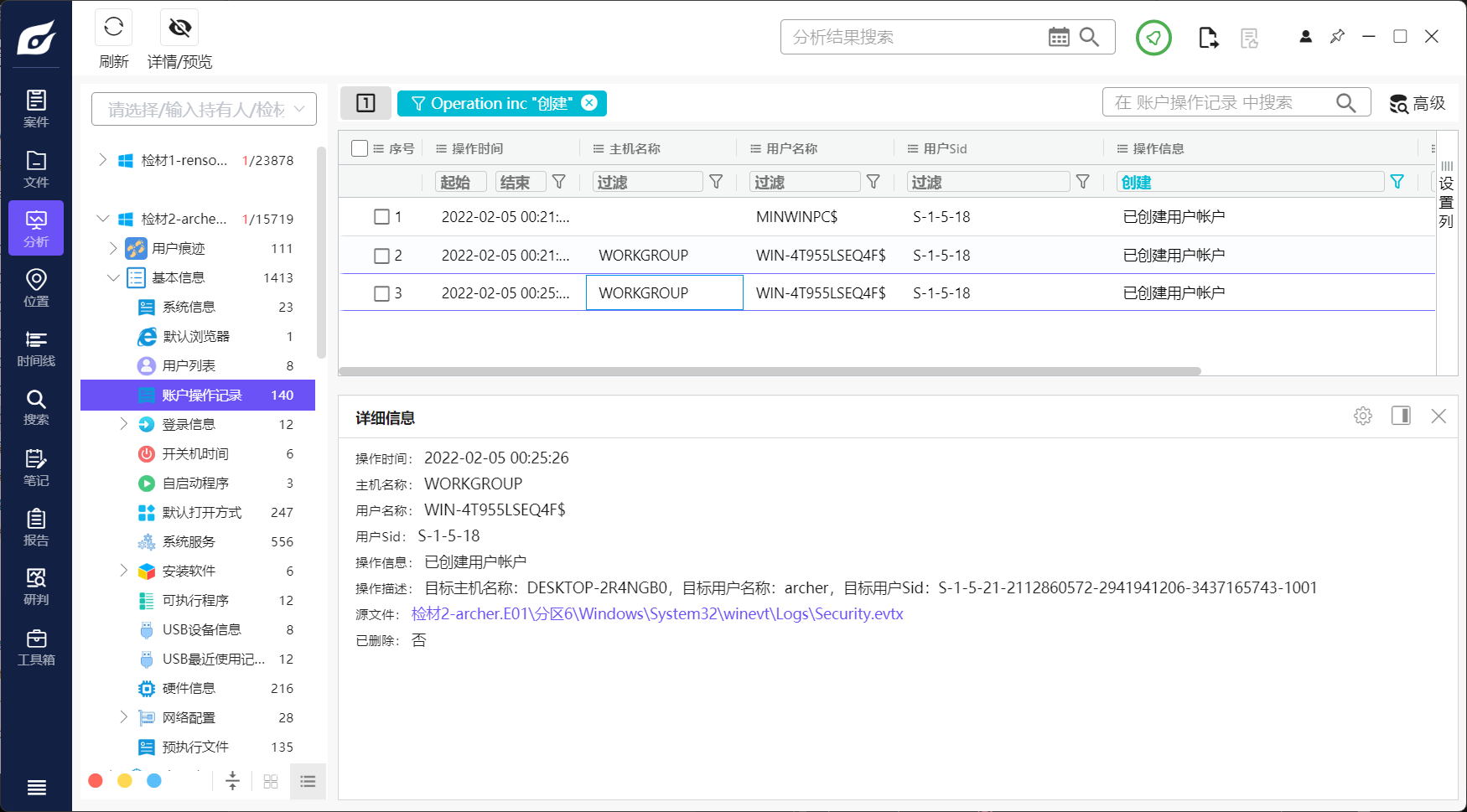
2. 给出用户账户“archer”的创建时间。(格式:2001-12-21 05:23:15 精确到秒)
2022-02-05 00:25:26
3. 给出VeraCrypt加密卷解密的密码。
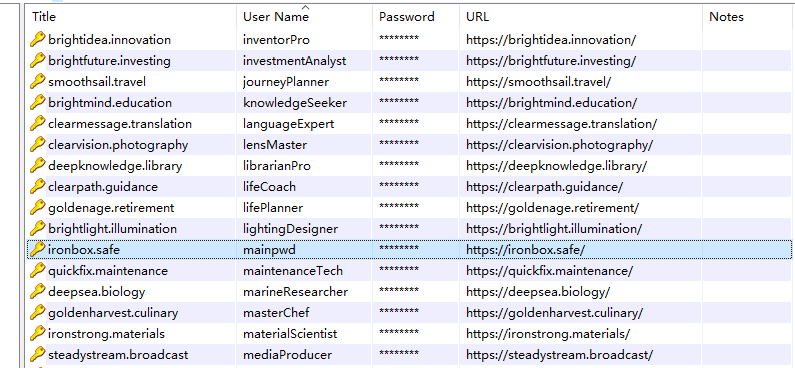
题目提示了一个密码*#*#4636#*#*,这就是仿真之后keepass的登陆密码
尝试一下发现mainpwd是对的
PqR$34%sTuVwX
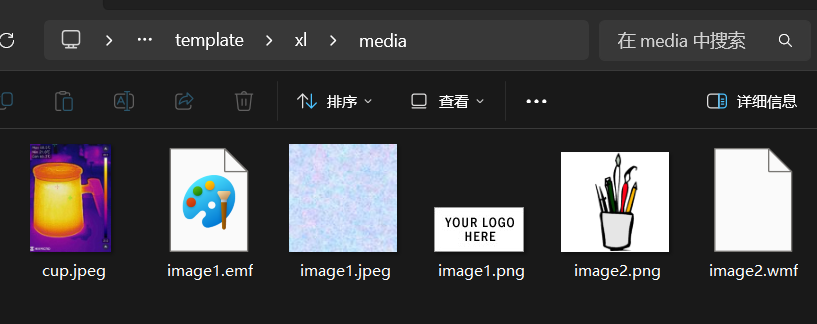
4. VeraCrypt加密卷中的最新的Excel中有一张热成像图片,计算该图片的SM3校验值(全大写)
直接把所有文件修改成zip之后暴力解压,找到template\xl\media就能看到图片
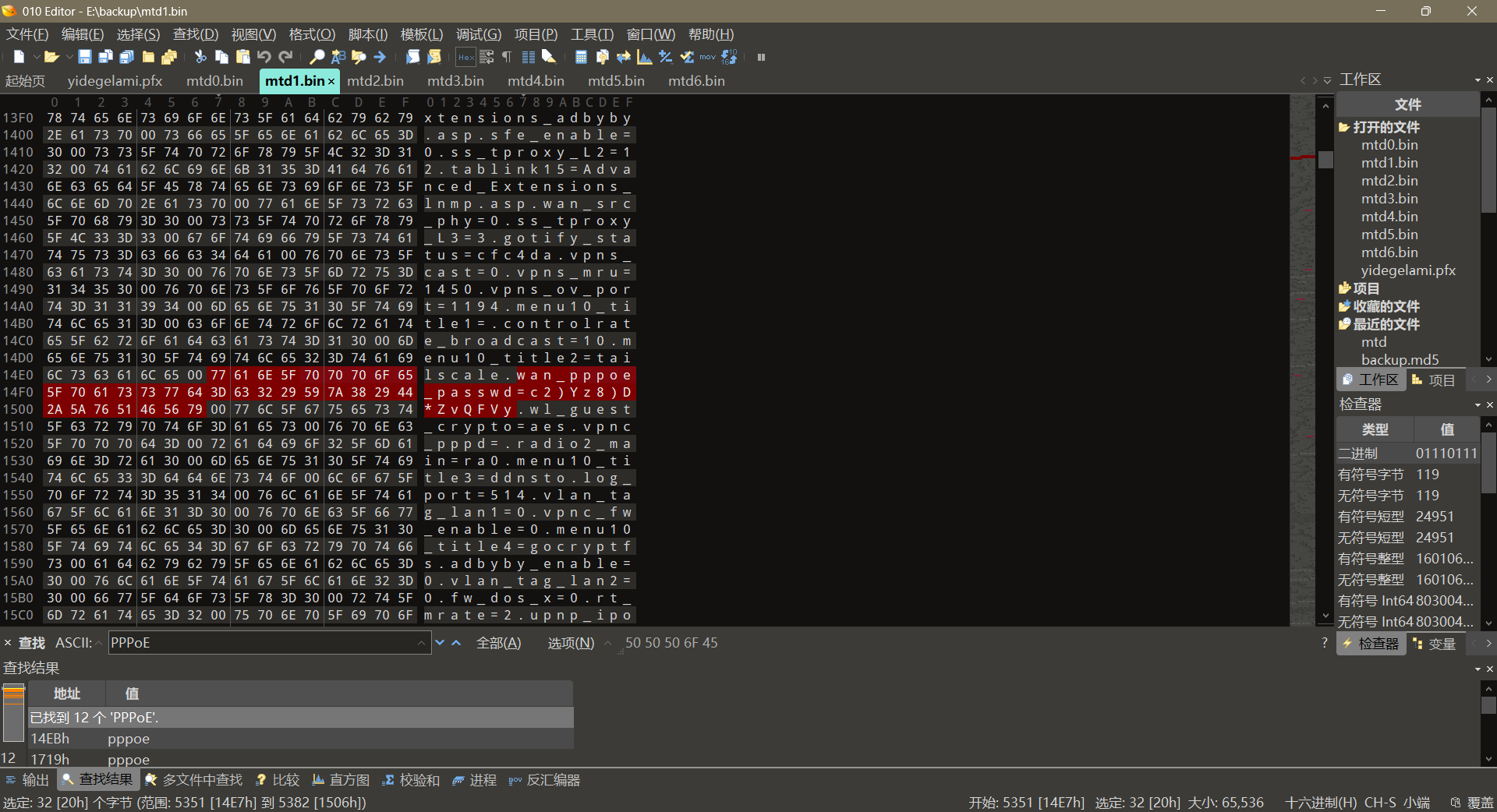
5. VeraCrypt加密卷中有一个路由器备份镜像,请给出其中的PPPoE账号
010直接搜,比赛的时候没做出来/(ㄒoㄒ)/~~
DFIR-prx
1. 请给出该计算机的最后一次异常关机的开机时间
(格式:2001-12-21 05:23:15 精确到秒)
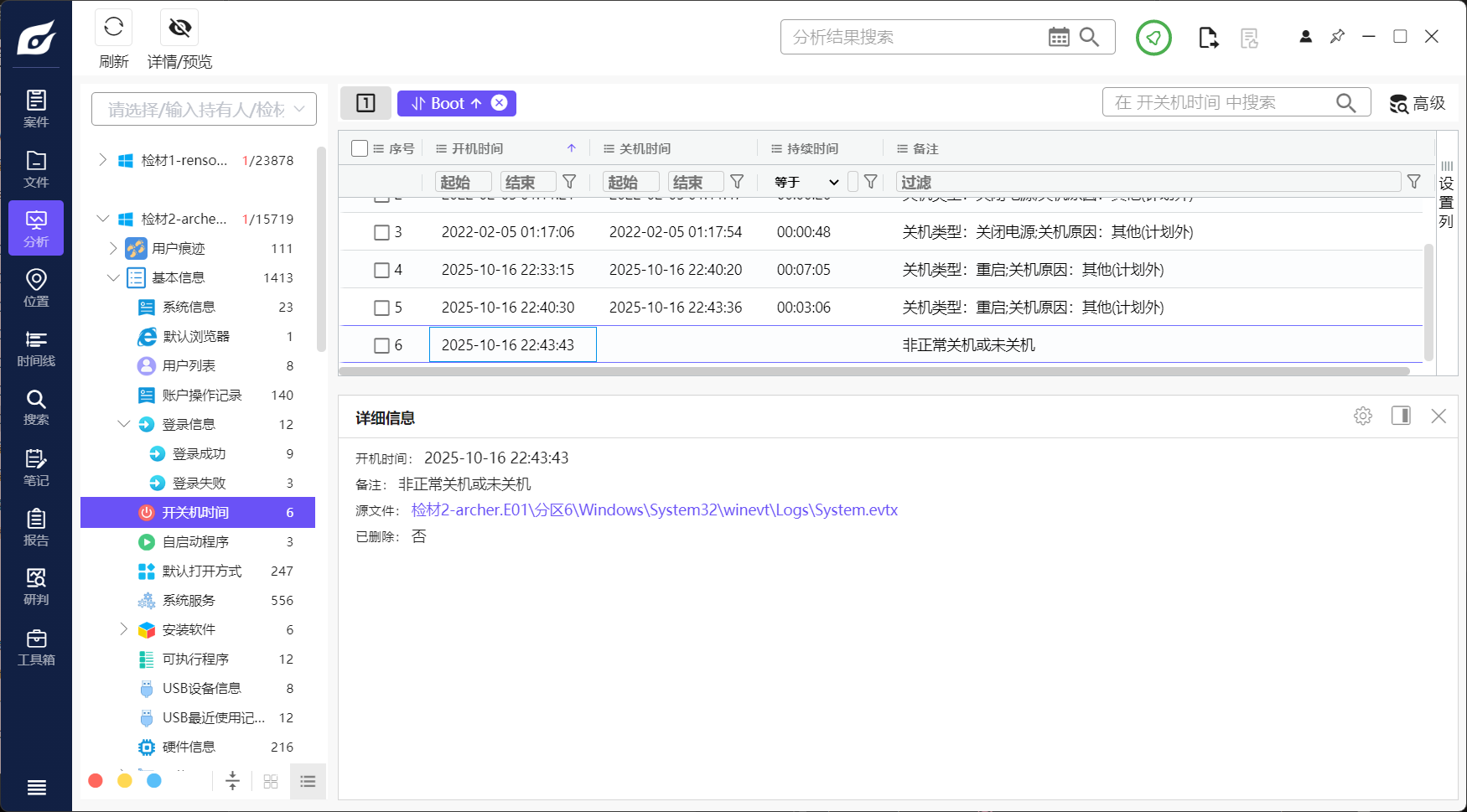
不知道为什么是这个,都试了一下
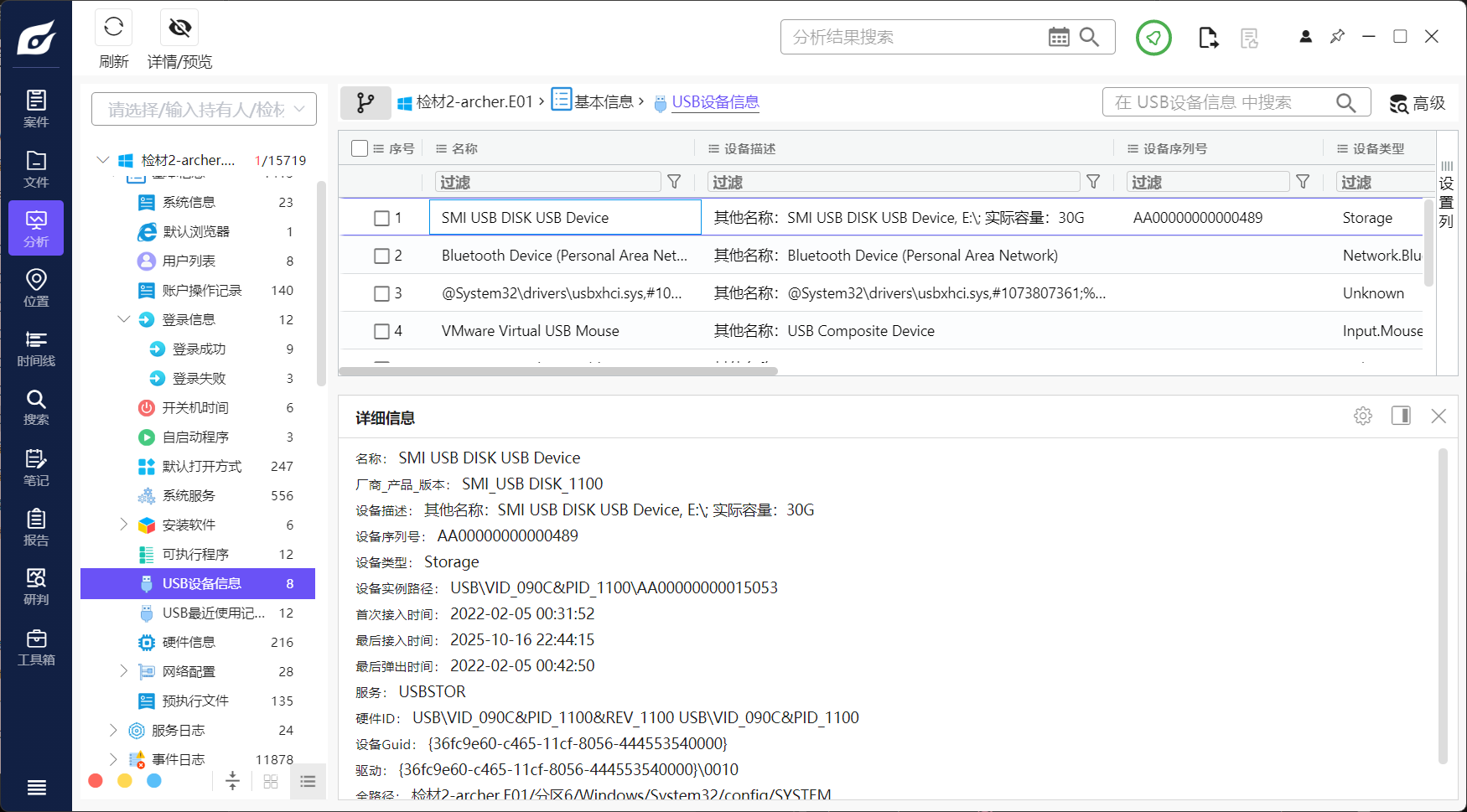
1. 该系统中曾经插入过一个USB设备“SMI USB DISK”,请给出他的序列号
1. 镜像中安装了代理工具 “Flclash”,请给出使用了“globaldns”作为域名服务器的代理配置文件中,使用***协议的代理节点对应的UUID (全大写)
全局搜globaldns
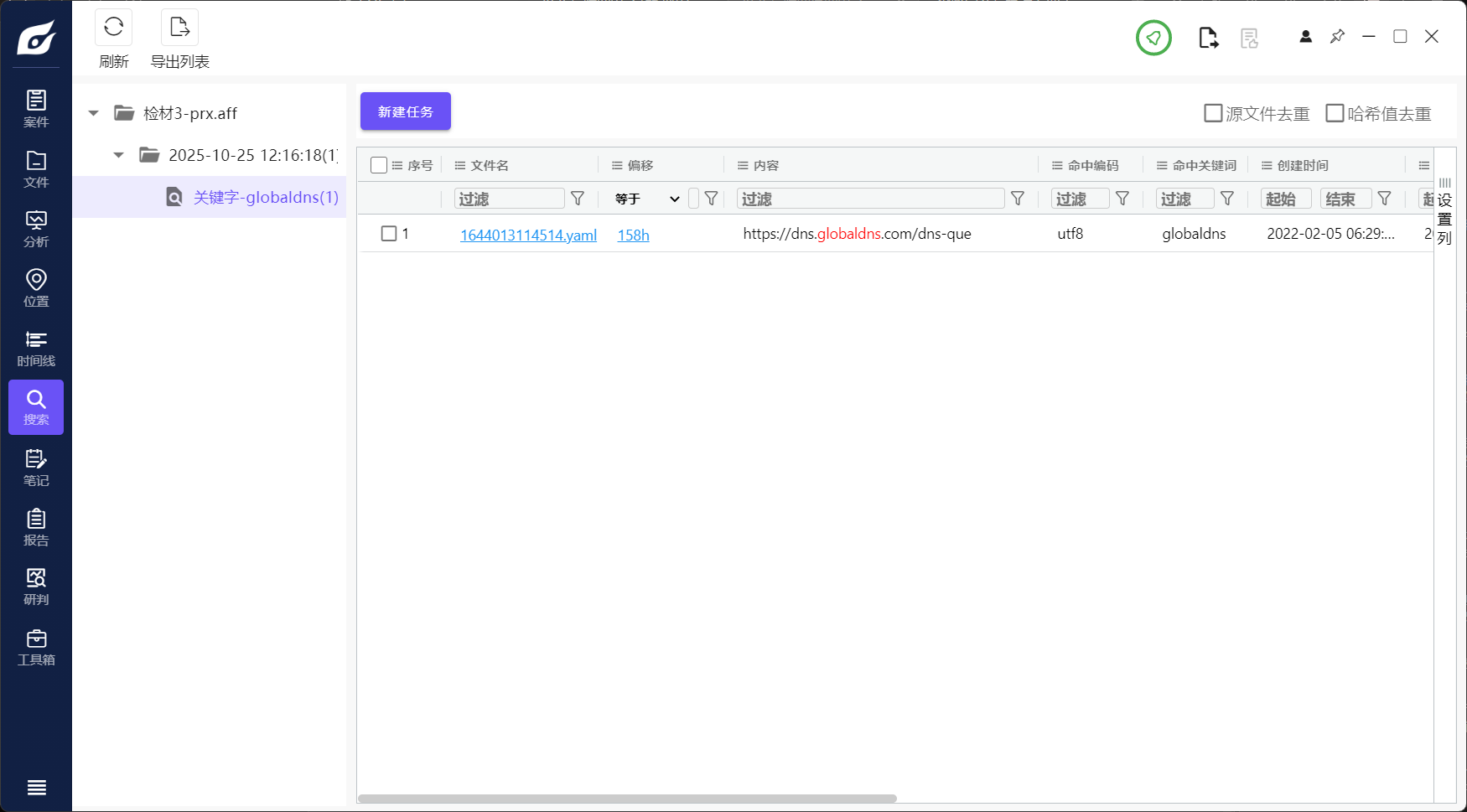
打开找到uuid

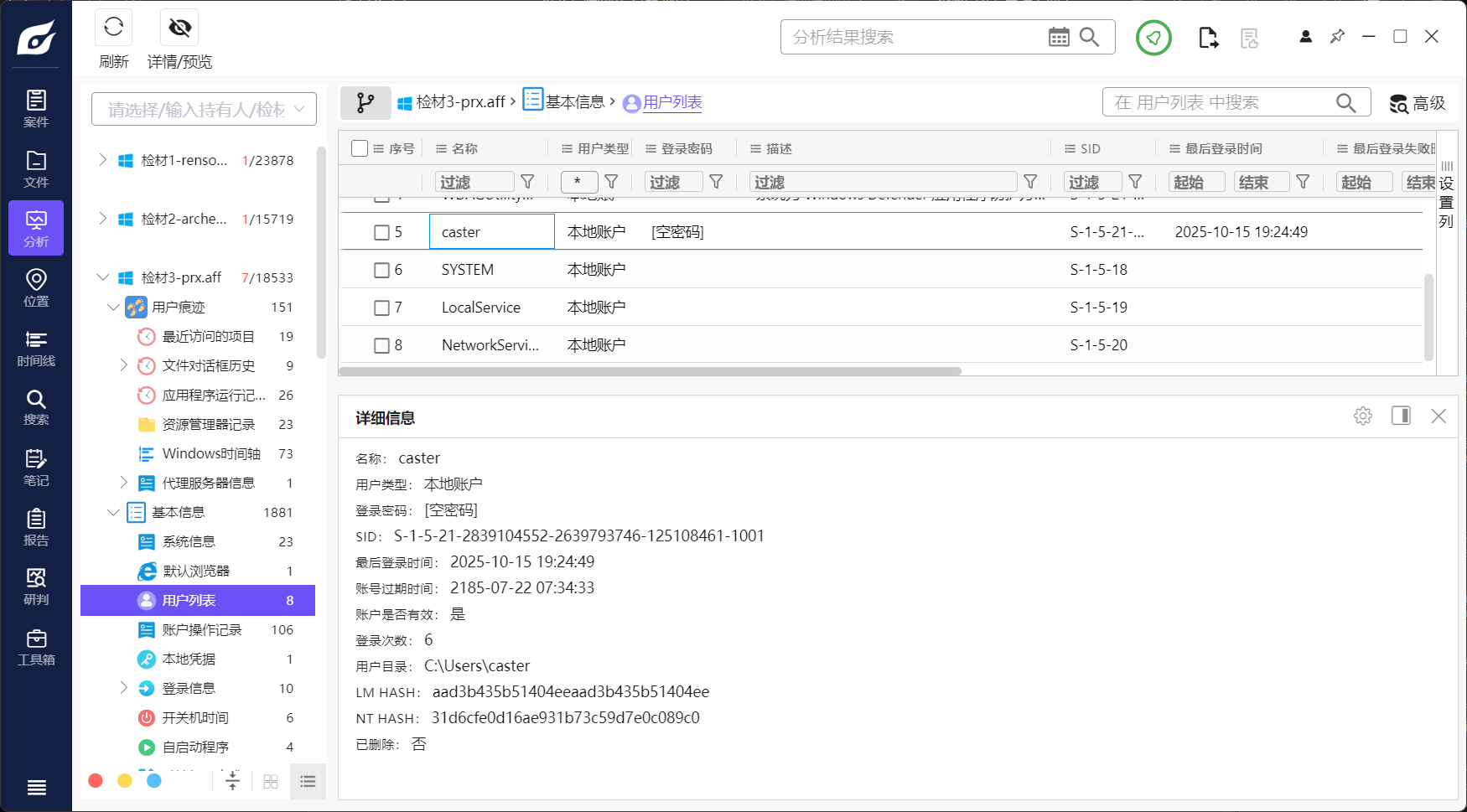
1. 用户在导入代理文件后,删除了复制进计算机的代理配置文件,请给出删除该文件的账户SID
在回收站里
其实猜测也应该知道是当前用户删的
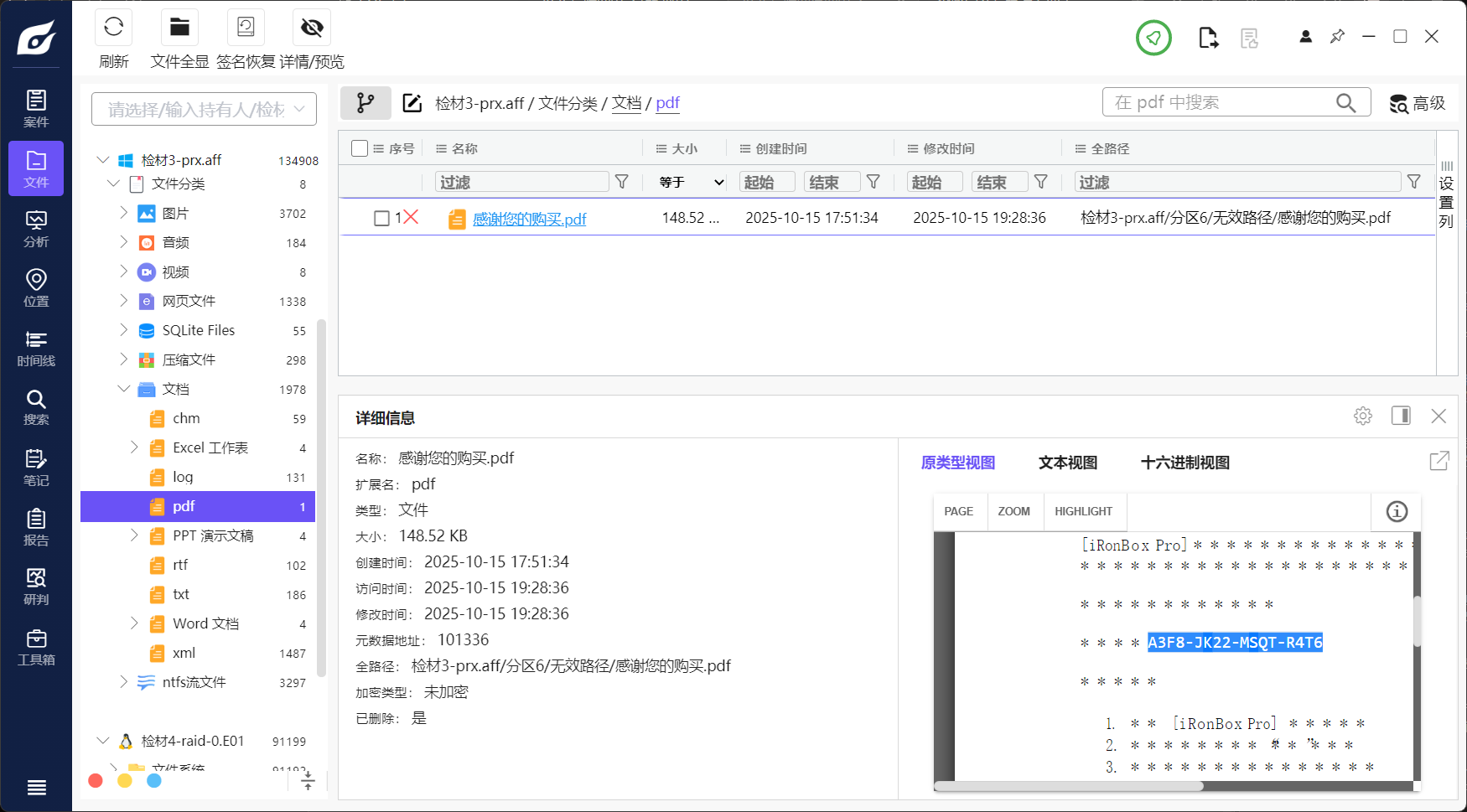
2. 用户在境外网站下载了一个PDF并进行了打印,请给出打印内容中的软件序列号
pdf电脑里就一个
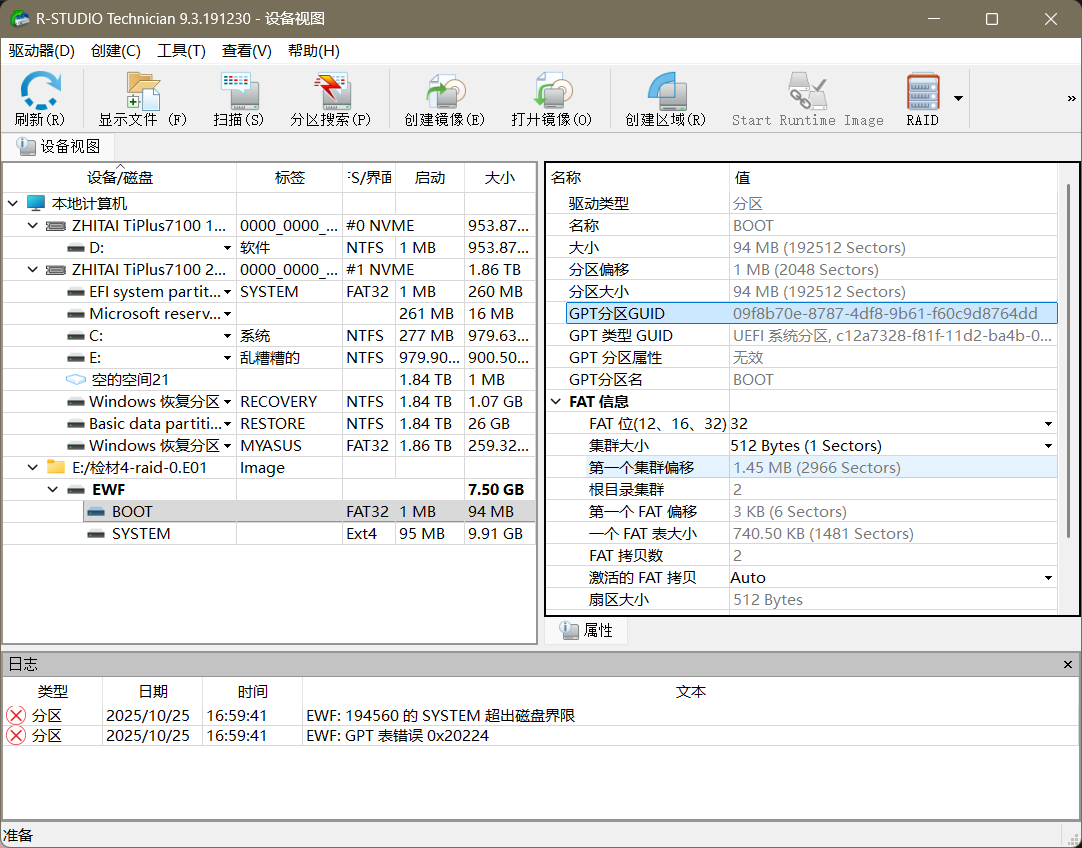
DFIR-RAID
1. 给出引导分区的UUID(如:84f012d9-1880-4306-9ce3-00695f81771c)。
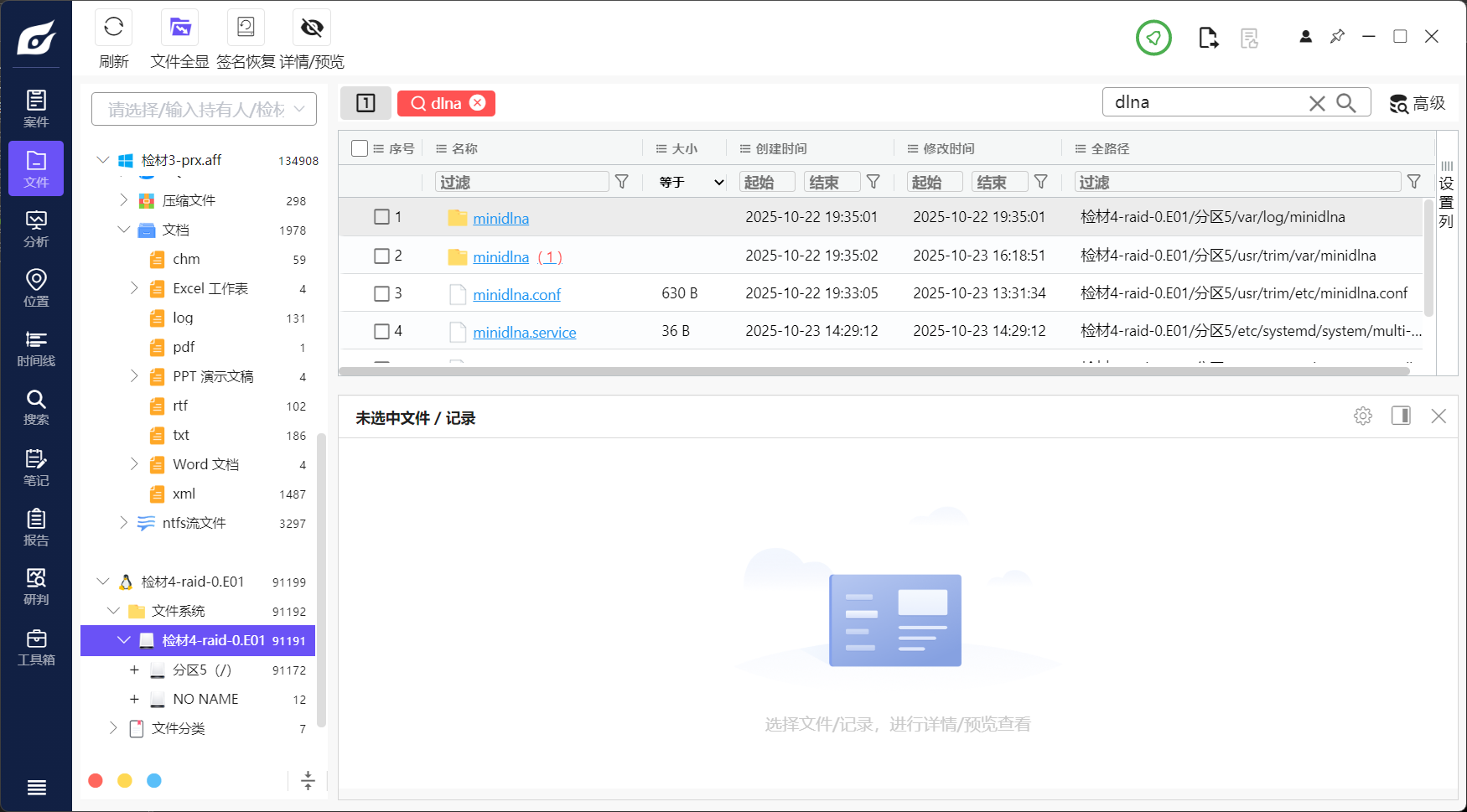
2. 给出系统DLNA服务端的版本号(如:1.14.514)。
火眼里搜出来是minidlna
仿真raid-0的服务器
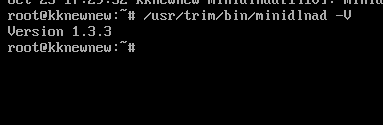
二进制文件在/usr/trim/bin/minidlnad
进入后发现--help是帮助,-V是版本查看(太坑人了输-v没反应)
3. 给出名为newnew的LVM卷组的UUID(大小写字母+数字,如:FmGRh3-zhok-iVI8-7qTD-S5BI-MAEN-NYM5Sk)。

MISC-PCAP
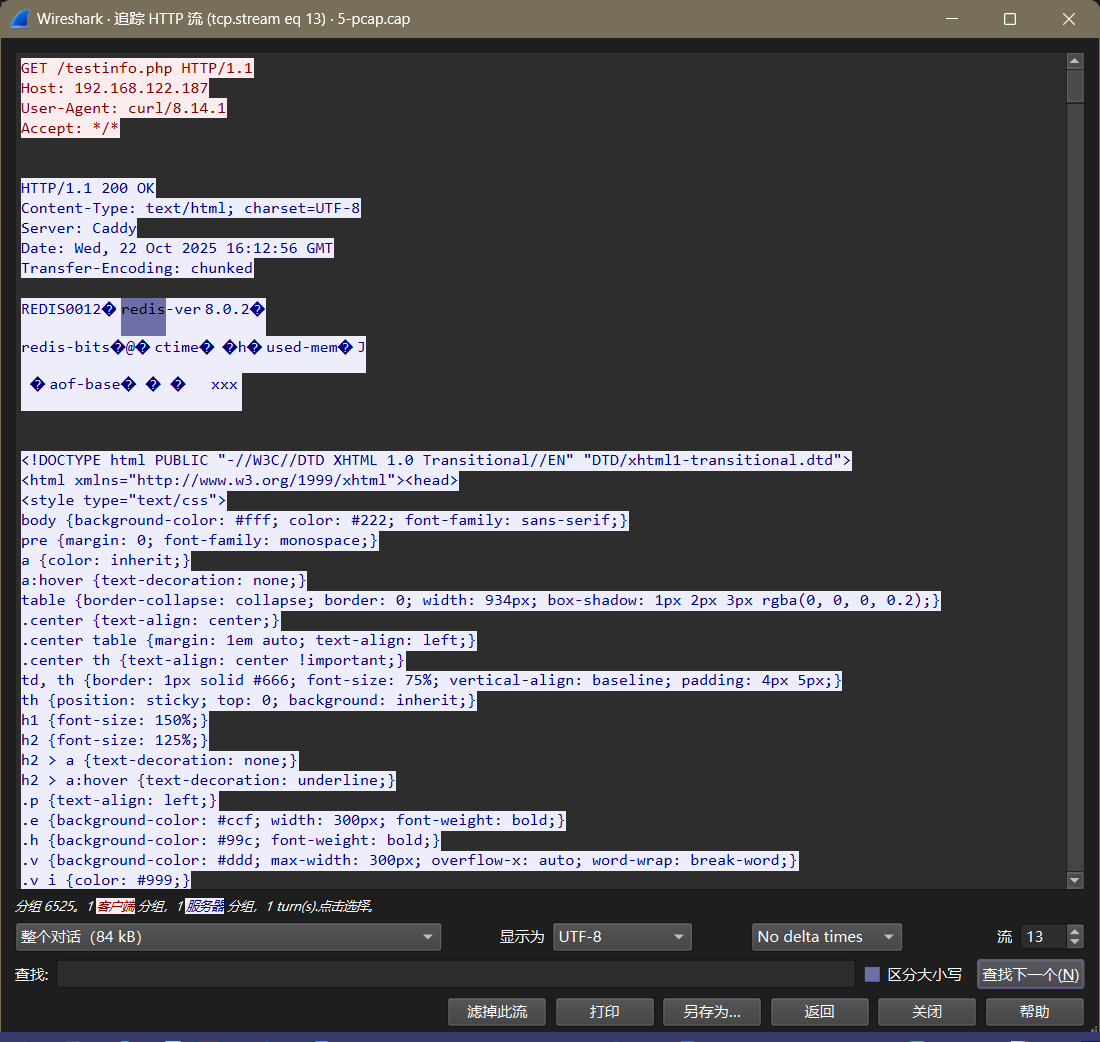
1. 被攻击的服务名称为(全小写,如elasticsearch)。
http流发现是redis
2. 攻击者第二次攻击尝试时使用的密码。
tcp流
第一次的
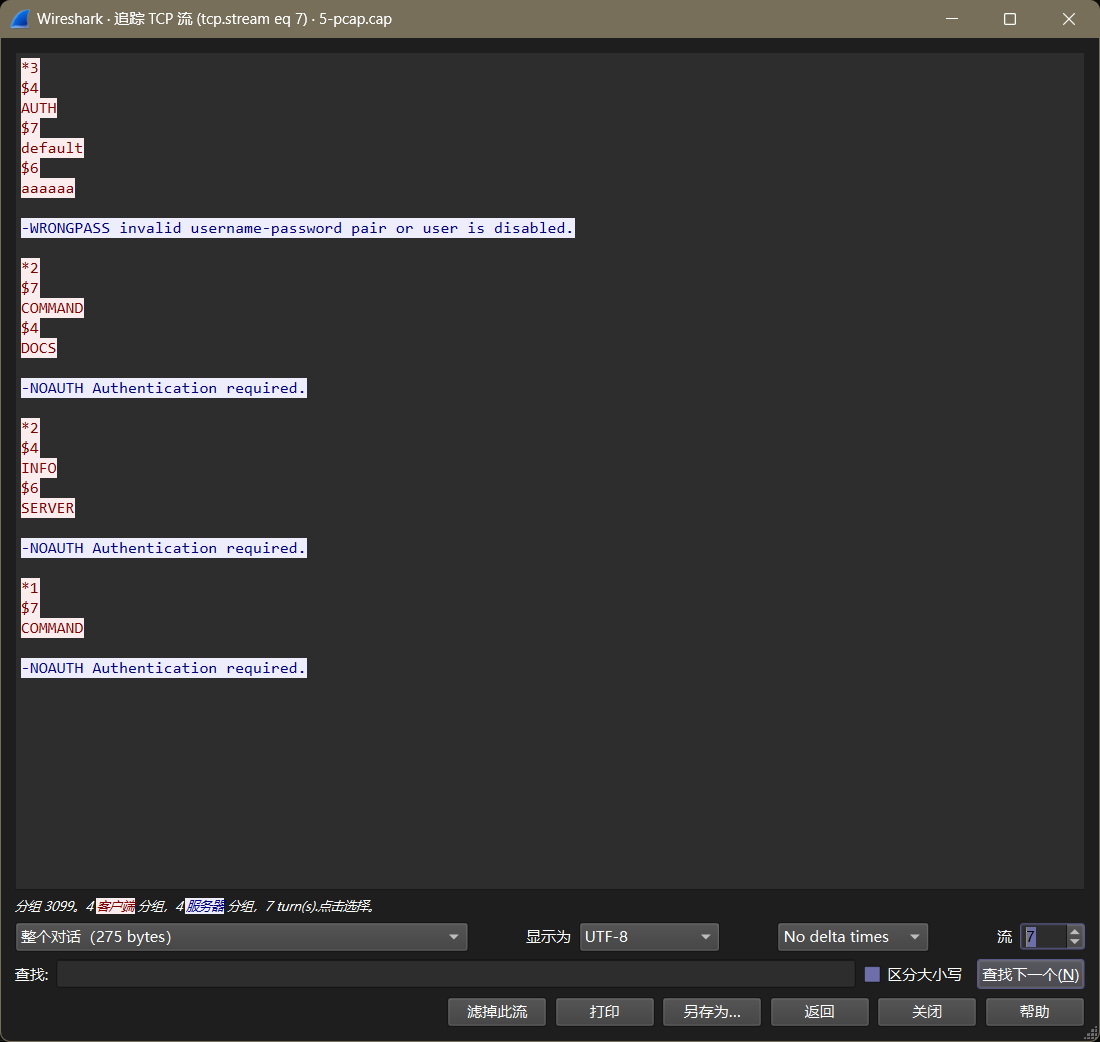
第二次的

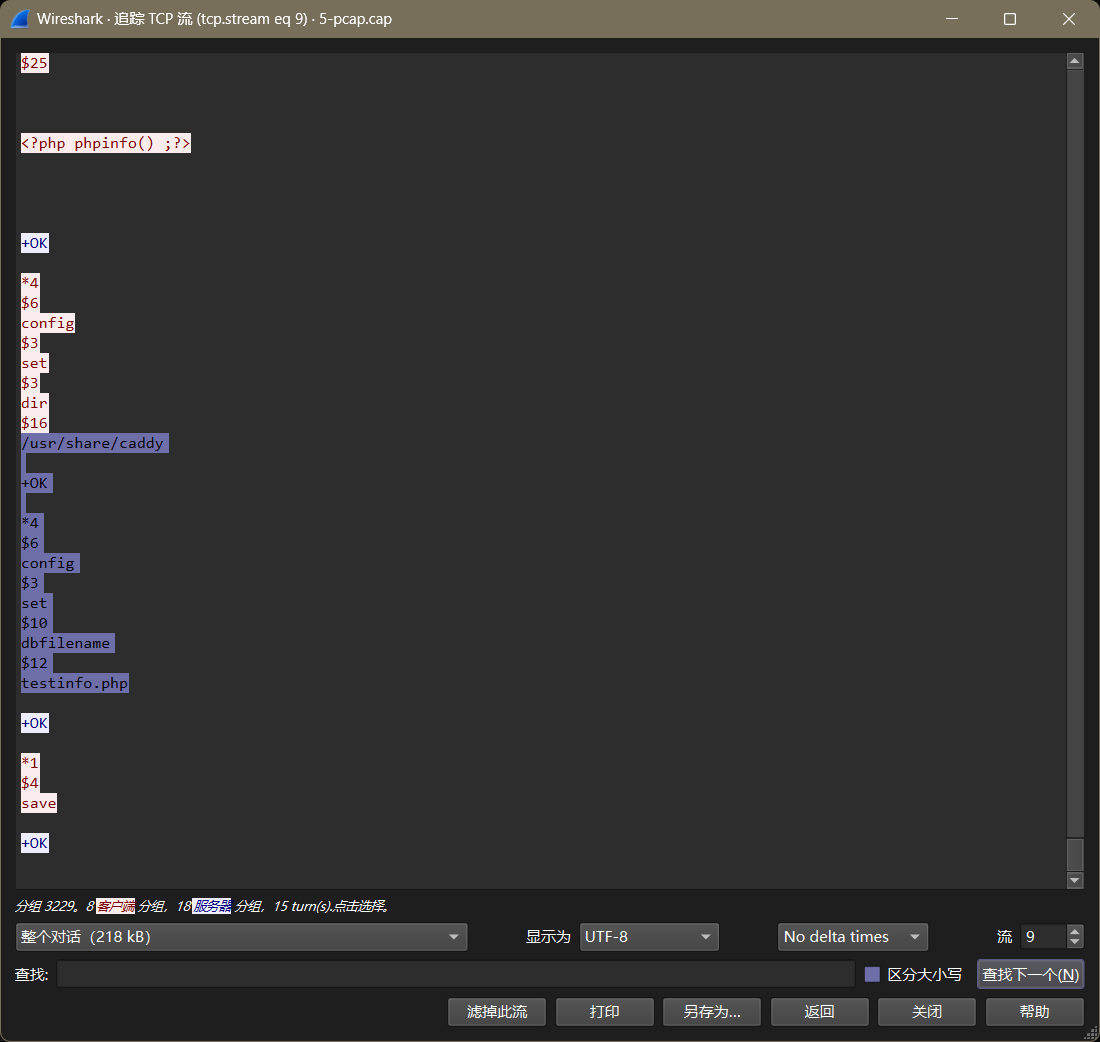
3. 攻击过程中写入文件的绝对路径。
/usr/share/caddy/testinfo.php

 浙公网安备 33010602011771号