
【Eureka】搭建微服务框架
1.搭建Eureka服务
1.创建Maven项目,pom.xml文件添加如下依赖:
<parent>
    <groupId>org.springframework.cloud</groupId>
    <artifactId>spring-cloud-starter-parent</artifactId>
    <version>Edgware.SR6</version>
</parent>

<dependencies>
    <dependency>
        <groupId>org.springframework.cloud</groupId>
        <artifactId>spring-cloud-starter</artifactId>
    </dependency>
    <dependency>
        <groupId>org.springframework.cloud</groupId>
        <artifactId>spring-cloud-starter-netflix-eureka-server</artifactId>
    </dependency>
    <dependency>
        <groupId>org.springframework.boot</groupId>
        <artifactId>spring-boot-starter-security</artifactId>
    </dependency>
    <dependency>
        <groupId>org.springframework.boot</groupId>
        <artifactId>spring-boot-starter-test</artifactId>
        <scope>test</scope>
    </dependency>
</dependencies>

<build>
    <plugins>
        <plugin>
            <groupId>org.springframework.boot</groupId>
            <artifactId>spring-boot-maven-plugin</artifactId>
        </plugin>
    </plugins>
</build>
这里注意版本,我这里用的E版,不同的版本里用到的有些组件版本有一些不同。
2.新建启动类:
1 @SpringBootApplication
2 @EnableEurekaServer
3 public class App {
4     public static void main(String[] args){
5         SpringApplication.run(App.class,args);
6     }
7 }
3.新建配置文件application.yml
spring:
  application:
    name: eureka-server

eureka:
  instance:
    hostname: 127.0.0.1
  client:
    register-with-eureka: false
    fetch-registry: false
    service-url:
      defaultZone: http://${security.user.name}:${security.user.password}@${eureka.instance.hostname}:${server.port}/eureka/
    server:
      enable-self-preservation: false
      eviction-interval-timer-in-ms: 10000

server:
  port: 10050
  tomcat:
    uri-encoding: utf-8

security:
  basic:
    enabled: true
  user:
    name: admin
    password: 123456
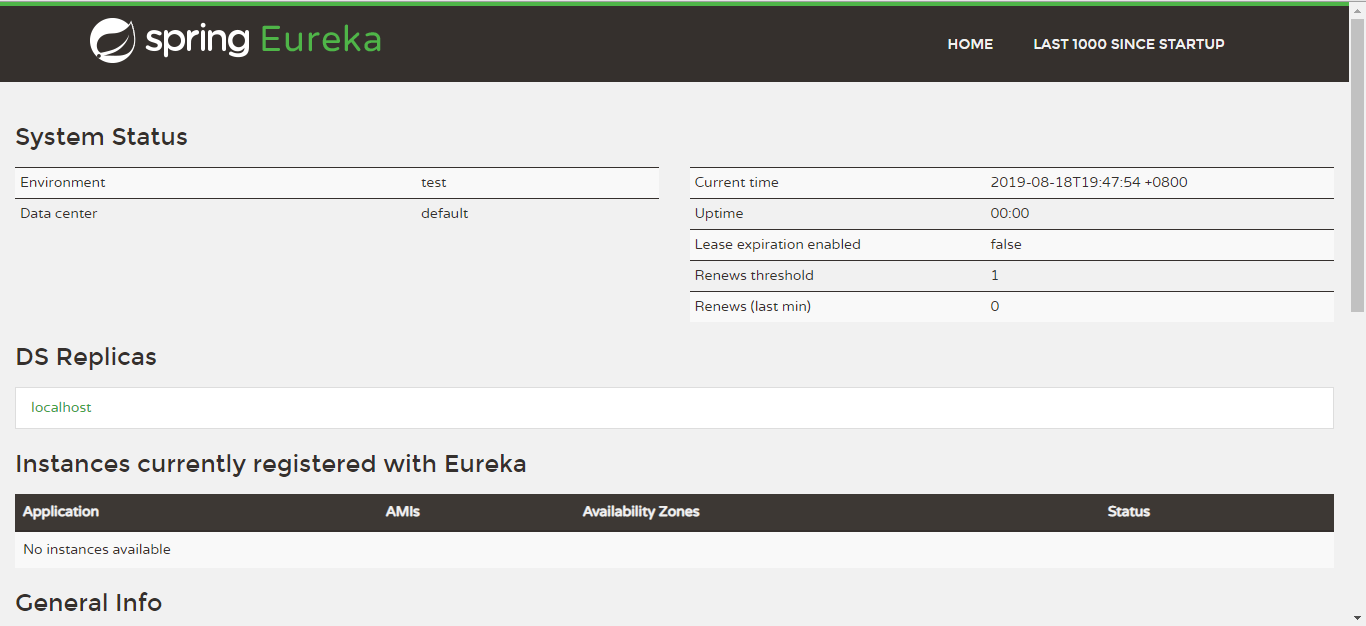
4.启动项目,浏览器中输入127.0.0.1:10050查看
2.搭建服务
1.引进springboot项目,在pom.xml中加入:
 <parent>
        <groupId>org.springframework.cloud</groupId>
        <artifactId>spring-cloud-starter-parent</artifactId>
        <version>Edgware.SR6</version>
    </parent>

    <dependencies>
        <dependency>
            <groupId>org.springframework.cloud</groupId>
            <artifactId>spring-cloud-starter-netflix-eureka-client</artifactId>
        </dependency>
        <dependency>
            <groupId>org.springframework.boot</groupId>
            <artifactId>spring-boot-starter-actuator</artifactId>
        </dependency>
        <dependency>
            <groupId>org.springframework.boot</groupId>
            <artifactId>spring-boot-starter-test</artifactId>
            <scope>test</scope>
        </dependency>
    </dependencies>
2.新建application.yml文件:
spring:
  application:
    name: eureka-client

eureka:
  client:
    service-url:
      defaultZone: http://${security.user.name}:${security.user.password}@127.0.0.1:10050/eureka/
  instance:
    prefer-ip-address: true
    instance-id: ${spring.application.name}:${spring.cloud.client.ipAddress}:${server.port}
    lease-renewal-interval-in-seconds: 3
    lease-expiration-duration-in-seconds: 9

server:
  port: 10051

security:
  user:
    name: admin
    password: 123456

info:
  app:
    name: "eureka-client"
    description: "eureka-client程序"
    version: "0.0.1"
3.修改启动项
@SpringBootApplication
@EnableDiscoveryClient
public class App {
    public static void main(String[] args) {
        SpringApplication.run(App.class, args);
    }
}
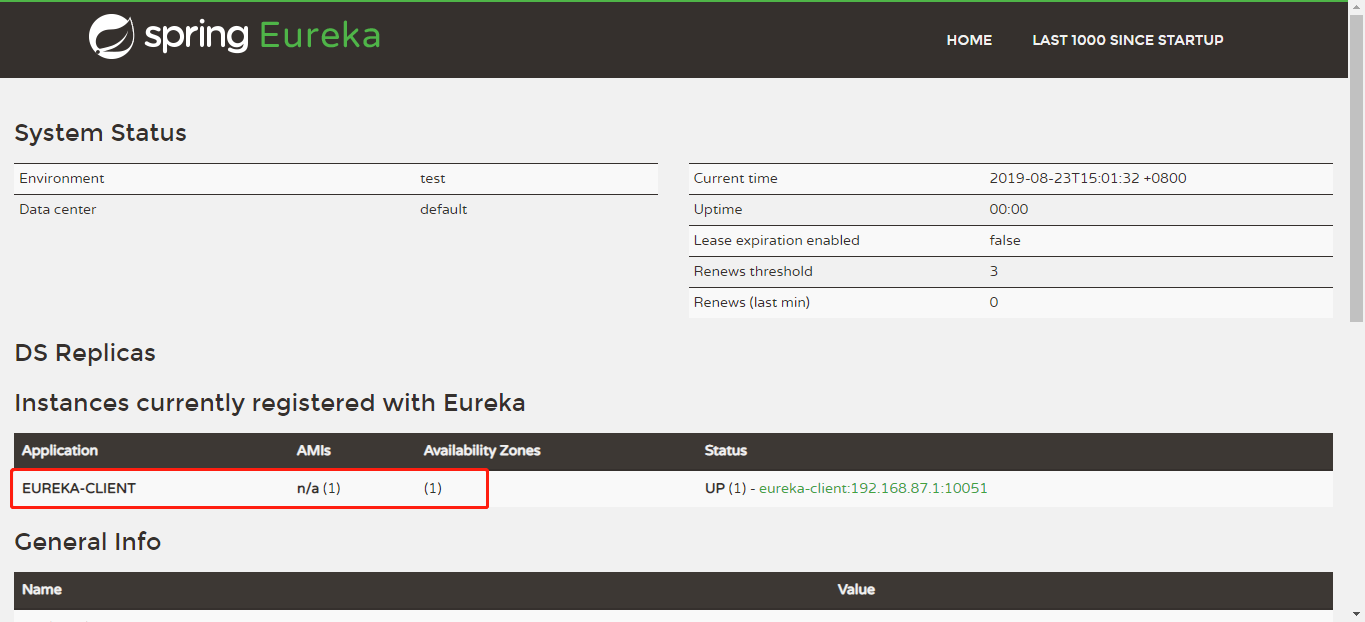
启动后如下图所示,成功:

 浙公网安备 33010602011771号