

手写输入法
来到新公司三个月了,碰到的新奇的功能有写一个手写输入法组件,具体实现思想为:
- 创建一个画布供用户写字
- 画布中如果有字且已经一秒钟都没有变,就把画布中笔画的坐标作为接口入参,获取到响应后清除画布中的笔画,并把响应中的文字显示在画布右侧,用户点击选择右侧的字
效果如图:
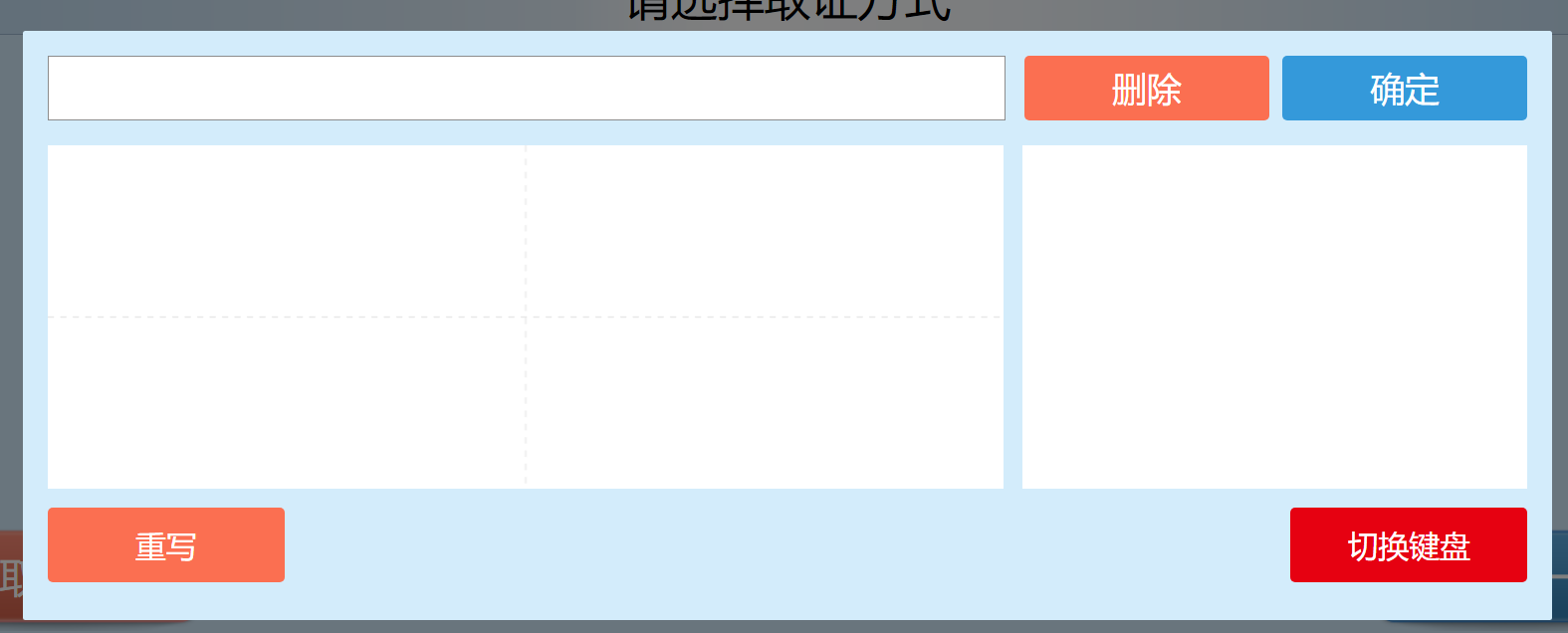
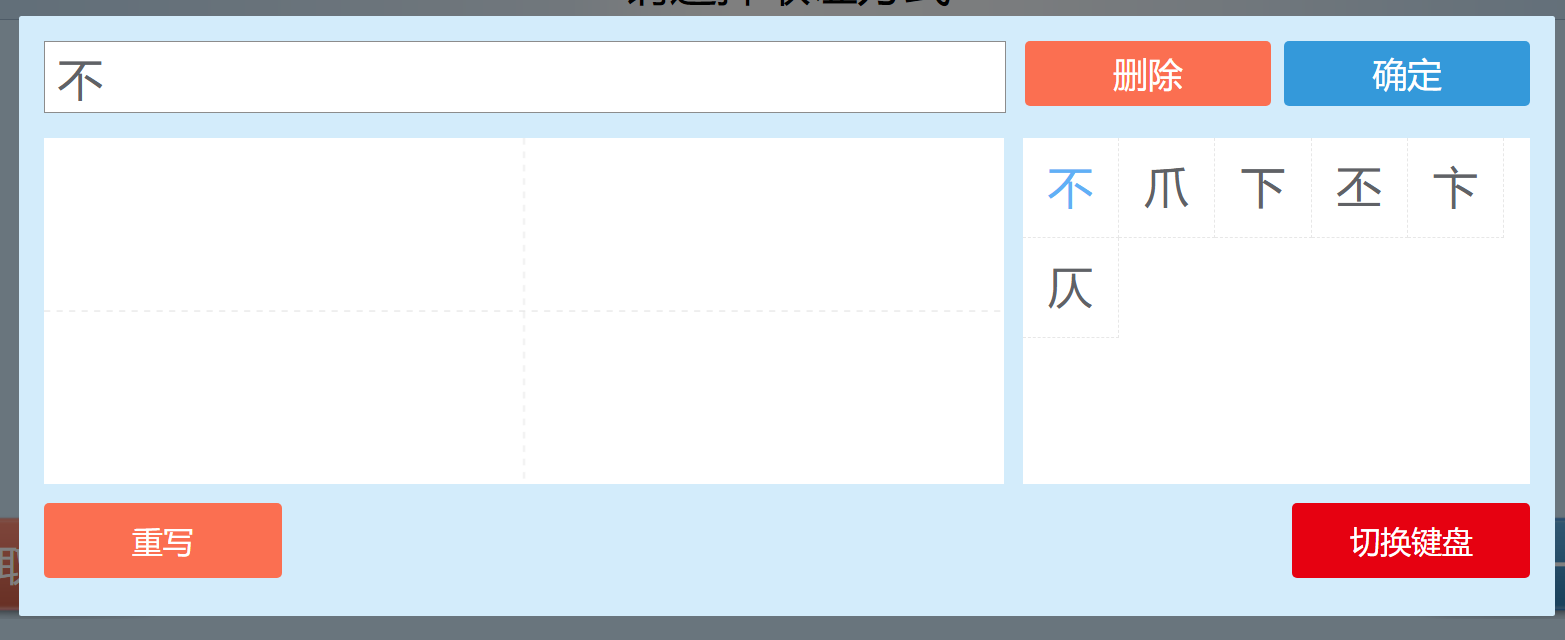
3、实现核心代码:
// 触摸
    initCanvas () {
      if (!this.canvas) {
        return;
      }
      let canvasWidth = document.documentElement.clientWidth / 2;
      let canvasHeight = document.documentElement.offsetHeight * 0.3;
      this.canvas.width = canvasWidth;
      this.canvas.height = canvasHeight;
      this.$refs.wordBtn.style.width = this.$refs.result.offsetWidth + "px";
      this.drawBackground();
      this.canvas.addEventListener(
        "touchstart",
        (event) => {
          document.addEventListener("touchstart", this.preHandler, {
            passive: false,
          });
          this.drawBegin(event);
        },
        { passive: false }
      );
      this.canvas.addEventListener(
        "touchend",
        (event) => {
          document.addEventListener("touchend", this.preHandler, {
            passive: false,
          });
          this.drawEnd();
        },
        { passive: false }
      );
    },
    drawBegin (e) {
      this.stageInfo = this.canvas.getBoundingClientRect();
      // 双击禁止选择文字
      // window.getSelection()
      //   ? window.getSelection().removeAllRanges()
      //   : document.selection.empty();
      this.cxt = this.canvas.getContext("2d");
      this.cxt.strokeStyle = "#000";
      this.cxt.beginPath();
      let x = e.changedTouches[0].clientX - this.stageInfo.left;
      let y = e.changedTouches[0].clientY - this.stageInfo.top;
      this.cxt.moveTo(x, y);
      this.writingPos.push({ x: Math.round(x), y: Math.round(y) });
      this.canvas.addEventListener(
        "touchmove",
        (e) => {
          this.drawing(e);
        },
        { passive: false }
      );
    },
    drawing (e) {
      let x = e.changedTouches[0].clientX - this.stageInfo.left;
      let y = e.changedTouches[0].clientY - this.stageInfo.top;
      this.cxt.lineTo(x, y);
      this.writingPos.push({ x: Math.round(x), y: Math.round(y) });
      this.cxt.lineWidth = 4;
      this.cxt.stroke();
    },
    drawEnd () {
      let beforeCanvas = this.canvas.toDataURL();
      this.writingPos.push({ x: 0, y: 0 });
      setTimeout(() => {
        if (
          beforeCanvas === this.canvas.toDataURL() &&
          this.writingPos.length > 0
        ) {
          // 调用输入法接口
          this.getWordOptions();
        }
      }, 1000);
      this.cxt.closePath();
      document.removeEventListener("touchstart", this.preHandler, false);
      document.removeEventListener("touchend", this.preHandler, false);
      document.removeEventListener("touchmove", this.preHandler, false);
    },
    preHandler (e) {
      if (e.preventDefault) {
        e.preventDefault();
      } else {
        e.returnValue = false;
      }
    },
    //鼠标
    mouseInitCanvas () {
      if (!this.canvas) {
        return;
      }
      let canvasWidth = document.documentElement.clientWidth / 2;
      let canvasHeight = document.documentElement.offsetHeight * 0.3;
      this.canvas.width = canvasWidth;
      this.canvas.height = canvasHeight;
      this.drawBackground();
      this.canvas.addEventListener(
        "mousedown",
        (event) => {
          document.addEventListener("mousedown", this.preHandler, {
            passive: false,
          });
          this.mouseDrawBegin(event);
        },
        { passive: false }
      );
      this.canvas.addEventListener(
        "mousemove",
        (e) => {
          this.mouseDrawing(event);
        },
        { passive: false }
      );
      this.canvas.addEventListener(
        "mouseup",
        (event) => {
          document.addEventListener("mouseup", this.preHandler, {
            passive: false,
          });
          this.mouseDrawEnd(event);
        },
        { passive: false }
      );
    },
    mouseDrawBegin (e) {
      this.stageInfo = this.canvas.getBoundingClientRect();
      window.getSelection()
        ? window.getSelection().removeAllRanges()
        : document.selection.empty();
      this.cxt.strokeStyle = "#000";
      this.cxt.beginPath();
      this.cxt.moveTo(e.offsetX, e.offsetY);
      this.writingPos.push({ x: e.offsetX, y: e.offsetY });
      this.drawingshow = 1;
    },
    mouseDrawing (e) {
      if (this.drawingshow === 1) {
        this.writingPos.push({ x: e.offsetX, y: e.offsetY });
        this.cxt.lineTo(e.offsetX, e.offsetY);
        this.cxt.lineWidth = 4;
        this.cxt.stroke();
      } else if (this.drawingshow === 0) {
        this.cxt.moveTo(e.offsetX, e.offsetY);
      } else {
        this.cxt.closePath();
      }
    },
    mouseDrawEnd (e) {
      let beforeCanvas = this.canvas.toDataURL();
      this.writingPos.push({ x: 0, y: 0 });
      setTimeout(() => {
        if (
          beforeCanvas === this.canvas.toDataURL() &&
          this.writingPos.length > 0
        ) {
          // 调用输入法接口
          this.getWordOptions();
        }
      }, 1000);
      this.cxt.closePath();
      this.drawingshow = 2;
      document.removeEventListener("mousedown", this.preHandler, {
        passive: false,
      });
      document.removeEventListener("mouseup", this.preHandler, {
        passive: false,
      });
      document.removeEventListener("mousemove", this.preHandler, {
        passive: false,
      });
    },
    clear () {
      if (this.cxt) {
        this.cxt.clearRect(0, 0, this.canvas.width, this.canvas.height);
        this.drawBackground();
      }
    },
    //绘制虚线
    drawDashed (x, y, x1, y1, color, width) {
      this.cxt.lineWidth = width;
      this.cxt.strokeStyle = color;
      this.cxt.beginPath();
      this.cxt.setLineDash([5, 5]);
      this.cxt.moveTo(x, y);
      this.cxt.lineTo(x1, y1);
      this.cxt.stroke();
      this.cxt.closePath();
      // 将线条转为实现
      this.cxt.setLineDash([]);
    },
    drawBackground () {
      //绘制水平线
      this.drawDashed(
        0,
        0.5 * this.canvas.height,
        this.canvas.width,
        0.5 * this.canvas.height,
        "#e7e7e7",
        1
      );
      //绘制垂直线
      this.drawDashed(
        this.canvas.width / 2,
        0,
        this.canvas.width / 2,
        this.canvas.height,
        "#e7e7e7",
        1
      );
    },
    getWordOptions() {
      // 将画布中写的字的坐标传给C#,获取到响应res
          (res) => {
            const resData = JSON.parse(res);
            const value = JSON.parse(resData.stateValue);
            // console.log("=======输入法响应=======", resData);
            if (resData.stateType === 0) {
              this.wordOptions = value;
              this.writingPos = [];
              this.words += value[0];
              this.clear();
            } else {
              api.openAlert(this, resData.stateMsg, "提示");
            }
          }
    }

 浙公网安备 33010602011771号