

详细介绍:少走弯路:uniapp里将h5链接打包为apk,并设置顶/底部安全区域自动填充显示,阻止webview默认全屏化
一、情况描述
我想实现的效果很简单:
将一个h5链接(如:https://mobile.baidu.com),用uniapp打包为一个apk,相当于浏览器外面套个壳,这样就可以安卓手机上进行安装了。
但是,在实际操作过程中,我遇到了:
1.由于webview组件会自动全屏化显示,导致手机顶部被刘海屏/摄像头等挡住了;
2.如果用原生标题栏,可以自动解决顶部安全区域,但又会太丑;
所以,如果能找个解决方案,解决上述几个痛点,就完美了。
话不多说,开干~
二、解决方法
首先,创建一个
index.vue页面,输入代码:
<template>
  <view>
  <web-view src="https://mobile.baidu.com"></web-view>
  </view>
</template>
<script>
  export default {
  data() {
  return {
  }
  }
  };
</script>
应该大功告成了!
还是看下效果吧:
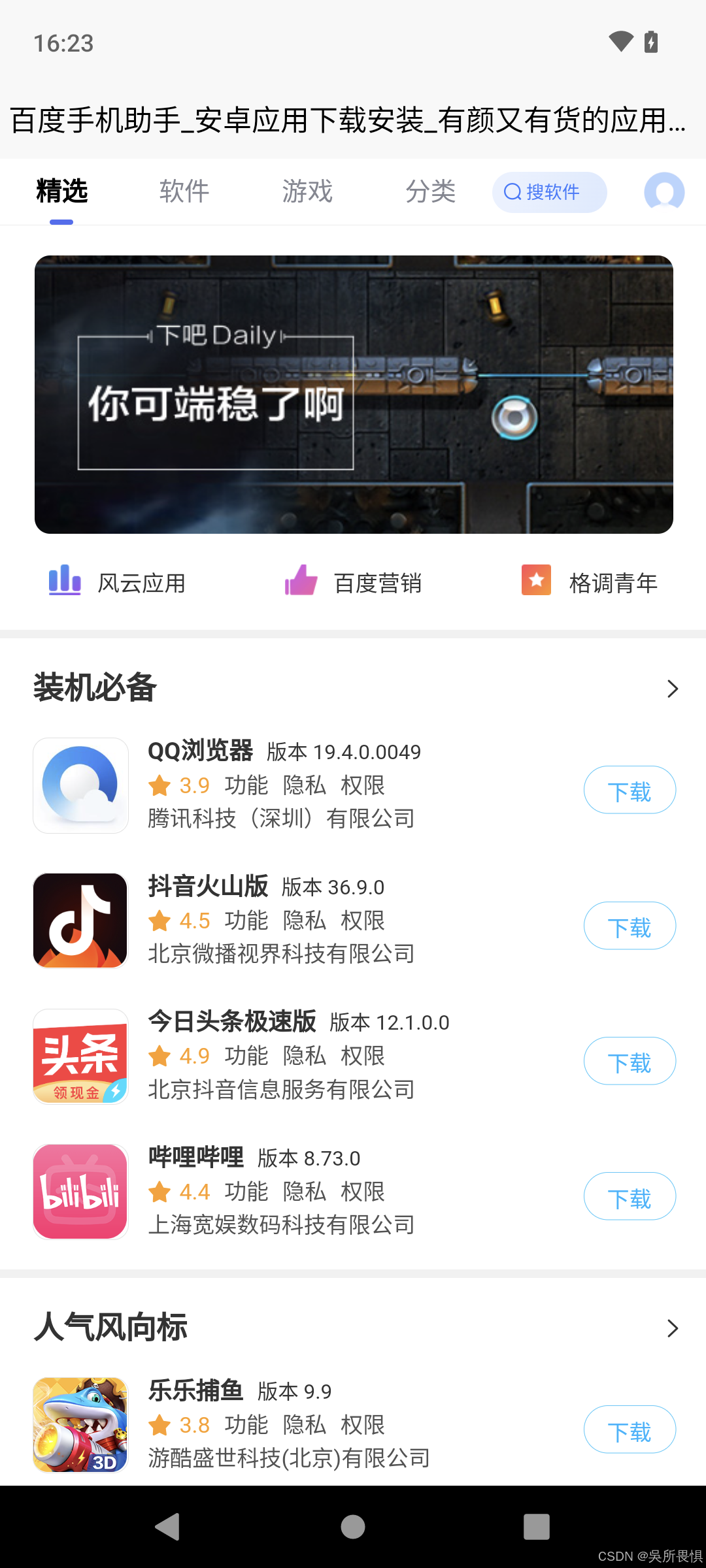
可以看到:
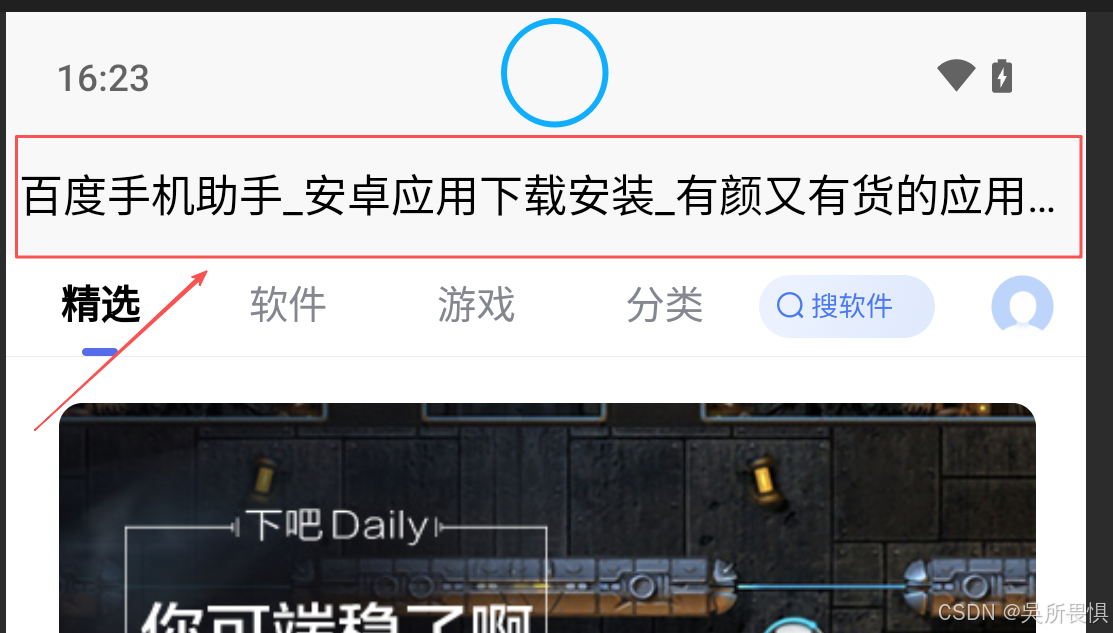
· 蓝色圆圈是手机的摄像头;
· 红框部分是标题栏,占用了很大一部分面积,而且太丑了,不是很理想。
我们来改一下:
pages.json文件里,style下,加上下面的代码,去掉标题栏
"navigationStyle": "custom"看看效果:

可以看到:虽然标题栏没有了,但状态栏和webview内容重叠了,效果也不理想。
如果能把webview的top,设置高度为状态栏的高度,不就能完美解决吗?
好思路,看码:
我们在onReady事件里面加上如下代码:
var systemInfo = uni.getSystemInfoSync()
// #ifdef APP-PLUS
//此对象相当于html5plus里的plus.webview.currentWebview()。
//在uni-app里vue页面直接使用plus.webview.currentWebview()无效
var currentWebview = this.$scope.$getAppWebview()
setTimeout(function() {
wv = currentWebview.children()[0]
wv.setStyle({
top: systemInfo.safeArea.top,
height: systemInfo.safeArea.height
})
}, 150); //如果是页面初始化调用时,需要延时一下
// #endif
运行看下效果:
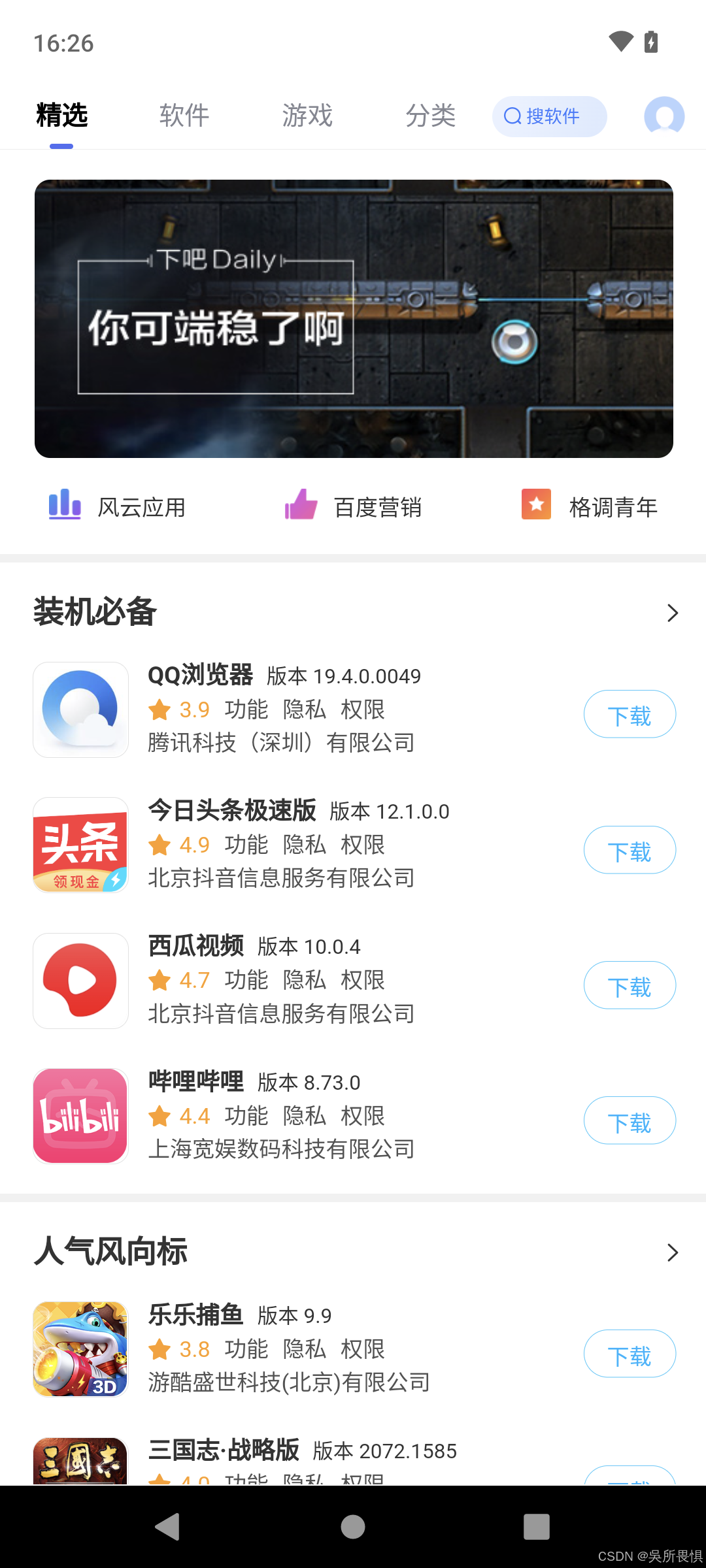
AUV,大功告成啦!!!
如果你想让webview组件加载的时候自定义进度条颜色,还可以加上如下代码:
页面:
<web-view :webview-styles="webviewStyles"
src="https://mobile.baidu.com"></web-view>
Data:
webviewStyles: {
progress: {
color: '#b1cbf7'
}
}
最后,附上完整代码:
<template>
  <view>
  <web-view :webview-styles="webviewStyles" src="https://mobile.baidu.com"></web-view>
  </view>
</template>
<script>
  var wv; //计划创建的webview
  export default {
  data() {
  return {
  webviewStyles: {
  progress: {
  color: '#b1cbf7'
  }
  }
  }
  },
  onReady() {
  var systemInfo = uni.getSystemInfoSync()
  // #ifdef APP-PLUS
  //此对象相当于html5plus里的plus.webview.currentWebview()。
  //在uni-app里vue页面直接使用plus.webview.currentWebview()无效
  var currentWebview = this.$scope.$getAppWebview()
  setTimeout(function() {
  wv = currentWebview.children()[0]
  wv.setStyle({
  top: systemInfo.safeArea.top,
  height: systemInfo.safeArea.height
  })
  }, 150); //如果是页面初始化调用时,需要延时一下
  // #endif
  }
  };
</script>
都看到这里了,各位帅哥/美女,不管有用没用,都帮忙点个赞呗,❤️谢谢~
-
Author
- 吴所畏惧 2025.12.05

 浙公网安备 33010602011771号