


完整教程:Spring AI整合聊天模型DeepSeek
参考资料:
说明:
1. JDK及SpringBoot版本要求

搭建的时候记得选用JDK17+,不用系统安装,用IDEA下载的也可以
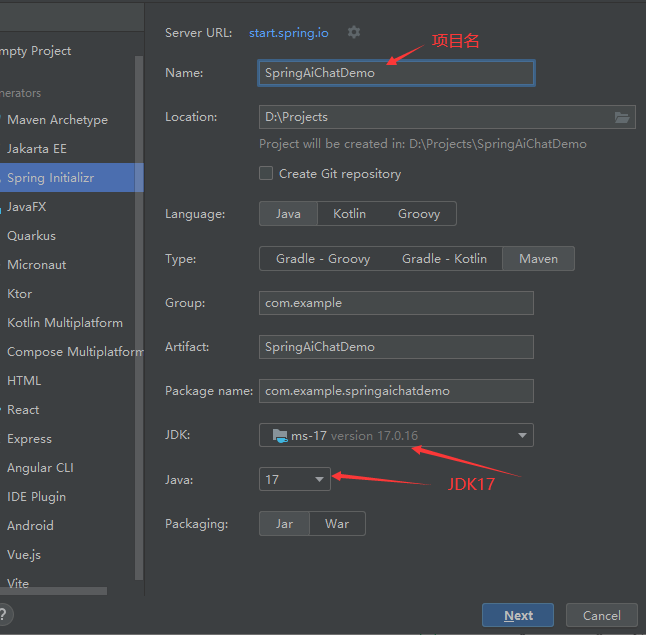
SpringBoot版本要求3.2.x或者3.3.x
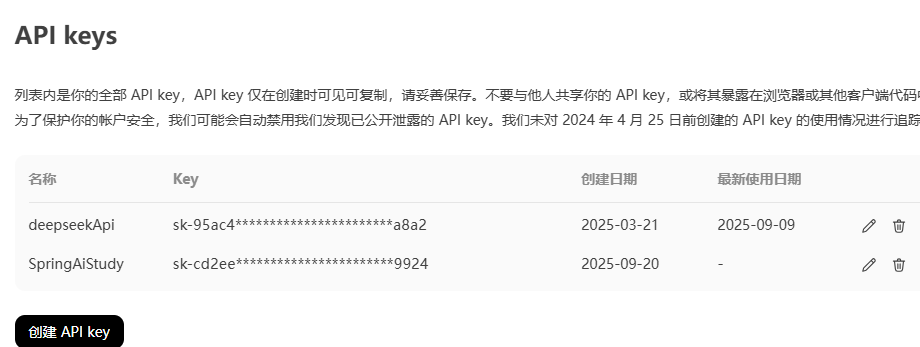
2. DeepSeek的key
关于申请DeepSeek这里就不赘述了,网上一搜一大堆,申请地址
搭建流程:
提示:下面只讲述怎么配置,具体含义请自行进行查阅
依赖和配置
结合自己申请的DeepSeek的Key添加如下配置
server.port=8899
spring.application.name=SpringAiChatDemo
spring.ai.openai.api-key=sk-139298b9e929496290******
spring.ai.openai.base-url=https://api.deepseek.com
spring.ai.openai.chat.options.model=deepseek-chat
spring.ai.openai.chat.options.temperature=0.7
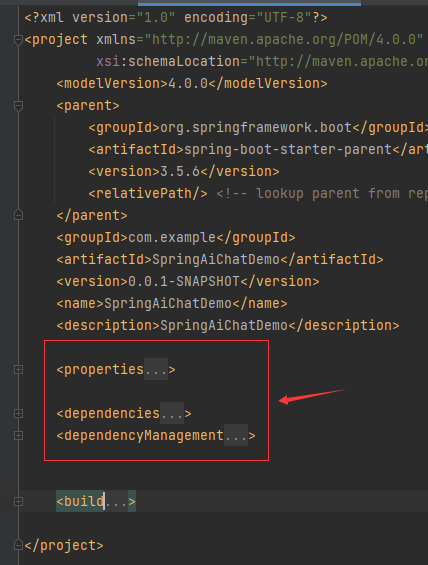
添加如下依赖及版本管理
        17
        17
        1.0.0-M5


            org.springframework.boot
            spring-boot-starter-web


            org.springframework.ai
            spring-ai-openai-spring-boot-starter


            org.springframework.boot
            spring-boot-starter-test
            test


                org.springframework.ai
                spring-ai-bom
                ${spring-ai.version}
                pom
                import
简单的请求接口(不推荐)
import org.springframework.ai.openai.OpenAiChatModel;
import org.springframework.beans.factory.annotation.Autowired;
import org.springframework.web.bind.annotation.GetMapping;
import org.springframework.web.bind.annotation.RequestParam;
import org.springframework.web.bind.annotation.RestController;
@RestController
public class SimpleController {
    @Autowired
    private OpenAiChatModel chatModel;
    @GetMapping("/ai/generate")
    public String generate(@RequestParam(value = "message", defaultValue = "hello")String message) {
        String response = this.chatModel.call(message);
        System.out.println("response : "+response);
        return response;
    }
}
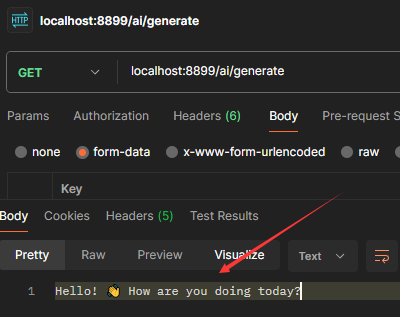
postman测试
构造注入式(不推荐)
构造注入式是直接从SpringBeanFactory里面拿,不推荐这种方式
/**
 * 构造注入示例 (不推荐)
 */
@RestController
public class ConstructController {
    private final ChatClient chatClient;
    public ConstructController(ChatClient.Builder chatClientBuilder) {
        this.chatClient = chatClientBuilder.build();
    }
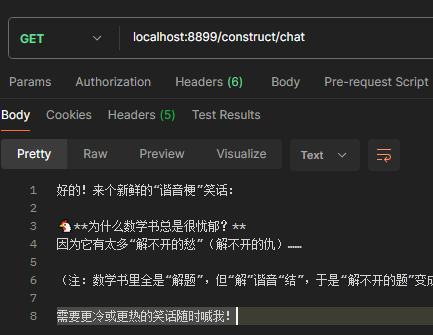
    @GetMapping("/construct/chat")
    public String chat(@RequestParam(value = "msg",defaultValue = "给我讲个笑话")String message) {
        //prompt:提示词
        return this.chatClient.prompt()
                //用户输入的信息
                .user(message)
                //请求大模型
                .call()
                //返回文本
                .content();
    }
}
Spring自定义注入(推荐)
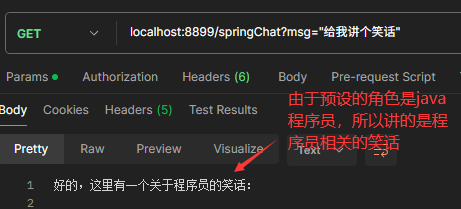
- 先进行ChatClient注入和预设置
下面这个设置了默认角色,也可以不设置默认角色
@Configuration
public class AIConfig {
    @Bean
    public ChatClient chatClient(ChatClient.Builder builder) {
        return builder.defaultSystem("你将作为一名Java开发语言的专家,对于用户的使用需求作出解答").build();
    }
}
- 然后使用初始化好的ChatClient对象
/**
 * Spring 自定义注入示例
 */
@RestController
public class SpringConfigController {
    @Autowired
    private ChatClient chatClient;
    @GetMapping("/springChat")
    public String chat(@RequestParam(value = "msg") String message) {
        return chatClient.prompt().user(message).call().content();
    }
}- 访问查看结果
流式响应
上述使用的是非流式,流式响应就是每生成一个字段就返回,此处不再赘述。
/**
 * Spring 流式响应
 */
@RestController
public class StreamController {
    @Autowired
    private ChatClient chatClient;
    @GetMapping(value = "/chat/stream",produces="text/html;charset=UTF-8")
    public Flux chatStream(@RequestParam(value = "msg") String message) {
        return chatClient.prompt().user(message).stream().content();
    }
}
基于chatModel的简单对话(不推荐)
@RestController
public class ChatModelController {
    @Autowired
    private ChatModel chatModel;
    @GetMapping("/simpleChat")
    public String chat(@RequestParam("msg")String msg) {
        return chatModel.call(msg);
    }
    @GetMapping("/openai")
    public String openai(@RequestParam("msg")String msg) {
        ChatResponse call = chatModel.call(
                new Prompt(
                        msg,
                        OpenAiChatOptions.builder()
                                //可以更换成其他大模型,如Anthropic3ChatOptions亚马逊
                                .model("deepseek-chat")
                                .temperature(0.8)
                                .build()
                )
        );
        return call.getResult().getOutput().getContent();
    }
}
基于ChatModel使用提示语模板
@RestController
public class ChatModelTemplateController {
    @Autowired
    private ChatModel chatModel;
    @GetMapping("/prompt")
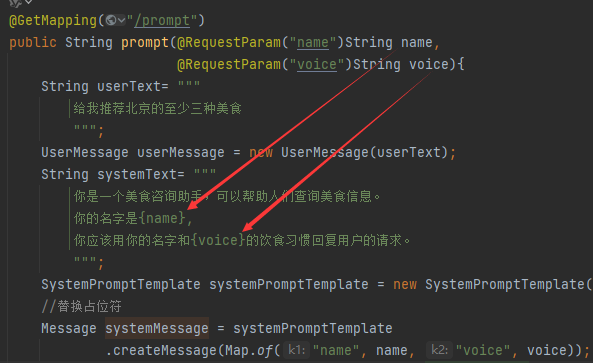
    public String prompt(@RequestParam("name")String name,
                         @RequestParam("voice")String voice){
        String userText= """
            给我推荐北京的至少三种美食
            """;
        UserMessage userMessage = new UserMessage(userText);
        String systemText= """
            你是一个美食咨询助手,可以帮助人们查询美食信息。
            你的名字是{name},
            你应该用你的名字和{voice}的饮食习惯回复用户的请求。
            """;
        SystemPromptTemplate systemPromptTemplate = new SystemPromptTemplate(systemText);
        //替换占位符
        Message systemMessage = systemPromptTemplate
                .createMessage(Map.of("name", name, "voice", voice));
        Prompt prompt = new Prompt(List.of(userMessage, systemMessage));
        List results = chatModel.call(prompt).getResults();
        return results.stream().map(x->x.getOutput().getContent()).collect(Collectors.joining(""));
    }
} 
SpringAI自动调用自定义方法---对AI结果进行处理(函数调用):
例如,用SpringAI自动对算术运算的语句进行解析,并且输出结果
- 首先进行自定义方法的编写和注入
@Configuration
public class CalculatorService {
    public record AddOperation(int a, int b) {
    }
    public record MulOperation(int m, int n) {
    }
    @Bean
    @Description("加法运算")
    public Function addOperation() {
        return request -> {
            System.out.println("调用执行加法运算");
            return request.a + request.b;
        };
    }
    @Bean
    @Description("乘法运算")
    public Function mulOperation() {
        return request -> {
            System.out.println("调用执行乘法运算");
            return request.m * request.n;
        };
    }
} - 然后调用使用
import org.springframework.ai.chat.client.ChatClient;
import org.springframework.ai.chat.model.ChatModel;
import org.springframework.beans.factory.annotation.Autowired;
import org.springframework.http.MediaType;
import org.springframework.web.bind.annotation.GetMapping;
import org.springframework.web.bind.annotation.RequestParam;
import org.springframework.web.bind.annotation.RestController;
@RestController
public class CalculatorController {
    @Autowired
    private ChatModel chatModel;
    @GetMapping(value = "/calculator", produces = MediaType.APPLICATION_STREAM_JSON_VALUE)
    public String ragJsonText(@RequestParam(value = "userMessage") String userMessage) {
        return ChatClient.builder(chatModel)
                .build()
                .prompt()
                .system("""
                        您是算术计算器的代理。
                        您能够支持加法运算、乘法运算等操作,其余功能将在后续版本中添加,如果用户问的问题不支持请告知详情。
                        在提供加法运算、乘法运算等操作之前,您必须从用户处获取如下信息:两个数字,运算类型。
                        请调用自定义函数执行加法运算、乘法运算。
                        请讲中文。
                        """)
                .user(userMessage)
                .functions("addOperation", "mulOperation")
                .call()
                .content();
    }
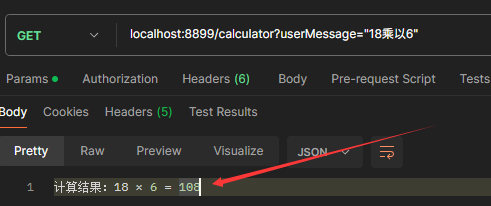
}- 测试
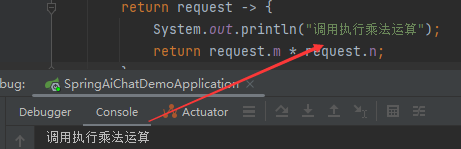
- 说明
程序自动调用,自定义的方法,并返回,关键在于提示语的设计,需要反复进行测试才行
SpringAI调用本地RAG数据进行问答:
SpringAI的Rag功能见Spring Ai Alibaba的文章。
SpringAI的其它功能
SpringAI的其他功能(如:图像、音视频)见Spring Ai Alibaba的文章

 浙公网安备 33010602011771号