![]()
![]()
![]()
<?xml version="1.0" encoding="utf-8"?>
<RelativeLayout xmlns:android="http://schemas.android.com/apk/res/android"
                xmlns:app="http://schemas.android.com/apk/res-auto"
                xmlns:tools="http://schemas.android.com/tools"
                android:layout_width="match_parent"
                android:layout_height="match_parent"
                tools:context=".MainActivity"
                android:id="@+id/f">


    <Button
            android:id="@+id/button"
            android:layout_width="wrap_content"
            android:layout_height="wrap_content"
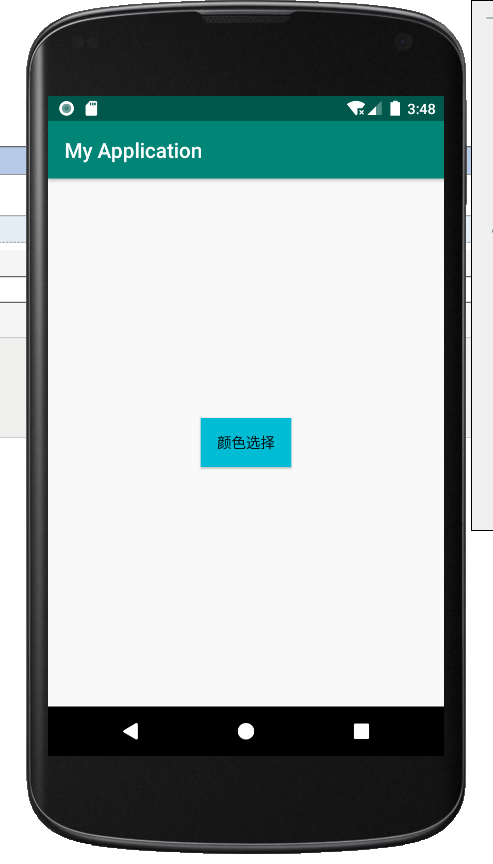
            android:text="颜色选择"
            android:background="#00BCD4"
            android:layout_centerHorizontal="true"
            android:layout_centerVertical="true"
            android:onClick="gh"/>
</RelativeLayout>
package com.example.myapplication;

import androidx.appcompat.app.AppCompatActivity;

import android.app.AlertDialog;
import android.content.DialogInterface;
import android.graphics.Color;
import android.os.Bundle;
import android.view.View;
import android.widget.RelativeLayout;

public class MainActivity extends AppCompatActivity {

    @Override
    protected void onCreate(Bundle savedInstanceState) {
        super.onCreate(savedInstanceState);
        setContentView(R.layout.activity_main);
    }
    String b="#000000";
    public void gh(View view) {
        AlertDialog dialog;
        AlertDialog.Builder builder = new AlertDialog.Builder(this)
                .setTitle("设置布局背景")
                .setIcon(R.drawable.ic_launcher_background)
                .setSingleChoiceItems(new String[]{"黑色", "白色", "红色", "蓝色"},
                        0,new DialogInterface.OnClickListener() {
                            public void onClick(DialogInterface dialog, int which) {
                                // 点单选按钮时发生的事件,这里which表示你点的单选按钮是第几个
                                switch (which){
                                    case 0:b="#000000" ;
                                        break;
                                    case 1:b="#FAF9F9" ;
                                        break;
                                    case 2: b="#F44336";
                                        break;
                                    case 3:b="#0000FF";
                                        break;

                                }
                            }
                        })
                .setPositiveButton("确定", new DialogInterface.OnClickListener() {
                    @Override
                    public void onClick(DialogInterface dialog, int which) {
                        //点确定按钮时发生的事件
                        ((RelativeLayout)findViewById(R.id.f)).setBackgroundColor(Color.parseColor(b));
                        dialog.dismiss();
                    }
                })//添加“确定”按钮
                .setNegativeButton("取消", new DialogInterface.OnClickListener() {
                    @Override
                    public void onClick(DialogInterface dialog, int which) {
                        // 点取消按钮发生的事件
                        dialog.dismiss();
                    }
                });
        dialog = builder.create();
        dialog.show();
    }
}




 浙公网安备 33010602011771号