

微信小程序----手机号授权操作
实现功能:通过点击授权按钮手机号会自动加载到对应的文本框中
下面以预约记录的模块来展示:
后端代码
手机号授权的操作步骤都是一样的可以直接复制
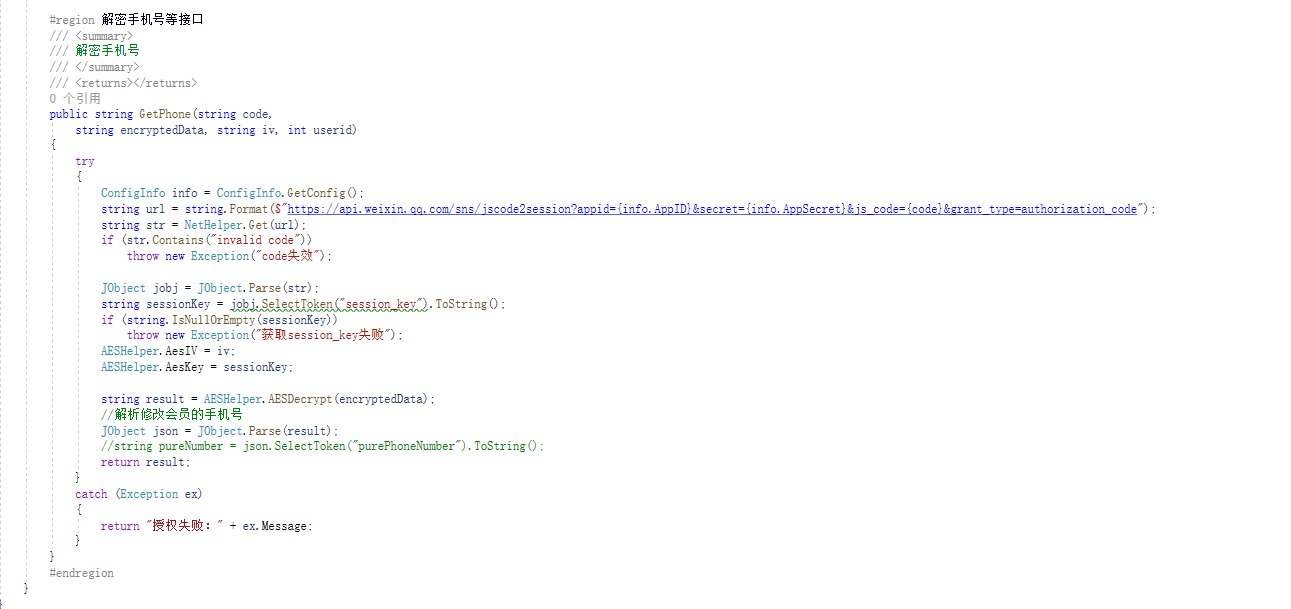
        public string GetPhone(string code,
            string encryptedData, string iv, int userid)
        {
            try
            {
                ConfigInfo info = ConfigInfo.GetConfig();
                string url = string.Format($"https://api.weixin.qq.com/sns/jscode2session?appid={info.AppID}&secret={info.AppSecret}&js_code={code}&grant_type=authorization_code");
                string str = NetHelper.Get(url);
                if (str.Contains("invalid code"))
                    throw new Exception("code失效");

                JObject jobj = JObject.Parse(str);
                string sessionKey = jobj.SelectToken("session_key").ToString();
                if (string.IsNullOrEmpty(sessionKey))
                    throw new Exception("获取session_key失败");
                AESHelper.AesIV = iv;
                AESHelper.AesKey = sessionKey;

                string result = AESHelper.AESDecrypt(encryptedData);
                //解析修改会员的手机号
                JObject json = JObject.Parse(result);
                //string pureNumber = json.SelectToken("purePhoneNumber").ToString();
                return result;
            }
            catch (Exception ex)
            {
                return "授权失败:" + ex.Message;
            }
        }
html
在button按钮中加入ope-type
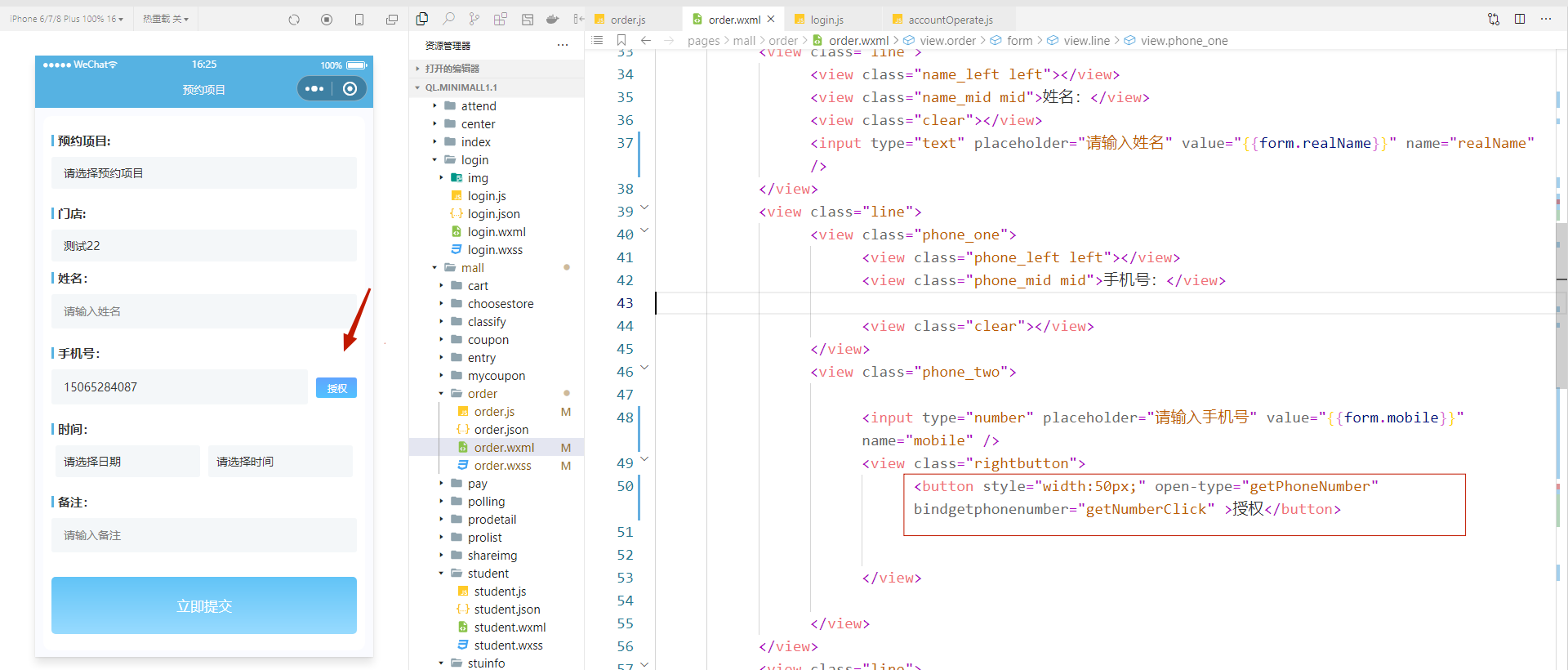
<button style="width:50px;" open-type="getPhoneNumber" bindgetphonenumber="getNumberClick" >授权</button>
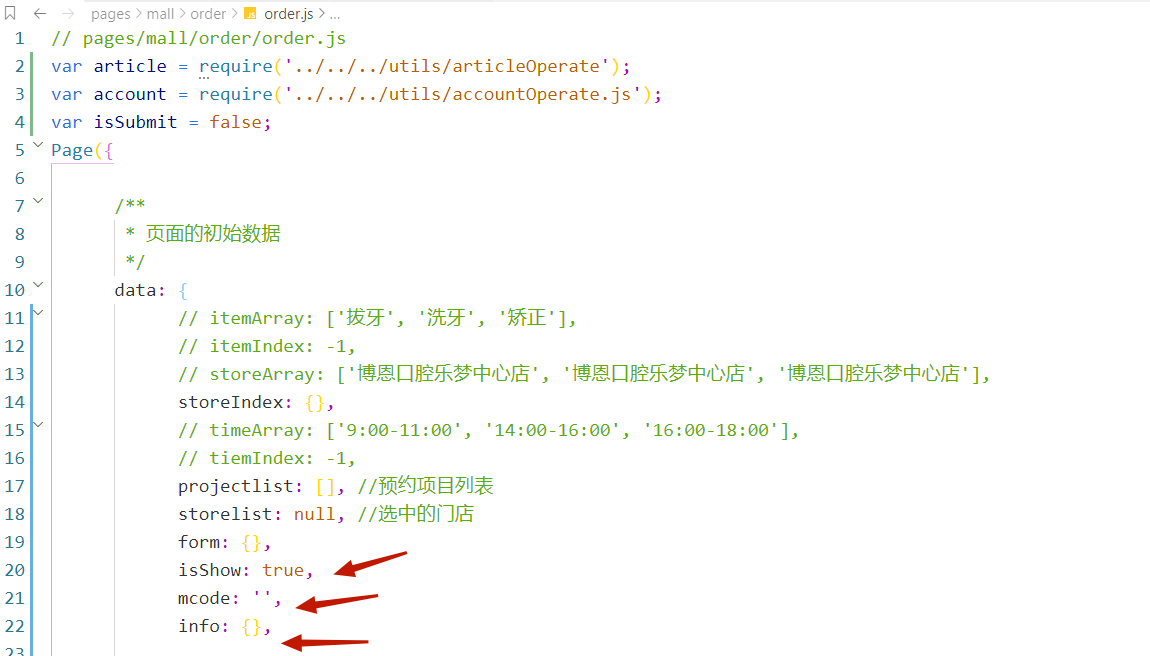
js
在data中设置数据
调用button定义的按钮设置手机号操作,线条中的内容是为为例把数值提交到表单写的
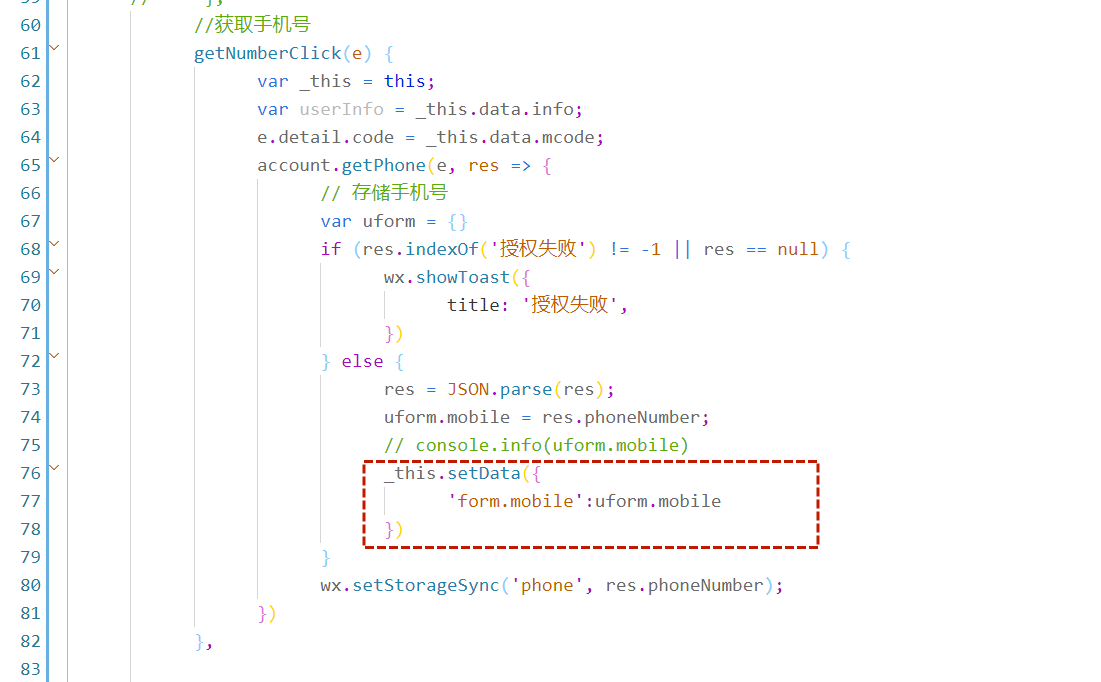
		//获取手机号
		getNumberClick(e) {
			var _this = this;
			var userInfo = _this.data.info;
			e.detail.code = _this.data.mcode;
			account.getPhone(e, res => {
				// 存储手机号
				var uform = {}
				if (res.indexOf('授权失败') != -1 || res == null) {
					wx.showToast({
						title: '授权失败',
					})
				} else {
					res = JSON.parse(res);
					uform.mobile = res.phoneNumber;
					// console.info(uform.mobile)
					_this.setData({
						'form.mobile':uform.mobile
					})
				}
				wx.setStorageSync('phone', res.phoneNumber);
			})
		},
在onshow里面设置数据

在utils中设置获取后端接口的操作
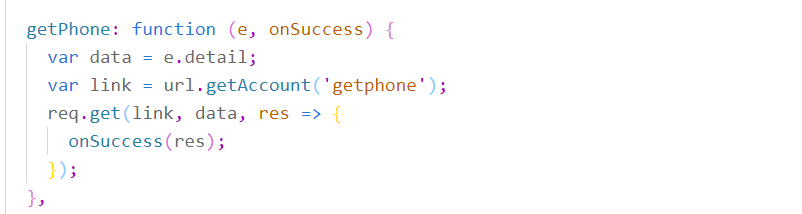
可以去微信开发者工具参考
https://developers.weixin.qq.com/miniprogram/dev/OpenApiDoc/user-info/phone-number/getPhoneNumber.html

 浙公网安备 33010602011771号