

虚幻4
Unreal Engine 4 Beginner Tutorial - UE4 Start Course笔记
3D Navigation
standard navigation 标准导航
右键--旋转camera 左右
鼠标左键--前后
左右键一起按--上下
game style navigation游戏导航
按住鼠标左或者右键的同时
wasd前后左右 q下e上
Viewport Settings
3d模型由一系列vertices 组成edges
按f是focus物体 可以点击天空 发现是个sphere
Brush Wireframe
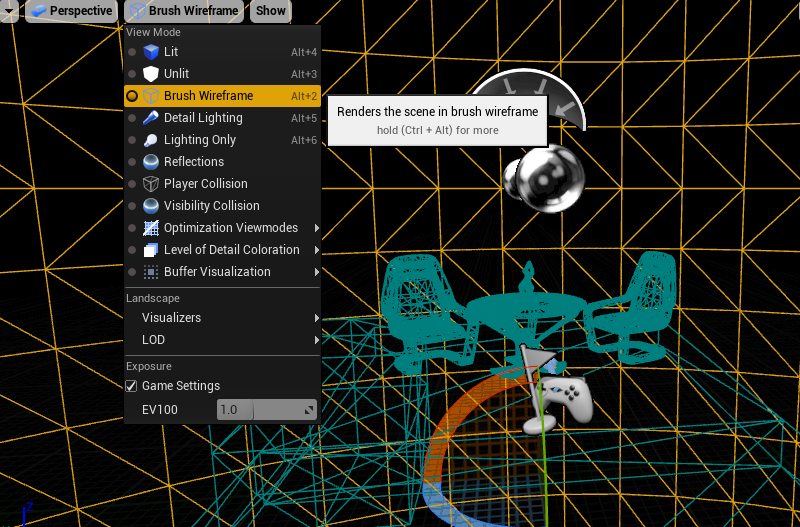
沉浸F11
Manipulating Object操控物体
隐藏网格grid
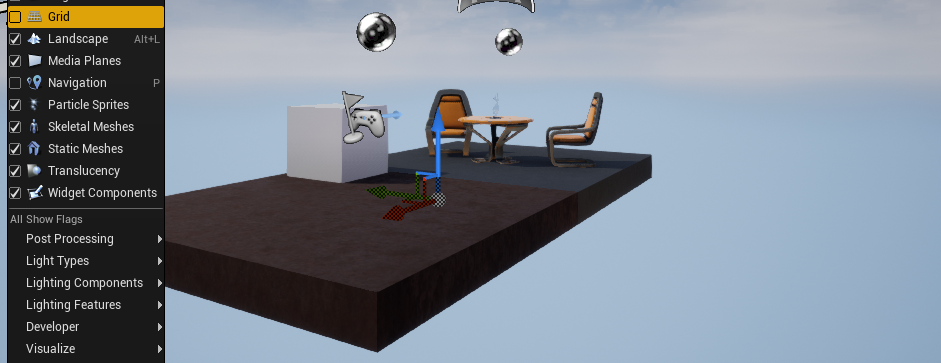
按G游戏模式 隐藏坐标轴
W位移E旋转R放缩
end键 让物体掉到地面
ctrl+w 复制物体
h 隐藏hide ctrl+h取消隐藏
Materials材质
constant3Vector 三个数的数组
constant 一个常数
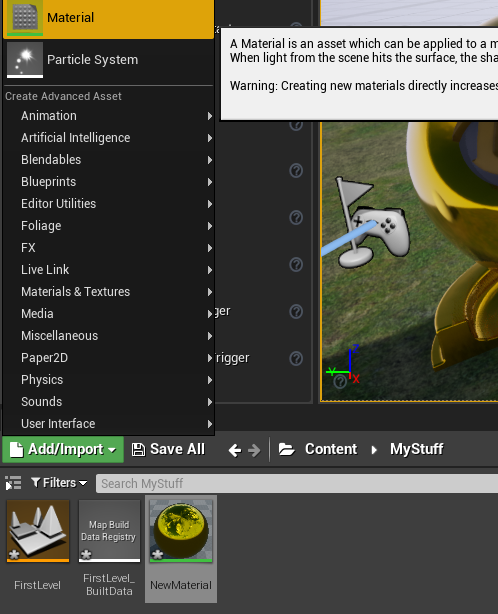
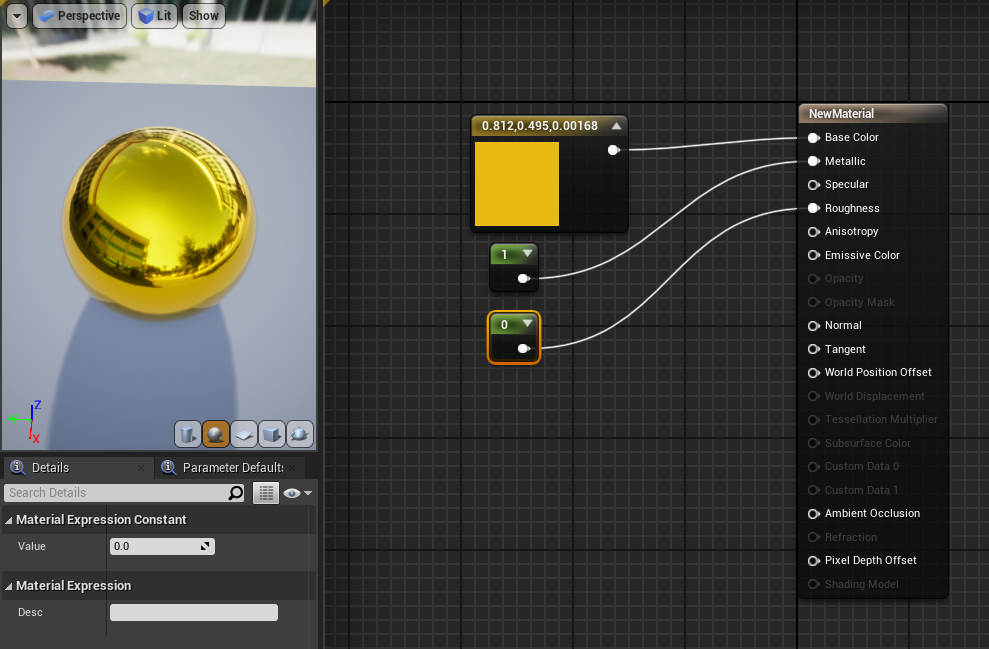
PBR基于物理渲染
Metallic金属光泽 要么是0 要么是1
roughness粗糙度
perlin_noise拖动到材质界面
metal_rust也拖
linearInterpolate
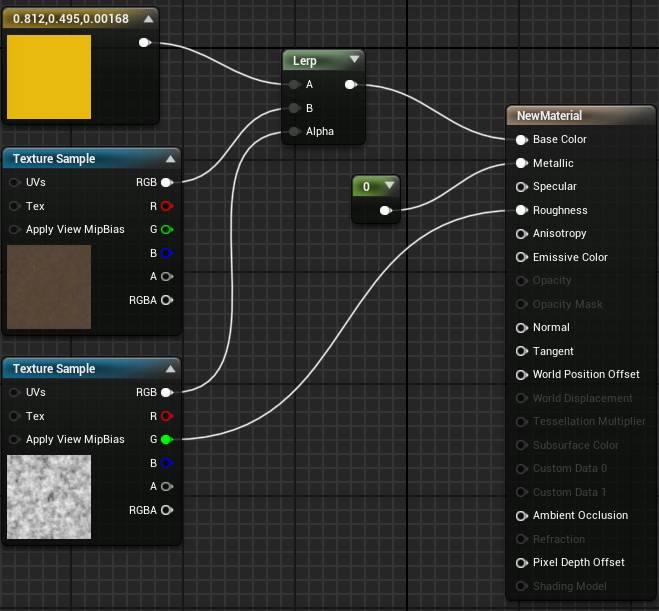
material
只需要color map 法线normal map 粗糙度roughness map 金属metalic map
textures决定材质的好坏
连上这几根线 已经能满足大多数人90%的需求了
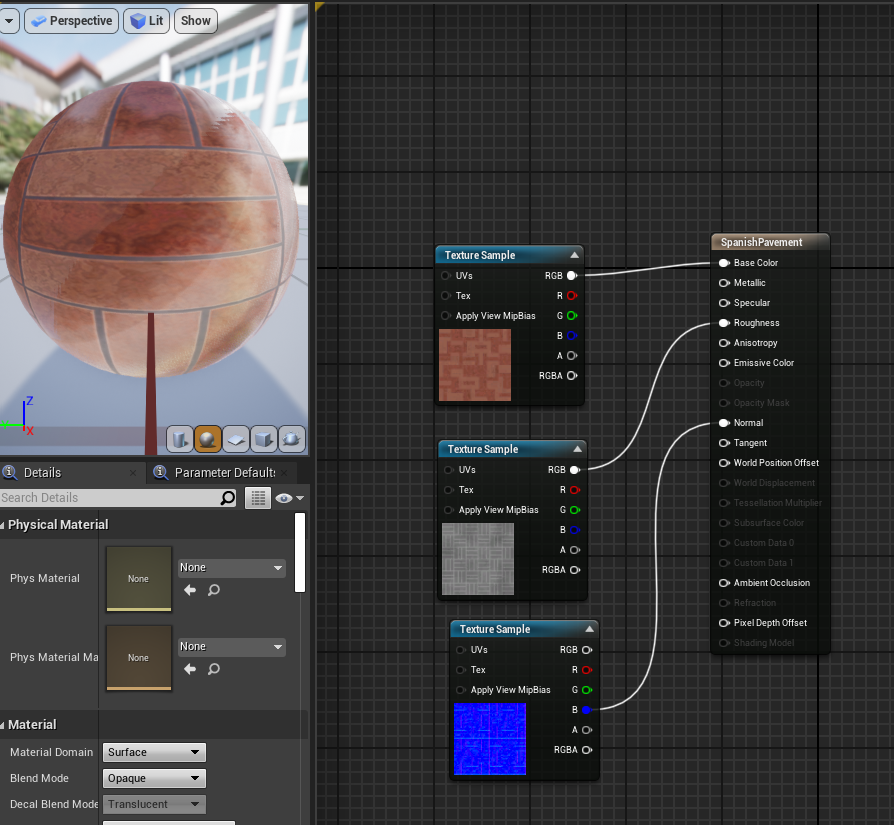
蓝图
Place Actors 选playser start
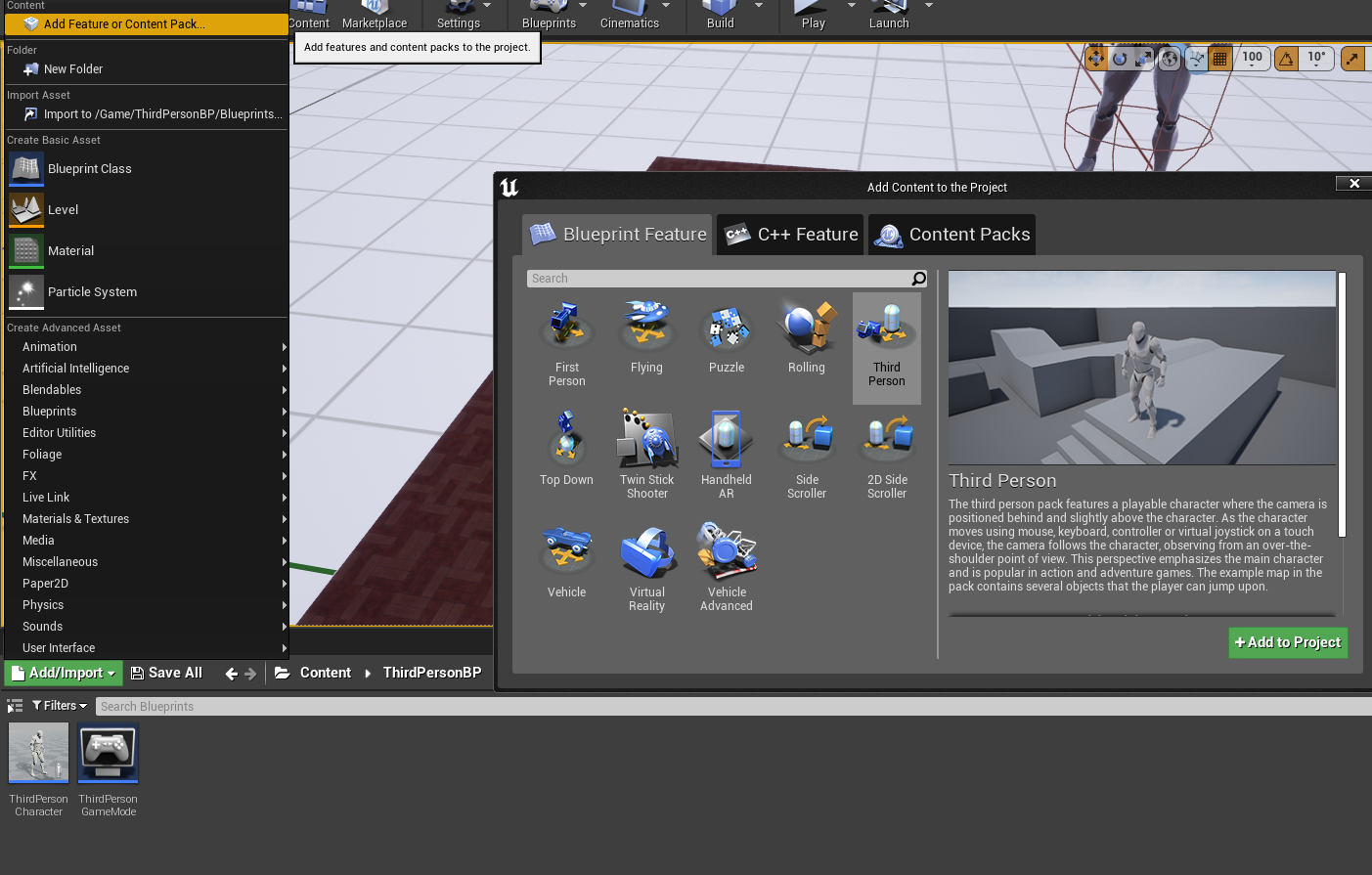
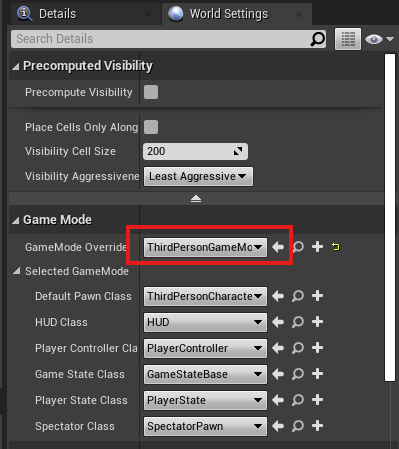
按f机器人自毁
keyboard f
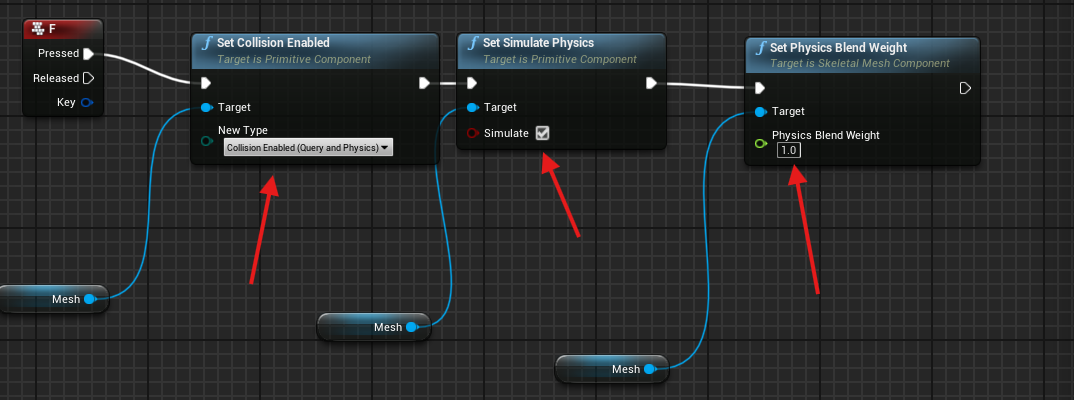
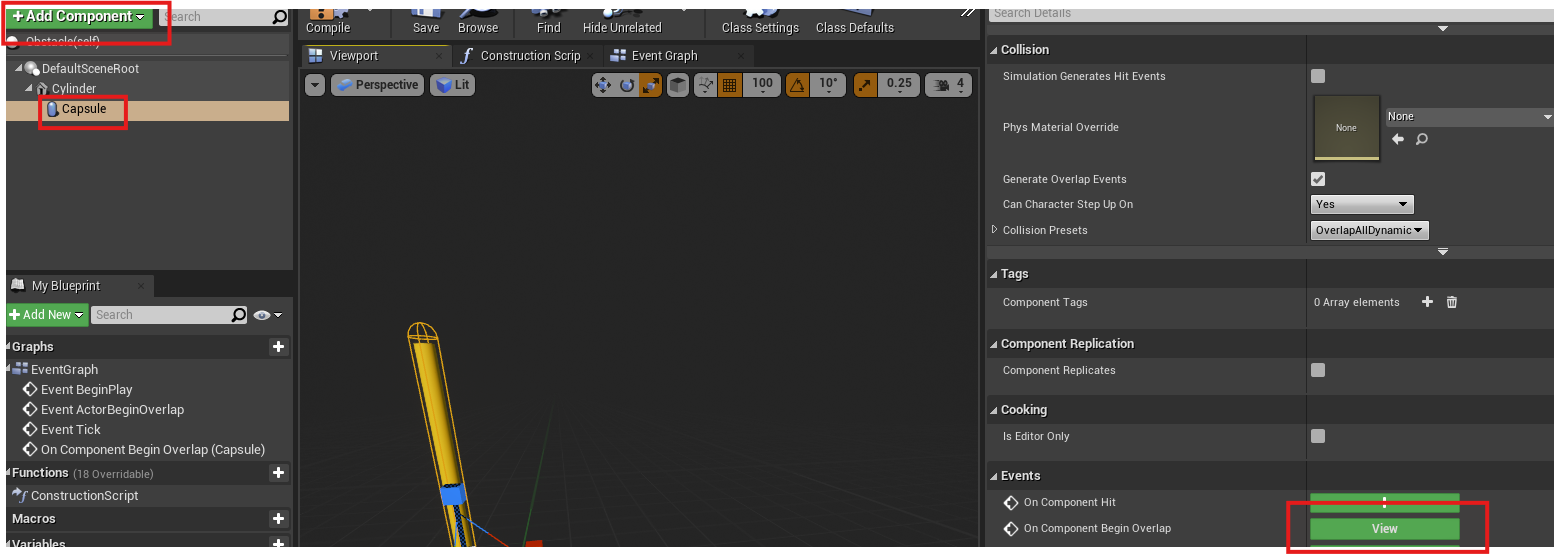
障碍物蓝图 add collision
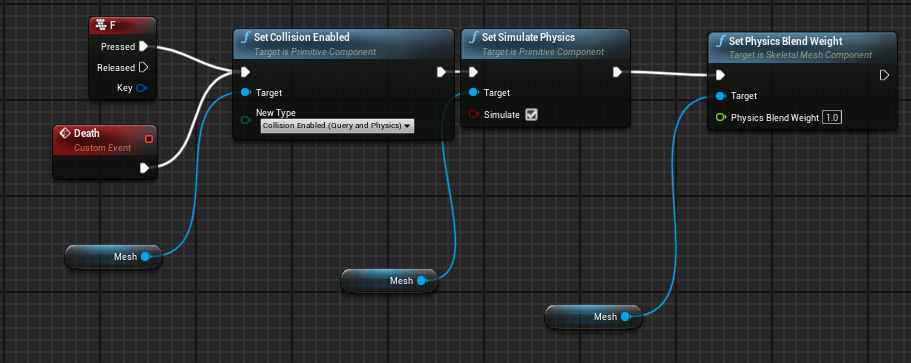
机器人蓝图添加custom event
然后 障碍物蓝图
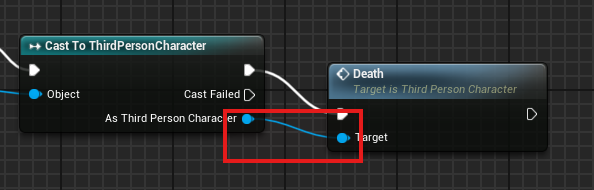
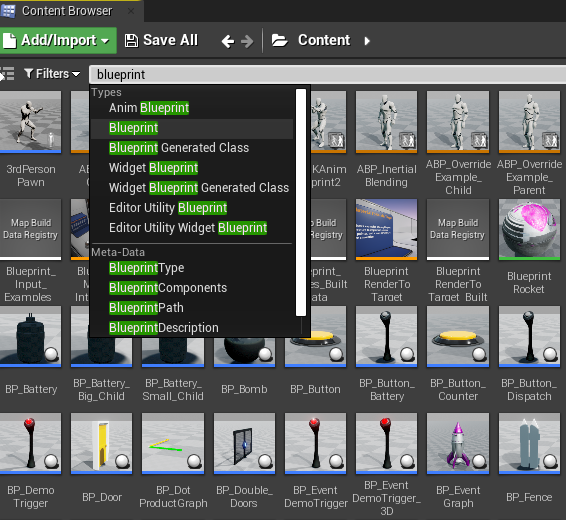
看蓝图快捷
Type=Blueprint

 浙公网安备 33010602011771号