

Docker技术-安装卸载-镜像命令
Docker的起源,用途,原理之类的我就不记录了,大概了解一下就可以了,直接实际操作
一、Docker安装卸载
1、卸载
安装前需要先卸载,docker老版本的叫docker或者docker-engine。比较新的版本是docker-ce,-ce的意思就是社区版
yum remove docker\
> docker-client\
> docker-client-latest\
> docker-common\
> docker-latest\
> docker-latest-logrotate\
> docker-logrotate\
> docker-engine
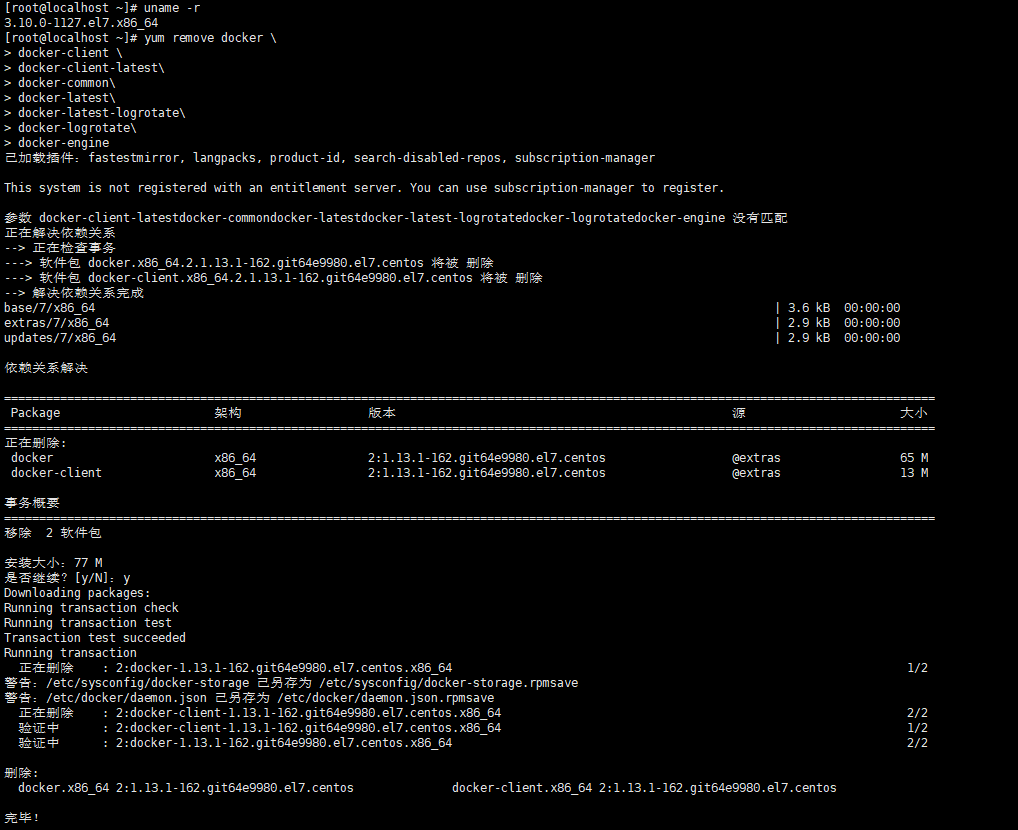
想要最彻底的卸载docker,建议删除/var/lib/docker这个文件夹的内容
2、docker安装
docker安装前需要把yum的源配置好,保证机器可以正常联网。因为docker拉取镜像比较慢。默认是从外网下载,所以最好可以配置一下yum
安装yum-utils,这个工具能对包进行检查校验,删除重复或者孤立的包等各种模块
yum install -y yum-utils
添加docker的库
yum-config-manager \
>     --add-repo \
> http://mirrors.aliyun.com/docker-ce/linux/centos/docker-ce.repo
安装docker
yum-config-manager \
>     --add-repo \
> http://mirrors.aliyun.com/docker-ce/linux/centos/docker-ce.repo
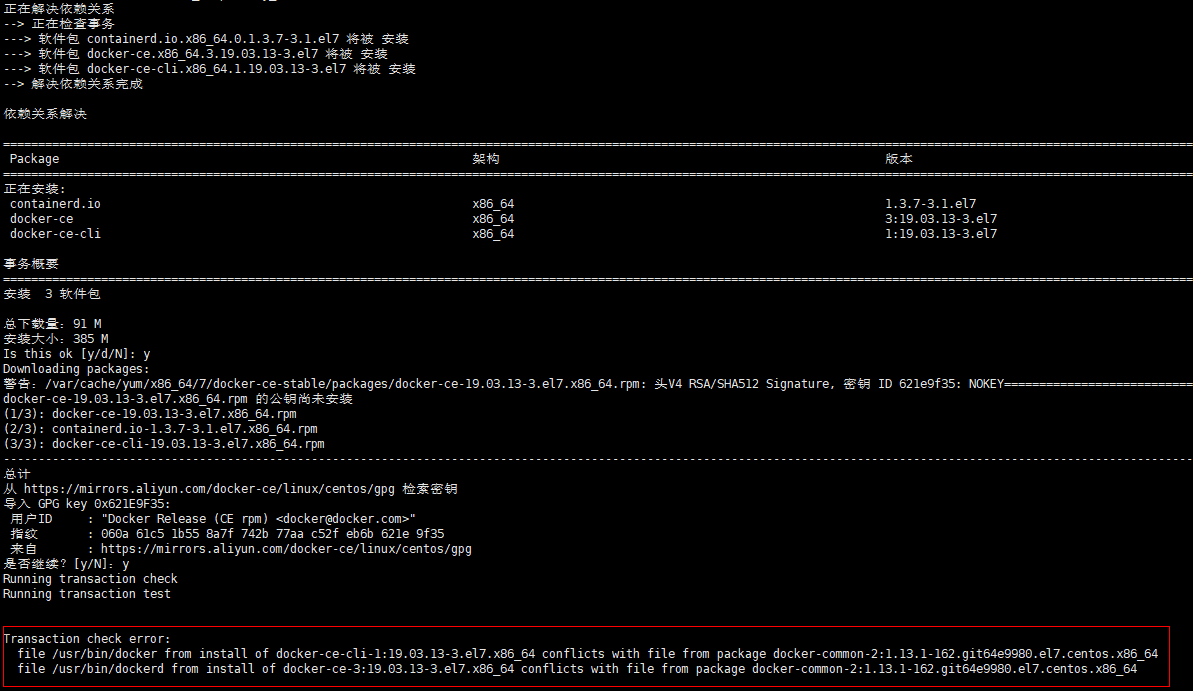
安装可能报错 XXX conflicts with file from package XXX导致安装失败,这是因为卸载没有卸载干净导致的版本冲突,erase或remove 移除一个或多个冲突的软件包
yum erase docker-common-2:1.13.1-162.git64e9980.el7.centos.x86_64
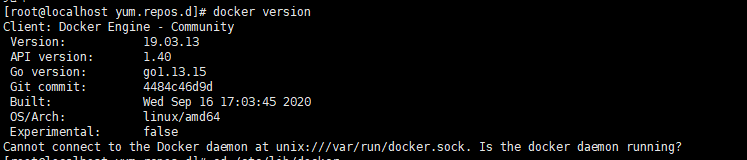
然后再安装即可,安装结束docker version可以查看版本等信息
二、Docker实验hello-world
docker run hello-world  #拉取hello-world镜像
docker: Cannot connect to the Docker daemon at unix:///var/run/docker.sock. Is the docker daemon running?.  #如果报错这个,表示docker服务未启动
See 'docker run --help'.
启动docker服务
systemctl daemon-reload
systemctl restart docker
重新拉取
docker run hello-world
Unable to find image 'hello-world:latest' locally        //首先看本地是否可以找到这个镜像
latest: Pulling from library/hello-world          //找不到就去库中拉取
0e03bdcc26d7: Pull complete
Digest: sha256:8c5aeeb6a5f3ba4883347d3747a7249f491766ca1caa47e5da5dfcf6b9b717c0
Status: Downloaded newer image for hello-world:latest

Hello from Docker!
This message shows that your installation appears to be working correctly.

To generate this message, Docker took the following steps:
 1. The Docker client contacted the Docker daemon.
 2. The Docker daemon pulled the "hello-world" image from the Docker Hub.
    (amd64)
 3. The Docker daemon created a new container from that image which runs the
    executable that produces the output you are currently reading.
 4. The Docker daemon streamed that output to the Docker client, which sent it
    to your terminal.

To try something more ambitious, you can run an Ubuntu container with:
 $ docker run -it ubuntu bash

Share images, automate workflows, and more with a free Docker ID:
 https://hub.docker.com/

For more examples and ideas, visit:
 https://docs.docker.com/get-started/
这个镜像比较小,拉取还是很快的,但是一些比较大的就很费时间了。因为默认的镜像库用docker info可以查看其中包含信息
Registry: https://index.docker.io/v1/
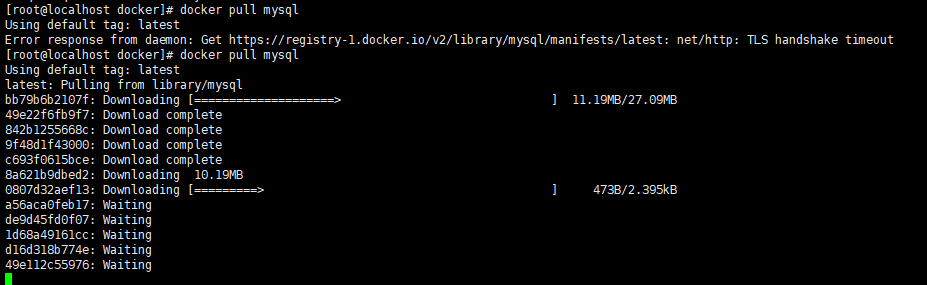
这个外网很慢下图已经卡了不下10min了...
配置国内的镜像网站
在/etc/docker/daemon.json文件(没有请自行创建)添加如下配置:
“registry-mirrors”: [“https://hub.daocloud.io/”] # https://hub.daocloud.io/是国内的镜像网站
保存配置并重启docker daemon(守护进程)
我本机这个目录下如图,key.json貌似不同的docker都存在,我有在docker-engine中见到,本次安装的docker-ce也有。另外daemon.json.rpmsave应该是其他版本的遗留配置,更像一个临时文件,可以删除,如果没有daemon.json可能导致docker run之后一些挂载的内容在docker环境中没有生效。这个时候也是需要创建该文件并重启docker服务的。
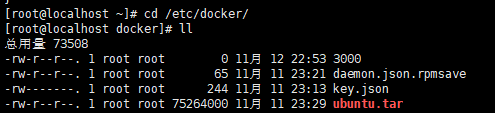
虽然我改了国内镜像,但是真的还是好慢。。。无奈
三、Docker的命令
1、images
docker images

REPOSITORY 镜像名字
TAG 镜像标签,一般会显示版本编号,也可以自己定义,便于记忆识别即可
IMAGE ID 镜像的ID
CREATED SIZE 镜像大小
[root@localhost /]# docker images --help

Usage: docker images [OPTIONS] [REPOSITORY[:TAG]]

List images

Options:
-a, --all Show all images (default hides intermediate images)
--digests Show digests
-f, --filter filter Filter output based on conditions provided
--format string Pretty-print images using a Go template
--no-trunc Don't truncate output
-q, --quiet Only show numeric IDs
-a 查看所有的images
-q 只显示id
其他参数不常用
docker images -aq 显示所有images的id号
[root@localhost /]# docker images
REPOSITORY          TAG                 IMAGE ID            CREATED             SIZE
ubuntu              latest              d70eaf7277ea        2 weeks ago         72.9MB
hello-world         latest              bf756fb1ae65        10 months ago       13.3kB
[root@localhost /]# docker images -aq
d70eaf7277ea
bf756fb1ae65
这两个可搭配使用,在删除镜像的时候用到docker rmi + 镜像id的命令。使用docker rmi ${docker images -aq}就可以删除所有的images了
2、info
可以查看当前docker的服务器和客户端分别是什么状态,比如现在我pull了一个镜像hello-world,server中就显示有一个容器,且是停止状态等
[root@localhost docker]# docker info
Client:
 Debug Mode: false

Server:
 Containers: 1
  Running: 0
  Paused: 0
  Stopped: 1
 Images: 1
 Server Version: 19.03.13
 Storage Driver: overlay2
  Backing Filesystem: xfs
  Supports d_type: true
  Native Overlay Diff: true
 Logging Driver: json-file
 Cgroup Driver: cgroupfs
 Plugins:
  Volume: local
  Network: bridge host ipvlan macvlan null overlay
  Log: awslogs fluentd gcplogs gelf journald json-file local logentries splunk syslog
 Swarm: inactive
 Runtimes: runc
 Default Runtime: runc
 Init Binary: docker-init
 containerd version: 8fba4e9a7d01810a393d5d25a3621dc101981175
 runc version: dc9208a3303feef5b3839f4323d9beb36df0a9dd
 init version: fec3683
 Security Options:
  seccomp
   Profile: default
 Kernel Version: 3.10.0-1127.el7.x86_64
 Operating System: CentOS Linux 7 (Core)
 OSType: linux
 Architecture: x86_64
 CPUs: 1
 Total Memory: 972.3MiB
 Name: localhost.localdomain
 ID: 4ZOZ:HZCW:3LXK:UXNY:WPSS:GHWO:I24L:2F7U:LBIB:YNIE:QH5B:RE4Q
 Docker Root Dir: /var/lib/docker
 Debug Mode: false
 Registry: https://index.docker.io/v1/
 Labels:
 Experimental: false
 Insecure Registries:
  127.0.0.0/8
 Live Restore Enabled: false
3、search
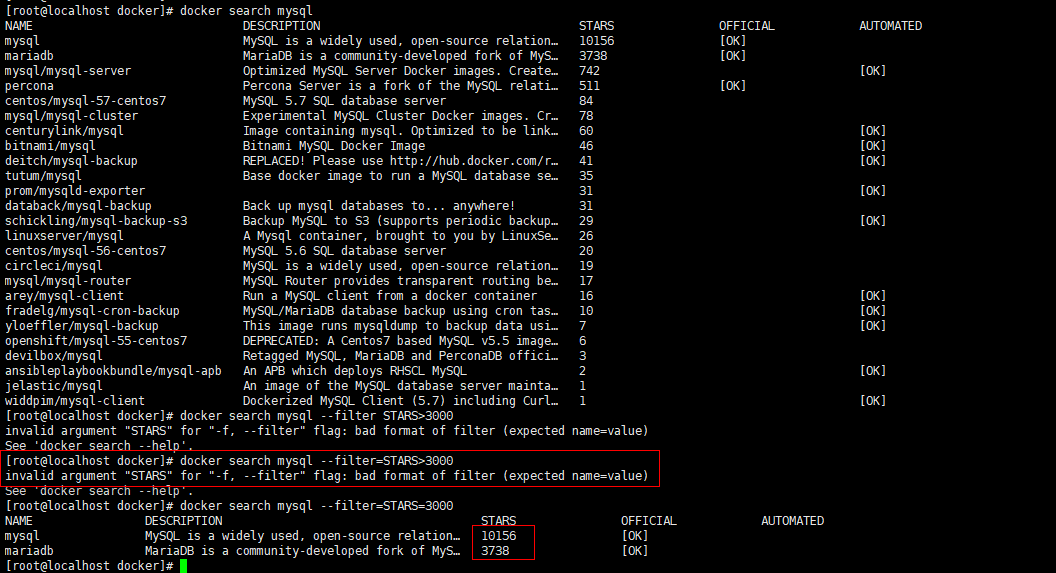
这个命令就像在docker hub上去搜索栏输入想搜索的内容,找到那些可用的镜像,可以使用docker search mysql --filter=STARS=3000 搜索收藏大于3000的镜像有哪些。注意这里的格式是=3000,不是>3000

 浙公网安备 33010602011771号