
Docker容器技术介绍(四) --- Docker仓库操作
仓库(Repository)是Docker另一个重要的概念,是集中存放镜像的地方。由于Docker中的镜像管理的灵感很大程度来源于Git,所以可以对比Git仓库来理解Docker仓库。
如同一个Git仓库含有多次提交和多个项目版本,一个Docker仓库也可以有多个版本的镜像。很多新手容易混淆注册服务器(Registry)和仓库,一个仓库可以认为是一个项目,比如nginx,ubuntu,而注册服务器是托管这些仓库和项目的地方,一个注册服务器下面可能会有很多仓库。Docker官方提供了一个公有的注册服务器Docker Hub(https://hub.docker.com/),如同Docker中Github。
如同Guthub支持搜索项目一样,Docker Hub网站也支持搜索镜像仓库,比如搜索ubuntu项目
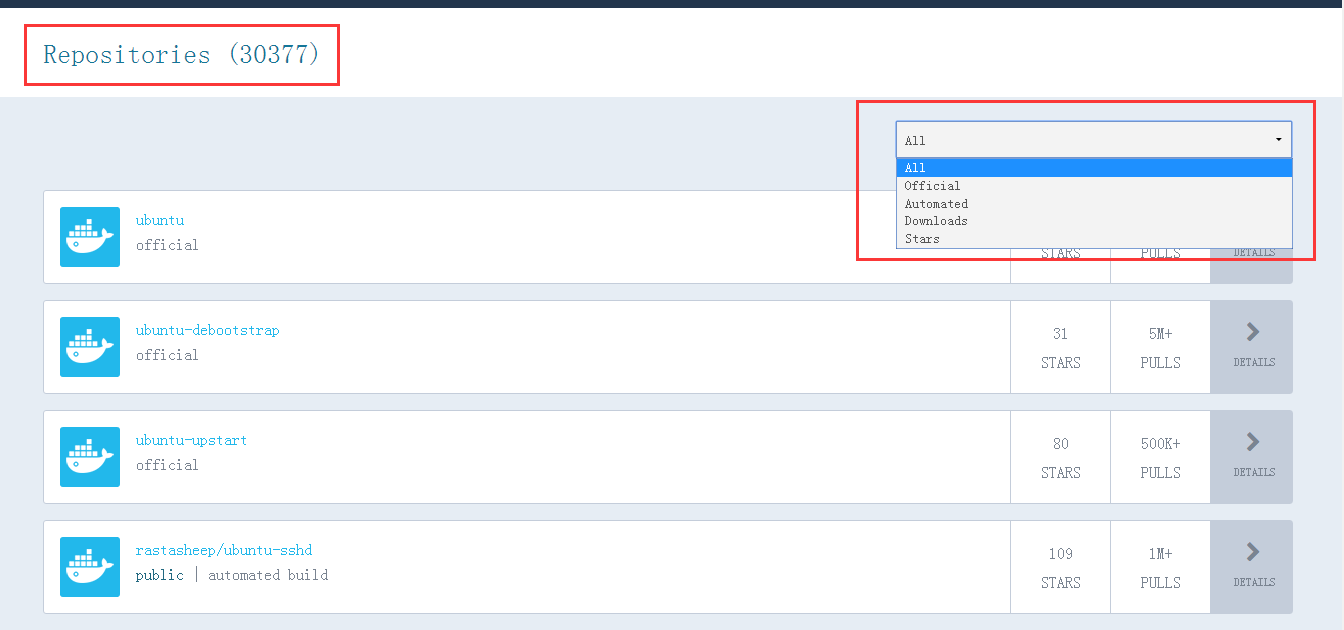
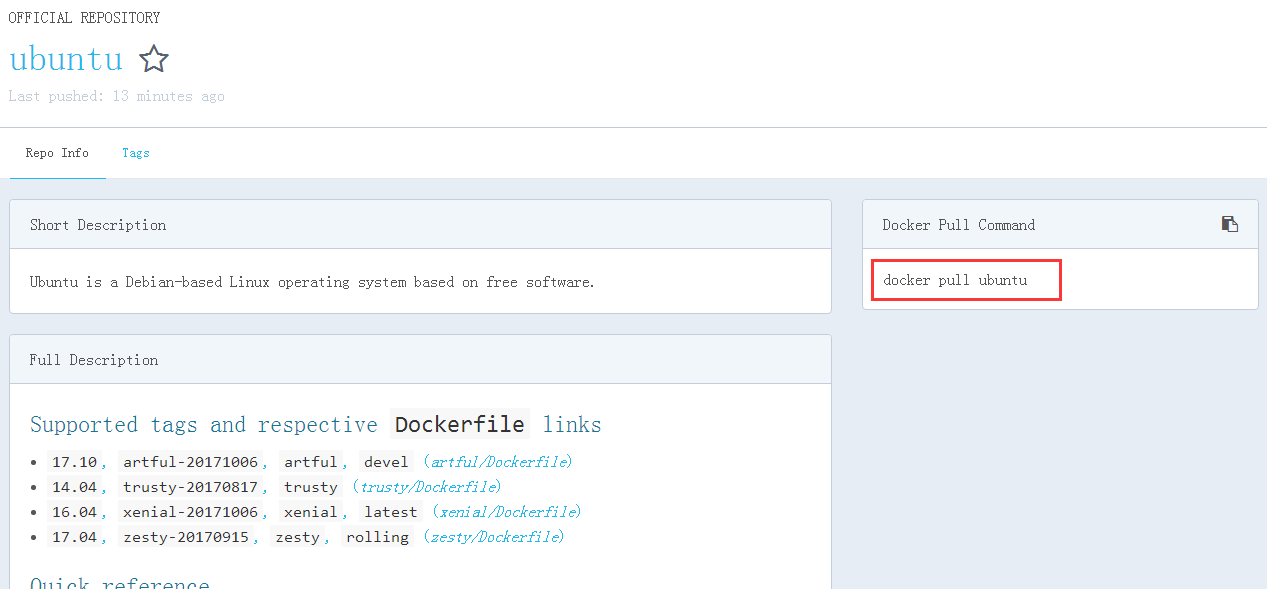
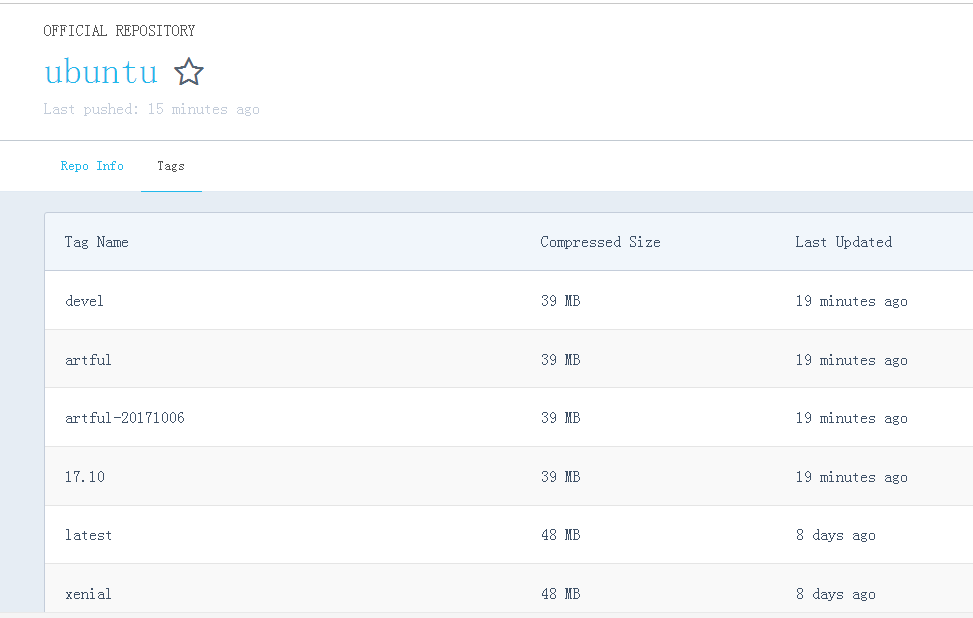
可以看到一共搜索出3万多个仓库,而且支持对搜索结果的二次筛选,展示的仓库名中没有‘/’ 的一般表示Docker官方提供的仓库,而带有 ‘/’ 的一般是第三方上传的镜像,其中 ‘/’之前的为用户名,例如上面搜索结果中的 rastasheep/ubuntu-sshd 表示由用户rastasheep上传的ubuntu-sshd镜像,点击进去可以看到仓库的详情,包括简介和详细介绍,tag以及拉取镜像仓库的命令。
如果不想直接访问Docker Hub,也可以使用在之前的文章中已经介绍过docker search命令,该命令可以查找指定的镜像仓库,例如搜索nginx镜像
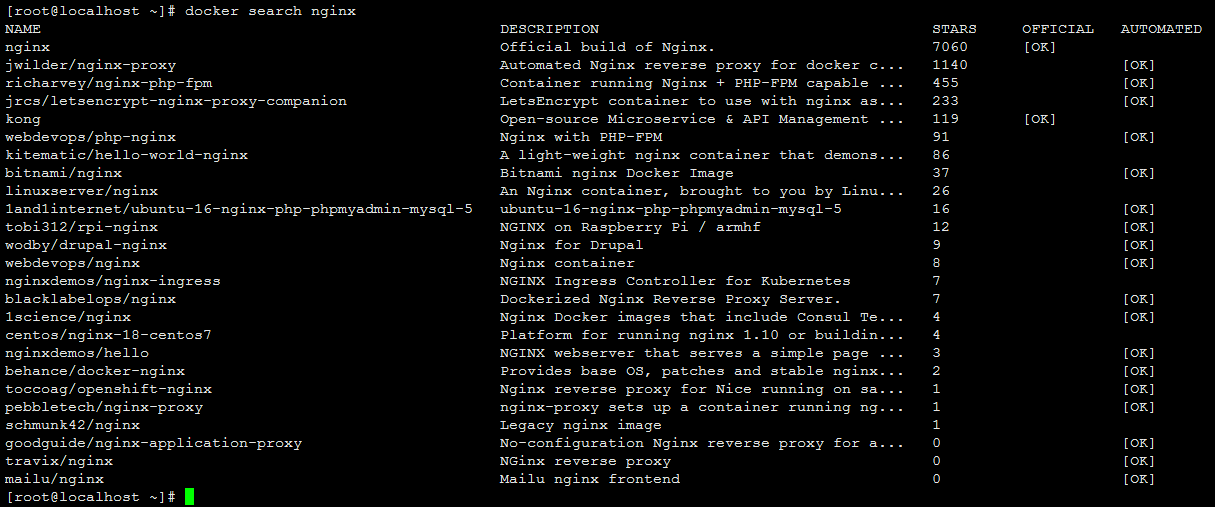
不过该命令无法展示仓库的详细信息,如果想要详细了解一个仓库,比如tag信息,建议还是去Docker Hub网站上去查看。
可以使用docker pull 命令来拉取仓库中的某个镜像,拉取时可以指定拉取某个具体tag,否则默认使用latest标签。例如拉取17.10版的ubuntu:
[root@localhost ~]# docker pull ubuntu:17.10
17.10: Pulling from ubuntu
b51049254730: Pull complete
eb184887c0e1: Pull complete
a956aea8c8d6: Pull complete
9146812b99b2: Pull complete
e570d2375d84: Pull complete
7465a8617a6a: Pull complete
Digest: sha256:ef769d2f0f7247019125eba0642973f7812443e16889afe519f7ab493542924b
Status: Downloaded newer image for ubuntu:17.10
[root@localhost ~]# docker images
REPOSITORY          TAG                 IMAGE ID            CREATED             VIRTUAL SIZE
ubuntu              17.10               7465a8617a6a        59 minutes ago      93.83 MB
nginx               backup              410962fdbc38        3 days ago          106.6 MB
nginx               latest              2ecc072be0ec        9 days ago          108.3 MB
ubuntu              14.04               b44ce450cb60        5 weeks ago         188 MB
Docker Hub
如果我们想要在Docker Hub 中发布自己的镜像,则我们需要先注册Docker Hub账号和登录,可以直接在Docker Hub网站上注册和登陆,这个步奏比较简单不再赘述,这里主要介绍下命令行模式下的注册和登录。

docker login / logout
[root@localhost ~]# docker login --help

Usage: docker login [OPTIONS] [SERVER]

Register or log in to a Docker registry server, if no server is
specified "https://index.docker.io/v1/" is the default.

  -e, --email=       Email
  --help=false       Print usage
  -p, --password=    Password
  -u, --username=    Username

登录时如果指定账号不存在,则会提示创建了新账号并且给你的注册邮箱发送一封确认邮件。

确认之后即可以用该账号来登录Docker Hub,docker logout 可以用来退出登录。

由于网络环境的因素,我们访问Docker Hub官方注册服务器有时会出现速度很慢或者无法访问的问题,其实国内也有不少云服务商提供仓库镜像服务,比如阿里云Hub(https://dev.aliyun.com/search.html)和 时速云Hub(https://hub.tenxcloud.com/)。
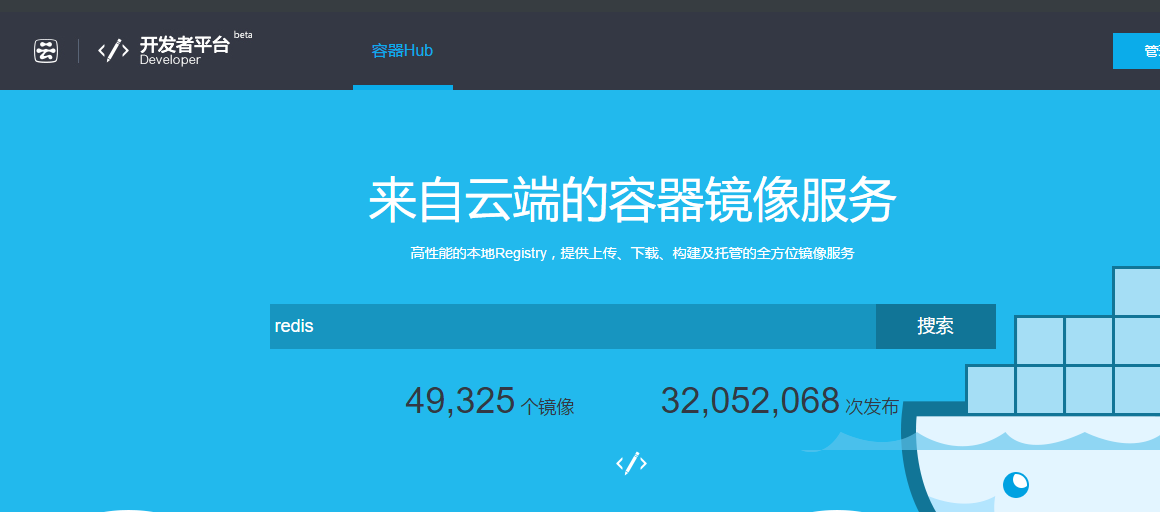

下面演示在时速云上搜索ubuntu镜像并把镜像pull下来

[root@localhost ~]# docker pull index.tenxcloud.com/tenxcloud/ubuntu:latest
latest: Pulling from index.tenxcloud.com/tenxcloud/ubuntu
511136ea3c5a: Pull complete
f3c84ac3a053: Pull complete
a1a958a24818: Pull complete
9fec74352904: Pull complete
d0955f21bf24: Pull complete
36d5fb3e7ebd: Pull complete
1110b073af0d: Pull complete
753494f2b946: Pull complete
eeb69b27fb97: Pull complete
f3cb29872d39: Pull complete
8725d1748344: Pull complete
7c30ef94acad: Pull complete
4ac1b2fa5d87: Pull complete
ec887a998177: Pull complete
f82ec9e0fed1: Pull complete
fe0a5483fdac: Pull complete
302005b17ee8: Pull complete
921181ee92a9: Pull complete
2d4cb9fc6d24: Already exists
Digest: sha256:0334de0f53881d00c7af17aedfcad5c094634e14d1898a4aed13b8fcc990a61d
Status: Downloaded newer image for index.tenxcloud.com/tenxcloud/ubuntu:latest
[root@localhost ~]# docker images
REPOSITORY                             TAG                 IMAGE ID            CREATED             VIRTUAL SIZE
nginx                                  latest              2ecc072be0ec        13 days ago         108.3 MB
centos                                 v7.0                fae454d6fc7b        3 weeks ago         434.5 MB
mysql                                  5.6.37              c6d1fd492efc        4 weeks ago         299 MB
ubuntu                                 14.04               b44ce450cb60        5 weeks ago         188 MB
quay.io/coreos/etcd                    v3.0.4              3b17a5f34e6c        15 months ago       43.3 MB
index.tenxcloud.com/tenxcloud/ubuntu   latest              2d4cb9fc6d24        23 months ago       251 MB
如同我们可以用git push命令来推送我们的代码提交,我们也可以用docker push 命令来向注册服务器推送自己的镜像(或仓库),不过首先要docker login登录自己的账号。下面我们演示把从时速云上拉下来的镜像push到Docker Hub 上。
[root@localhost ~]# docker login -e zhangy@tv189.com -u 1054948153 -p zxc123456
WARNING: login credentials saved in /root/.docker/config.json
Login Succeeded
[root@localhost ~]# docker tag index.tenxcloud.com/tenxcloud/ubuntu:latest 1054948153/ubuntu:v0.1
[root@localhost ~]# docker push 1054948153/ubuntu:v0.1
The push refers to a repository [1054948153/ubuntu] (len: 1)
2d4cb9fc6d24: Image already exists
2d4cb9fc6d24: Buffering to Disk
921181ee92a9: Image already exists
302005b17ee8: Image already exists
f82ec9e0fed1: Image successfully pushed
f82ec9e0fed1: Buffering to Disk
ec887a998177: Image already exists
4ac1b2fa5d87: Image already exists
7c30ef94acad: Image already exists
f3cb29872d39: Image successfully pushed
eeb69b27fb97: Image successfully pushed
753494f2b946: Image successfully pushed
1110b073af0d: Image successfully pushed
1110b073af0d: Buffering to Disk
36d5fb3e7ebd: Image already exists
9fec74352904: Image successfully pushed
a1a958a24818: Image successfully pushed
f3c84ac3a053: Image successfully pushed
f3c84ac3a053: Buffering to Disk
Digest: sha256:369ee5d4b2e4bba91011ddd99ae180b3e322c0dbec40f6980aee6b45f9f619b4
成功之后便可以在Docker Hub上查看该仓库。

以上就是关于Docker 仓库的简单操作^^

 浙公网安备 33010602011771号