Gitlab安装
2CPU,4G内存
系统最小化安装完成后操作
yum install vim gcc gcc-c++ wget net-tools lrzsz iotop lsof iotop bash-completion -y
yum install curl policycoreutils openssh-server openssh-clients postfix -y
wget -O /etc/yum.repos.d/epel.repo http://mirrors.aliyun.com/repo/epel-7.repo
systemctl disable firewalld
sed -i '/SELINUX/s/enforcing/disabled/' /etc/sysconfig/selinux
hostnamectl set-hostname gitlab.example.com
reboot
2.设置postfix开机自启,并启动,postfix支持gitlab发信功能
systemctl enable postfix && systemctl start postfix
3.下载gitlab
https://mirrors.tuna.tsinghua.edu.cn/gitlab-ce/yum/el7/
https://mirrors.tuna.tsinghua.edu.cn/gitlab-ce/yum/el6/
4.解压
[root@gitlab app]# rpm -ivh gitlab-ce-12.9.0-ce.0.el7.x86_64.rpm
warning: gitlab-ce-12.9.0-ce.0.el7.x86_64.rpm: Header V4 RSA/SHA1 Signature, key ID f27eab47: NOKEY
error: Failed dependencies:
    policycoreutils-python is needed by gitlab-ce-12.9.0-ce.0.el7.x86_64
报错说缺少这个
policycoreutils-python

yum install policycoreutils-python
[root@gitlab app]# rpm -ivh gitlab-ce-12.9.0-ce.0.el7.x86_64.rpm
warning: gitlab-ce-12.9.0-ce.0.el7.x86_64.rpm: Header V4 RSA/SHA1 Signature, key ID f27eab47: NOKEY
Preparing...                          ################################# [100%]
Updating / installing...
   1:gitlab-ce-12.9.0-ce.0.el7        ################################# [100%]
It looks like GitLab has not been configured yet; skipping the upgrade script.

       *.                  *.
      ***                 ***
     *****               *****
    .******             *******
    ********            ********
   ,,,,,,,,,***********,,,,,,,,,
  ,,,,,,,,,,,*********,,,,,,,,,,,
  .,,,,,,,,,,,*******,,,,,,,,,,,,
      ,,,,,,,,,*****,,,,,,,,,.
         ,,,,,,,****,,,,,,
            .,,,***,,,,
                ,*,.


     _______ __  __          __
    / ____(_) /_/ /   ____ _/ /_
   / / __/ / __/ /   / __ `/ __ \
  / /_/ / / /_/ /___/ /_/ / /_/ /
  \____/_/\__/_____/\__,_/_.___/


Thank you for installing GitLab!
GitLab was unable to detect a valid hostname for your instance.
Please configure a URL for your GitLab instance by setting `external_url`
configuration in /etc/gitlab/gitlab.rb file.
Then, you can start your GitLab instance by running the following command:
  sudo gitlab-ctl reconfigure

For a comprehensive list of configuration options please see the Omnibus GitLab readme
https://gitlab.com/gitlab-org/omnibus-gitlab/blob/master/README.md


GitLab now ships with a newer version of PostgreSQL (11.7), but it is not yet
enabled by default. To upgrade, please see:
https://docs.gitlab.com/omnibus/settings/database.html#upgrade-packaged-postgresql-server
相关目录位置
/etc/gitlab #配置文件目录
/run/gitlab #运行pid目录
/opt/gitlab #安装目录
/var/opt/gitlab #数据目录
/var/log/gitlab #日志目录
[root@gitlab app]# cd /etc/gitlab/
[root@gitlab gitlab]# ll
total 100
-rw-------. 1 root root 101278 Sep 14 09:55 gitlab.rb
[root@gitlab gitlab]# vim gitlab.rb
[root@gitlab gitlab]#


external_url 'http://10.0.0.100'  #修改此行
#增加下面行,可选邮件通知设置
gitlab_rails['smtp_enable'] = true
gitlab_rails['smtp_address'] = "smtp.qq.com"
gitlab_rails['smtp_port'] = 465
gitlab_rails['smtp_user_name'] = "29308620@qq.com"
gitlab_rails['smtp_password'] = "授权码"
gitlab_rails['smtp_domain'] = "qq.com"
gitlab_rails['smtp_authentication'] = "login"
gitlab_rails['smtp_enable_starttls_auto'] = true
gitlab_rails['smtp_tls'] = true
gitlab_rails['gitlab_email_from'] = "29308620@qq.com"
配置文件修改完成后进行初始化
初始化命令
gitlab-ctl reconfigure
初始化完成状态
Running handlers:
Running handlers complete
Chef Client finished, 545/1461 resources updated in 03 minutes 12 seconds
gitlab Reconfigured!
验证启动完成
gitlab-ctl status
[root@gitlab gitlab]# gitlab-ctl status
run: alertmanager: (pid 13284) 80s; run: log: (pid 12979) 127s
run: gitaly: (pid 13170) 81s; run: log: (pid 12305) 219s
run: gitlab-exporter: (pid 13168) 82s; run: log: (pid 12863) 145s
run: gitlab-workhorse: (pid 13143) 82s; run: log: (pid 12649) 169s
run: grafana: (pid 13302) 79s; run: log: (pid 13111) 93s
run: logrotate: (pid 12703) 158s; run: log: (pid 12762) 157s
run: nginx: (pid 12665) 164s; run: log: (pid 12675) 163s
run: node-exporter: (pid 13153) 82s; run: log: (pid 12829) 151s
run: postgres-exporter: (pid 13294) 79s; run: log: (pid 13010) 121s
run: postgresql: (pid 12336) 216s; run: log: (pid 12405) 213s
run: prometheus: (pid 13189) 81s; run: log: (pid 12939) 133s
run: redis: (pid 12130) 228s; run: log: (pid 12168) 225s
run: redis-exporter: (pid 13177) 81s; run: log: (pid 12899) 139s
run: sidekiq: (pid 12562) 178s; run: log: (pid 12577) 174s
run: unicorn: (pid 12521) 184s; run: log: (pid 12559) 181s
启动gitlab
[root@gitlab gitlab]# gitlab-ctl restart
ok: run: alertmanager: (pid 13676) 1s
ok: run: gitaly: (pid 13691) 0s
ok: run: gitlab-exporter: (pid 13706) 0s
ok: run: gitlab-workhorse: (pid 13716) 1s
ok: run: grafana: (pid 13731) 0s
ok: run: logrotate: (pid 13742) 1s
ok: run: nginx: (pid 13826) 0s
ok: run: node-exporter: (pid 13834) 1s
ok: run: postgres-exporter: (pid 13839) 0s
ok: run: postgresql: (pid 13849) 0s
ok: run: prometheus: (pid 13858) 1s
ok: run: redis: (pid 13869) 0s
ok: run: redis-exporter: (pid 13874) 1s
ok: run: sidekiq: (pid 13882) 0s
ok: run: unicorn: (pid 13893) 1s
Gitlab常用命令
gitlab-rails #用于启动控制台进行特殊操作,如修改管理员密码、打开数据库控制台( gitlab-rails dbconsole)等
gitlab-psql #数据库命令行
gitlab-rake #数据备份恢复等数据操作

gitlab-ctl  #客户端命令行操作行
gitlab-ctl stop #停止gitlab
gitlab-ctl start #启动gitlab
gitlab-ctl restar #重启gitlab
gitlab-ctl  status #查看组件运行状态
gitlab-ctl  tail nginx #查看某个组件的日志
设置gitlab发信功能,需要注意一点:
发信系统用的默认的postfix,smtp是默认开启的,两个都启用了,两个都不会工作
关闭smtp方法:vim /etc/gitlab/gitlab.rb
找到#gitlab_rails['smtp_enable'] = true 改为 gitlab_rails['smtp_enable'] = false
或者是关闭postfix
验证端口及状态
[root@gitlab gitlab]# lsof -i :80
COMMAND   PID       USER   FD   TYPE DEVICE SIZE/OFF NODE NAME
nginx   13826       root    7u  IPv4  42511      0t0  TCP *:http (LISTEN)
nginx   13827 gitlab-www    7u  IPv4  42511      0t0  TCP *:http (LISTEN)
nginx   13828 gitlab-www    7u  IPv4  42511      0t0  TCP *:http (LISTEN)
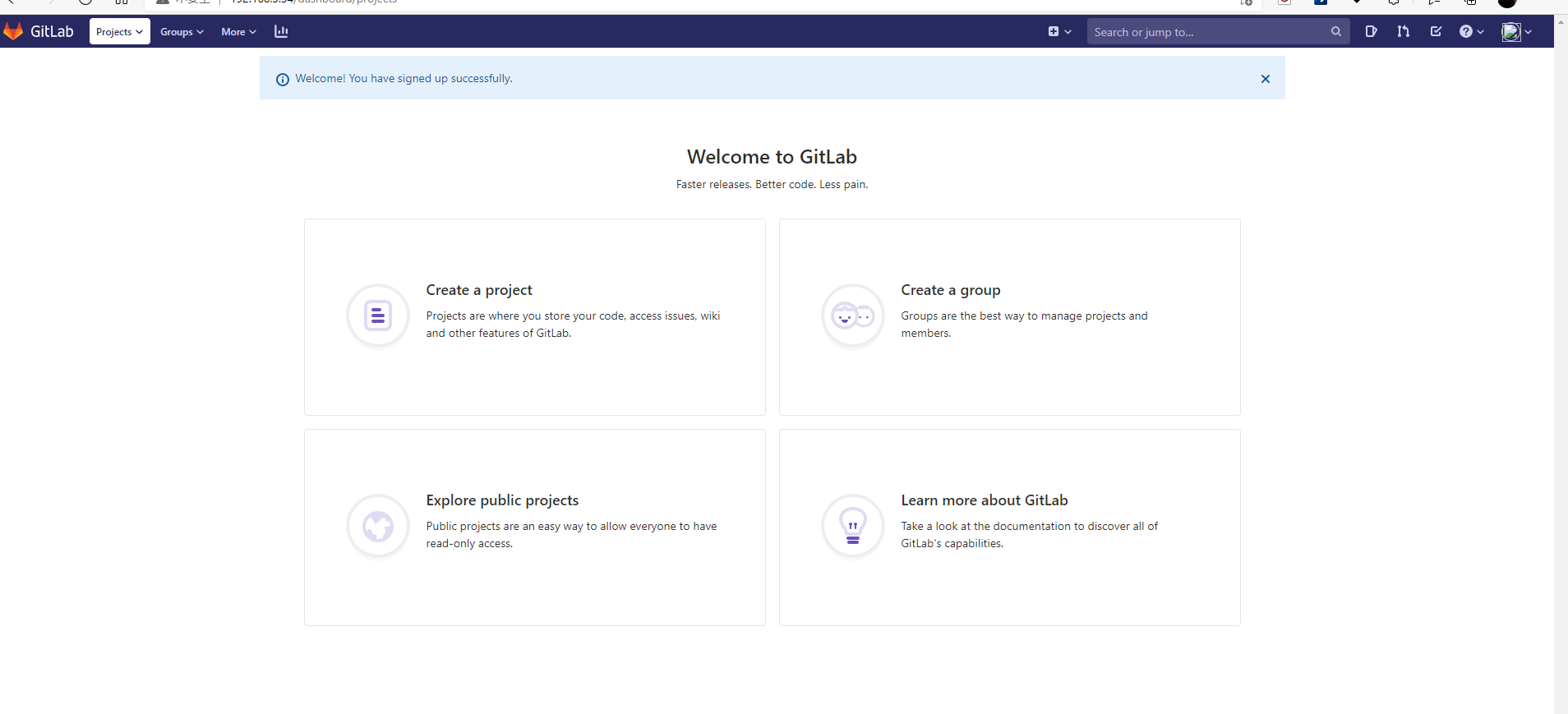
登录web页面
http://192.168.3.34
首次登录web页面,必须先设置密码,密码要求最少8位
密码为lt941208
name : liutao
163邮箱密码 lt41208

 浙公网安备 33010602011771号