

python的第一个程序:Hello World程序
python的第一个程序:Hello World程序
python语言的入门仪式:hello world
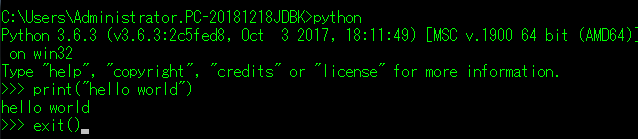
在linux 下创建一个文件叫hello.py,并输入
|
1
|
print("Hello World!") |
然后执行命令:python hello.py ,输出
|
1
2
3
|
localhost:~ jieli$ vim hello.pylocalhost:~ jieli$ python hello.pyHello World! |
指定解释器
上一步中执行 python hello.py 时,明确的指出 hello.py 脚本由 python 解释器来执行。
如果想要类似于执行shell脚本一样执行python脚本,例: ./hello.py ,那么就需要在 hello.py 文件的头部指定解释器,如下:
|
1
2
3
|
#!/usr/bin/env python print "hello,world" |
如此一来,执行: ./hello.py 即可。
ps:执行前需给予 hello.py 执行权限,chmod 755 hello.py
在交互器中执行
除了把程序写在文件里,还可以直接调用python自带的交互器运行代码,
|
1
2
3
4
5
6
|
localhost:~ jieli$ pythonPython 2.7.10 (default, Oct 23 2015, 18:05:06)[GCC 4.2.1 Compatible Apple LLVM 7.0.0 (clang-700.0.59.5)] on darwinType "help", "copyright", "credits" or "license" for more information.>>> print("Hello World!")Hello World! |
对比下其它语言的hello world
C++
1 #include <iostream>
2 int main(void)
3 {
4 std::cout<<"Hello world";
5 }
C
#include <stdio.h>
int main(void)
{
printf("\nhello world!");
return 0;
}
JAVA
public class HelloWorld{
// 程序的入口
public static void main(String args[]){
// 向控制台输出信息
System.out.println("Hello World!");
}
}
PHP
1 <?php
2             echo "hello world!";
3 ?>
RUBY
1 puts "Hello world."
GO
package main
import "fmt"
func main(){
fmt.Printf("Hello World!\n God Bless You!");
}

 浙公网安备 33010602011771号