

Swagger的使用笔记
1、首先配置Swagger的jar包
<!-- https://mvnrepository.com/artifact/io.springfox/springfox-swagger2 -->
<dependency>
<groupId>io.springfox</groupId>
<artifactId>springfox-swagger2</artifactId>
<version>2.9.2</version>
</dependency>
<dependency>
<groupId>io.springfox</groupId>
<artifactId>springfox-swagger-ui</artifactId>
<version>2.9.2</version>
</dependency>
2、设置Swagger的配置文件
@Configuration
@EnableSwagger2
public class SwaggerConfig {

}
3、访问http://localhost:8080/swagger-ui.html
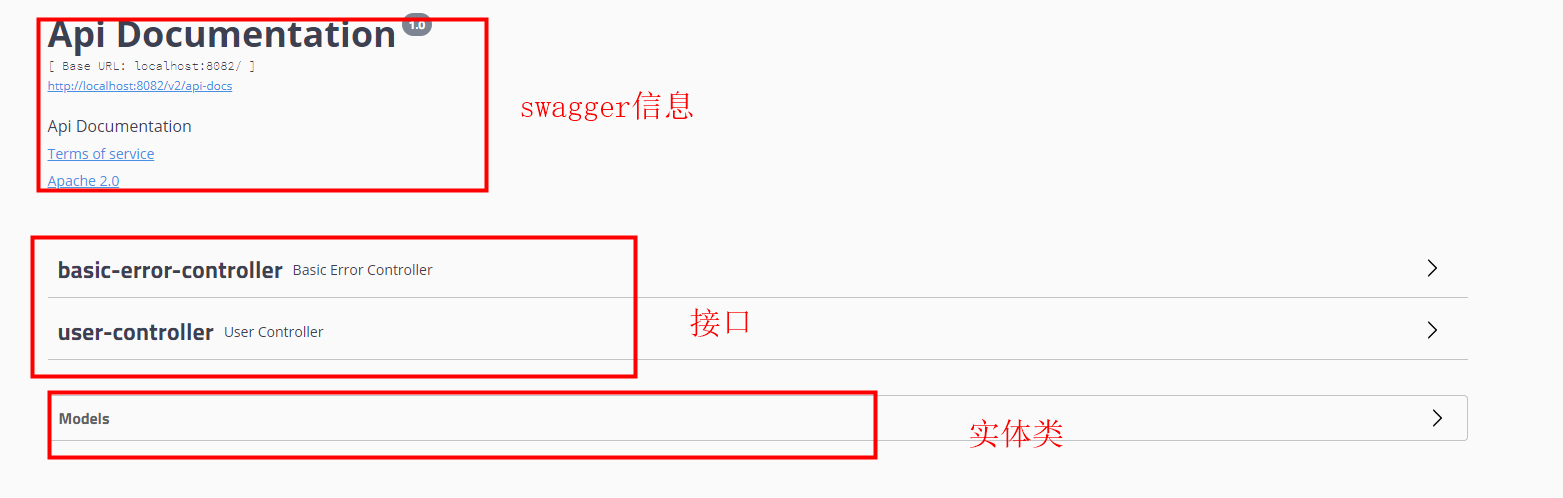
4、配置Swagger页面信息
@Bean
public Docket docket(){
    return new Docket(DocumentationType.SWAGGER_2)
            .apiInfo(apiInfo())
            .select()
            //RequestHandlerSelectors配置扫描包的方式
            //basePackage: 指定要扫描的包
            //any扫描全部
            .apis(RequestHandlerSelectors.basePackage("com.liukx.springboot_vue.controller"))
            .build()
            .groupName("分组1")  //分组
            .enable(true);  //配置运行项目是否启用Swagger
}
private ApiInfo apiInfo(){
    //作者信息
    Contact contact = new Contact("刘恺翔", "https://www.baidu.com", "757977299@qq.com");

    return new ApiInfo("恺翔的Swagger的API文档",
            "命若天定,我便破了这个天!",
            "v1.0",
            "https://www.baidu.com",
            contact,
            "Apache 2.0",
            "http://www.apache.org/licenses/LICENSE-2.0",
            new ArrayList());
}

 浙公网安备 33010602011771号