
uni-app实现小程序复制功能失败
1.先准备好要实现粘贴复制的代码
<view class="form_left">
          <text class="form_one">订单编号</text>
          <text class="form_two">{{ order_id }}</text>
          <text class="form_copy" @click="copy(order_id )">复制</text>
</view>
const copy = (data) => {
  uni.setClipboardData({
    data: data,
    success: function (res) {
      console.log('success', res);
      uni.getClipboardData({
        success: function (res) {
          console.log('粘贴', res);
        }
      });
      uni.showToast({
        title: '复制成功',
        icon: 'none'
      });
    },
    fail: (error) => {
      uni.showToast({
        title: '复制失败',
        icon: 'none'
      });
    }
  });
};
2、如果用的是微信 wx.setClipboardData 和 wx.getClipboardData 我们需要先申请一个权限
3、在微信公众平台申请权限 https://mp.weixin.qq.com/
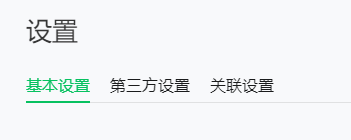
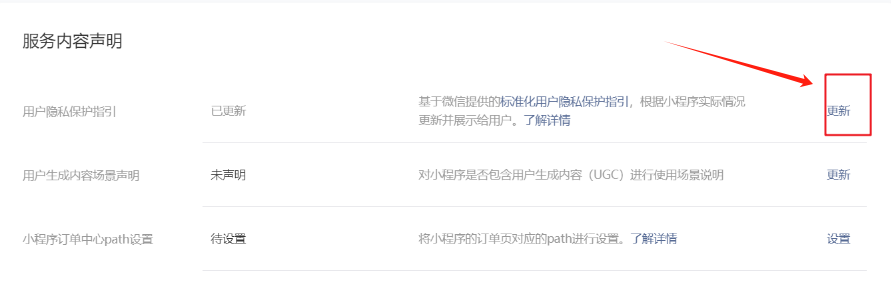
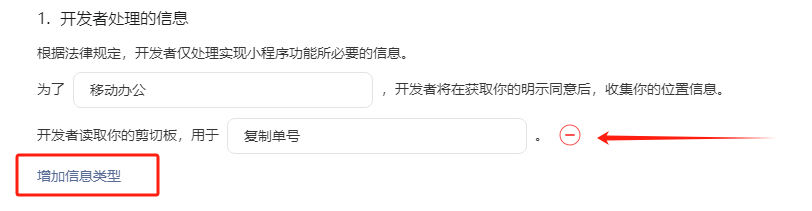
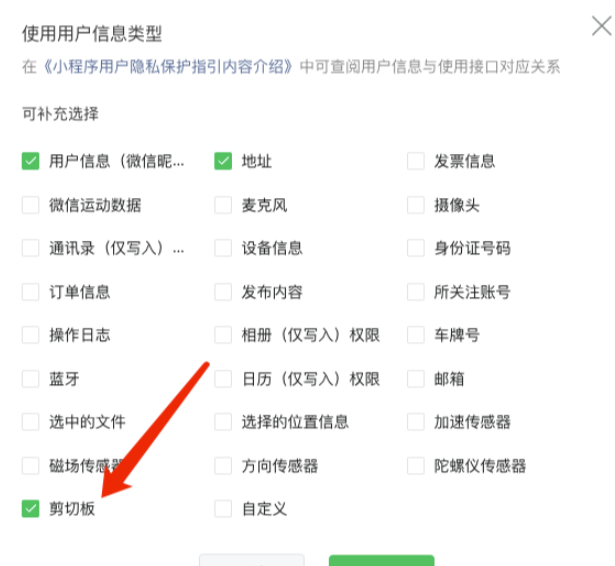
登录后台找到左下角的账号设置,进入选择如下:

 浙公网安备 33010602011771号