Vue 使用高德地图,精确定位&ip定位,获取城市、地区位置
1、高德地图开放平台-注册账号并申请Key
1) 首先,注册开发者账号,成为高德开放平台开发者
2)登陆之后,在进入「应用管理」 页面「创建新应用」
3)为应用添加 Key,「服务平台」一项请选择「 Web 端 ( JSAPI ) 」
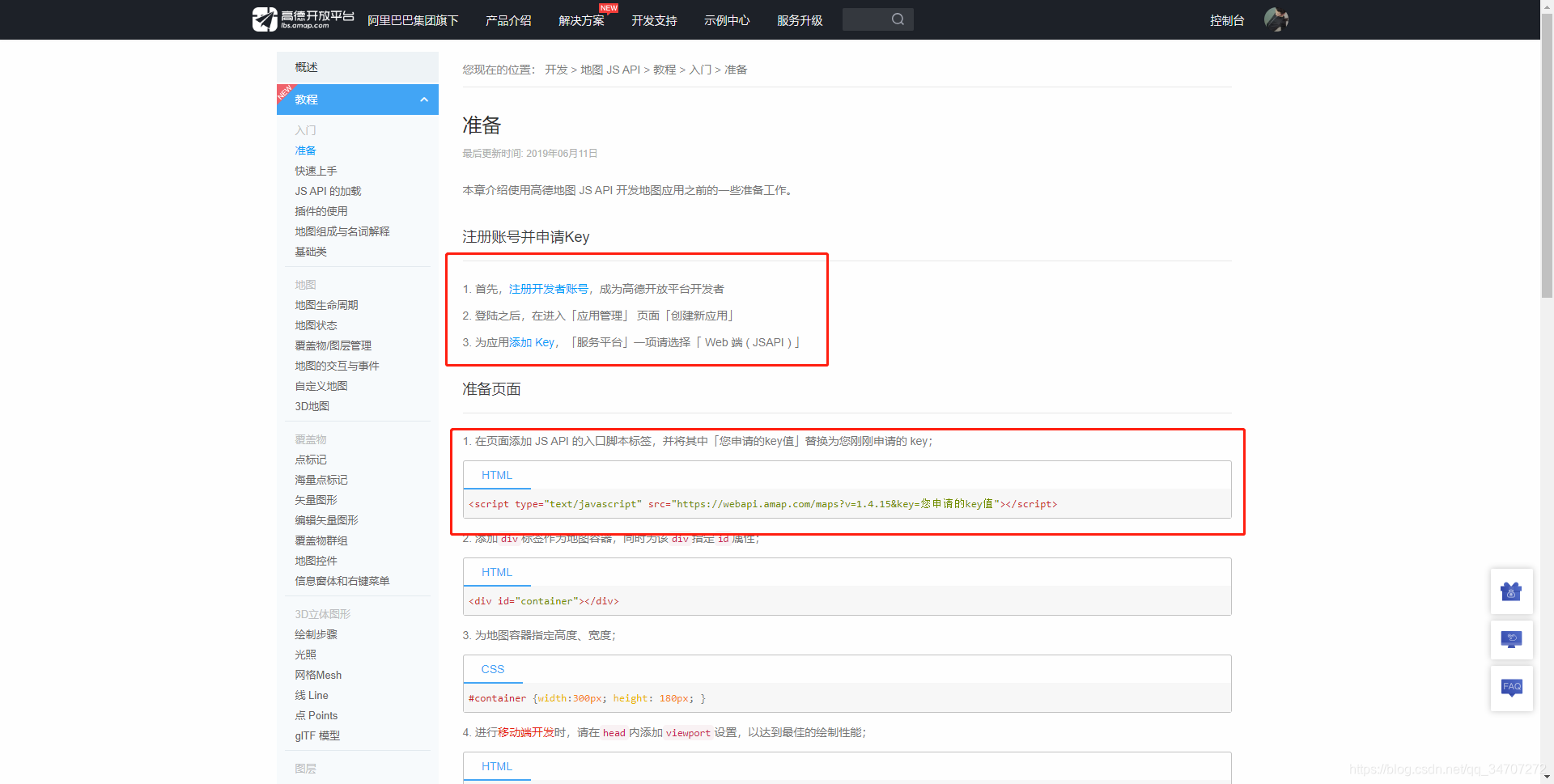
2.在页面添加 JS API 的入口脚本标签
<script type="text/javascript" src="https://webapi.amap.com/maps?v=1.4.15&key=您申请的key值"></script>3.vue.config.js 配置 externals
configureWebpack: {
  externals: {
    AMap: "AMap",
  },
},
4.Vue页面
<script>
export default {
  name: 'MAP',
  data () {
    return {
      city: '定位中...',
    };
  },
  computed: {

  },
  created () {
    this.getLocation();
  },
  mounted () {

  },
  methods: {
    // 获取当前位置
    getLocation () {
      const self = this;
      AMap.plugin('AMap.Geolocation', function () {
        var geolocation = new AMap.Geolocation({
          // 是否使用高精度定位,默认:true
          enableHighAccuracy: true,
          // 设置定位超时时间,默认:无穷大
          timeout: 10000
        });

        geolocation.getCurrentPosition();
        AMap.event.addListener(geolocation, 'complete', onComplete);
        AMap.event.addListener(geolocation, 'error', onError);

        function onComplete (data) {
          // data是具体的定位信息
          console.log('定位成功信息:', data.addressComponent.city);
          self.city = data.addressComponent.city;
        }

        function onError (data) {
          // 定位出错
          console.log('定位失败错误:', data);
          // 调用IP定位
          self.getLngLatLocation();
        }
      });
    },
    // 通过IP获取当前位置
    getLngLatLocation () {
      AMap.plugin('AMap.CitySearch', function () {
        var citySearch = new AMap.CitySearch();
        citySearch.getLocalCity(function (status, result) {
          if (status === 'complete' && result.info === 'OK') {
            // 查询成功,result即为当前所在城市信息
            console.log('通过ip获取当前城市:', result);
            // 逆向地理编码
            AMap.plugin('AMap.Geocoder', function () {
              var geocoder = new AMap.Geocoder({
                // city 指定进行编码查询的城市,支持传入城市名、adcode 和 citycode
                city: result.adcode
              });

              var lnglat = result.rectangle.split(';')[0].split(',');
              geocoder.getAddress(lnglat, function (status, data) {
                if (status === 'complete' && data.info === 'OK') {
                  // result为对应的地理位置详细信息
                  console.log(data);
                }
              });
            });
          }
        });
      });
    }
  }
};
</script>

 浙公网安备 33010602011771号