

每日总结
前端工程化
前端工程化提升开发效率:模块化(ES6模块)、打包工具(Webpack、Vite)、CSS预处理器(Sass)、框架(React/Vue)。自动化测试(Jest)、代码检查(ESLint)。持续集成部署。例如,Webpack将多个JS文件打包优化。
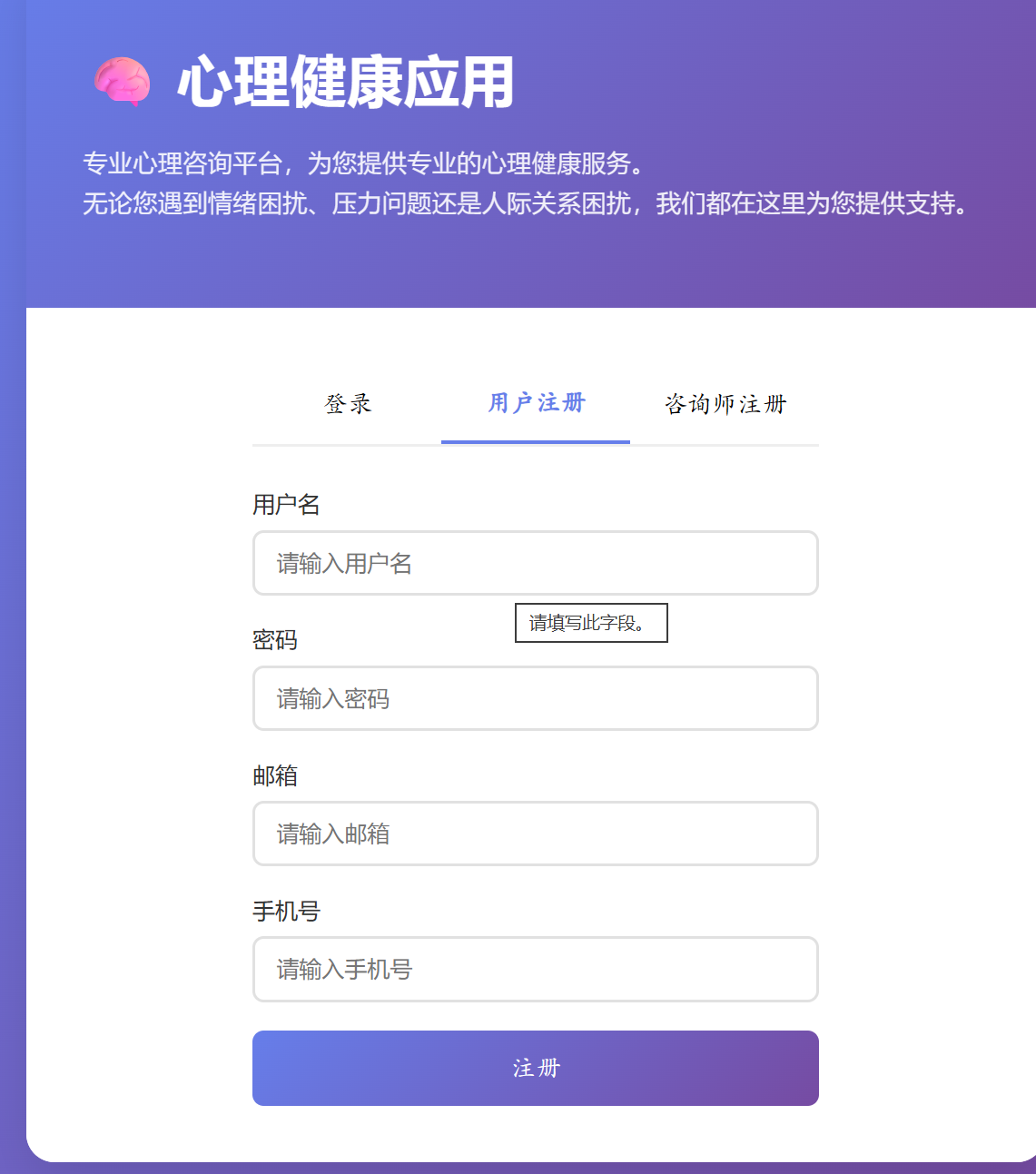
    body {
        font-family: 'Arial', sans-serif;
        background: #f5f7fa;
        color: #333;
    }

    .container {
        max-width: 1200px;
        margin: 30px auto;
        padding: 0 20px;
    }

    .welcome-section {
        background: white;
        padding: 40px;
        border-radius: 15px;
        box-shadow: 0 5px 15px rgba(0, 0, 0, 0.08);
        text-align: center;
        margin-bottom: 30px;
    }

    .welcome-section h1 {
        color: #667eea;
        margin-bottom: 15px;
    }

    .features {
        display: grid;
        grid-template-columns: repeat(auto-fit, minmax(300px, 1fr));
        gap: 25px;
        margin-top: 40px;
    }

    .feature-card {
        background: white;
        padding: 30px;
        border-radius: 12px;
        box-shadow: 0 3px 10px rgba(0, 0, 0, 0.08);
        text-align: center;
        transition: all 0.3s;
        cursor: pointer;
        border: 2px solid transparent;
    }

    .feature-card:hover {
        transform: translateY(-5px);
        border-color: #667eea;
        box-shadow: 0 8px 25px rgba(102, 126, 234, 0.15);
    }

    .feature-icon {
        font-size: 3em;
        margin-bottom: 15px;
    }

    .feature-card h3 {
        color: #667eea;
        margin-bottom: 10px;
    }

    .feature-card p {
        color: #666;
        line-height: 1.5;
    }

    .loading {
        text-align: center;
        padding: 50px;
        color: #666;
    }
</style>
<div class="main-content-with-topnav">
<div class="container">
<div id="loading" class="loading">
<h3>加载中...</h3>
</div>
<div id="content" style="display: none;">
<div class="welcome-section">
<h1>欢迎,<span id="username">用户</span></h1>
<p>我们为您提供专业的心理咨询服务,帮助您解决心理困扰,提升生活质量</p>
</div>
<!-- 即将开始的咨询室入口 -->
<div id="upcoming-consultation"
style="display: none; background: linear-gradient(135deg, #f093fb 0%, #f5576c 100%); color: white; padding: 20px; border-radius: 12px; box-shadow: 0 5px 15px rgba(0,0,0,0.1); margin-bottom: 30px;">
<div style="display: flex; justify-content: space-between; align-items: center;">
<div>
<h3 style="margin-bottom: 5px;">您有一个即将开始的咨询</h3>
<p id="upcoming-info">咨询即将开始,请进入咨询室</p>
</div>
<button id="enter-consultation-room" class="btn"
style="background: white; color: #f5576c; padding: 10px 20px; border-radius: 20px; border: none; cursor: pointer; font-weight: bold;">进入咨询室</button>
</div>
</div>
<!-- 我的咨询室模块 -->
<div id="my-consultation-rooms"
style="background: white; padding: 25px; border-radius: 15px; box-shadow: 0 5px 15px rgba(0,0,0,0.08); margin-bottom: 30px;">
<h2 style="color: #667eea; margin-bottom: 20px; font-size: 1.5em;">我的咨询室</h2>
<div id="consultation-rooms-container"
style="display: grid; grid-template-columns: repeat(auto-fit, minmax(300px, 1fr)); gap: 20px;">
<p style="text-align: center; color: #666; grid-column: 1 / -1;">您还没有预约任何咨询</p>
</div>
</div>
<div class="features">
<div class="feature-card" onclick="navigateTo('quick-consultation')">
<div class="feature-icon">⚡</div>
<h3>快速咨询</h3>
<p>快速提交您的心理问题,系统将为您匹配最合适的咨询师</p>
</div>
<div class="feature-card" onclick="navigateTo('consultants')">
<div class="feature-icon">👨⚕️</div>
<h3>寻找咨询师</h3>
<p>浏览专业的心理咨询师,选择适合您的专家进行咨询</p>
</div>
<div class="feature-card" onclick="navigateTo('messages')">
<div class="feature-icon">✉️</div>
<h3>我的消息</h3>
<p>查看系统通知和与咨询师的对话记录</p>
</div>
<div class="feature-card" onclick="navigateTo('consultation')">
<div class="feature-icon">💬</div>
<h3>在线咨询</h3>
<p>与咨询师进行实时在线交流,获得专业的心理支持</p>
</div>
<div class="feature-card" onclick="navigateTo('history')">
<div class="feature-icon">📝</div>
<h3>咨询记录</h3>
<p>查看您的咨询历史记录和咨询师的反馈</p>
</div>
<div class="feature-card" onclick="navigateTo('resources')">
<div class="feature-icon">📚</div>
<h3>心理资源</h3>
<p>获取心理健康知识和自助工具</p>
</div>
<div class="feature-card" onclick="navigateTo('profile')">
<div class="feature-icon">👤</div>
<h3>个人中心</h3>
<p>查看个人信息、学习记录、测试记录和评估报告</p>
</div>
</div>
</div>
</div>
<script>
// 页面加载时检查登录状态
document.addEventListener('DOMContentLoaded', function () {
const token = localStorage.getItem('token');
const userStr = localStorage.getItem('user');
if (!token || !userStr) {
alert('请先登录');
window.location.href = '/';
return;
}
try {
const user = JSON.parse(userStr);
if (!user.role) {
throw new Error('用户信息不完整');
}
// 显示用户名
document.getElementById('username').textContent = user.username || '用户';
// 初始化认证管理器
if (window.authManager) {
window.authManager.loadFromStorage();
window.authManager.setupInterceptors();
}
// 显示内容
document.getElementById('loading').style.display = 'none';
document.getElementById('content').style.display = 'block';
// 检查即将开始的预约
checkUpcomingSession();
// 每60秒检查一次
setInterval(checkUpcomingSession, 60000);
// 加载用户的咨询室列表
loadUserConsultationRooms();
} catch (error) {
console.error('加载用户信息失败:', error);
alert('登录信息已过期,请重新登录');
logout();
}
});
function logout() {
// 清除所有存储的认证数据
localStorage.removeItem('token');
localStorage.removeItem('user');
sessionStorage.removeItem('token');
sessionStorage.removeItem('user');
// 清除 cookie
document.cookie = "token=; expires=Thu, 01 Jan 1970 00:00:00 UTC; path=/;";
document.cookie = "user=; expires=Thu, 01 Jan 1970 00:00:00 UTC; path=/;";
window.location.href = '/';
}
// 检查即将开始的预约
async function checkUpcomingSession() {
const token = localStorage.getItem('token');
const userStr = localStorage.getItem('user');
if (!token || !userStr) {
return;
}
try {
const user = JSON.parse(userStr);
const response = await fetch(`/api/consultation/upcoming/user/${user.id}`, {
headers: {
'Authorization': `Bearer ${token}`,
'Content-Type': 'application/json'
}
});
if (response.status === 200) {
const session = await response.json();
// 显示即将开始的咨询室入口
const container = document.getElementById('upcoming-consultation');
const info = document.getElementById('upcoming-info');
const button = document.getElementById('enter-consultation-room');
const sessionTime = new Date(session.scheduledTime).toLocaleString();
info.textContent = `与 ${session.consultant?.name || '咨询师'} 的${session.type}咨询将于 ${sessionTime} 开始`;
container.style.display = 'block';
// 设置进入咨询室的点击事件
button.onclick = function () {
window.location.href = `/consultation-room?sessionId=${session.id}`;
};
} else {
// 隐藏咨询室入口
document.getElementById('upcoming-consultation').style.display = 'none';
}
} catch (error) {
console.error('检查即将开始的预约失败:', error);
}
}
// 加载用户的咨询室列表
async function loadUserConsultationRooms() {
const token = localStorage.getItem('token');
const userStr = localStorage.getItem('user');
if (!token || !userStr) {
return;
}
try {
const user = JSON.parse(userStr);
// 调用API获取用户的所有咨询记录(只获取PENDING和CONFIRMED状态的)
const response = await fetch(`/api/consultation/history/user/${user.id}?status=pending&status=confirmed`, {
headers: {
'Authorization': `Bearer ${token}`,
'Content-Type': 'application/json'
}
});
if (response.status === 200) {
const sessions = await response.json();
const container = document.getElementById('consultation-rooms-container');
if (sessions.length === 0) {
container.innerHTML = '<p style="text-align: center; color: #666; grid-column: 1 / -1;">您还没有预约任何咨询</p>';
return;
}
// 清空容器
container.innerHTML = '';
// 创建咨询室卡片
sessions.forEach(session => {
const sessionTime = new Date(session.scheduledTime).toLocaleString();
const roomCard = document.createElement('div');
roomCard.style.cssText = `
background: linear-gradient(135deg, #667eea 0%, #764ba2 100%);
color: white;
padding: 20px;
border-radius: 12px;
box-shadow: 0 5px 15px rgba(0,0,0,0.1);
display: flex;
flex-direction: column;
justify-content: space-between;
`;
let statusText = '';
let statusColor = '#f093fb';
if (session.status === 'PENDING') {
statusText = '等待确认';
statusColor = '#f093fb';
} else if (session.status === 'CONFIRMED') {
statusText = '等待开始';
statusColor = '#4facfe';
} else if (session.status === 'IN_PROGRESS') {
statusText = '进行中';
statusColor = '#43e97b';
}
roomCard.innerHTML = `
<div>
<h3 style="margin-bottom: 10px; font-size: 1.2em;">咨询师:${session.consultant?.user?.username || '未知'}</h3>
<p style="margin-bottom: 15px; font-size: 0.9em;">咨询类型:${session.type}</p>
<p style="margin-bottom: 10px; font-size: 0.9em;">预约时间:${sessionTime}</p>
<p style="margin-bottom: 15px; font-size: 0.9em;">时长:${session.duration}分钟</p>
<div style="display: inline-block; background: ${statusColor}; padding: 5px 12px; border-radius: 15px; font-size: 0.8em; margin-bottom: 20px;">${statusText}</div>
</div>
<div style="display: flex; gap: 10px;">
<button class="btn" style="background: rgba(255,255,255,0.2); color: white; padding: 8px 15px; border-radius: 20px; border: none; cursor: pointer; font-weight: bold; flex: 1;">查看详情</button>
${session.status === 'CONFIRMED' || session.status === 'IN_PROGRESS' ?
`<button class="btn" style="background: white; color: #667eea; padding: 8px 15px; border-radius: 20px; border: none; cursor: pointer; font-weight: bold; flex: 1;">进入咨询室</button>` : ''}
</div>
`;
// 添加查看详情按钮的点击事件
const viewDetailBtn = roomCard.querySelector('button:first-of-type');
viewDetailBtn.onclick = function () {
window.location.href = `/consultation-detail.html?sessionId=${session.id}`;
};
// 添加进入咨询室按钮的点击事件(如果存在)
const enterRoomBtn = roomCard.querySelector('button:last-of-type');
if (enterRoomBtn && (session.status === 'CONFIRMED' || session.status === 'IN_PROGRESS')) {
enterRoomBtn.onclick = function () {
window.location.href = `/consultation-room?sessionId=${session.id}`;
};
}
container.appendChild(roomCard);
});
} else {
console.error('获取咨询记录失败:', response.status);
}
} catch (error) {
console.error('加载咨询室列表失败:', error);
}
}
// 导航函数
function navigateTo(page) {
switch (page) {
case 'quick-consultation':
window.location.href = '/quick-consultation.html';
break;
case 'consultants':
window.location.href = '/consultants.html';
break;
case 'messages':
window.location.href = '/messages.html';
break;
case 'consultation':
window.location.href = '/consultation-room.html';
break;
case 'history':
window.location.href = '/consultation-history.html';
break;
case 'resources':
window.location.href = '/resources.html';
break;
case 'profile':
window.location.href = '/user-profile.html';
break;
default:
console.log('未知页面:', page);
break;
}
}
</script>
</div>
🧠 心理健康应用 - 管理员面板
<div class="content">
    <!-- 统计数据 -->
    <div class="stats-grid">
        <div class="stat-card" onclick="showSection('user-management')">
            <div class="stat-number" id="totalUsers">0</div>
            <div class="stat-label">总用户数</div>
        </div>
        <div class="stat-card" onclick="showSection('consultant-approval')">
            <div class="stat-number" id="totalConsultants">0</div>
            <div class="stat-label">咨询师数量</div>
        </div>
        <div class="stat-card" onclick="showSection('consultant-approval')">
            <div class="stat-number" id="pendingApprovals">0</div>
            <div class="stat-label">待审批申请</div>
        </div>
        <div class="stat-card">
            <div class="stat-number" id="totalSessions">0</div>
            <div class="stat-label">总咨询次数</div>
        </div>
    </div>

    <!-- 功能区域 -->
    <div class="admin-sections">
        <div class="section-card" onclick="showSection('user-management')">
            <h3>👥 用户管理</h3>
            <p>管理所有用户账号,查看用户信息,启用/禁用账号</p>
        </div>
        <div class="section-card" onclick="showSection('consultant-approval')">
            <h3>✅ 咨询师审批</h3>
            <p>审核咨询师注册申请,管理咨询师资质认证</p>
        </div>
        <div class="section-card" onclick="showSection('system-settings')">
            <h3>⚙️ 系统设置</h3>
            <p>配置系统参数,管理平台基础设置</p>
        </div>
    </div>

    <!-- 用户管理区域 -->
    <div id="user-management" class="data-section">
        <h2>用户管理</h2>
        <button class="refresh-btn" onclick="loadUsers()">刷新数据</button>
        <div id="users-loading" class="loading">加载用户数据中...</div>
        <div id="users-error" class="error" style="display: none;"></div>
        <div id="users-success" class="success" style="display: none;"></div>
        <table class="data-table" id="users-table" style="display: none;">
            <thead>
            <tr>
                <th>ID</th>
                <th>用户名</th>
                <th>邮箱</th>
                <th>手机号</th>
                <th>角色</th>
                <th>注册时间</th>
                <th>状态</th>
                <th>操作</th>
            </tr>
            </thead>
            <tbody id="users-tbody"></tbody>
        </table>
    </div>

    <!-- 咨询师审批区域 -->
    <div id="consultant-approval" class="data-section">
        <h2>咨询师审批</h2>
        <button class="refresh-btn" onclick="loadPendingConsultants()">刷新数据</button>
        <div id="consultants-loading" class="loading">加载待审批咨询师数据中...</div>
        <div id="consultants-error" class="error" style="display: none;"></div>
        <div id="consultants-success" class="success" style="display: none;"></div>
        <table class="data-table" id="consultants-table" style="display: none;">
            <thead>
            <tr>
                <th>ID</th>
                <th>真实姓名</th>
                <th>用户名</th>
                <th>从业年限</th>
                <th>资格证书</th>
                <th>咨询价格</th>
                <th>申请时间</th>
                <th>操作</th>
            </tr>
            </thead>
            <tbody id="consultants-tbody"></tbody>
        </table>
    </div>

    <!-- 系统设置区域 -->
    <div id="system-settings" class="data-section">
        <h2>系统设置</h2>
        <p style="color: #666;">系统设置功能开发中...</p>
    </div>
</div>

 浙公网安备 33010602011771号